
midnight-wallet-connector
v0.0.5
Published
Client library for connecting DApps to the Midnight CLI wallet over WebSocket JSON-RPC

Maintainers
 nel349
Readme
midnight-wallet-connector
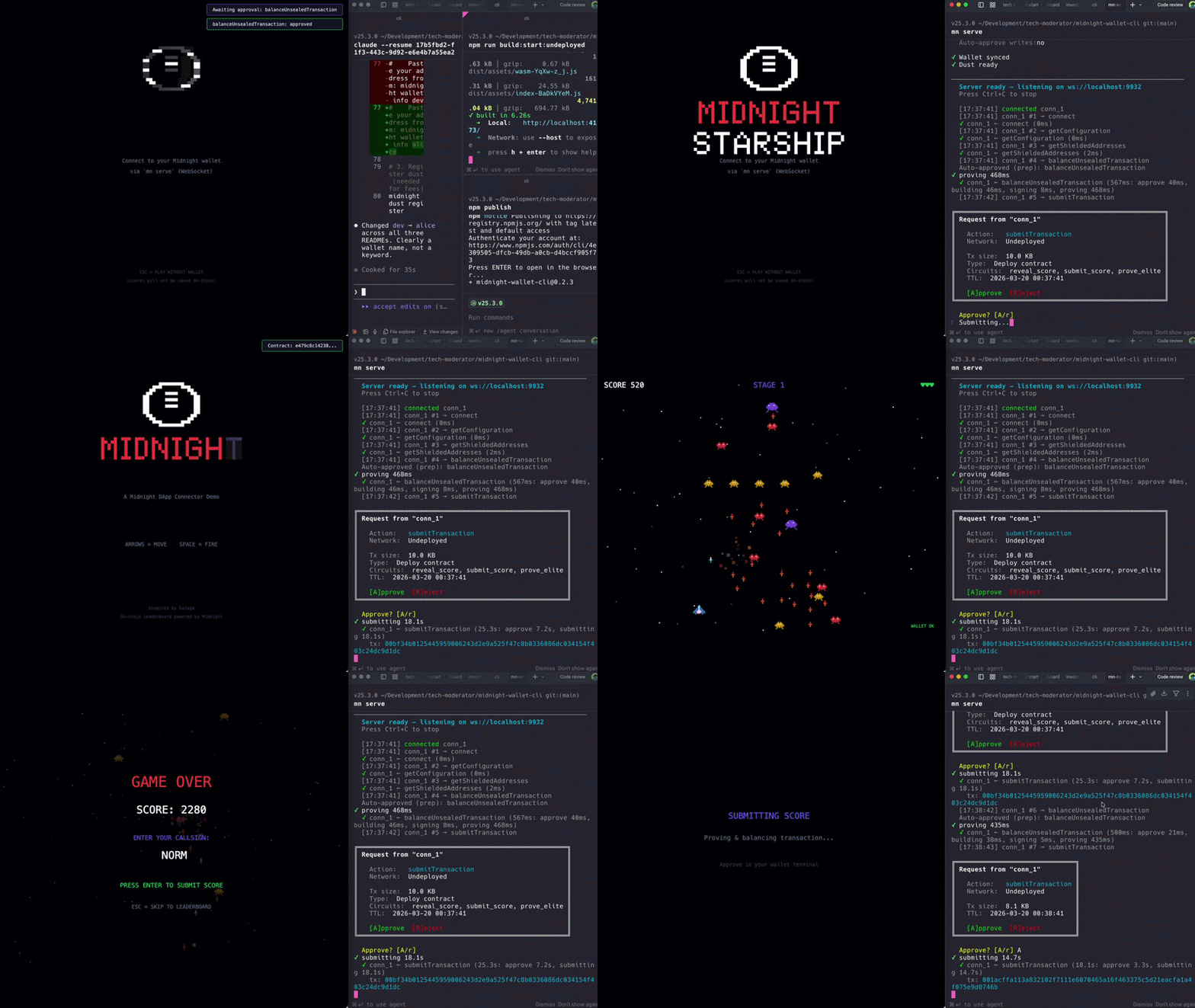




A TypeScript client for connecting dApps to the Midnight CLI wallet (mn serve) over WebSocket JSON-RPC. Implements the same ConnectedAPI interface as the Lace browser extension, so your app can switch between them without code changes.
Install
npm install midnight-wallet-connector
# or
yarn add midnight-wallet-connector
# or
pnpm add midnight-wallet-connector
wsis an optional peer dependency — only needed in Node.js. Browsers use nativeWebSocket.
Quick Start
import { createWalletClient } from 'midnight-wallet-connector';

const wallet = await createWalletClient({
  url: 'ws://localhost:9932',
  networkId: 'Undeployed',
});

const balances = await wallet.getUnshieldedBalances();
console.log('Balances:', balances);

wallet.disconnect();
Start the wallet server first:
mn serve                # interactive terminal approval
mn serve --approve-all  # auto-approve all requests (dev only)
API Reference
createWalletClient(options): Promise<WalletClient>
Connects to mn serve over WebSocket and performs a network handshake. Throws an APIError with code InvalidRequest if the wallet's network doesn't match networkId.
WalletClientOptions
| Option | Type | Default | Description |
|---|---|---|---|
| url | string | — | WebSocket URL, e.g. ws://localhost:9932 |
| networkId | string | — | 'Undeployed', 'PreProd', or 'Preview' |
| timeout | number | 300000 | Per-call timeout in ms (5 min default, sized for proof-heavy ops) |
| onApprovalPending | (method: string) => void | — | Called when the server begins waiting for terminal approval |
| onApprovalResolved | (method: string, result: 'approved' \| 'rejected') => void | — | Called when terminal approval completes |
WalletClient Methods
Balance
getUnshieldedBalances(): Promise<Record<TokenType, bigint>>
getShieldedBalances(): Promise<Record<TokenType, bigint>>
getDustBalance(): Promise<{ cap: bigint; balance: bigint }>
Addresses
getUnshieldedAddress(): Promise<{ unshieldedAddress: string }>
getShieldedAddresses(): Promise<{
  shieldedAddress: string;
  shieldedCoinPublicKey: string;
  shieldedEncryptionPublicKey: string;
}>
getDustAddress(): Promise<{ dustAddress: string }>
Transactions
balanceUnsealedTransaction(tx: string, options?: { payFees?: boolean }): Promise<{ tx: string }>
balanceSealedTransaction(tx: string, options?: { payFees?: boolean }): Promise<{ tx: string }>
makeTransfer(desiredOutputs: DesiredOutput[], options?: { payFees?: boolean }): Promise<{ tx: string }>
makeIntent(
  desiredInputs: DesiredInput[],
  desiredOutputs: DesiredOutput[],
  options: { intentId: number | 'random'; payFees: boolean },
): Promise<{ tx: string }>
submitTransaction(tx: string): Promise<void>
History
getTxHistory(pageNumber: number, pageSize: number): Promise<HistoryEntry[]>Signing
signData(data: string, options: SignDataOptions): Promise<Signature>Proving
getProvingProvider(keyMaterialProvider: KeyMaterialProvider): Promise<WalletProvingProvider>Note:
.check()and.prove()on the returned provider throw "not yet supported". Use.proverServerUridirectly until bidirectional WebSocket proving is implemented.
Configuration & Status
getConfiguration(): Promise<Configuration>
getConnectionStatus(): Promise<ConnectionStatus>
Hints
hintUsage(methodNames: Array<keyof WalletConnectedAPI>): Promise<void>Lifecycle (client-only, not part of ConnectedAPI)
disconnect(): void
onDisconnect(handler: () => void): void
Framework Integration
The connector just needs a WebSocket URL. Pass it through your framework's environment variable pattern:
Vite
# .env.local
VITE_WALLET_URL=ws://localhost:9932
const walletUrl = import.meta.env.VITE_WALLET_URL;Next.js
# .env.local
NEXT_PUBLIC_WALLET_URL=ws://localhost:9932
const walletUrl = process.env.NEXT_PUBLIC_WALLET_URL;Create React App
# .env.local
REACT_APP_WALLET_URL=ws://localhost:9932
const walletUrl = process.env.REACT_APP_WALLET_URL;Plain Node.js / Scripts
WALLET_URL=ws://localhost:9932 node my-script.jsconst walletUrl = process.env.WALLET_URL;Production: Lace Fallback
In development, connect to mn serve via WebSocket. In production, omit the environment variable and fall back to the Lace browser extension. Both return the same ConnectedAPI interface, so the rest of your app doesn't change.
import { createWalletClient, type ConnectedAPI } from 'midnight-wallet-connector';

const walletUrl = import.meta.env.VITE_WALLET_URL; // undefined in production
const networkId = 'Undeployed';

let wallet: ConnectedAPI;

if (walletUrl) {
  try {
    wallet = await createWalletClient({ url: walletUrl, networkId });
  } catch (err) {
    console.warn('WebSocket wallet not available, falling back to Lace extension');
    wallet = await connectToLace(networkId);
  }
} else {
  wallet = await connectToLace(networkId);
}

// From here on, `wallet` works the same regardless of backend
const balances = await wallet.getUnshieldedBalances();
Where connectToLace wraps the Midnight Lace extension API:
async function connectToLace(networkId: string): Promise<ConnectedAPI> {
  const lace = window.midnight?.mnLace;
  if (!lace) {
    throw new Error('Midnight Lace wallet not found. Is the extension installed?');
  }
  return lace.connect(networkId);
}
This is the pattern used by the bboard-ui example — the canonical reference implementation for Midnight dApps.
Approval Notifications
When mn serve is running in interactive mode (without --approve-all), write operations pause for terminal approval. Use the callbacks to show a loading state in your UI:
const wallet = await createWalletClient({
  url: 'ws://localhost:9932',
  networkId: 'Undeployed',
  onApprovalPending(method) {
    showToast(`Waiting for terminal approval: ${method}...`);
  },
  onApprovalResolved(method, result) {
    if (result === 'approved') {
      dismissToast();
    } else {
      showToast(`${method} was rejected at the terminal`);
    }
  },
});
These callbacks are optional and only relevant during development with mn serve in interactive mode.
Error Handling
All errors thrown by the client are APIError objects:
import { ErrorCodes, type APIError } from 'midnight-wallet-connector';

try {
  await wallet.submitTransaction(tx);
} catch (err) {
  const apiErr = err as APIError;
  switch (apiErr.code) {
    case ErrorCodes.Rejected:
      // User rejected the transaction at the terminal
      break;
    case ErrorCodes.InvalidRequest:
      // Bad request (e.g. network mismatch)
      break;
    case ErrorCodes.PermissionRejected:
      // Permission denied
      break;
    case ErrorCodes.Disconnected:
      // WebSocket connection lost
      break;
    case ErrorCodes.InternalError:
      // Server-side error
      break;
  }
}
Requirements
- Node.js >= 18
ws(optional peer dependency — Node.js only, browsers use nativeWebSocket)- A running
mn serveinstance when using the connector directly (install vianpm install -g midnight-wallet-cli)