
mimo2codex
v0.5.29
Published
Local proxy that lets the latest OpenAI Codex CLI / desktop talk to Xiaomi MiMo (V2.5 Pro) via the Responses API by translating to Chat Completions on the fly.

Maintainers
 chengj001
Readme
mimo2codex · 中文文档
让最新版 OpenAI Codex CLI / Codex 桌面端接入主流大模型的本地代理。内置 小米 MiMo V2.5 与 DeepSeek V4 Pro,并提供通用 provider 机制——不改任何代码、不重新发包,就能把任何 OpenAI Chat Completions 兼容(Qwen / GLM / Kimi / 本地 vLLM / Ollama / LM Studio …)或原生 Responses API(OpenAI 自家)的上游接到新版 Codex。把 Codex 的 Responses API 实时翻译成上游的 Chat Completions,按客户端发的 model 字段在 provider 之间自动路由,跑在 127.0.0.1。
为什么需要它: MiMo 官方的 Codex 接入只支持 wire_api = "chat",而新版 Codex 对它会直接报错。mimo2codex 夹在中间,让你 Codex 保持最新,它以为自己在跟原生 Responses 后端对话。本质是一层很薄的协议转换 —— 类似 openrouter / claude-code-router。
三种运行方式
- 命令行(CLI) ——
npm install -g mimo2codex,老用户路径,终端里全掌控。 - Docker —— 内网 / 团队场景:用户登录、BYOK、OAuth、Codex 客户端配置下发,不泄漏上游 key。→ 鉴权与部署
- 桌面端(Windows / macOS,推荐小白用户)—— 下载安装包,后台运行、开机自启、不用碰命令行,从托盘一键开 admin 面板。→ 下载
能做什么
- ✅ Codex CLI(
wire_api = "responses")+ 桌面端 —— Codex 保持最新版。 - ✅ 一个进程多 provider —— MiMo + DeepSeek + 通用 provider,按
model字段逐请求路由。 - ✅ 任意 OpenAI 兼容 / 原生 Responses 上游 —— Qwen / GLM / Kimi / Ollama / OpenAI,在
providers.json声明即用。 - ✅ 工具调用、联网搜索、视觉、推理 —— function / 并行工具、MCP namespace;MiMo 原生
web_search;多轮reasoning_content正确回传。 - ✅ 后台一键切 Codex 模型(替代 cc-switch)。
- ✅ Admin 控制台
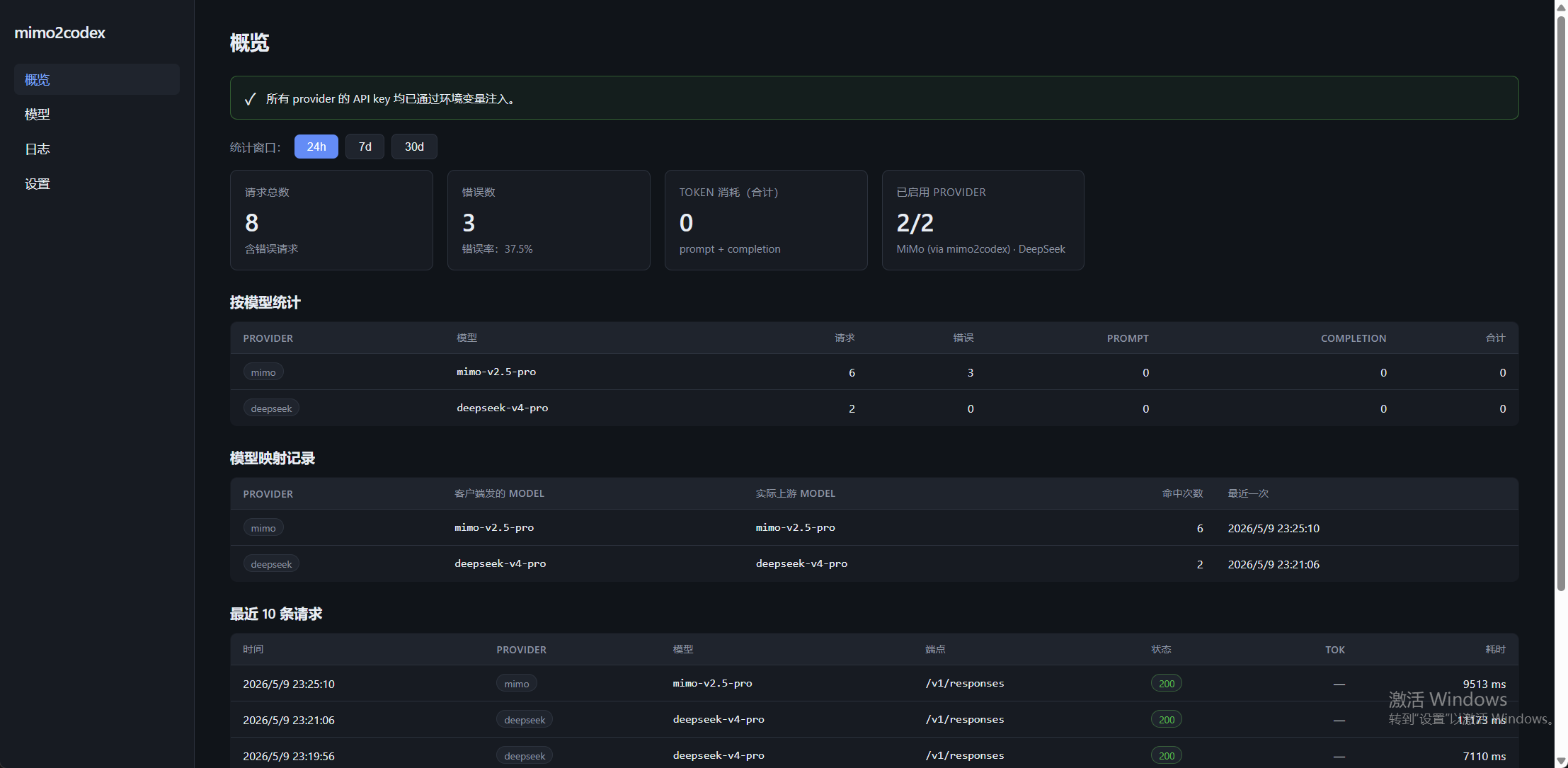
http://127.0.0.1:8788/admin/—— 模型目录、聊天日志、token 统计、provider 配置;sqlite 持久化。
快速开始
npm install -g mimo2codex     # 1. 安装(Node ≥ 18)
mimo2codex init               # 2. 填 API key → 编辑 ~/.mimo2codex/.env
mimo2codex                    # 3. 启动代理,监听 127.0.0.1:8788
然后让 Codex 指向它 —— 在 admin 的 Codex 启用 页一键写入,或把打印出来的 config.toml / auth.json 复制到 ~/.codex/。完整步骤:Codex 启用。
配 key 与各系统设置 → .env 配置 · Windows 下只让 Codex CLI 走 MiMo → 隔离的 Codex CLI
文档
完整文档(可搜索、中英双语)在 https://mimodoc.chengj.online。
快速开始
- .env 配置 —— 一次配好所有 key;各系统
.env加载脚本(macOS / Linux / Windows) - Codex 启用 —— 后台一键切模型(替代 cc-switch)
- Windows 隔离 Codex CLI —— 让 Codex CLI 走 MiMo,又不动 Codex 桌面端
部署
Provider 接入
- 通用 Provider —— 任意 OpenAI 兼容 / 原生 Responses 上游,走
providers.json - MiniMax · SenseNova 商汤 · Kimi —— 各厂商兼容性说明
- Connector 插件 —— 为什么 Codex 桌面端的 connector(GitHub / Gmail …)没法被代理,以及兜底方案
参考
许可
MIT —— 见 LICENSE。