
minesweeper-tui
v0.3.1
Published
A Vim-friendly Minesweeper TUI.


Readme
Minesweeper TUI


A Vim-friendly Minesweeper game playable directly in your terminal. Built with React Ink.
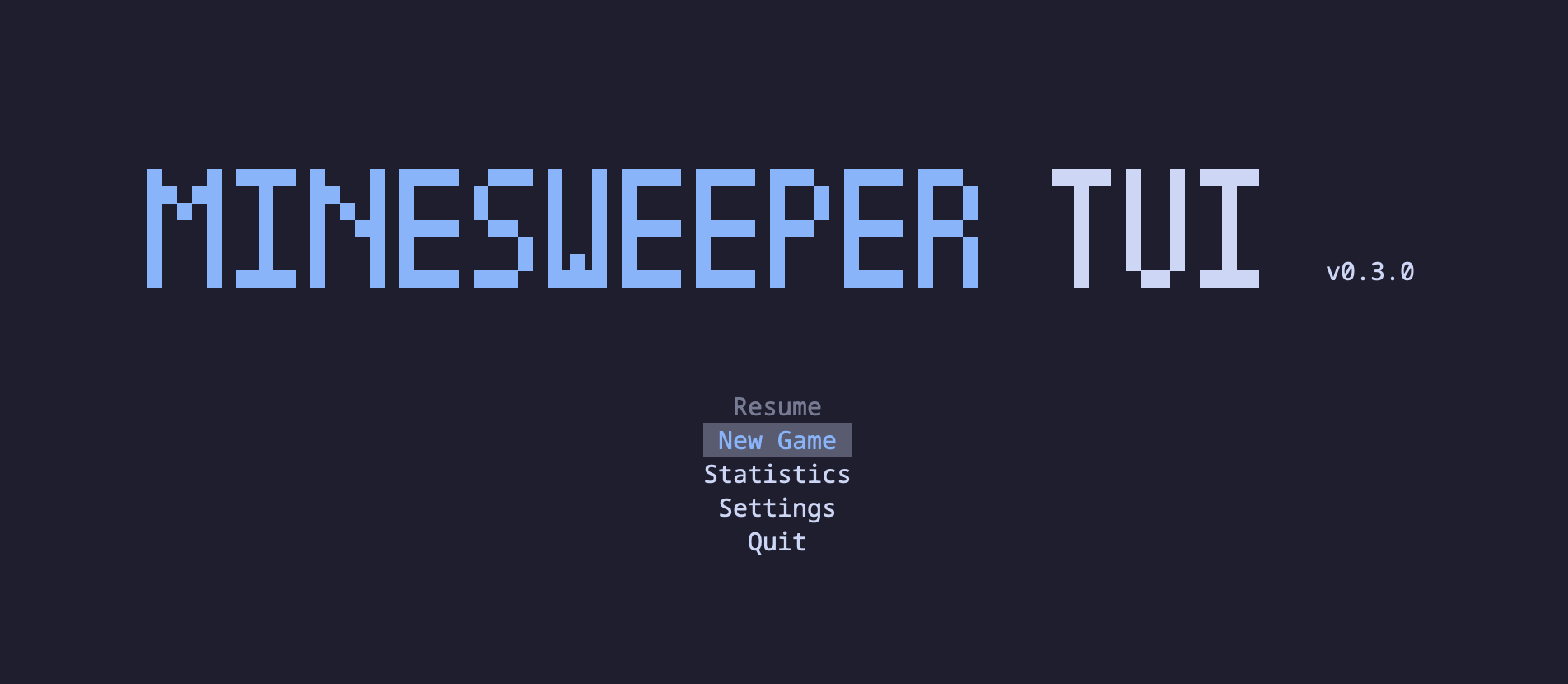
About
This is my second TUI-based project built with React and Ink.
It is a terminal port of my original Minesweeper Svelte. While I reused most of the core helper functions and logic from the original version, the entire UI has been completely rewritten for the terminal using React and Ink.
I hope you have fun playing it!
Gameplay
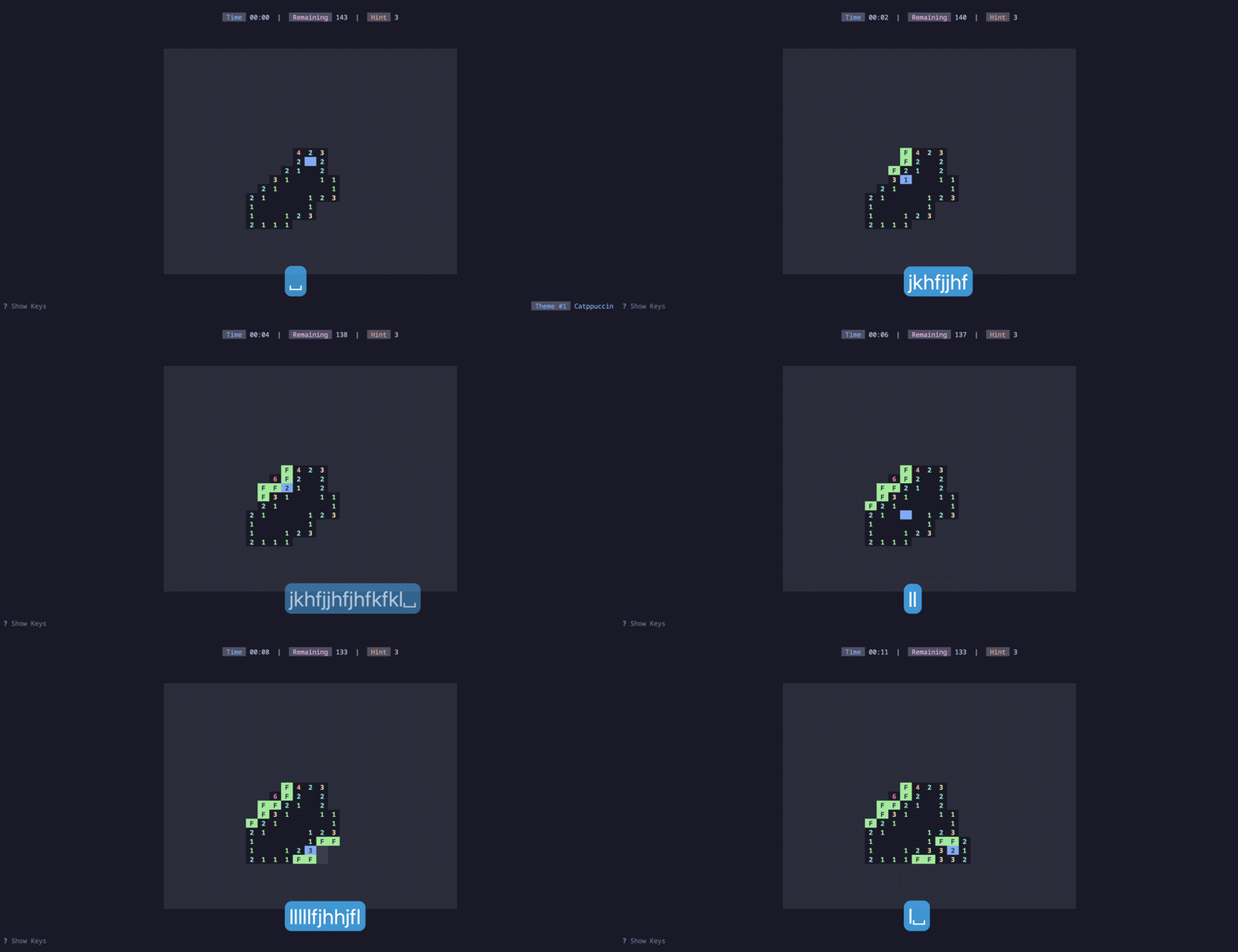
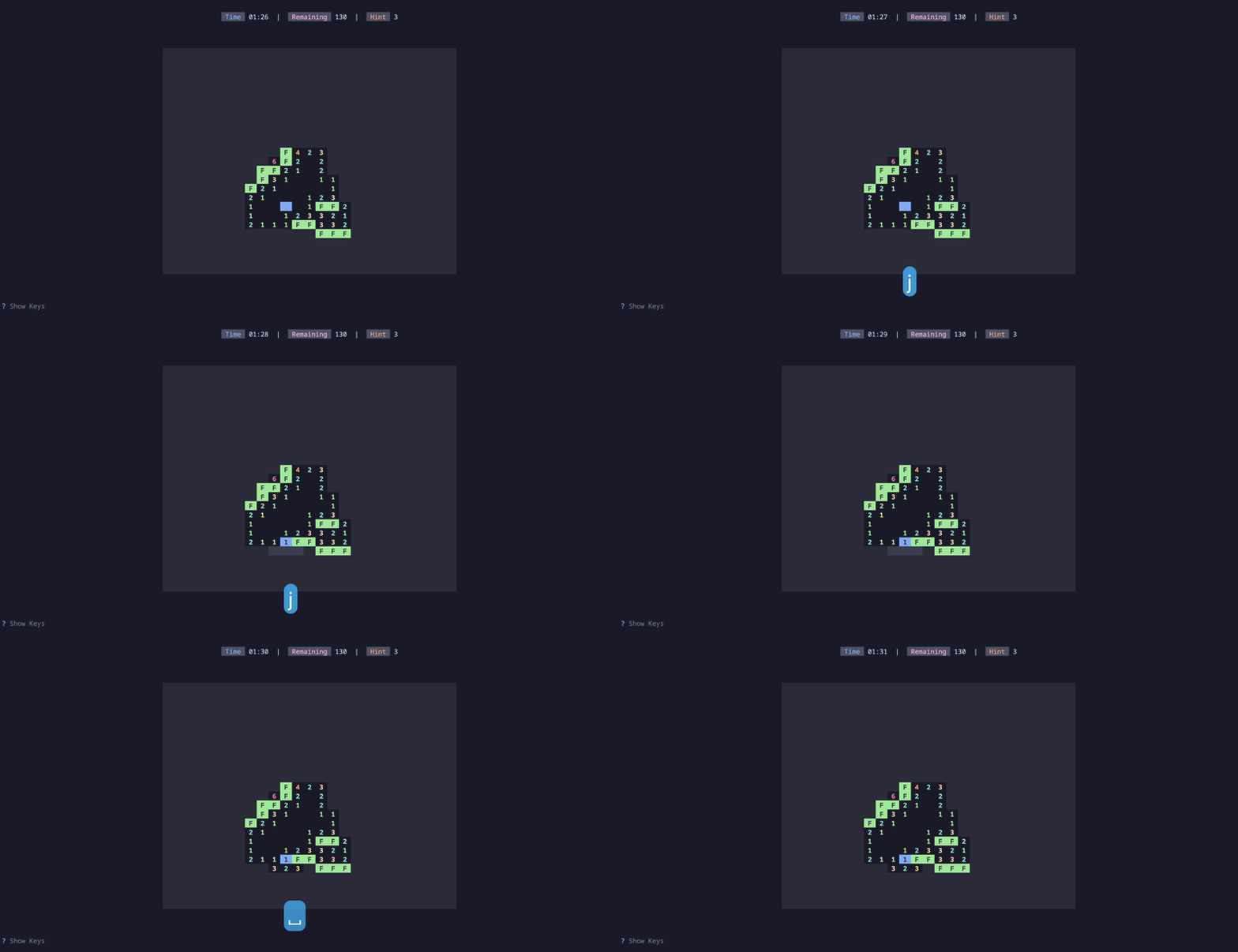
openon an unrevealed square: To open the square. If it's a mine, the game is over! If it's not a mine, it will reveal a number indicating how many mines are adjacent to it (in the 8 surrounding squares).flagon an unrevealed square: To place a flag on the square. This marks it as a suspected mine.flagagain to remove the flag.openon revealed square: If the number of flags matches the number on the cell, this opens all remaining unflagged adjacent squares.
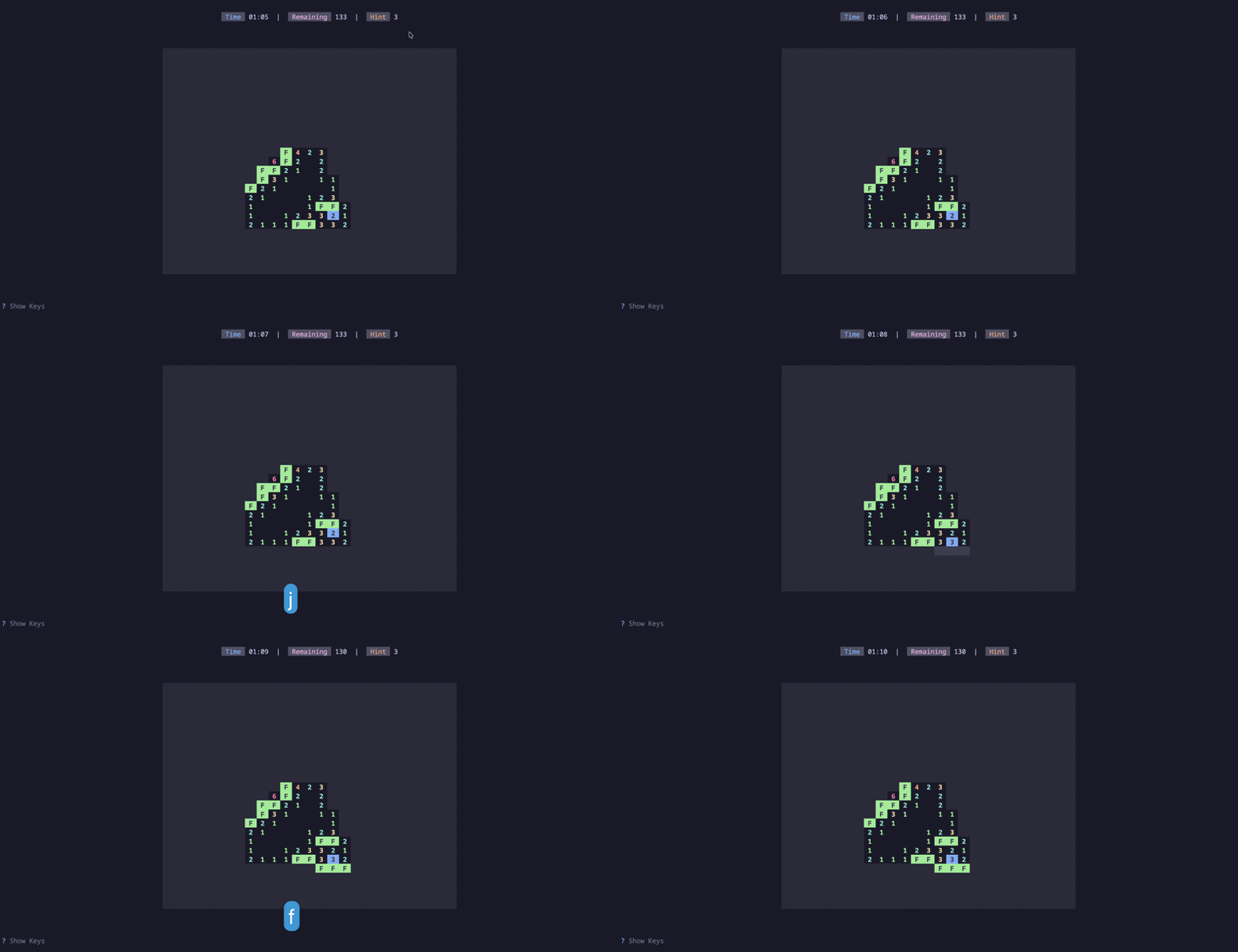
flagon revealed square: Automatically flags all remaining unrevealed adjacent squares if they must contain mines.
Installation
Download pre-built binaries for your platform from the Releases page.
Homebrew (MacOS and Linux)
brew tap Pansther/minesweeper
brew install minesweeper
Node
npm i -g minesweeper-tuinpx minesweeper-tuiyarn global add minesweeper-tuibun install -g minesweeper-tuiFrom Source
To start the minesweeper-tui application directly from the source code, make sure you have Bun (version 1.x or higher) installed.
Install dependencies:
bun installRun the application:
bun start
Keybindings
minesweeper-tui supports common Vim-like keybindings for efficient navigation and interaction within the application. This includes familiar keys like j, k for vertical movement, h, l for horizontal focus changes, and g, G for quick jumps to the top or bottom.
Navigation:
←/h: Move left↓/j: Move down↑/k: Move up→/l: Move right0: Go to start of row$: Go to end of rowg: Go to topG: Go to bottomM: Go to center
Gameplay:
space: Open cellf: Flag cellbackspace: Hint
Game Management:
</>: Cycle themer: Restart game?: Toggle visibility of key instructionsQ: Exit game
Configuration
minesweeper-tui stores your config in ~/.minesweeper.
Troubleshooting
Color Issues
If the colors in minesweeper-tui appear dull or incorrect, your terminal might not be identifying itself as a True Color terminal. You can fix this by adding the following to your shell configuration (.zshrc or .bashrc):
export COLORTERM=truecolorLicense
This project is licensed under the MIT License - see the LICENSE file for details.