
miracle-canvas
v1.0.9
Published
Enhance the functionality of the html canvas.You can add entity on canvas, you can move、resize、rotate and zoom the entity you add.
Downloads
55


Readme
miracle-canvas
You can add movable、resizable、zoomable、rotatable object(text、shape and image, etc) on html canvas with this library.
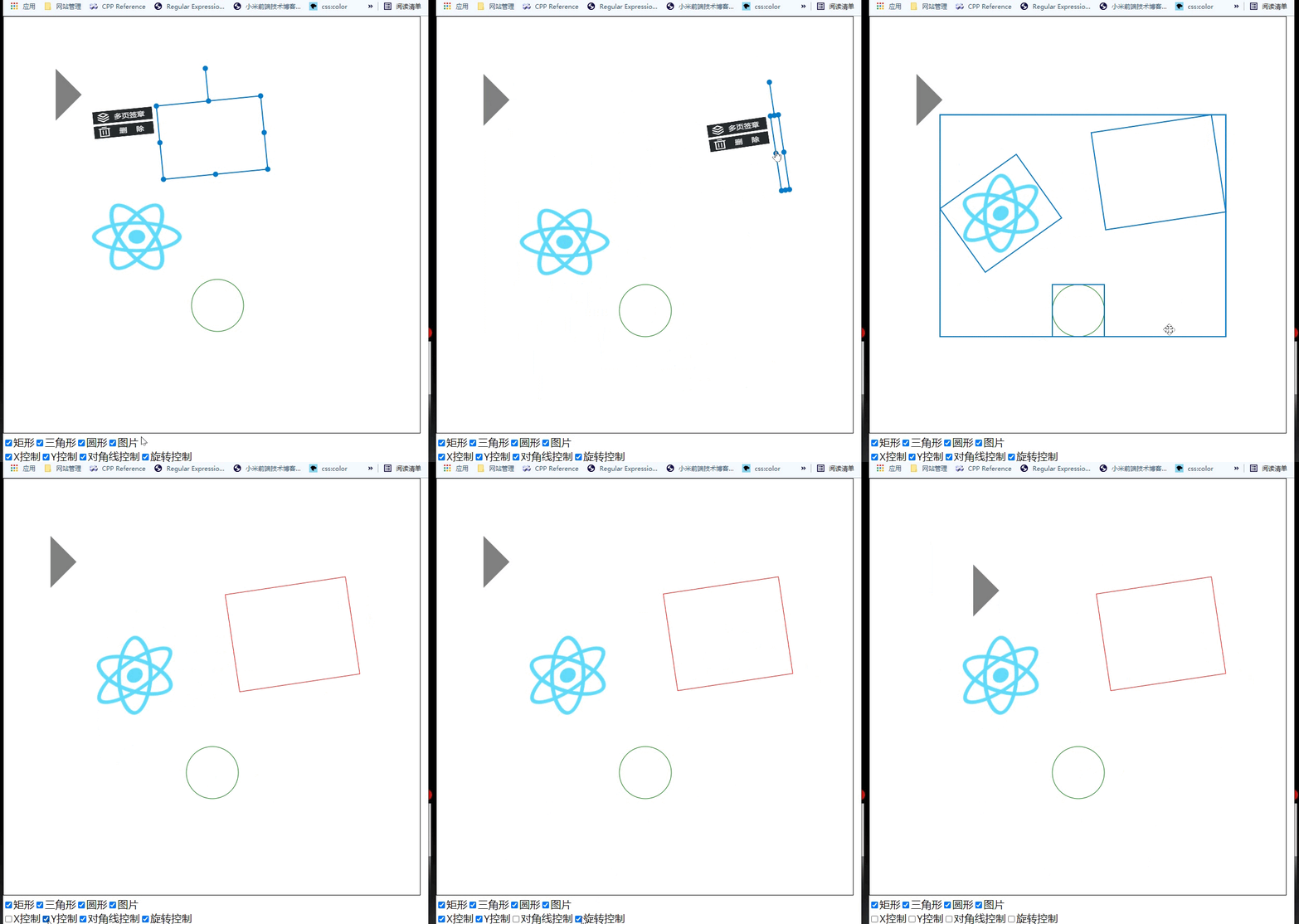
blog: https://pengfeixc.com/blog/607c137a6d87a10eb2594fad
github code: https://github.com/pengfeiw/miracle-canvas
github demo: https://github.com/pengfeiw/miracle-canvas-demo
install
You can install the library with npm:
npm install miracle-canvaswith yarn:
yarn add mriacle-canvaswith cdn:
// you can change the version number in src, below is version 1.0.6
<script src="https://cdn.jsdelivr.net/gh/pengfeiw/[email protected]/src/bundle.js"></script>
how to use
- First set canvas with miracle:
import {Miracle} from "miracle-canvas";

const miracle = new Miracle(canvas);- Add some entity(shape、image etc):
import {MiracleEntity, MiracleGraphic, MiracleControl} from "./miracle/index";

const {Circle, PolyShape, Image} = MiracleEntity;
const {ImageControl} = MiracleControl;
const {Point} = MiracleGraphic;

// create a rectangle
const rect = new PolyShape([
    new Point(150, 30),
    new Point(200, 30),
    new Point(200, 120),
    new Point(150, 120)
], false);
rect.filled = false;  // set filled false
rect.closed = true;

// create a circle
const circle = new Circle(new Point(400, 400), 50);
circle.strokeStyle = "green";

// create a triangle
const triangle = new PolyShape([
    new Point(100, 100),
    new Point(150, 150),
    new Point(100, 200)
]);
triangle.filled = true; // set filled true
triangle.closed = true;
triangle.fillStyle = "gray";

// create image with specific size
const img = new Image(new Point(200, 300), "/image.png", {
    height: 150,
    width: 180
});

// add the above entities
miracle.addEntity(circle, rect, triangle, img);- You can also set the visible of entity and the control point.
// set the visible of entity
triangle.visible = false;

// set visible of operate control
miracle.xLocked = false;
miracle.yLocked = false;
miracle.diagLocked = false;
miracle.rotateLocked = false;- Add custom control, only support
ImageControlnow.
import {MiracleControl} from "./miracle/index";

const {ImageControl} = MiracleControl;

// create the button
const btn = new ImageControl("/clear.png", {width: 30, height: 30}, ControlBase.lt, -15, -30);
btn.mouseUpHandler = () => {
    window.alert("you click the button.");
};

// add the button to Entity
rect.addControl(btn);- if used with cdn. You access the class moudule under the
GlobalMiracle:
GlobalMiracle.Miracle;
GlobalMiracle.MiracleEntity;
GlobalMiracle.MiracleGraphic;
GlobalMiracle.MiracleControl;