
npm package discovery and stats viewer.

Discover Tips

  • General search

    [free text search, go nuts!]

  • Package details

    pkg:[package-name]

  • User packages

    @[username]

Sponsor

Optimize Toolset

I’ve always been into building performant and accessible sites, but lately I’ve been taking it extremely seriously. So much so that I’ve been building a tool to help me optimize and monitor the sites that I build to make sure that I’m making an attempt to offer the best experience to those who visit them. If you’re into performant, accessible and SEO friendly sites, you might like it too! You can check it out at Optimize Toolset.

About

Hi, 👋, I’m Ryan Hefner  and I built this site for me, and you! The goal of this site was to provide an easy way for me to check the stats on my npm packages, both for prioritizing issues and updates, and to give me a little kick in the pants to keep up on stuff.

As I was building it, I realized that I was actually using the tool to build the tool, and figured I might as well put this out there and hopefully others will find it to be a fast and useful way to search and browse npm packages as I have.

If you’re interested in other things I’m working on, follow me on Twitter or check out the open source projects I’ve been publishing on GitHub.

I am also working on a Twitter bot for this site to tweet the most popular, newest, random packages from npm. Please follow that account now and it will start sending out packages soon–ish.

Open Software & Tools

This site wouldn’t be possible without the immense generosity and tireless efforts from the people who make contributions to the world and share their work via open source initiatives. Thank you 🙏

© 2026 – Pkg Stats / Ryan Hefner

mm-fingerprint

v1.0.0

Published
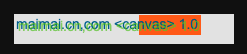
![image](https://user-images.githubusercontent.com/16263427/209670821-ce4793bc-d98b-4f43-b13a-bac4434b6556.png) - 浏览器指纹:在非登陆状态方便追踪用户行为 # api使用 ```javascript import fingerprint from 'mm-fingerprint' console.log(fingerprint()) // 7CC1AC53 设备不同,这个值就不同 ``

Readme

mm-fingerprint

image

  • 浏览器指纹:在非登陆状态方便追踪用户行为

api使用

  import fingerprint from 'mm-fingerprint'
  console.log(fingerprint()) // 7CC1AC53 设备不同,这个值就不同

指纹原理

png 图片格式

header

  • 第一行
    • 89 50 4e 47 0d 0a 1a 0a 前8个字节是PNG格式固定文件头
    • 00 00 00 0d 代表图片长宽的数据块长度为13,也是固定值
    • 49 48 44 52 是固定值,代表IHDR
  • 第二行
    • 00 00 00 dc 为图片宽度
    • 00 00 00 1e 为图片高度
    • 由于数据块长度为13,中间08 06 00 00为剩余填充部分
    • 00 47 7a 70 末是为头部信息的CRC32校验和

footer

  • 倒数第二行 倒数16到第12之前的这4个值,图片内容有任何不同 CRC32校验和都会不同
  • 7c c1 ac 53 为图片内容的CRC32校验和

Canvas

  • 指纹原理 使用 Canvas 绘制同样的内容,在不同电脑、浏览器上会因为硬件不同得到不同的结果 即使生成的图片肉眼看上去一样,实际细节上也有很大的差异 具体原因: 在图片格式来看,不同浏览器使用了不同的图形处理引擎、不同的图片导出选项、不同的默认压缩级别等。 在像素级别来看,操作系统各自使用了不同的设置和算法来进行抗锯齿和子像素渲染操作。

  • 计算方式 1)直接对整个 base64 数据进行 hash,将hash值作为用户指纹 2)从 PNG 图片中取出图片内容 CRC32 校验码,省去了计算hash效率比较高

碰撞率0.07%,具体参考

  • https://browserleaks.com/canvas
