
mmmodels
v0.2.0
Published
CLI for browsing, filtering, and exploring AI models from hundreds of providers. Built for both humans and agents.

Maintainers
 ahmadawais
Readme
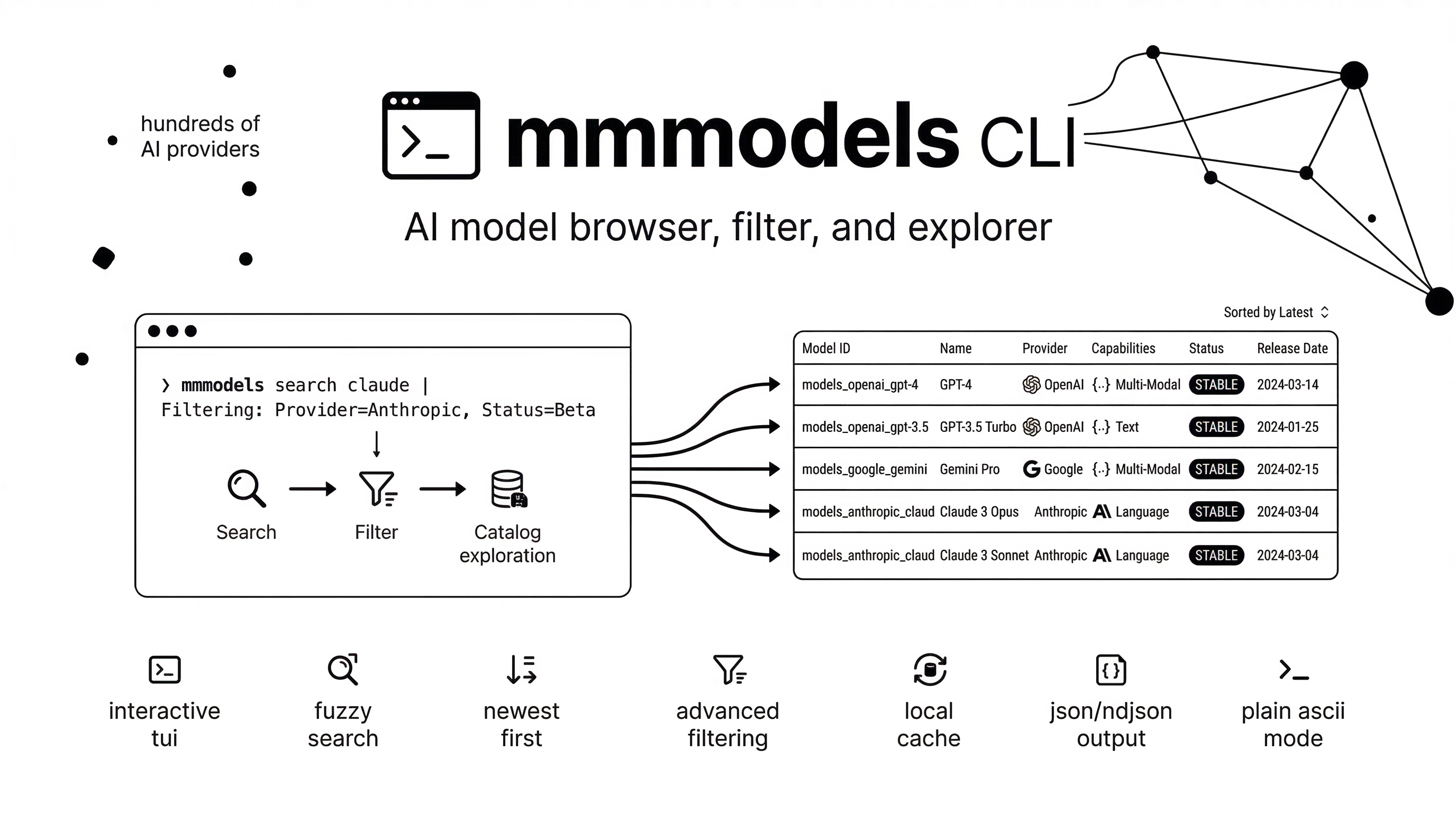
mmmodels CLI
mmmodels is a CLI for browsing, filtering, and exploring AI models from hundreds of providers. Built for both humans and agents.
Features
- Lowercase branded banner with no runtime
figletdependency - Interactive TUI for no-arg browsing
- Fuzzy search across model IDs, names, and provider names
- Newer models bubble up first when search relevance ties
- Filtering by provider, capabilities, and status
- Provider-only model lists sorted newest to oldest
- Explicit sorting and limiting with
--sortand--limit - Agent-friendly output with
--fields,--ids-only, and--ndjson - Local disk cache with
syncand per-command-s, --sync/--refresh --plainmode for ASCII, no banner, no color, no spinner- JSON output for automation and scripts
Install
# Run without installing
npx mmmodels

# Or install globally
npm install -g mmmodels
Agent Skill
# Install the Codex skill for using mmmodels in agents
npx skills add ahmadawais/mmmodels
Quick Start
# Launch the interactive TUI and fuzzy search for models/providers
mmmodels

# See the available commands
mmmodels -h
Usage: mmmodels [options] [command]

Browse and filter AI models from models.dev

Options:
  --plain                            plain ASCII output without banner, color,
                                     or spinner
  -h, --help                         show help

Commands:
  search|s [options] [query]         Search AI models by query
  list|ls [options]                  List AI models, optionally filtered to a
                                     provider
  providers|p [options]              List all AI providers
  sync [options]                     Refresh the local models.dev cache
  info|details [options] <model-id>  Show detailed info about a model
  help [command]                     display help for command

# Query search shorthand
mmmodels claude
mmmodels "gpt 5.4"

# Explicit listing
mmmodels list --provider anthropic

# Plain ASCII output
mmmodels list --provider anthropic --plain

# Compact table output
mmmodels list --table
mmmodels list --table --provider anthropic
mmmodels list --table --provider openai
mmmodels list --table --provider google
mmmodels list --table --columns model_id,provider_id,tokens,input_cost,output_cost,cache_cost,reasoning

# Refresh local cache
mmmodels sync
Search Models
# Fuzzy search by model name or ID
mmmodels search claude
mmmodels search gpt-4o

# Search within one provider
mmmodels search claude --provider anthropic
mmmodels claude --provider anthropic

# Override ranking
mmmodels search claude --sort latest
mmmodels search claude --sort context --limit 10

# Filter by capabilities
mmmodels search claude --capabilities tools,reasoning
mmmodels search llama --capabilities files,open

# Filter by status
mmmodels search claude --status beta
mmmodels search gpt --provider openai --status deprecated

# JSON output
mmmodels search gpt-4o --provider openai --json
mmmodels gpt-4o --json --provider openai

# Plain ASCII output
mmmodels search claude --provider anthropic --plain

# Selected fields
mmmodels search claude --fields id
mmmodels search claude --fields id,name,provider_id,last_updated

# One JSON object per line
mmmodels search claude --ndjson

# IDs only
mmmodels search claude --ids-only
mmmodels claude is shorthand for mmmodels search claude.
search expects a query. Use list when you want to browse all models, especially for a single provider.
When the same Claude, GPT, Gemini, or Llama-family model is available from multiple providers, search results default to preferred providers first: Claude dropik then anthropic, GPT openai, Gemini google, and Llama meta then llama.
Model names are shown exactly as they come from models.dev. If you see (latest) in a label, that is upstream catalog data; the CLI does not append it.
List Models
# List all models, newest first
mmmodels list

# List one provider, newest first
mmmodels list --provider anthropic

# Custom ordering
mmmodels list --provider anthropic --sort name
mmmodels list --provider anthropic --sort cost --limit 20

# Apply filters while listing
mmmodels list --provider openai --status beta
mmmodels list --capabilities tools,reasoning

# JSON output
mmmodels list --provider anthropic --json

# Plain ASCII output
mmmodels list --provider anthropic --plain

# Compact table output
mmmodels list --table
mmmodels list --table --provider openai
mmmodels list --table --columns model_id,provider_id,tokens,input_cost,output_cost,cache_cost,reasoning

# Tabular field selection
mmmodels list --provider anthropic --fields id,name,release_date,last_updated
list orders models from the most recent last_updated or release_date to the oldest. JSON output keeps that same order.
--table renders a width-aware compact table. By default it includes:
model_idprovider_idtokensinput_costoutput_costcache_cost
Add or replace columns with --columns <list>. Available table columns:
provider,model,familyprovider_id,model_idtool_call,reasoninginput,outputinput_cost,output_cost,reasoning_costcache_cost,cache_read,cache_writeaudio_input_cost,audio_output_costtokens,input_limit,output_limitstructured_output,temperature,weightsknowledge,release_date,last_updated,status
If the requested table columns do not fit in the current terminal width, the CLI fails instead of overflowing the layout.
Supported sort values:
search:relevance,latest,name,context,costlist:latest,name,context,cost
Agent Output
Use these flags when you want stable, scriptable output:
--limit <n>caps result count after filtering and sorting--fields <list>prints selected fields only; dot paths likelimit.contextandcost.inputare supported--ids-onlyprints one model ID per line--ndjsonprints one JSON object per line--jsonprints a JSON array
Examples:
mmmodels list --provider anthropic --fields id,name,last_updated
mmmodels search claude --fields id,provider_id,limit.context,cost.input
mmmodels search claude --ids-only
mmmodels search claude --ndjson
--ids-only cannot be combined with --json, --ndjson, or --fields.
--table cannot be combined with --json, --ndjson, --ids-only, or --fields.
Cache & Sync
The CLI keeps a local cache on disk for faster repeated queries and offline fallback.
# Refresh the cache explicitly
mmmodels sync

# Sync before running any command
mmmodels list -s
mmmodels search claude --sync
mmmodels info claude-opus-4-6 -s
mmmodels providers --sync

# `--refresh` still works too
mmmodels list --refresh
Plain Output
Use --plain when you want simple terminal-friendly output:
- No banner
- No ANSI color
- No spinner
- ASCII connectors instead of box-drawing characters
Examples:
mmmodels list --provider anthropic --plain
mmmodels search claude --provider anthropic --plain
mmmodels info claude-opus-4-6 --plain
mmmodels providers --plain
Capabilities: tools, reasoning, files, open, structured
Status: alpha, beta, deprecated (stable models have no explicit status)
Browse Providers
# List all providers
mmmodels providers

# JSON output
mmmodels providers --json
Model Details
# Show detailed info about a model
mmmodels info claude-opus-4-6
mmmodels info claude-opus-4-6 --provider anthropic

# JSON output
mmmodels info gpt-4o --json
Help & Version
mmmodels -h
mmmodels -v
Attribution
Thanks to models.dev for the comprehensive AI models database.
License & Author
Apache-2.0 by Ahmad Awais built with Command Code.