
modalwh-oc14
v1.1.0
Published
A simple and customizable modal component for react


Readme
ModalWh for OC project 14, a simple and customizable modal component for react
Install
npm i modalwh-oc14or
yarn add modalwh-oc14NPM link
customizable react modal by michel brousse on NPM
Use
The component has 4 avaible props and the children special prop of react:
- modalState:
    - Modal state, true for show, false for hide.
    - Boolean
    - **Required**
- setModalState:
    - Modal state handler.
    - Function
    - **Required**
- modalStyle:
    - If you want to customize the modal style, pass an object with the shape describre bellow, the css rules for each part must be wrap in template literal string, more detail in example section.
    - Object
    - Optional
- customCloseButton:
    - If you want change the default one just put your's, dont forget to pass the modal state handler to close the modal on click.
    - React Element
    - Optional
- children:
    - Special property of React components which contains any child elements defined within the component, put all the content of the modal here.
    - Anything you want
    - Optional
Simple Example:
    // 1 - Import the Modal component into the file
    import { ModalWh } from modalwh-oc14

    const App = () => {
        // 2 - Setup state and handler for the modal
        const [modalState, setModalState] = useState(false)
        return (
            <>
                {/* In this example, a simple button are the trigger for open the modal  */}
                <button onClick={() => setModalState(true)}>Open Modal</button>

                {/* 3 - Pass the state and the handler to the modal, that's all, the modal works */}
                <ModalWh
                    modalState={modalState}
                    setModalState={setModalState}
                >
                    {/* This is where all the content you want in the modal goes (forms, images, text...), the children props */}
                    Content of the modal
                </ModalWh>
            </>
        )
    }
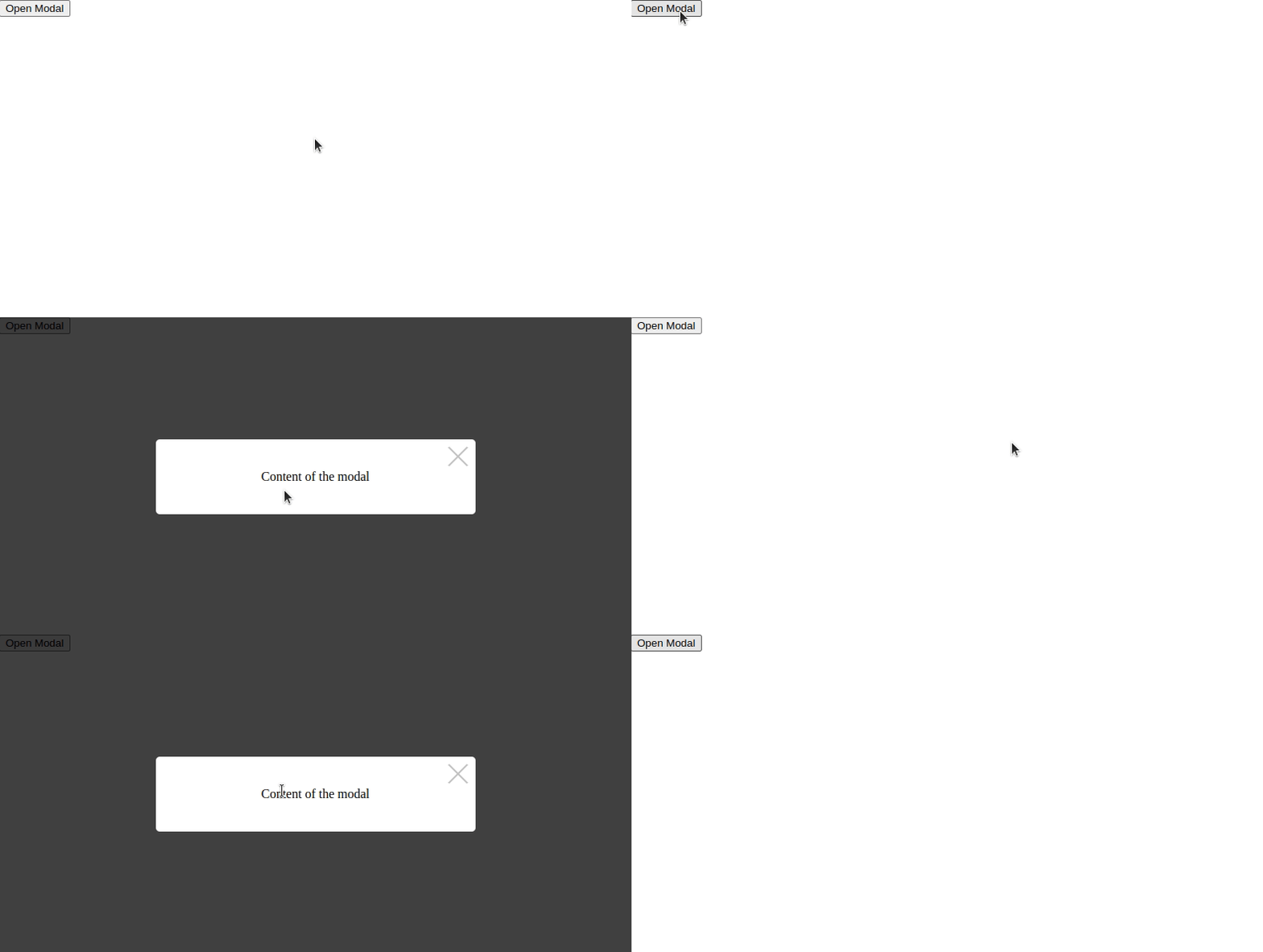
Result:
Customize the modal style:
// Pass this object to modalStyle props, each property are optional
const modalStyle = {
  main: `background: red`,
  container: `
      border-radius: 0;
      height: 300px;
      display: flex;
      justify-content: center;
      align-items: center;
      background-color: blue;`,
  content: `
      background: green;
      padding: 10px;`,
  closeButton: `
      opacity: 0.7;
      &:after, &:before {
        background-color: white;
      }`,
}
Result:
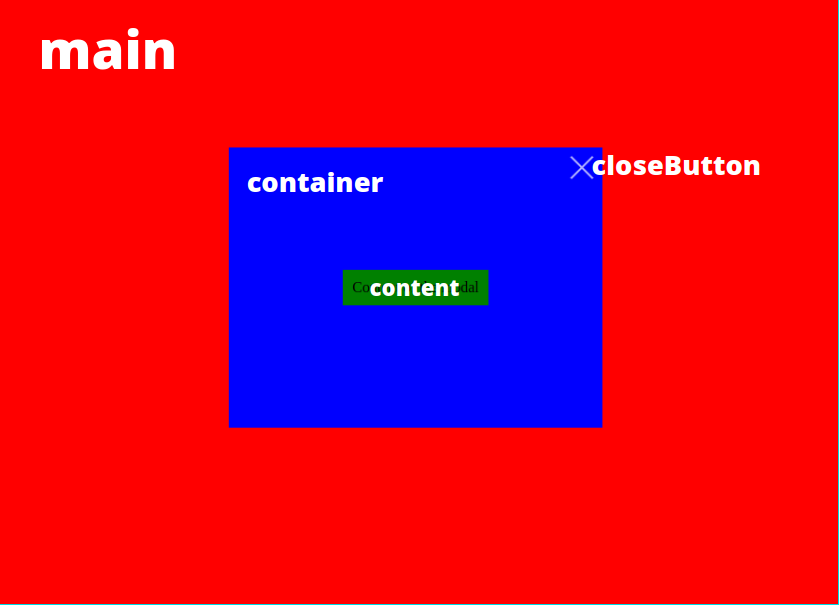
To see the code you overload for each property: https://github.com/mb47000/modalwh-oc14/blob/master/src/lib/modalWh/style.js