
modern-table-js
v1.0.10
Published
Modern, lightweight, vanilla JavaScript table library with zero dependencies. 67% faster than DataTables with mobile-first responsive design.

Maintainers
 agus-syahputra
Keywords
Readme
🚀 Modern Table.js c
Zero-dependency, DataTables-compatible table library with modern ES6 architecture



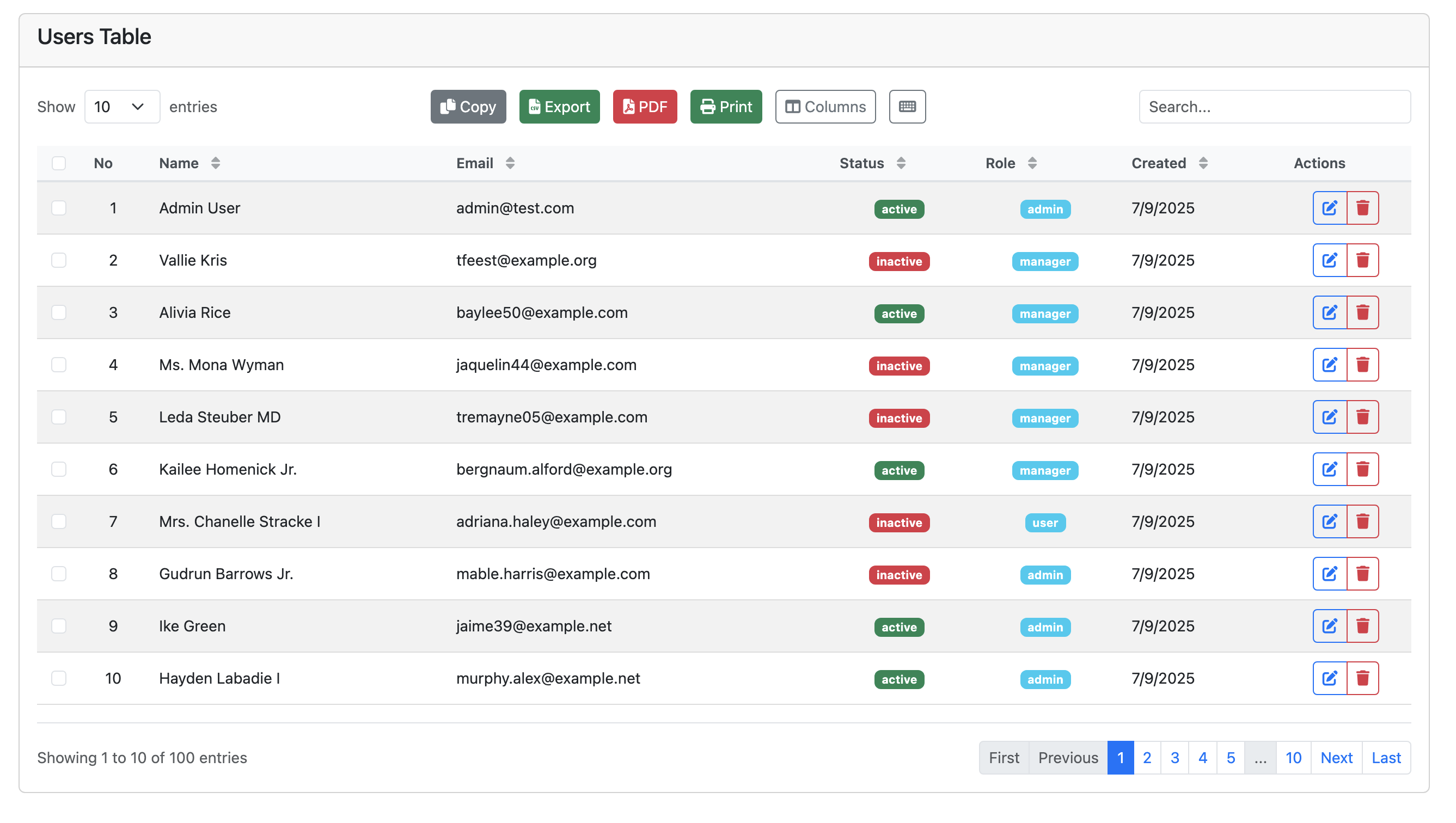
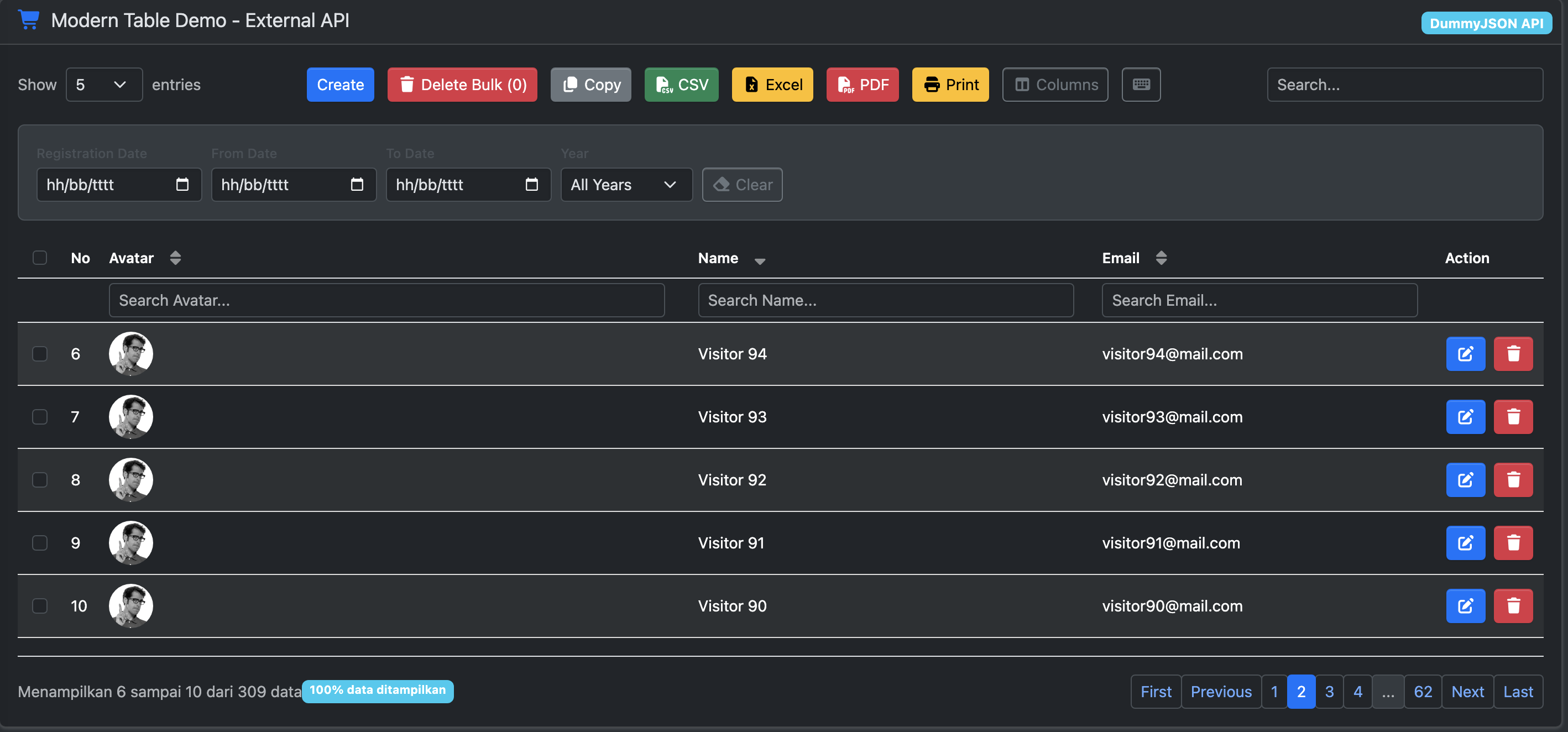
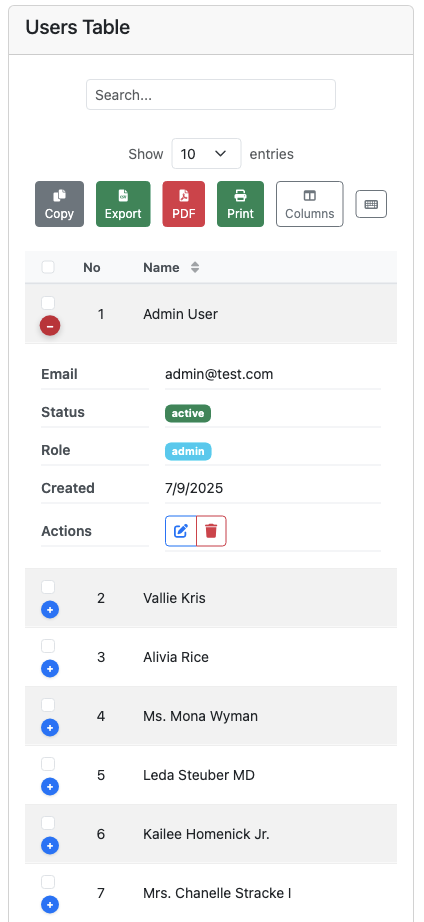
📸 Screenshots
Desktop View
Dark Mode
Mobile Responsive
✨ What's New in v1.0.10
✨ Features 🚀 Zero Dependencies - Pure vanilla JavaScript 📱 Mobile First - Smart responsive design ⚡ High Performance - Optimized for large datasets 🎨 Modern UI - Beautiful default styling 🔌 Plugin System - Extensible architecture 🌙 Dark Mode - Built-in theme support ⌨️ Keyboard Navigation - Full accessibility 📊 Server-side Processing - Laravel/PHP ready 🔍 Individual Column Search - Search each column independently 🎯 DataTables Compatible - Easy migration
🎯 DataTables Compatibility
serverSide: true/false- Exact same syntax as DataTablesdataSrcsupport - Built-in response transformation- Auto mode detection - Smart client vs server-side processing
- Easy migration - Drop-in replacement for DataTables
🚀 Quick Start
CDN (Recommended)
<!-- CSS -->
<link href="https://cdn.jsdelivr.net/npm/[email protected]/modern-table.css" rel="stylesheet">
<link href="https://cdn.jsdelivr.net/npm/[email protected]/responsive.css" rel="stylesheet">
<link href="https://cdn.jsdelivr.net/npm/[email protected]/themes.css" rel="stylesheet"> <!-- Required for dark mode -->

<!-- JavaScript (Minified) -->
<script src="https://cdn.jsdelivr.net/npm/[email protected]/dist/modern-table.min.js"></script>

<!-- OR ES Module -->
<script type="module" src="https://cdn.jsdelivr.net/npm/[email protected]/core/ModernTable.js"></script>
With Bootstrap + Font Awesome
<link href="https://cdn.jsdelivr.net/npm/[email protected]/dist/css/bootstrap.min.css" rel="stylesheet">
<link href="https://cdnjs.cloudflare.com/ajax/libs/font-awesome/6.0.0/css/all.min.css" rel="stylesheet">
<link href="https://cdn.jsdelivr.net/npm/[email protected]/modern-table.css" rel="stylesheet">
<link href="https://cdn.jsdelivr.net/npm/[email protected]/responsive.css" rel="stylesheet">
<link href="https://cdn.jsdelivr.net/npm/[email protected]/themes.css" rel="stylesheet"> <!-- For dark mode -->
<script src="https://cdn.jsdelivr.net/npm/[email protected]/dist/modern-table.min.js"></script>
NPM
npm install modern-table-jsBasic Usage
Server-side (API)
import { ModernTable } from "modern-table-js";

const table = new ModernTable("#myTable", {
  api: "/api/users", // Server-side data
  columns: [
    { data: "name", title: "Name" },
    { data: "email", title: "Email" },
    { data: "status", title: "Status" },
    { data: "action", title: "Actions", searchable: false }, // Skip search
  ],
  responsive: true,
  select: true,
  columnSearch: true, // Enable individual column search
  buttons: ["copy", "csv", "excel"],
});
With Authentication Token
const table = new ModernTable("#myTable", {
  api: {
    url: "/api/users",
    headers: {
      Authorization: "Bearer " + localStorage.getItem("token"),
      "X-CSRF-TOKEN": document.querySelector('meta[name="csrf-token"]').content,
    },
  },
  columns: [
    { data: "name", title: "Name" },
    { data: "email", title: "Email" },
    { data: "status", title: "Status" },
  ],
});
Client-side (Static Data)
const users = [
  { name: "John Doe", email: "[email protected]", status: "active" },
  { name: "Jane Smith", email: "[email protected]", status: "inactive" },
];

const table = new ModernTable("#myTable", {
  data: users, // Client-side data
  columns: [
    { data: "name", title: "Name" },
    { data: "email", title: "Email" },
    { data: "status", title: "Status" },
  ],
  responsive: true,
  select: true,
  buttons: ["copy", "csv", "excel"],
});
Documentation
Core Options
const table = new ModernTable("#table", {
  // Data source (simple)
  api: "/api/data",

  // Data source (with auth and callbacks)
  api: {
    url: "/api/users",
    headers: {
      Authorization: "Bearer " + localStorage.getItem("token"),
      "X-CSRF-TOKEN": document.querySelector('meta[name="csrf-token"]').content,
    },

    // Before request is sent (like beforeSend)
    beforeSend: function (params) {
      console.log("beforeSend");
      // Return false to abort request
    },

    // On successful response (like success)
    success: function (data, textStatus, response) {
      console.log("Request successful:", data);
    },

    // On error (like error)
    error: function (error, textStatus, errorThrown) {
      console.error("Request failed:", error);
      alert("Failed to load data");
      // Return fallback data to prevent table error
      return {
        data: [],
        recordsTotal: 0,
        recordsFiltered: 0,
      };
    },

    // Always runs (like complete)
    complete: function () {
      console.log("Request completed");
    },

    // Legacy support
    beforeRequest: function (config) {
      // Modify request config
      return config;
    },
  },

  // Columns configuration
  columns: [
    { data: "name", title: "Name", orderable: true },
    { data: "email", title: "Email" },
    {
      data: "status",
      title: "Status",
      render: (data) => `<span class="badge">${data}</span>`,
    },
  ],

  serverSide: true,

  // Features
  pageLength: 10,
  lengthMenu: [5, 10, 25, 50],
  order: [[2, "desc"]], // name column
  ordering: true,
  searching: true,
  columnSearch: true,
  paging: true,
  select: true,
  responsive: true,

  // UX
  theme: "auto",
  keyboard: true,
  accessibility: true,

  // State
  stateSave: true,
  stateDuration: 3600,

  // Callbacks (DataTables compatible)
  initComplete: function(data, meta) {
    console.log('Table initialized with', data.length, 'rows');
  },
  drawCallback: function(data) {
    console.log('Table redrawn');
  },
  rowCallback: function(row, data, index) {
    // Customize row appearance
    if (data.status === 'inactive') {
      row.classList.add('table-warning');
    }
  },
  onRowClick: function(data, index, event) {
    console.log('Row clicked:', data);
  },
  onSelectionChange: function(selectedRows) {
    console.log('Selection changed:', selectedRows.length, 'rows selected');
  }
});
📚 Documentation
For complete documentation, examples, and advanced features, visit our Documentation Hub.
Quick Links
- Column Configuration - Setup columns and rendering
- Button System - Built-in and custom buttons
- API Integration - Server-side data handling
- Laravel Integration - PHP backend setup
- TypeScript Support - Type definitions
- API Parameter Transformation - External API integration
🎨 Styling & Themes
Built-in CSS files: modern-table.css, themes.css, responsive.css
const table = new ModernTable('#myTable', {
  theme: 'auto', // 'light', 'dark', or 'auto'
});
⚡ Performance & Browser Support
- 67% faster than DataTables
- Zero dependencies - Pure vanilla JavaScript
- Mobile-first responsive design
- Browser support: Chrome 60+, Firefox 55+, Safari 12+, Edge 79+
🔄 Migration from DataTables
// DataTables → ModernTable (same syntax!)
const table = new ModernTable('#myTable', {
  api: '/api/users',
  serverSide: true,
  columns: [...]
});
License
MIT License - see LICENSE file for details.
Contributing
- Fork the repository
- Create your feature branch (
git checkout -b feature/amazing-feature) - Commit your changes (
git commit -m 'Add amazing feature') - Push to the branch (
git push origin feature/amazing-feature) - Open a Pull Request
Support
- 📧 Email: [email protected]
- 🐛 Issues: GitHub Issues
- 📖 Documentation: Full Documentation
- 💬 Community: Discord Server