
molecule-cli
v0.1.0
Published
A local web interface for cleaning up a Mac, on top of the Mole CLI

Maintainers
 metehankurucu
Readme
molecule
A local web interface for cleaning up your disk, built on top of Mole, the open source cleanup CLI by tw93.
Mole already knows where the junk is. It is a terminal tool, so going through a few thousand candidates means scrolling a TUI, and what it clears is gone. molecule puts a screen in front of it: the same scans, listed and selectable, and everything you pick goes to the Trash instead of being deleted.
npx molecule-cliThat is the whole setup. A browser opens on 127.0.0.1, and nothing moves until you
select something and confirm.
molecule ships none of Mole's code. It runs the
mocommand you installed, the way an editor runs a compiler. Mole is GPL-3.0 and belongs to its authors. molecule is MIT and is not affiliated with the Mole project.
The four methods
Clean lists caches, logs and leftovers from apps you have used, grouped, with a
size each. Project artifacts finds the node_modules, target and dist folders
a rebuild would recreate. Both come from Mole's dry runs, and both hand you a list to
pick from rather than a button that does it for you.
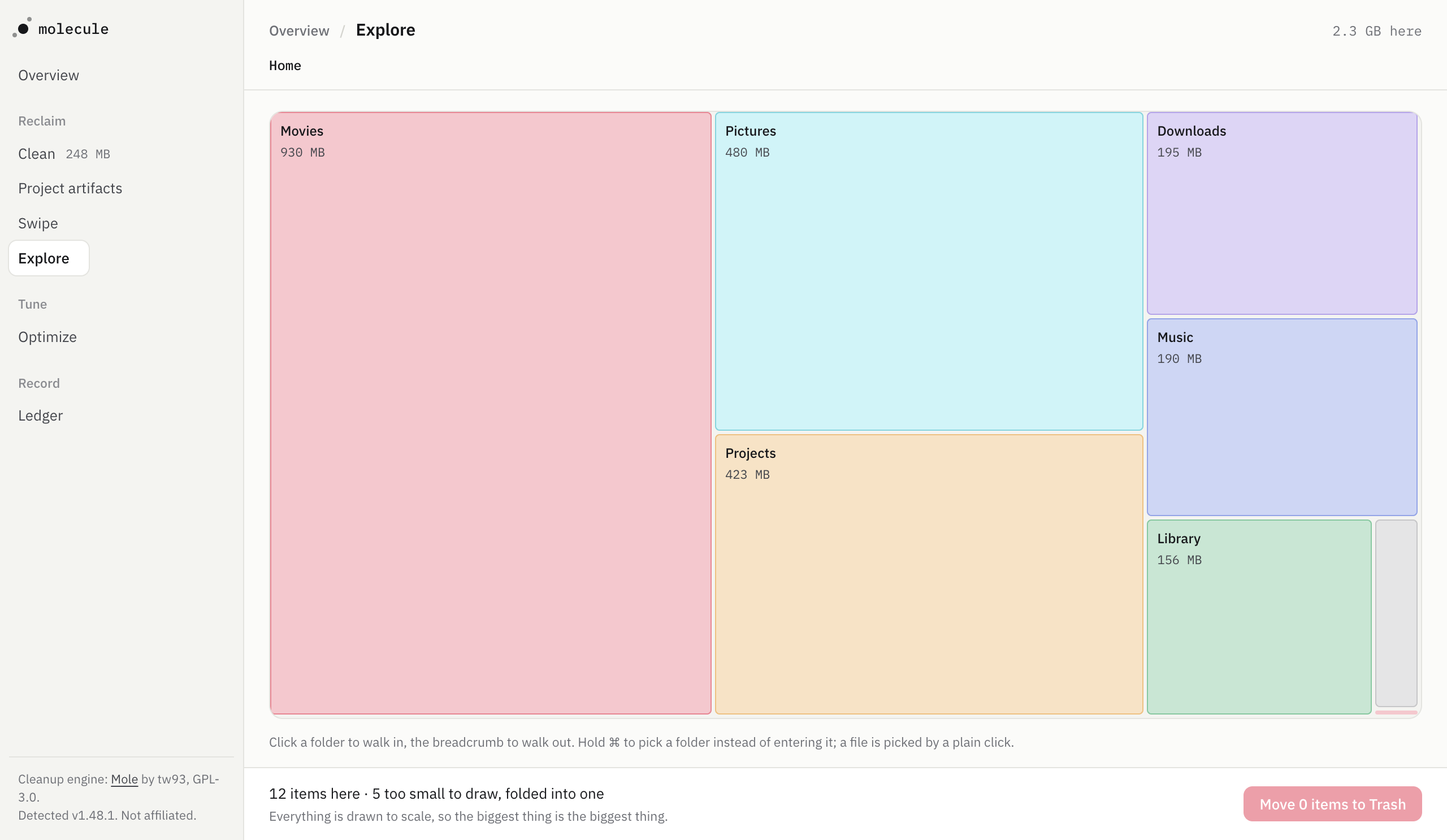
Explore draws what is actually on the disk to scale. Click a rectangle to walk into it, the breadcrumb to walk back out, and hold ⌘ to pick a folder instead of entering it. The biggest thing on screen is the biggest thing on disk.
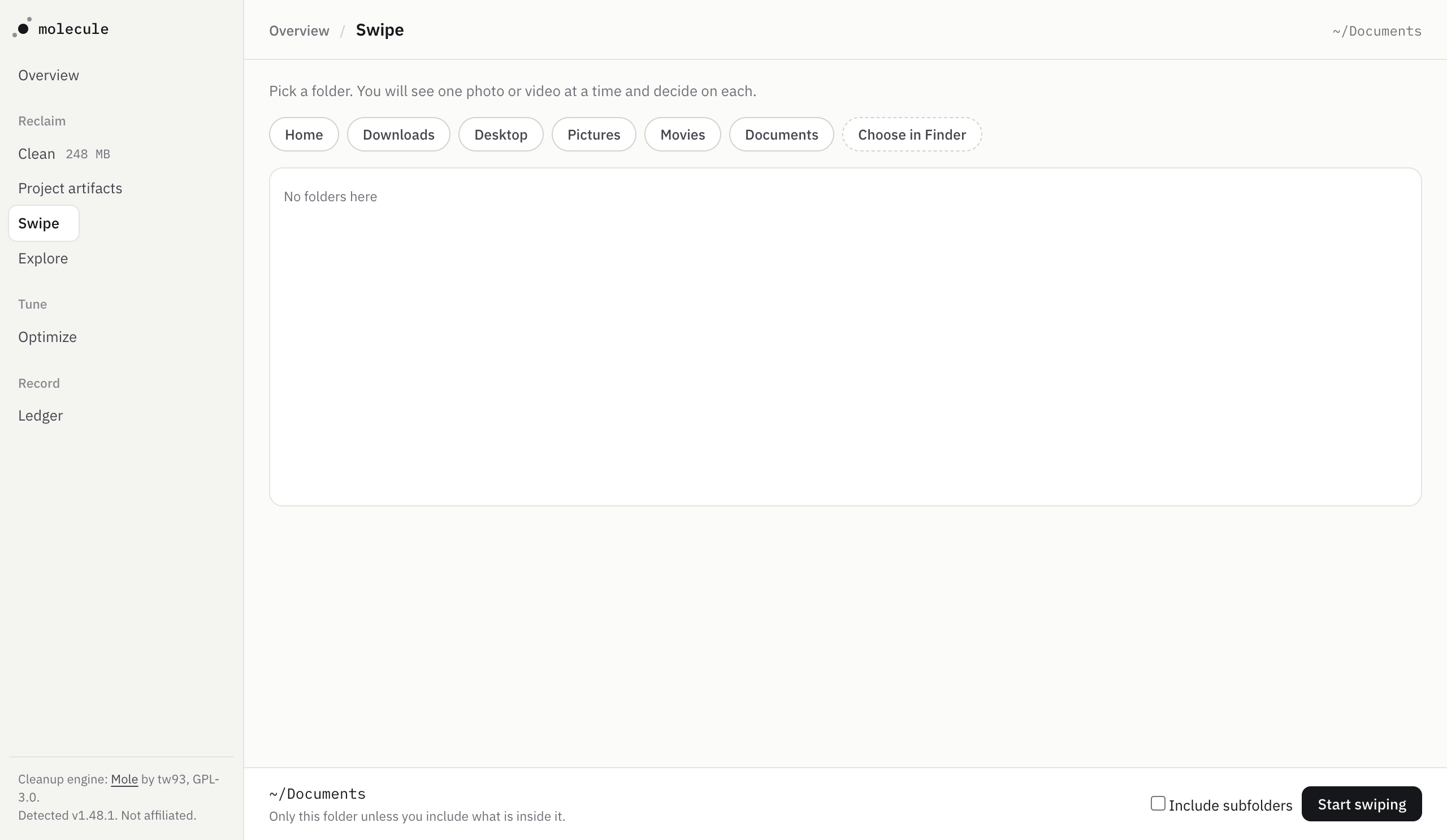
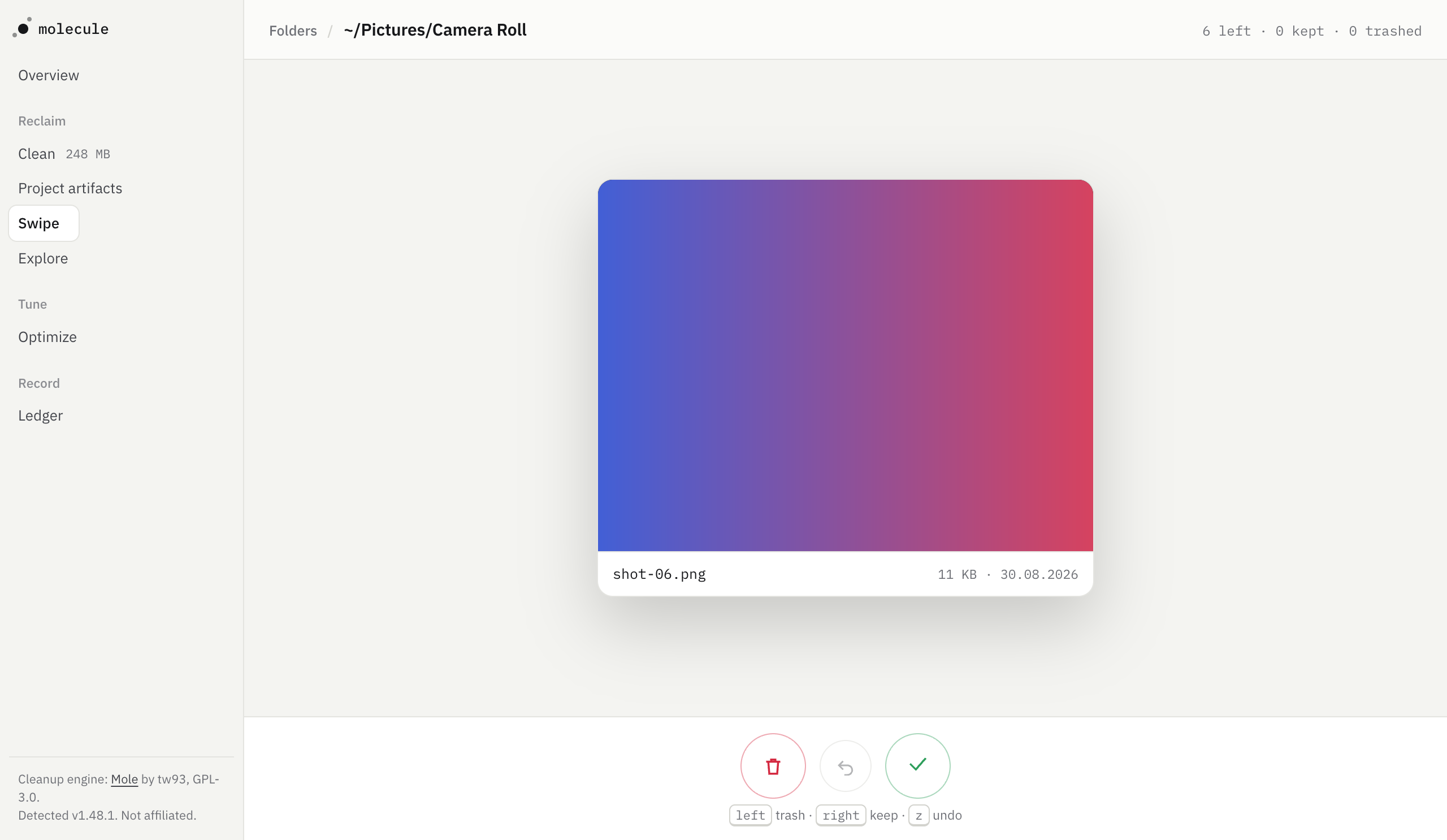
Swipe is for photos and videos, which no cleanup tool can judge for you. Pick a folder, see one file at a time, drag right to keep and left to trash. There is a five second window to undo, and the file is not touched until it closes.
The card is drawn as large as the window allows, in the file's own shape, and −/+
make it smaller or put it back. Videos carry the browser's own controls, so you can
scrub through one before deciding: the seek bar takes your pointer, the picture above
it still drags.
What you keep is remembered, so the same photo is not put to you twice. Kept files are left out of later scans and the deck says how many it left out; one button in the folder picker puts all of them back, and the whole thing can be switched off. Nothing on that list is ever deleted: it only removes a candidate from a scan.
Optimize lists the housekeeping Mole would do. It only reads. Several of those tasks want an administrator and a few restart system services, which is not something a page in your browser should be doing on its own.
The Ledger holds everything molecule has moved, and puts any of it back.
What it will not do
Every byte that leaves is visible and reversible, which comes down to four things:
- Nothing is deleted, only moved. Everything goes to the platform's trash, so the system remembers where it came from and its own Put Back works. Exactly one call in this codebase removes a file. It runs only when the trash is on another volume, and only after the copy has landed.
- Nothing goes without you picking it. A scan only reads. Deleting is a second, itemized step, and the confirm bar says how many items and how many bytes.
- The safe default. Groups arrive pre-selected only when clearing them costs you nothing you would notice. Anything that signs you out of a site or throws away a window layout is opt in, and says so on its face.
- A written record. Every move is appended to
~/.molecule/ledger.jsonlwith the path, the size and where it went.
It never asks for sudo, and it never binds to anything but 127.0.0.1. Items that
would need an administrator are shown, marked, and left alone.
Requirements
Node 20 or newer, and Mole (brew install mole) for
the methods that use it. molecule starts without Mole and says so.
Mole is macOS only, so Clean, Project artifacts, Explore and Optimize are too. molecule itself runs on macOS, Windows and Linux, and Swipe and the Ledger work everywhere. On Windows and Linux the Mole methods are not offered at all, rather than offered and failing when pressed.
| Platform | Where things go | What brings them back |
|---|---|---|
| macOS | the Trash, through Finder | Finder's own Put Back |
| Windows | the Recycle Bin | the Recycle Bin's restore |
| Linux | the XDG trash | the .trashinfo written beside it |
Usage
molecule                 open the interface in your browser
molecule --no-open       start the server and print the URL instead
molecule --port 5000     listen on a specific port
molecule --version
molecule --help
There is no path argument, on purpose. Folders are picked in the interface, where you
can see what is in them, dot folders included: most of what a cleanup tool is looking
for lives in one. MOLECULE_MOLE_BIN points at a mo binary somewhere unusual.
Two files, both yours to read or delete: ~/.molecule/ledger.jsonl is what has been
moved, and ~/.molecule/kept.json is what you have decided to keep.
Development
npm install
npm run dev                                         the whole thing, live
npm run typecheck && npm run lint && npm test
npm run build
npm run dev starts both halves and prints one URL: the server from source, and
Vite in front of it so the interface reloads as you edit it. The token comes from the
server's own startup line rather than being invented twice.
The tests never touch your own files or your trash. Everything that writes runs in a
mkdtemp sandbox, and the Mole adapters are read against captured output in
test/fixtures/, because Mole's real output and its documented output disagree more
often than you would expect. CI runs the gates on all three platforms plus a smoke job
that starts the built binary and checks it answers.
Credits
Cleanup engine: Mole by tw93, GPL-3.0. If molecule is useful to you, the tool doing the hard part is Mole, and it is the one that deserves the star.
Type is IBM Plex, bundled under the SIL Open Font License.