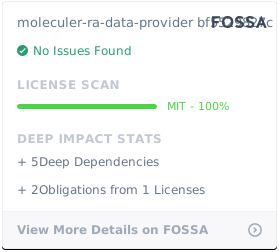
moleculer-ra-data-provider
v1.6.1
Published
Moleculer.services data provider for react-admin

Maintainers
 alpesdigital
Readme
moleculer-ra-data-provider




A Moleculer compatible data provider for React Admin.
Convert on-the-fly data exchanged with Moleculer micro-services in order to use them directly in your React-Admin components like List, Edit, Create ....
Features
Supported actions:
CREATEGET_ONEGET_LISTGET_MANYGET_MANY_REFERENCEUPDATEUPDATE_MANYDELETEDELETE_MANY
Installation
# via npm
npm install moleculer-ra-data-provider

# OR via yarn
yarn add moleculer-ra-data-provider
Usage
Import this package, set the base url and pass it as the dataProvider to react-admin.
//in app.js
import React from "react";
import { Admin, Resource } from "react-admin";
import { ListGuesser } from 'react-admin'; // example

import moleculerDataProvider from 'moleculer-ra-data-provider';

const dataProvider = moleculerDataProvider('http://localhost:13000/api');

const App = () => (
  <Admin dashboard={Dashboard} dataProvider={dataProvider}>
    // example displaying a list received from http://localhost:3000/api/myusers
    <Resource name="myusers"    list={ListGuesser} />
  </Admin>
);

export default App;
Option renameFields
You can rename a field name in a resources.
This is usefull when a moleculer service return both an _id and an id.
Example 1: the field id moleculer service 'trades' is renamed into uuid (leaving the place for a copy of _id)
//in app.js
const dataProvider = moleculerDataProvider('http://localhost:13000/api', {renameFields: {"trades": {"id":"uuid"} }});
In this case, data provided (by moleculer) {_id:1, id:"A"} becomes (in react-admin) {id:1, uuid:"A"}
In case of create/update, the reverse operation is done: react-admin {id:1, uuid:"B"} becomes {_id:1, id:"B"}
Option idFields
You can specify the _id field name (duplicated as id for react-admin) for some/all resources
Example 1: the moleculer service 'orders' is using uuid instead of _id
//in app.js
const dataProvider = moleculerDataProvider('http://localhost:13000/api', {idFields: {"orders": "uuid" }});
Example 2: the moleculer service 'orders' is using uuid instead of _id, others are using myId
//in app.js
const dataProvider = moleculerDataProvider('http://localhost:13000/api', {idFields: {"orders": "uuid", "DEFAULT": "myId"  }});
Example 3: Combined renameFields and idFields: trades.id2 becomes trades.uuid, trades._id becomes trades.id2, in all other resources, use id2 as db key (moleculer default is _id)
//in app.js
const dataProvider = moleculerDataProvider('http://localhost:13000/api', {renameFields: {"trades": {"id2":"uuid"} }, idFields: {"trades": "id2", "DEFAULT": "id1"  }});
Licence
MIT