
monkbrowse
v0.4.0
Published
MCP server that drives your real Chrome across many tabs and profiles. Pairs with the monkbrowse Chrome extension.

Maintainers
 monkfromearth
Readme
This is the server half of monkbrowse. It talks to your AI over MCP (stdio) and drives your real Chrome through the monkbrowse Chrome extension over a local WebSocket. Both halves are required.
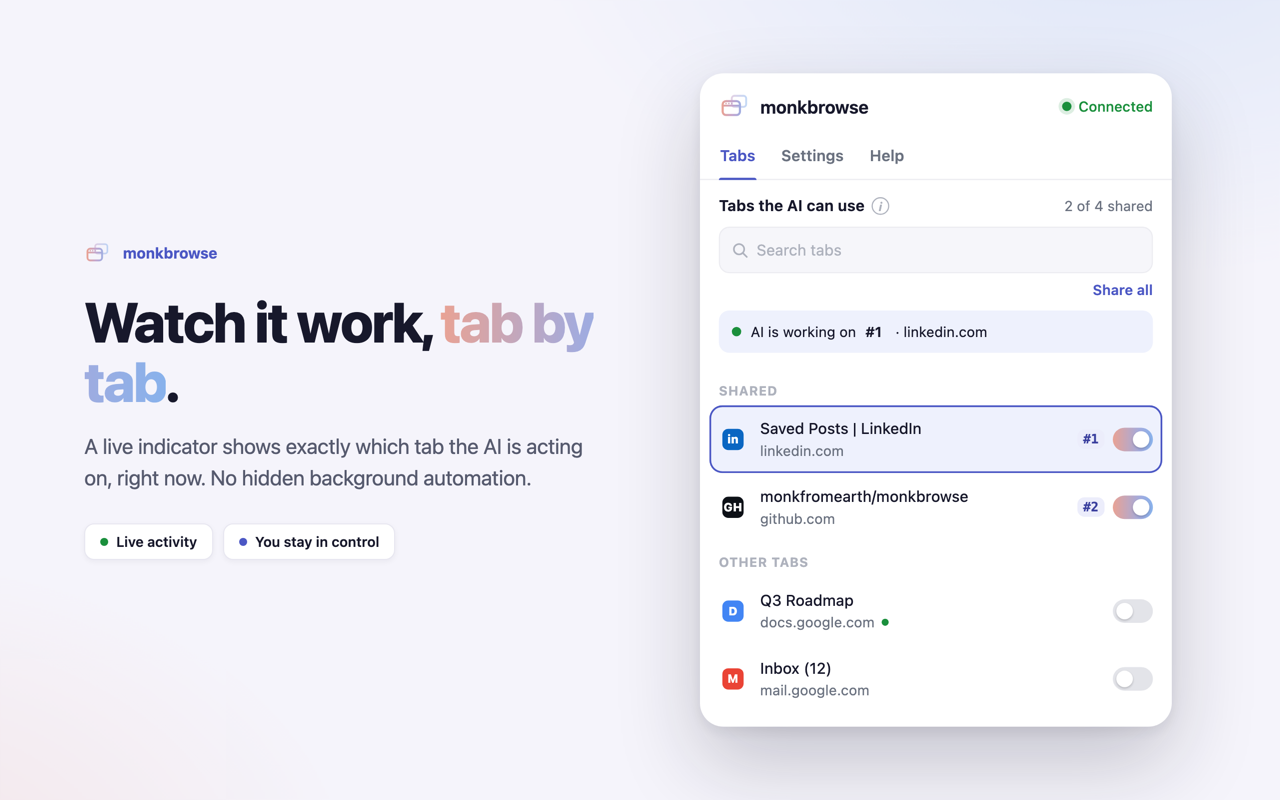
Because it is your Chrome, your sessions, cookies, and 2FA are already there, and it works on sites that block headless automation. What makes it different: a single server drives many tabs across many Chrome profiles at the same time. Each profile connects on its own port; each shared tab gets a simple number (1, 2, 3…). Tools target { profile, tab }, so you can tell your AI "on tab 2, do X."
                      ┌──── monkbrowse server (one process) ────┐
 AI app ──stdio/MCP──▶│  registry: Map<port, profile>           │
                      │  ws :9222 ─▶ extension · profile "Work"  ├─▶ tabs
                      │  ws :9223 ─▶ extension · profile "Home"  ├─▶ tabs
                      └─────────────────────────────────────────┘
Why a real browser, not headless
| | Headless (Playwright / Puppeteer) | monkbrowse | |---|---|---| | Login / cookies / 2FA | re-auth every run | already logged in | | Bot / CAPTCHA walls | frequently blocked | real fingerprint | | Profiles | one clean context | many real profiles at once | | Where it runs | a spawned browser | the Chrome on your screen | | Privacy | varies | 100% local |
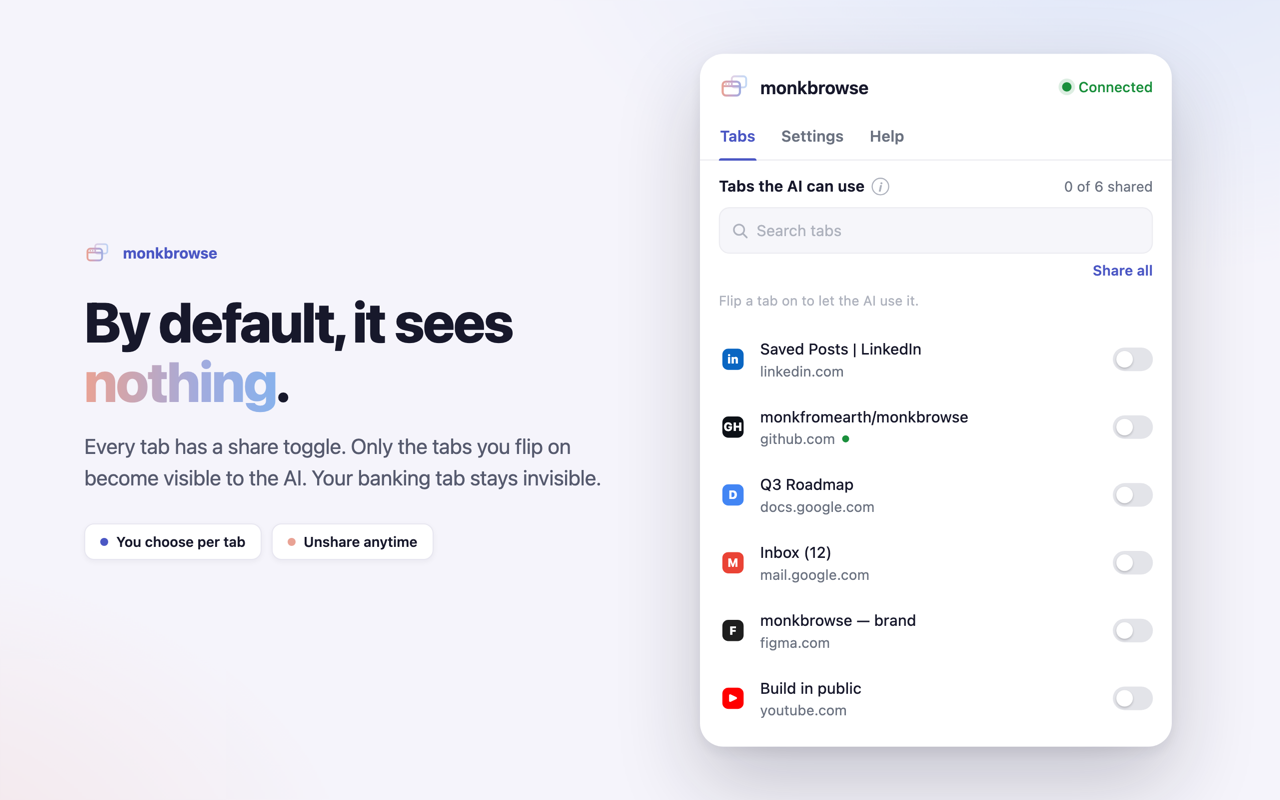
You choose what the AI can see. By default it sees nothing. Each tab has a Share toggle in the popup; only shared tabs get a number and become drivable. Your banking tab stays invisible, and a tool call against an unshared tab is refused.
See it
|  |
|  |
|:--:|:--:|
| By default, it sees nothing — you choose per tab | Watch it work — a live badge shows the active tab |
|
|:--:|:--:|
| By default, it sees nothing — you choose per tab | Watch it work — a live badge shows the active tab |
Install
Two small steps. No path juggling, no build.
1. Add the server to your AI app
One-click:
Or one command, in the terminal you already use.
Claude Code
claude mcp add monkbrowse -- npx -y monkbrowseGemini CLI
gemini mcp add monkbrowse npx -y monkbrowseCodex CLI (OpenAI)
codex mcp add monkbrowse -- npx -y monkbrowseVS Code
code --add-mcp '{"name":"monkbrowse","command":"npx","args":["-y","monkbrowse"]}'Add --scope user (Claude) or -s user (Gemini) to install it for every project. The Cursor CLI shares Cursor's config — use the button above.
Windsurf, Claude Desktop, or any other client — drop this into its MCP config:
{
  "mcpServers": {
    "monkbrowse": {
      "command": "npx",
      "args": ["-y", "monkbrowse"]
    }
  }
}
bunx monkbrowse and pnpm dlx monkbrowse work too. Per-client details: Install guide.
2. Install the Chrome extension
monkbrowse drives your real Chrome, so it needs a small extension. Install it from the Chrome Web Store, then open the popup, toggle a tab on (it gets a number like #1), and tell the AI "on tab 1, do X."
Running an unpacked build instead? The server only admits allow-listed extension ids, and an unpacked build's id comes from the folder it was loaded from. Pass it in:
npx -y monkbrowse --allow-extension <id-from-chrome://extensions>Check the connection
Something not working? Run the doctor — it speaks no MCP and just reports which Chrome profiles connect, and which are refused. Leave your AI app running: if its server owns the extension port, the doctor attaches over the control port instead of fighting for it.
npx -y monkbrowse doctor [--probe] [--allow-extension <id>...]--allow-extension is only needed for a fork with its own manifest key: the Web Store build and any unpacked build of this repo are allow-listed by default.
✓ Work  ·  profile "work"  ·  12 tabs
    ↳ read active tab: "Hacker News" (https://news.ycombinator.com) — 84 elements found
The profile shows up → the browser half works, so anything still broken is on the AI side. Nothing shows up → the extension, the id allow-list, or the port. --probe adds the second line by reading the active shared tab once, which proves the whole round trip.
Privacy
100% local. The server binds only to 127.0.0.1, the extension talks only to that local server, and nothing is sent to any third party — no telemetry, no analytics, no account. The AI sees only the tabs you explicitly share, and a call against an unshared tab is refused. See the privacy policy.
Requirements
- Node (for
npx) — or Bun / pnpm forbunx/pnpm dlx - Chrome (or any Chromium browser with MV3 + offscreen support)
- Any MCP client (Claude, Cursor, VS Code, Windsurf, Gemini CLI, Codex, …)
The tools
22 tools. Full arguments and behavior: tool reference.
| Group | Tools |
|---|---|
| Navigation | browser_navigate · browser_go_back · browser_go_forward · browser_reload |
| Reading | browser_snapshot · browser_get_text · browser_screenshot · browser_get_console_logs · browser_evaluate |
| Interacting | browser_click · browser_hover · browser_type · browser_select_option · browser_press_key · browser_scroll · browser_drag · browser_upload_file |
| Timing | browser_wait |
| Tabs & profiles | browser_list_tabs · browser_switch_tab · browser_new_tab · browser_close_tab |
The snapshot is shadow-DOM and same-origin-iframe aware; reads that time out retry automatically while actions never silently re-send; calls to different tabs run in parallel while two mutations on the same tab are serialized.
CLI
monkbrowse --base-port 9222   # first profile port (default 9222)
monkbrowse --ports 20         # how many consecutive profile ports to bind
Your AI client normally launches this for you; you rarely run it by hand.
Links
- Docs: https://monkfromearth.github.io/monkbrowse/
- Source, issues, releases: https://github.com/monkfromearth/monkbrowse
License
Apache-2.0.