
morphing-scroll
v3.1.0
Published
React library for custom object scrolling and scrollbar styling

Maintainers
 voodoofugu
Readme
〈 Table of contents 〉
〈 About 〉
morphing-scroll is a React library designed to overcome common limitations of native browser scrolling, including:
- Limited design customization
- Inconsistent cross-browser behavior
- Lack of horizontal scrolling support via the mouse wheel
The library includes optimizations for large lists, improving performance and overall scrolling behavior.
〈 Playground 〉
The documentation holds everything below, prop by prop, with a live example where one helps — and the Playground is a click away from it: a dashboard where every prop is a card. Turn them, watch the scroll change, then take the JSX it writes for you. Rest on a prop name and its description comes up — the same one your editor shows, read straight from the types.
The library styles only what it cannot work without, inline and no further: sizes, places, the parts it moves. The look is yours — and the dashboard hands that half over too: the CSS tab holds the look you are seeing, with a line on every block saying what the library gives — the ms-grabbing and ms-disabled classes, the --ms-bar-visibility, --ms-edge-visibility and --ms-content-visibility variables — and what is yours to write.
〈 Installation 〉
To install the library, use the following command:
npm install morphing-scrollNext, import the MorphScroll component into your React application:
import { MorphScroll } from "morphing-scroll";If you prefer, you can also import the entire library as a single object using the default export:
import Morph from "morphing-scroll";Start using the MorphScroll component by defining the required size prop. For better precision and control, it's recommended to begin by understanding the objects and controls props, which are explained below.
✦ Note:
- Ships ESM and CommonJS builds.
- Style the container as you like, but leave properties that size or position the internals alone.
- Internals carry the
ms-prefix. A moving scroll marks its root withms-scrolling— nested scrolls read it to decide about the wheel, and so can your CSS.- Every object box carries
ms-child, its place in the list — the same numberscrollToObjecttakes, counted from one, as:nth-child()counts.:nth-child()itself cannot be used for it: it counts the boxes in the document, and underrenderonly a handful of them are there, so the fifth in the DOM can be the hundredth in the list.- Props are compared by content, so inline objects, arrays and elements need no
useMemo; callbacks are held in refs.- Two things are done for you: content loading above the reader does not push them down, and a system request for less motion turns the library's own animations into jumps.
- A combination that cannot work is reported once as a
[MS n]warning and the scroll keeps running; only a missingsizethrows. Thentells one scroll from another, and the same number stands on its root asmorph-scroll="n"— that is how you find the one being talked about.- DevTools makes it feel slower — the DOM keeps changing and every change is reported to the panel. Closed, that cost does not exist.
- Version 3 is stable: its API has settled.
〈 API 〉
Props:
— GENERAL —
<MorphScroll {...props} className="custom-class">
  {children}
</MorphScroll>
<MorphScroll {...props}>{children}</MorphScroll>— SCROLL —
mode: "slider"; // or "scroll" | "sliderMenu"Default: "scroll" Description: defines how the provided bar behaves within controls and how you interact with it. scroll: the default — a thumb running along a track. slider: a carousel: one element per page, and everything lands on them — a wheel notch turns a page, a drag settles on the nearest one. The strip is a handle: it is dragged along, and a press on it does nothing. sliderMenu: the same pages and the same turns, but the strip is a menu: a press on an element turns to its page, and there is nothing to drag. So what tells them apart is the gesture the strip answers — dragged or pressed — and the cursor says which. Both take an array in bar, one node per page, so the elements themselves are yours either way: page dots that are only dragged along, or the same dots as a menu. Both draw one element per page, so a long list makes a long strip of them and past a point it outgrows the scroll. There is no cap on purpose: hiding pages would make the progress lie. The slider modes are for a handful of pages; for a list that keeps going, mode="scroll" shows the same position in one thumb. A page is one window, so content that does not divide into whole windows ends on a short one: the last turn stops against the end rather than on a page of its own. Nothing breaks — the turns stay reversible — but the last two are spaced unevenly. Sizing the objects so a whole number fills the window, or handing them the window with objects.size: "full", keeps every page equal. Example:
<MorphScroll {...props} mode="slider">
  {children}
</MorphScroll>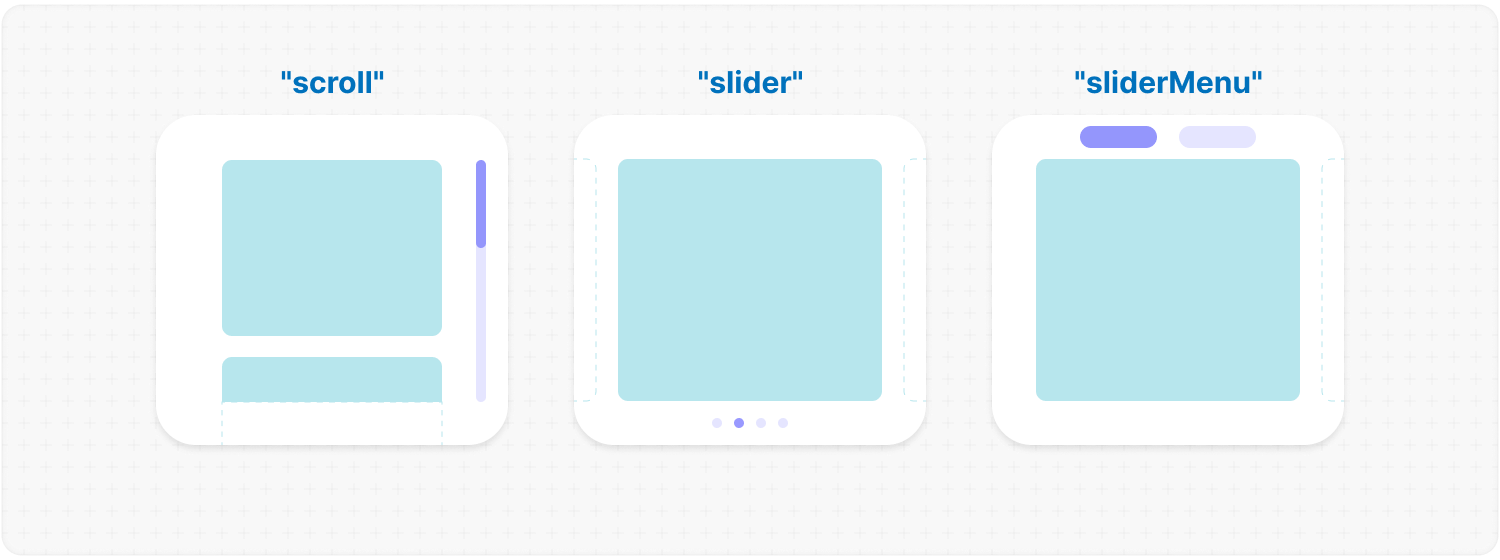
direction: "x"; // or "y" | "hybrid"Default: "y" Description: changes the scroll or slider direction based on the provided value. You can set the value to horizontal, vertical or hybrid positions to customize the component according to your needs. Example:
<MorphScroll {...props} direction="x">
  {children}
</MorphScroll>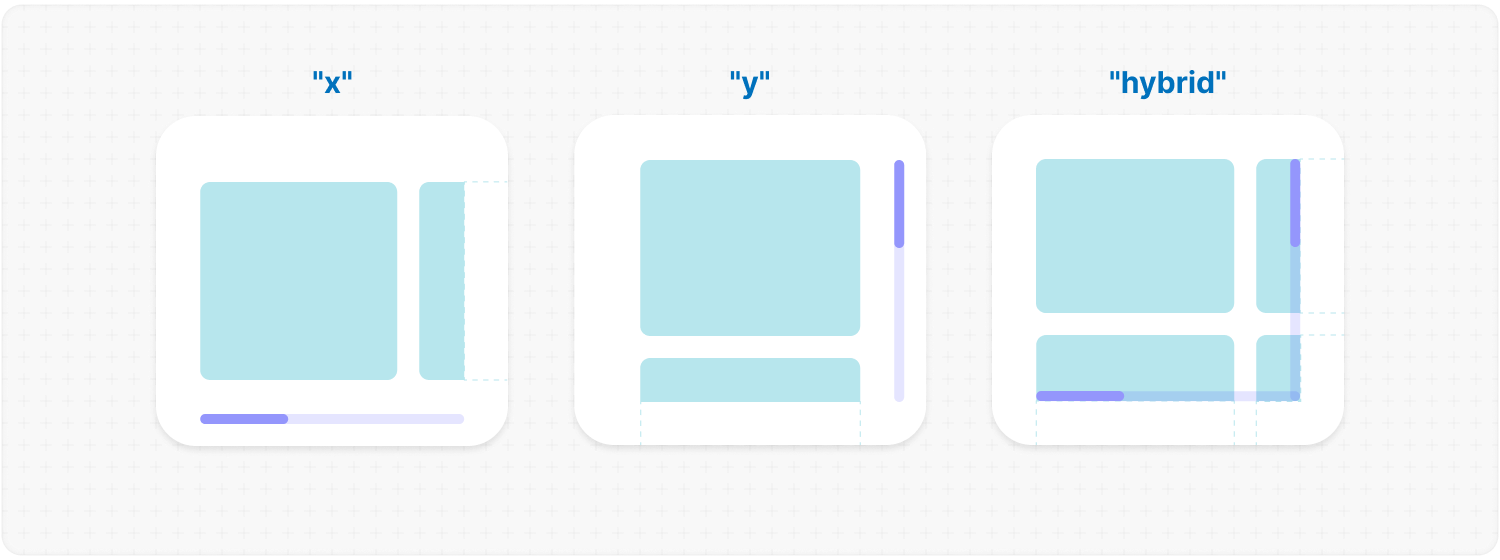
fromRight: true;Default: false Description: the list begins at the right and runs leftwards. The first object stands at the right, and a horizontal scroll opens there — so its bar starts at the right and travels left as you read on. A slider's pages run the same way: the first page's dot is the right one, and the strip reads from there. A vertical list lays its columns from the right and puts its bar on the left, where a browser puts its own. It is asked for rather than taken from the page: a widget often reads the other way round from what surrounds it, and asking the environment costs a style recalculation on every render. ✦ Note:
<MorphScroll {...props} fromRight>
  {children}
</MorphScroll>
initialPosition: 10; // or "end" | [x, y] for direction="hybrid"Description: where the scroll opens. Applied once, without animation, as soon as the content can hold it — a layout that has to be measured is waited for. That is the whole of it: changing the value later does nothing, so the opening position can never take the scroll back from the person using it. ✦ Note: every later move is a command on the component ref — scrollTo, step, pan, moveFocus, see below. To follow content as it grows, see stickToEnd. Example:
<MorphScroll {...props} initialPosition={100}>
  {children}
</MorphScroll>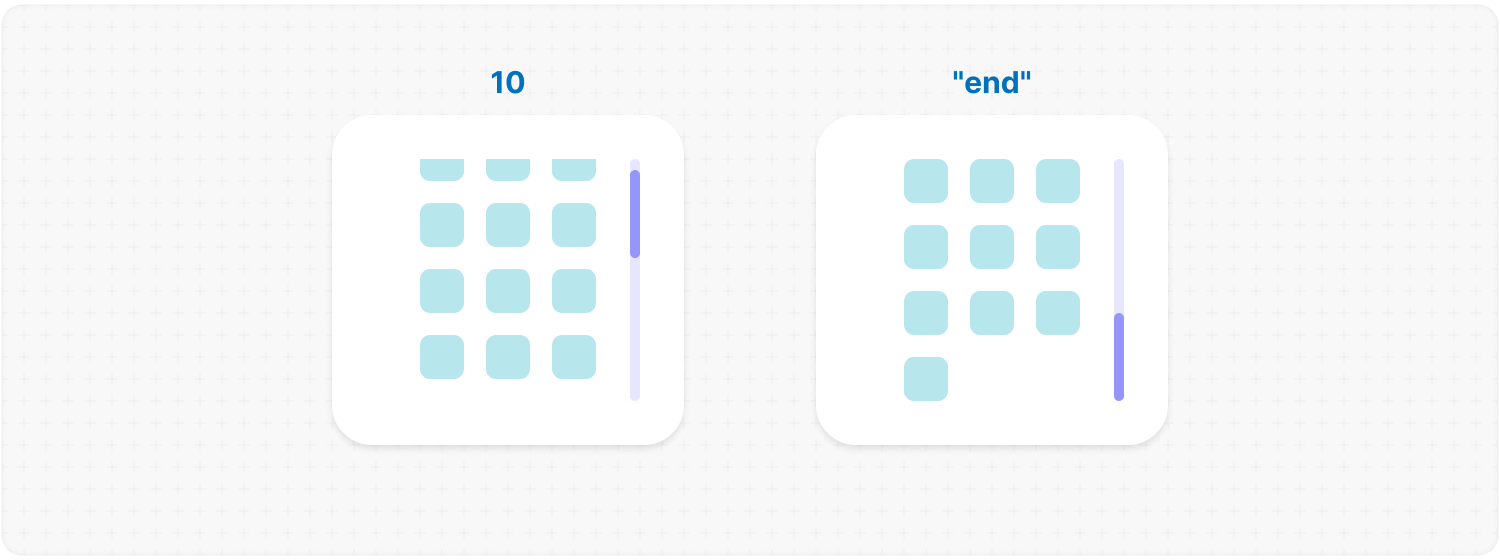
stickToEnd: true; // or [x, y] for direction="hybrid"Default: false Description: keeps the scroll at the end of its content. This is a standing rule rather than a move: every time the content grows the scroll follows it, and it opens at the end too. It steps aside the moment the reader scrolls away from the end and picks up again when they come back — a chat that does not fight the person reading its history. ✦ Note:
<MorphScroll {...props} stickToEnd>
  {messages}
</MorphScroll>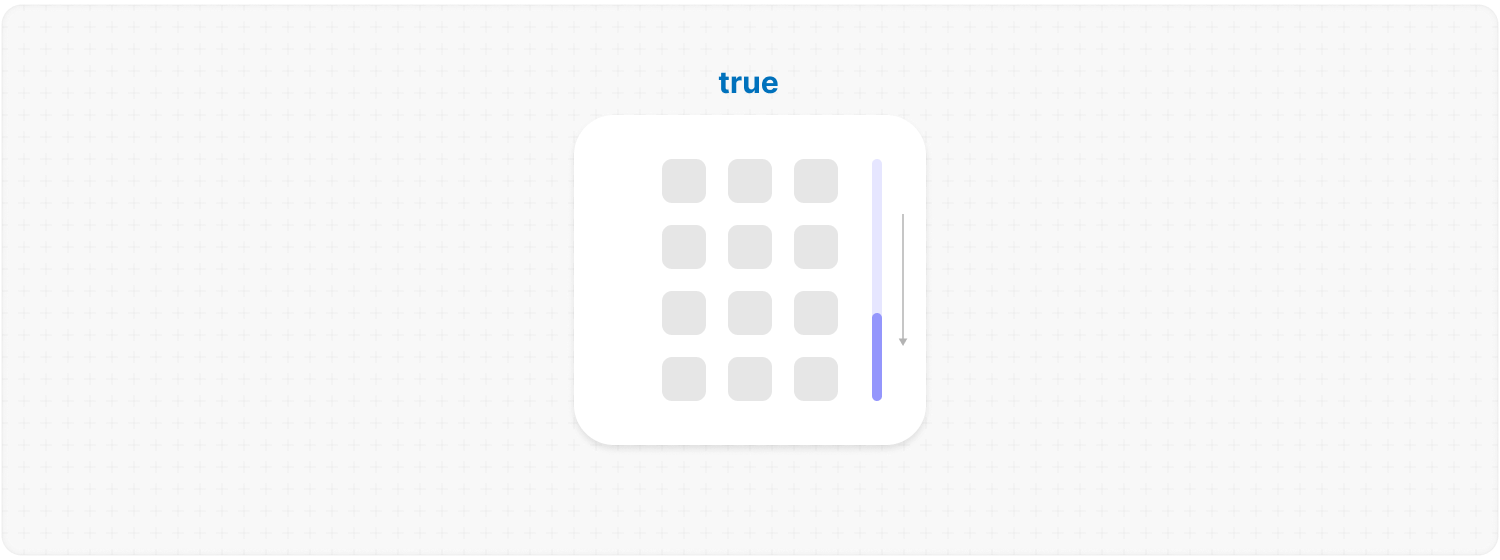
loop: true;Default: false Description: the content runs in a circle: the same children repeat forever in both directions, and there is no first object and no last. The strip does not grow: a few copies of the content are mounted, the window is kept in the middle one, and the moment it leaves, the position moves by one period. Under the window at that moment is the same content, so the seam is never seen. render.mode still mounts a window at a time, so a hundred turns cost what one costs; the circle does not need it — it places copies by coordinate either way — but a long list does. The slider modes turn too: pages are counted within one turn, so the progress element shows as many dots as there really are, and they come back round to the first. direction="hybrid" turns both ways at once — the copies lie in a grid, and each axis returns to its own middle. A period is the exact length of the content, so the circle needs a size it can count. A side left to your CSS cannot be counted — once the copies exist, measuring the box measures the copies — and the circle says so and stays open. objects.size: "auto" turns as well, only not at once: the period is the content's length, and that keeps growing while measurements arrive. So it scrolls as usual until everything is measured and closes the circle then. If something grows later, the position keeps its place within the turn. Note: the list is repeated, not referenced — a few copies of every child are mounted at once. With render.mode only the ones in the window are, and the length of the list stops mattering; without it a long one is paid for several times over. For anything but a handful of objects, give the circle virtualising.
What changes around it:
Example:
<MorphScroll {...props} loop>
  {slides}
</MorphScroll>
duration: 400;Default: 200 Description: how long a move takes, in ms. The animation length of every move the scroll makes on its own: an arrow, a key, a focus step, a slider settling after a drag. Commands on the ref take it as their default and can override it per call. 0 jumps without animating. Example:
<MorphScroll {...props} duration={400}>
  {children}
</MorphScroll>
const scroll = useRef<MorphScrollHandle>(null);
<MorphScroll ref={scroll} size={300}>
{children}
</MorphScroll>;
scroll.current?.scrollTo(0);
scroll.current?.scrollTo("end", { duration: 0 });Description: props describe state, methods do something now. initialPosition and stickToEnd are the first kind: where the scroll opens, and what it follows. Everything else is a method — it runs every time it is called, so asking for a position that is already set works. scrollTo(target, options?):
A group is an attribute read straight off the child — nothing to pass on, nothing to switch on. A group resolves to its first object, and a key wins over a group of the same name. An aligned object does not stand against the edge of the window: it stops short of it by whatever is really in that place. Another object beyond it means the objects.gap the two hold between them; where the objects run out there is no gap left, and there it is wrapper.margin. So the ends agree with themselves — scrollToObject(1, { align: "start" }) arrives exactly where scrollTo(0) does, and the last object with "end" where scrollTo("end") does. moveFocus and keys: { mode: "focus" } bring an object to an edge by the same rule. align asks, the range answers: an object near either end of an axis cannot be moved off it, so all three values land in the same place there — the first object sits at the start whatever you ask for. In a grid that is per axis, and a section starting in the first column is at the start of the horizontal one.
<MorphScroll {...props} ref={scroll} render="virtual">
  {posts.map((post) => (
    <Post key={`post-${post.id}`} ms-group={post.section} {...post} />
  ))}
</MorphScroll>;

scroll.current?.scrollToObject(10); // the tenth, counted from one
scroll.current?.scrollToObject("news"); // the first post of that section
scroll.current?.scrollToObject("post-4", { align: "center" }); // with align
step(side, options?): turns one page toward "top", "right", "bottom" or "left" — the same move the arrow buttons make, and it does nothing at the end of the run, unless loop has made it endless. pan(delta, options?): nudges the content by { x, y } pixels. Plain movement, so it shows up in onScrollPosition; it only reaches onNavigate if it settles on a new page of a slider. moveFocus(side, options?): moves focus to the neighbouring object and brings it into view — the same move keys: { mode: "focus" } makes, for a device that has no arrow keys. Nothing happens at the edge of the run. options.reason: any string, handed back untouched by onNavigate. This is how an input the library knows nothing about gets connected: it does not poll gamepads, listen for remotes or own your hotkeys — your code decides what a button means, and the reason carries that meaning through.
A keyboard needs none of this — controls={{ keys: true }} and the arrow keys work. A gamepad has no events at all, only a snapshot you read per frame, so it needs a loop of your own. The whole of it is fifteen lines:
const scroll = React.useRef<MorphScrollHandle>(null);

React.useEffect(() => {
  let frame = 0;

  const tick = () => {
    frame = requestAnimationFrame(tick);

    const pad = navigator.getGamepads().find(Boolean);
    const y = pad?.axes[3] ?? 0;
    if (Math.abs(y) < 0.15) return; // the stick is never quite at rest

    scroll.current?.pan({ y: y * 15 }, { duration: 0, reason: "gamepad" });
  };

  frame = requestAnimationFrame(tick);
  return () => cancelAnimationFrame(frame);
}, []);
Poll, read the stick, call pan. Two things worth knowing when you build it out: multiply the distance by elapsed time, so a slow frame travels as far as two quick ones; and guard a button press with a timestamp of your own, because buttons[13].pressed is true on every frame it is held and a step per frame flies through the list. Swap step for moveFocus and the same loop walks the objects instead of turning pages. Which scroll gets the input is your decision too — the ref you poll is the one that answers. That is why the polling stays out here: a loop inside the scroll would have to guess which of several the stick was aimed at. A remote, a MIDI pedal or your own hotkeys connect the same way; only the reason changes.
autoScrollOnDrag: true;Description: enables automatic scrolling when dragging elements near the edges of the container. Scrolling is triggered for elements using the native draggable="true" attribute, or custom drag implementations marked with ms-custom-drag. ✦ Note: while auto-scrolling is active, the container receives the ms-under-drag attribute with directional values (left, top, etc.) depending on the active edge. It can be used for styling. Example:
<MorphScroll {...props} autoScrollOnDrag>
  {children}
</MorphScroll>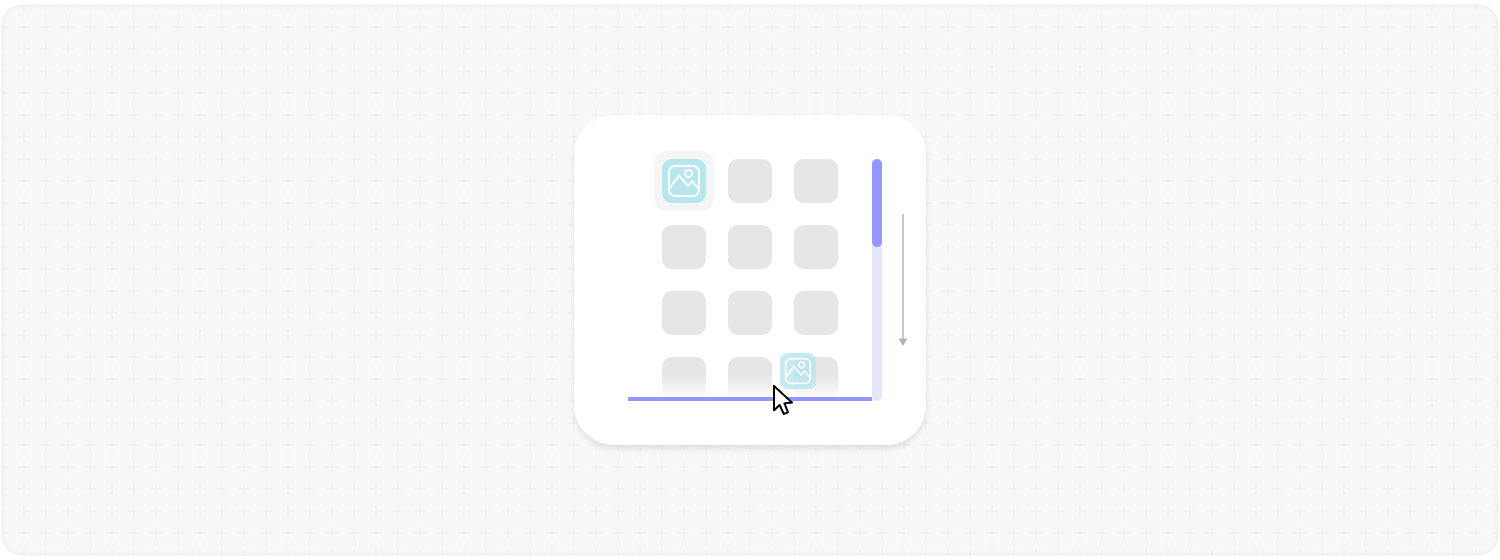
— LAYOUT —
size: 100; // or [100, 70] | "auto"Description: sets the width and height of the MorphScroll. number: sets a fixed size in pixels. It can be 1 number if you want to set the same width and height, or an array of 2 numbers. "auto": adds the ResizeTracker component to measure the width and height of the area where MorphScroll is added. The dimensions will automatically adjust when the container changes. Example:
<MorphScroll {...props} size={100}>
  {children}
</MorphScroll>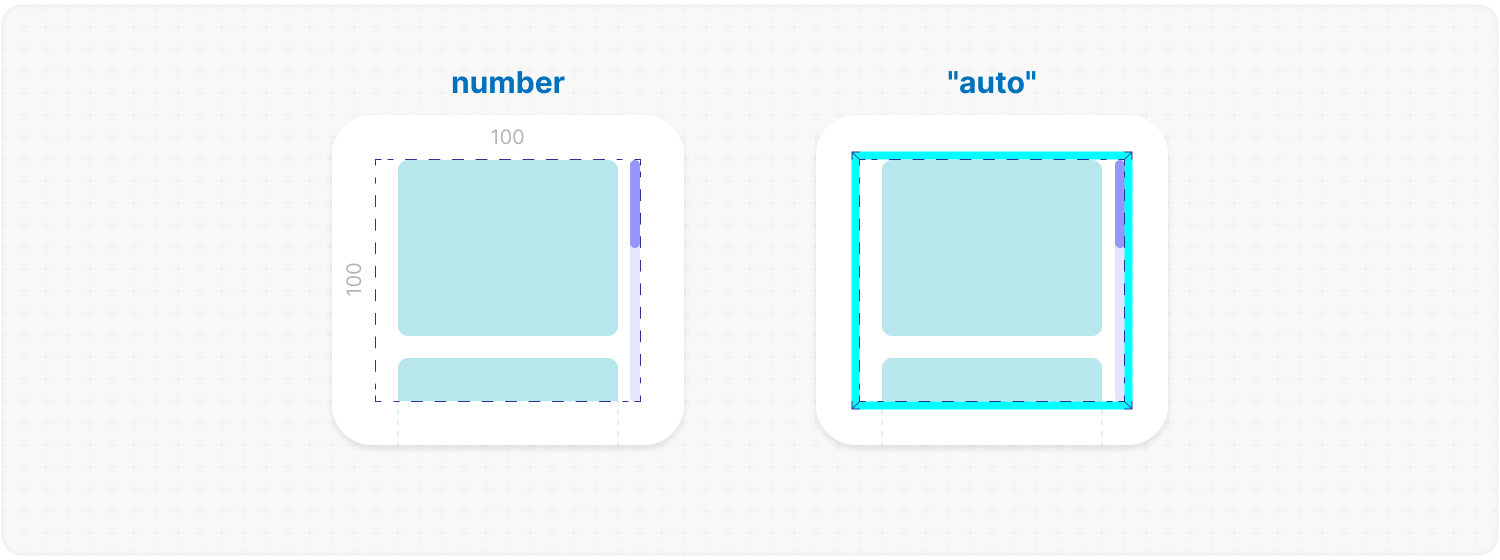
objects: { size: 100, gap: 10 }objects: {
size: [150, "auto"],
gap: [10, 20],
lines: 3,
align: "center",
order: "column",
empty: "clear",
}Default: { order: "row" } Description: everything about the objects themselves: how big they are, how they sit next to each other, and what to do with the ones that render nothing. Each object is wrapped in an .ms-object-box of its own — this is what decides the size of that box and how the boxes are arranged. Where a box stands is the library's to say, and it says it with transform. A CSS animation on .ms-object-box that touches transform wins over that — keyframes outrank an inline style — and every object collapses into one place. Animate what is inside the box, or animate opacity alone.
size: 100; // or [100, 70] | [100, "auto"] | "full" | "firstChild" | "auto"Default: an unnamed size does not stand aside — it answers for the objects, and the answer follows the scroll: across it an object takes all the room there is, along it the size is its own.
Every one of those can be counted, so render, loop and trackVisibility work with nothing named at all. One case is left alone: lines above 1 on a single axis. That is a grid of as many tracks as you named, each as wide as its content — your CSS decides those widths, nothing can count them, and render stays off until you name a size. It is the only such case left. Description: defines the [width, height] of cells for each of your objects. number: sets a fixed size for your custom objects. "full": the object takes all the room it has — the size of the scroll, less wrapper.margin, which is the space the objects live inside. Taking the whole window instead would put the object past it by exactly those margins. "firstChild": creates a ResizeTracker wrapper for the first child of your list. This wrapper will calculate the size of the first child, and these dimensions will be applied to all cells in the list. This can be useful if you want to change the size of objects in your list dynamically, e.g., when reducing the size of the user's screen. "auto": every object gets the size it asks for, and the library measures it. Which side you hand over settles how the objects are then arranged: the side along the scroll is a masonry — fixed columns, each object into the shortest one; the side across it, or both, is a flow — objects fill a line one after another, and a new line starts when the room runs out or when lines says it is full. One observer measures the whole scroll, and an object is watched while it is on screen: a picture that arrives late moves its neighbours instead of leaving the layout wrong. Sizes are remembered by the child's key, so they survive virtualization, and unmeasured objects are drawn a batch at a time. a side left out of a pair: it is the same as "auto" — the object decides that side and the library measures it. [100, "auto"] and [100, undefined] are one and the same: a hundred across, the content deciding along. There is no way to ask the library not to measure a side, and there was no point in one: what it measures is your CSS either way, and declining to measure only switched off render, loop and trackVisibility without handing the layout anywhere. ✦ Note:
<MorphScroll {...props} objects={{ size: [70, 100] }}>
  {children}
</MorphScroll>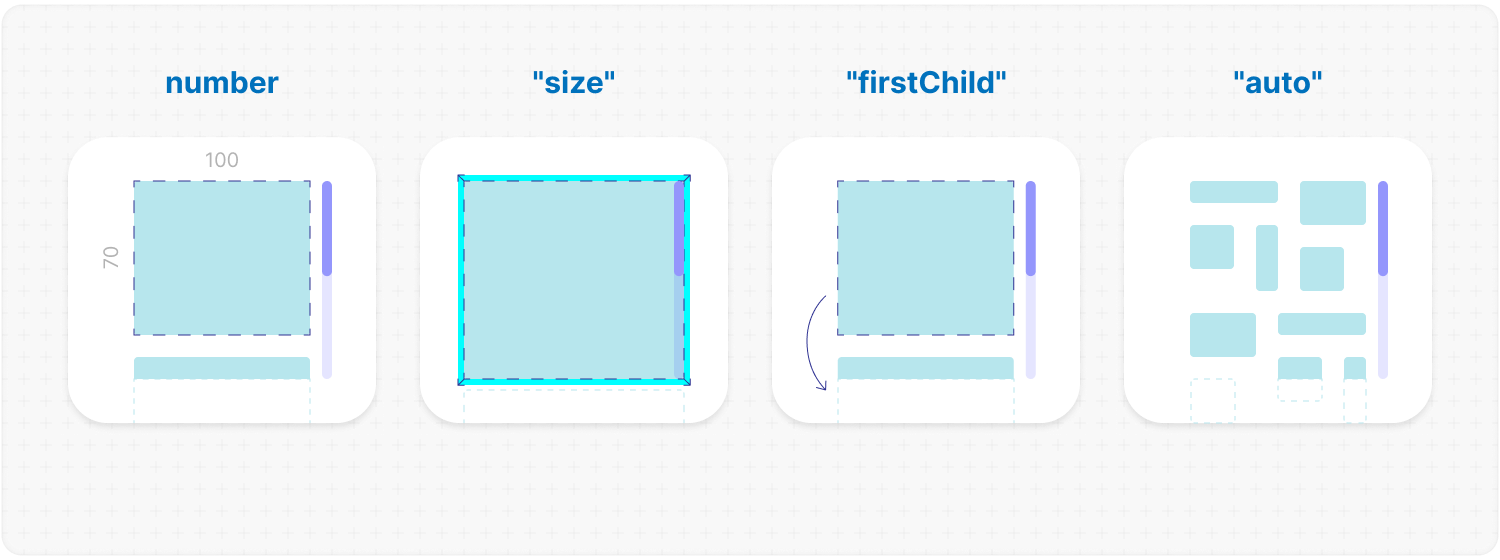
lines: 2;Default: as many as the room across allows — and 1 under direction="hybrid", where there is no room to ask Description: how many lines the objects run in, across the scroll — columns on a vertical scroll, rows on a horizontal one. ✦ Note:
Example:
<MorphScroll {...props} objects={{ lines: 2 }}>
  {children}
</MorphScroll>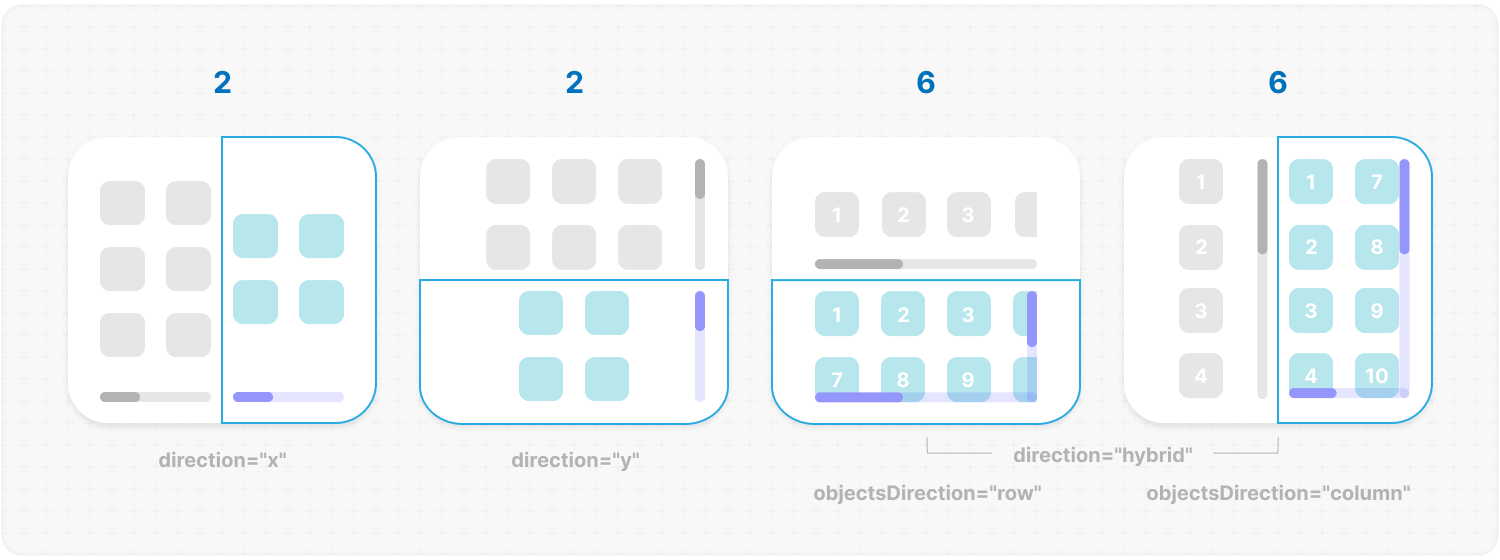
gap: 10; // or [20, 10]Description: space between the objects, in pixels. One number holds both ways; a pair is [x, y] — sideways first, as everywhere else in the library. Example:
<MorphScroll {...props} objects={{ gap: 10 }}>
  {children}
</MorphScroll>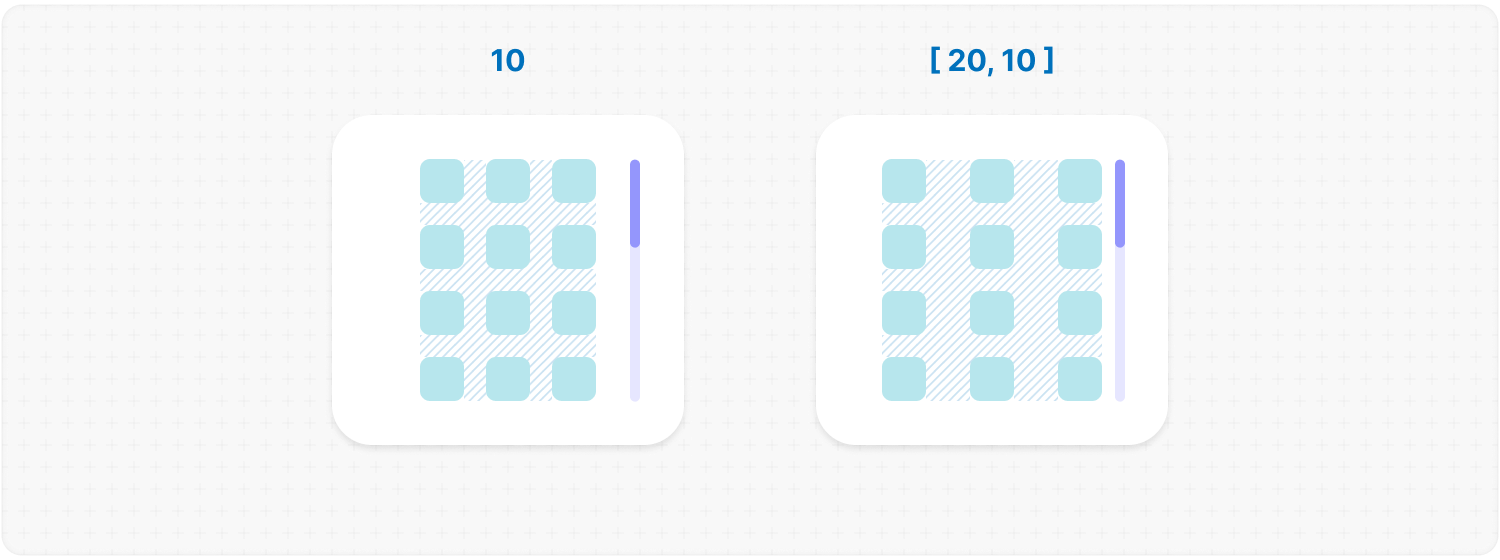
align: "center"; // or "start" | "end"Default: "start" Description: where a line that did not fill up sits — the last row of a grid, or the only row of a short list. Rows line up against the widest one, so a short row has spare space beside it and align decides where that space goes. Where the whole block sits in the window is a different question, and wrapper.align answers it. Nothing moves until every object is measured. Example:
<MorphScroll {...props} objects={{ align: "center" }}>
  {children}
</MorphScroll>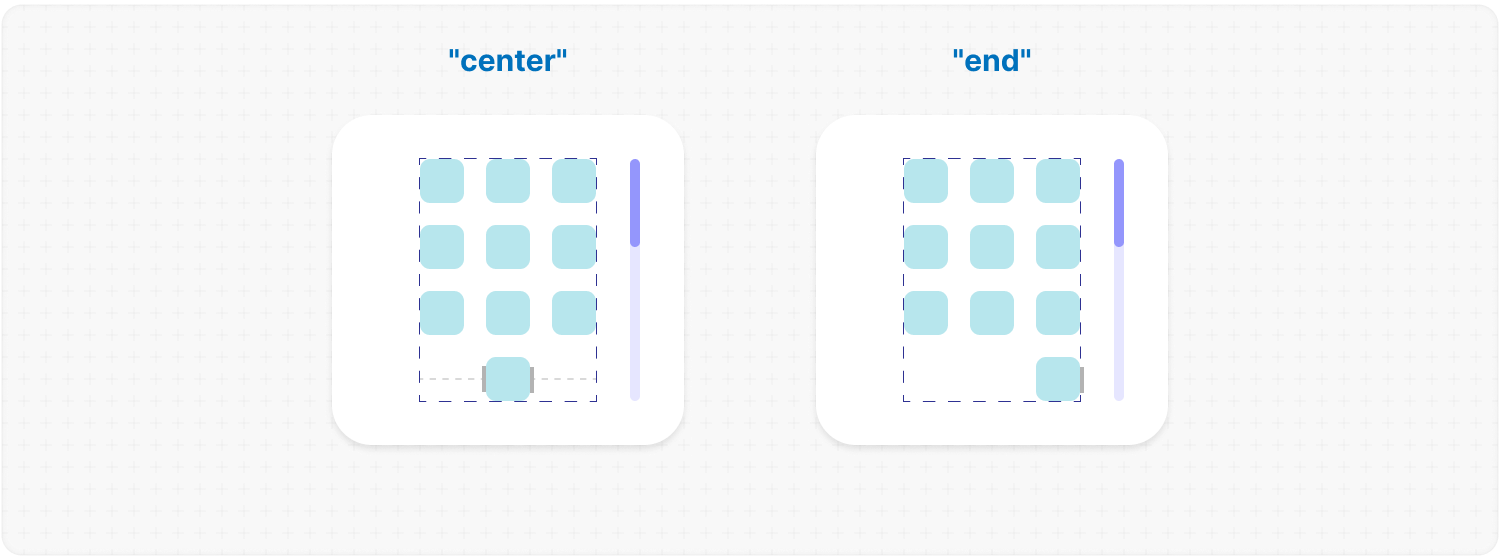
order: "row"; // or "column"Default: "row" Description: changes the order of the provided elements based on the provided value. "row" fills a row and moves down, "column" fills a column and moves right. One of the two is what the scroll already does — a vertical one lays rows, a horizontal one lays columns; the other transposes, and the first line then takes the first ceil(n / lines) objects. A masonry asked to transpose stops looking for the shortest column, trading an even edge for reading straight through. The count is by number, never by size, so nothing jumps as the objects are measured. Transposing needs a known number of lines: a masonry always has one, a flow only when lines names it. Without it the request is dropped, with a warning if you wrote the value yourself. In direction="hybrid" the same request is an axis: "row" has lines bound the width and growth run down, "column" bounds the height and growth runs right. Example:
<MorphScroll {...props} objects={{ order: "column" }}>
  {children}
</MorphScroll>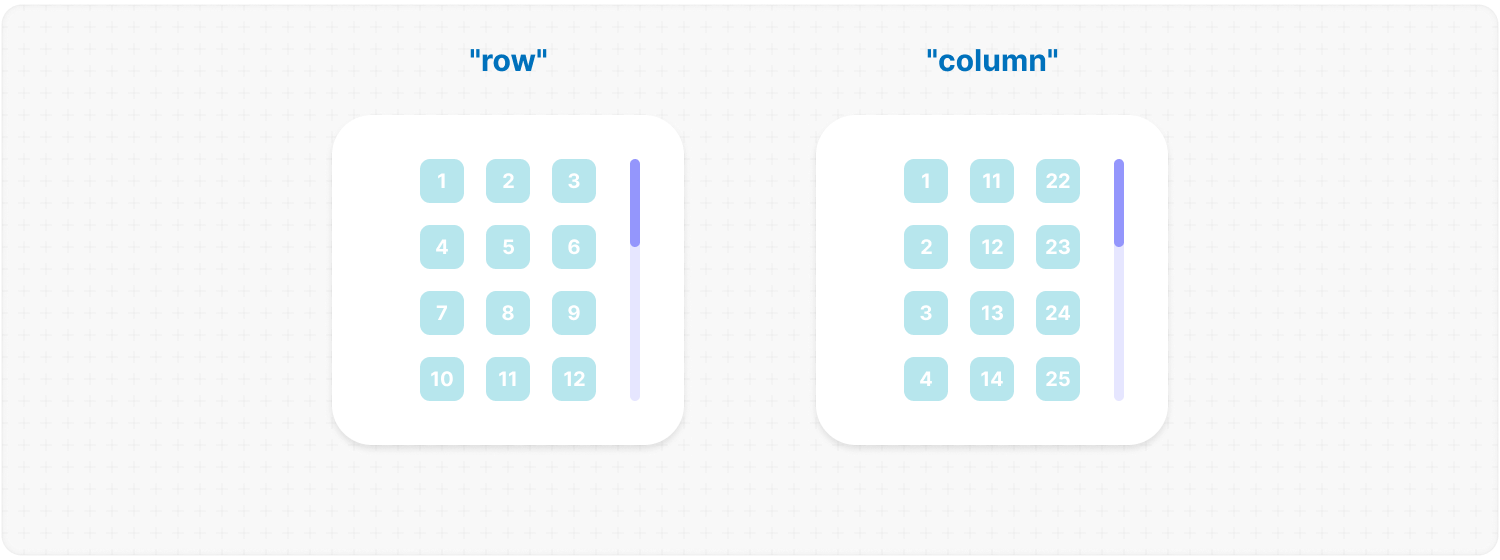
empty: "clear" // or "fallback"empty: {
mode: "clear", // or "fallback" (required)
clickTrigger: ".btn-class", // or { selector: ".btn-class"; delay: 100 };
}Description: this option allows you to remove or replace empty list items during the initial render, or trigger this process via a click action mode:
<MorphScroll {...props} objects={{ empty: "clear" }}>
  {children}
</MorphScroll>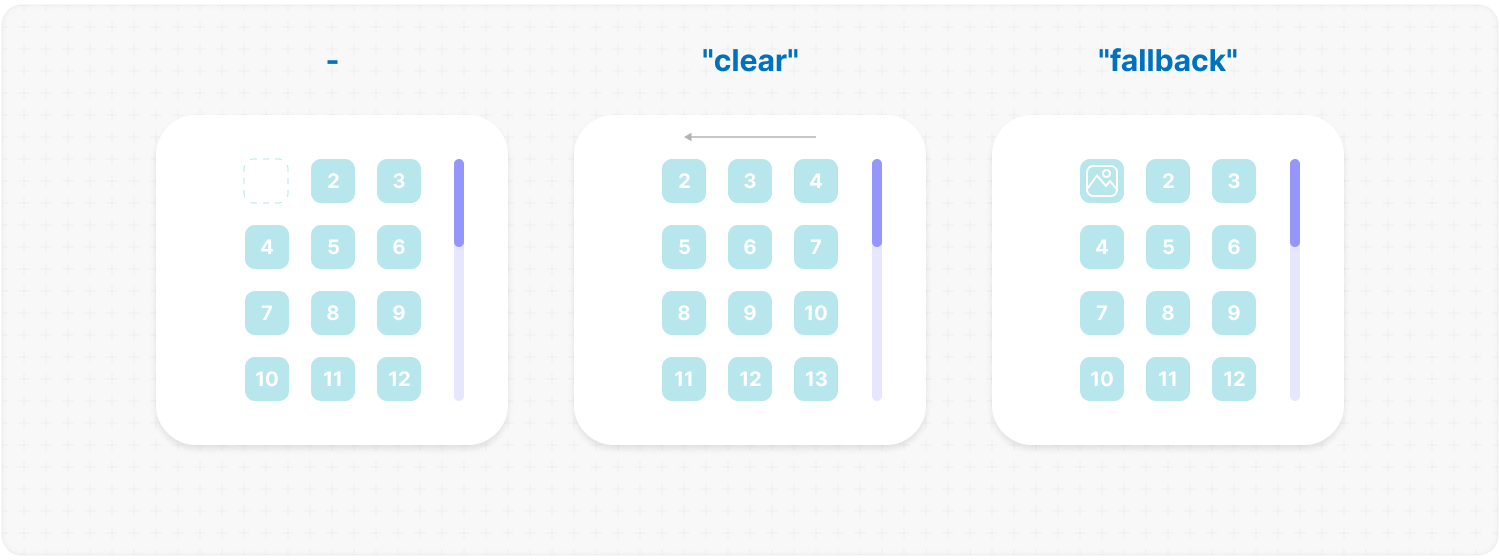
wrapper: {
  margin: 10,      // or [x, y] | [t, r, b, l]
  minSize: "full", // or a number | ["full", 10]
  align: "center", // or "start" | "end" | ["center", "start"]
}
Description: everything about .ms-objects-wrapper, the box that holds your objects, in one place.
margin: 10; // or [x, y] | [t, r, b, l]Description: spacing between the objects and their wrapper, which grows the scrollable area by the same amount. Example:
<MorphScroll {...props} wrapper={{ margin: 10 }}>
  {children}
</MorphScroll>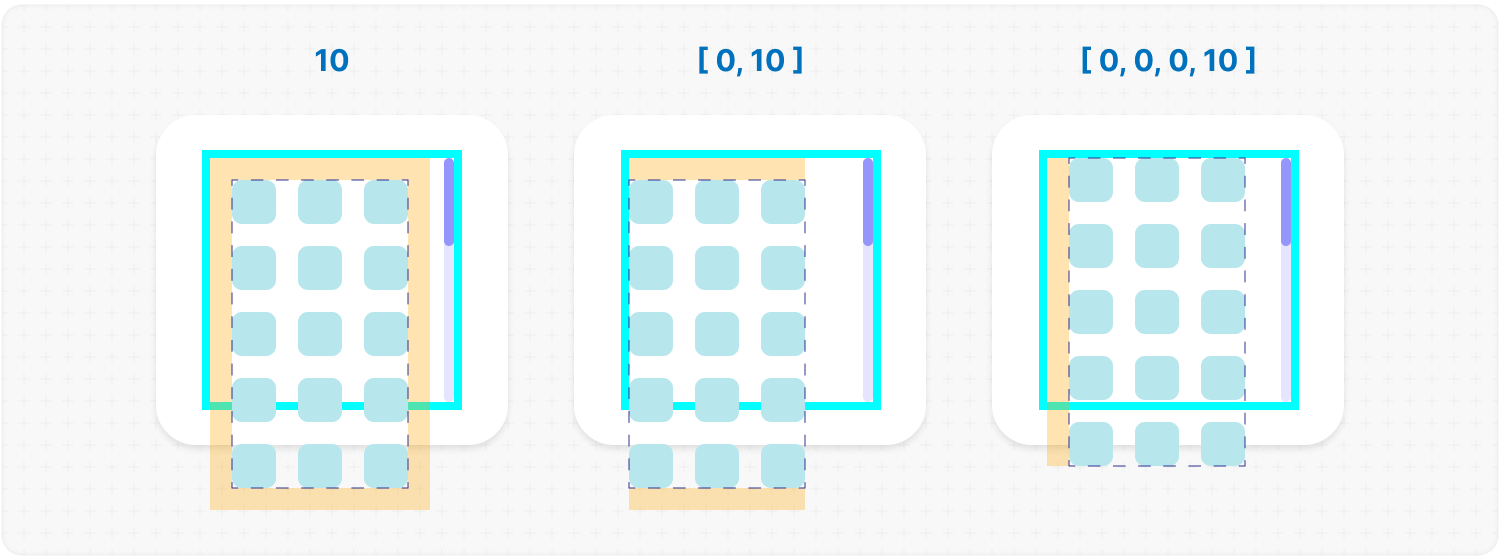
minSize: "full"; // or a number | ["full", 10]Description: the smallest the wrapper may get, applied as min-width / min-height. A number is that floor in pixels; "full" is all the room there is — the size of the scroll, less wrapper.margin. Useful where the content may be shorter than the scroll and the box has to stay put anyway — a background that must not shrink, a bar that has to keep its place. Example:
<MorphScroll {...props} wrapper={{ minSize: "full" }}>
  {children}
</MorphScroll>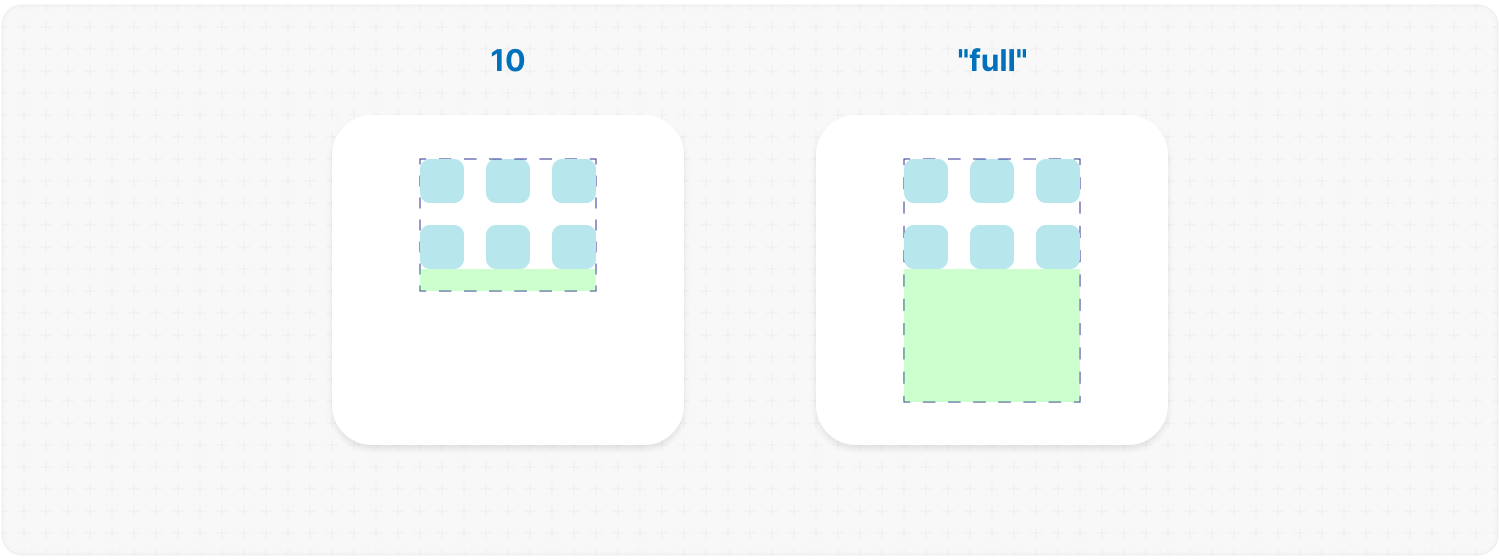
align: "center"; // or "start" | "end" | ["center", "start"]Default: "start" Description: where the wrapper sits when it is smaller than size. One value aligns both axes, a pair aligns them separately. Example:
<MorphScroll {...props} wrapper={{ align: "center" }}>
  {children}
</MorphScroll>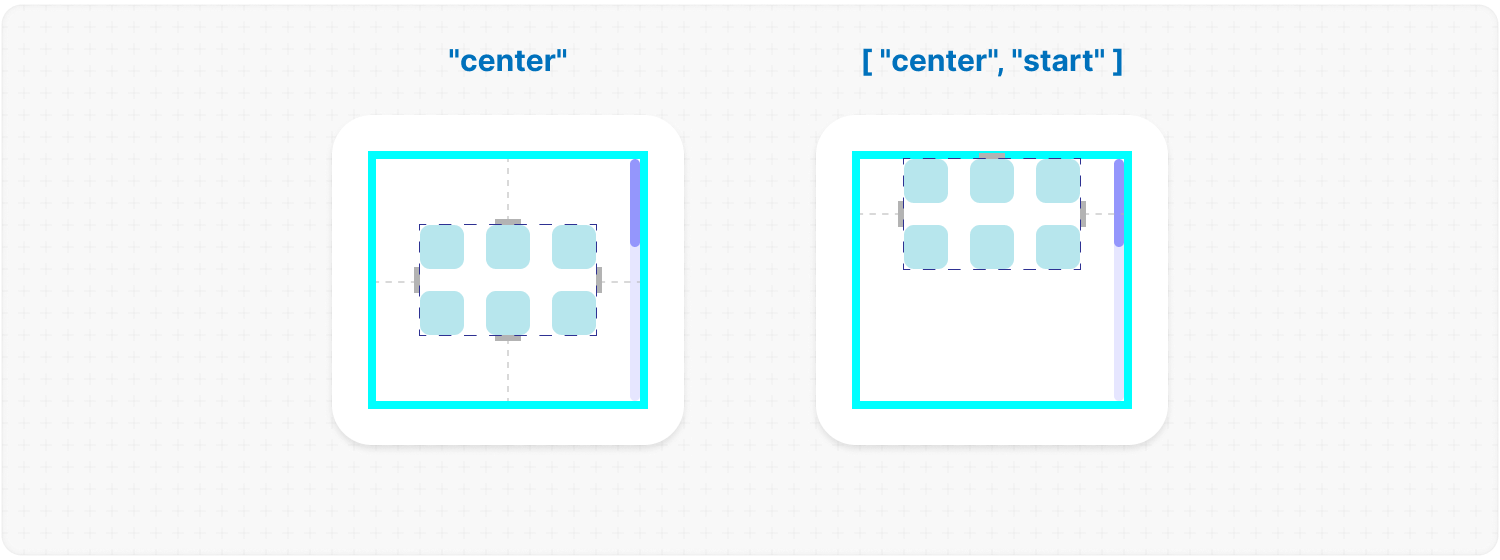
— CONTROLS —
controls: "wheel"; // or ["wheel", "drag", "arrows", "bar"]controls: {
wheel: true,
drag: true,
bar: true, // or <ScrollThumbComponent />
arrows: true, // or <ArrowComponent />
}controls: {
wheel: {
// if direction="hybrid"
changeDirection: true,
changeDirectionBtn: "KeyX" // default ["ShiftLeft", "ShiftRight"], [] to disable
},
bar: [<Elem1 />, <Elem2 />, <Elem3 />],
arrows: {
element: <ArrowComponent />,
size: 60, // default 40px
reserveSpace: true,
}
}Default: { wheel: true, keys: true } Description: everything that can move the scroll lives here: the wheel, the keys and a drag, which are only switched on or off, and the bar and the arrows, which the library also draws for you. A name, or an array of names, is shorthand for switching those on: "wheel" is the same as { wheel: true }, and ["wheel", "drag"] the same as { wheel: true, drag: true }. Reach for the object form when one needs settings, or to pass an element. ✦ Note: what you write replaces the default rather than adding to it. { wheel: true, keys: true } is what an unwritten prop means; write anything and that is the whole set — { bar: <Thumb /> } is a bar and nothing else, { wheel: true, bar: <Thumb /> } is a bar and the wheel. Worth remembering that arrow keys come from keys — a scroll with none of it is worked by the pointer alone.
wheel: true;Default: true, while controls is not written at all Description: the wheel over the content moves the scroll. An unwritten controls carries it, because a scroll nothing can move is almost never what was meant; once you write the prop, name it if you want it. In the slider modes it turns pages instead of carrying pixels: one notch, one page, the same step an arrow takes — over the content and over the strip alike. A gesture on a trackpad is dozens of events, so turns are spaced; otherwise a single flick would fly through the list. At the very end the wheel goes outward, to a scroll around this one or to the page — but not in the same instant. While it is still being turned it stays here, the way a native scroll keeps it; without that the page below moves in the very frame the list runs out. Both settings below are for direction="hybrid", where one wheel has to serve two axes. ✦ Note:
changeDirection: true;Description: in direction="hybrid", gives the wheel to the x axis — a mouse has no sideways nudge of its own, and without this such a scroll is worked only by the trackpad or the bar. One axis has nothing to switch to, so this needs "hybrid" and says so otherwise. The other axis is then Shift away, see changeDirectionBtn. Without changeDirection nothing is taken over: the wheel moves y, a trackpad moves both, and Shift + wheel moves x — that last one is the browser's own doing, and it works here with no prop at all. Example:
<MorphScroll {...props} controls={{ wheel: { changeDirection: true } }}>
  {children}
</MorphScroll>
changeDirectionBtn: "KeyX"; // or ["ShiftLeft+KeyX", "AltLeft"], [] turns it offDefault: ["ShiftLeft", "ShiftRight"] Description: while one of these keys is held, the wheel goes back to the other axis. Shift by default — the key a browser already scrolls sideways with, so the gesture is the one people know. Needs changeDirection: on its own the wheel is not taken over, and there is nothing to hand back. A KeyboardEvent.code, or a list of them. The list is any of these; "+" joins codes into one combination, so ["ShiftLeft+KeyX"] waits for both and ["ShiftLeft", "AltLeft"] answers either. A modifier has one code per side, which is why the default names both. An empty list turns it off. ✦ Note: a modifier arrives with the wheel event itself, so it works wherever the pointer is. Any other key is read from the keyboard, and a keyboard is only heard while the scroll has focus — a combination that mixes the two needs the scroll focused. Example:
<MorphScroll {...props} controls={{ wheel: { changeDirectionBtn: "KeyZ" } }}>
  {children}
</MorphScroll>
keys: true;Default: true, while controls is not written at all Description: the arrow keys move the scroll while it has focus — clicking it is enough, the viewport is a tab stop. A native scroll obeys the arrows once it has focus, and a keyboard user reaching a list that cannot be moved is a dead end, so an unwritten controls carries this. Write controls yourself and it is yours to name. ✦ Note: inside an input, textarea, select or anything contenteditable the arrows belong to the text, and the scroll leaves them alone.
mode: "focus"; // or "step" | "pan"Default: "step" in the slider modes, "pan" in mode="scroll" Description: "step" turns a page, the same move the arrow buttons make and reported through onNavigate as "keys"; "pan" nudges the content along by step pixels, at the pace of a native scroll — a held key keeps adding to where it is going instead of starting each step over; "focus" walks the objects. "focus" is Tab, but aimed: an arrow moves focus to the neighbouring object — picked by geometry, so a grid walks its row and drops to the next one — and the scroll follows, far enough to bring it into view and no further, leaving the objects.gap or the wrapper.margin that is there. Focus lands on the .ms-object-box itself, so the highlight is the whole card and there is one thing to style: .ms-object-box:focus. Give a box a tabIndex of your own and the library leaves it alone. The same move from any other device is ref.moveFocus(). ✦ Note:
<MorphScroll {...props} controls={{ keys: { mode: "focus" } }}>
  {children}
</MorphScroll>
step: 40;Default: 40 Description: how far one press nudges in "pan". Example:
<MorphScroll {...props} controls={{ keys: { mode: "pan", step: 80 } }}>
  {children}
</MorphScroll>
drag: true;Description: enables interaction by clicking and dragging anywhere within the scrollable content to move it. A tap is told from a scroll by distance, not by what is under the pointer: below 2px it stays a click and the click lands, above it the wrapper drops pointer-events and it does not. So anything can be dragged from — buttons, links, a card with a picture. The native drag of links and images is suppressed while the gesture runs. While something is being dragged, the library's own element carries ms-grabbing — .ms-viewport for the content, .ms-thumb for a thumb, .ms-slider for a slider. That is the hook for a grabbing cursor, and it never lands on whatever you drew inside them. A list inside a list takes its own gesture: the drag belongs to the innermost one under the pointer, and the outer stays where it is — as long as the gesture runs along the inner one's axis. A scroll that moves one way takes only drags going that way: the first few pixels show the direction, and one going across it — a vertical drag over a horizontal strip in a feed — goes to whoever outside can move that way. With nobody there, it stays where it started. A finger follows the same rule, and a thumb belongs to its own scroll: dragging it never moves the list around. The drag does not start only where the element has a drag or a caret of its own:
<MorphScroll {...props} controls={{ drag: true }}>
  {children}
</MorphScroll>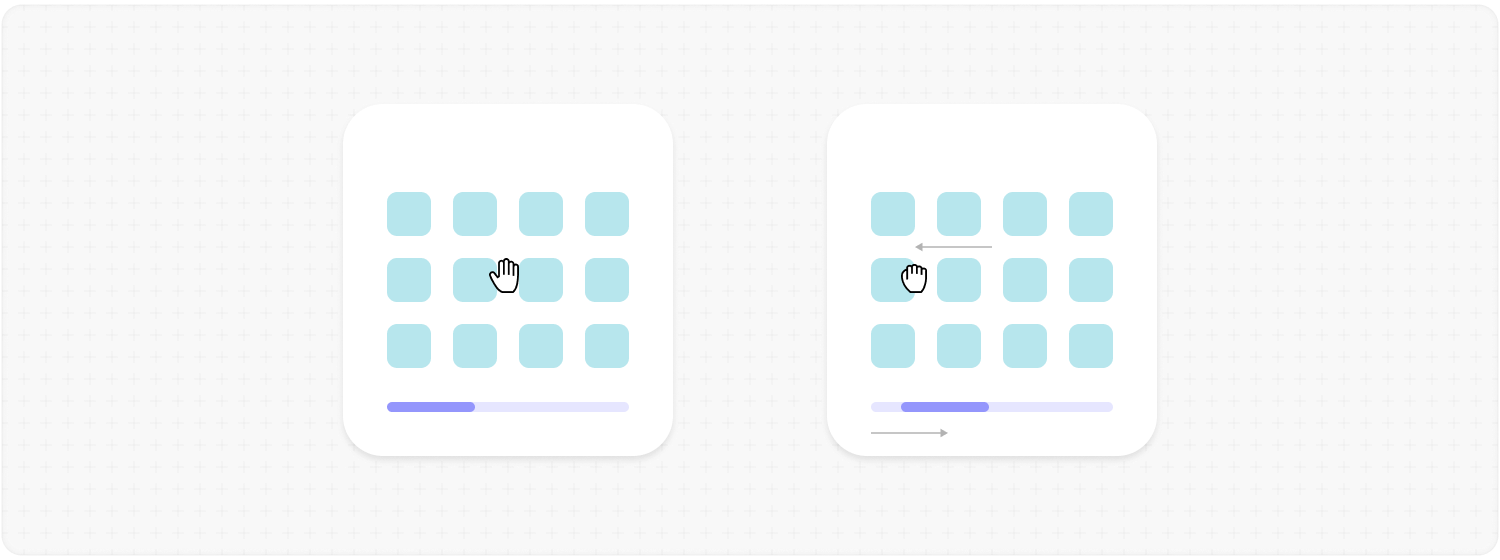
bar: <ScrollThumbComponent />; // or true | an array | an objectDescription: determines how the scroll progress is managed
bar: {
  element: <ScrollThumbComponent />,
  edgeGap: 8,        // or [x, y] for direction="hybrid"
  trackGap: 10,
  reverse: true,
  showOnHover: true,
  thumbMinSize: 24,
}
element: <ScrollThumbComponent />;Description: the node the bar is built from. What it becomes depends on mode: in "scroll" it is the thumb that runs along the track, and in the slider modes it is one page marker, repeated for every page — an array gives each page its own node, in order. Example:
<MorphScroll {...props} controls={{ bar: <ScrollThumbComponent /> }}>
  {children}
</MorphScroll>
edgeGap: 8; // or [x, y] for direction="hybrid"Description: distance between the bar and the side it sits on. A negative value pushes it past that edge — the usual reason to reach for CSS here. It follows reverse, so the gap is always measured from whichever side the bar actually ended up on. Example:
<MorphScroll {...props} controls={{ bar: { element: <Thumb />, edgeGap: 8 } }}>
  {children}
</MorphScroll>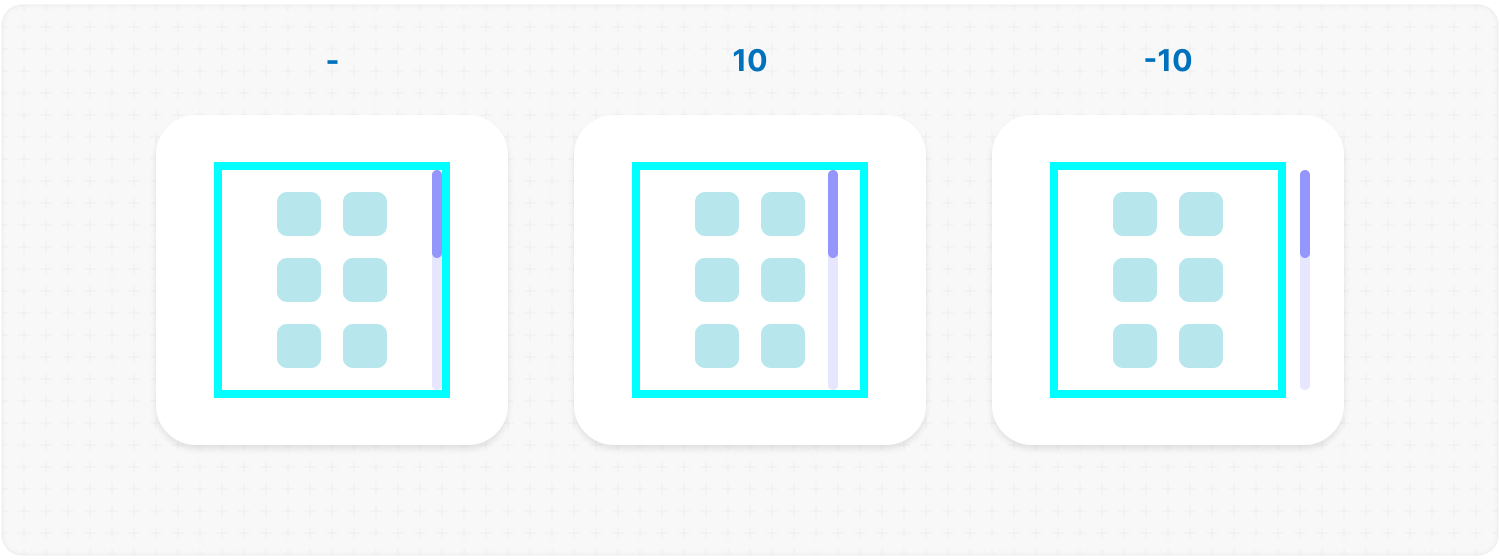
trackGap: 10;Description: shortens the track by this much at each of its two ends. Not to be confused with edgeGap: this one runs along the track, that one across it. Example:
<MorphScroll
  {...props}
  controls={{ bar: { element: <Thumb />, trackGap: 10 } }}
>
  {children}
</MorphScroll>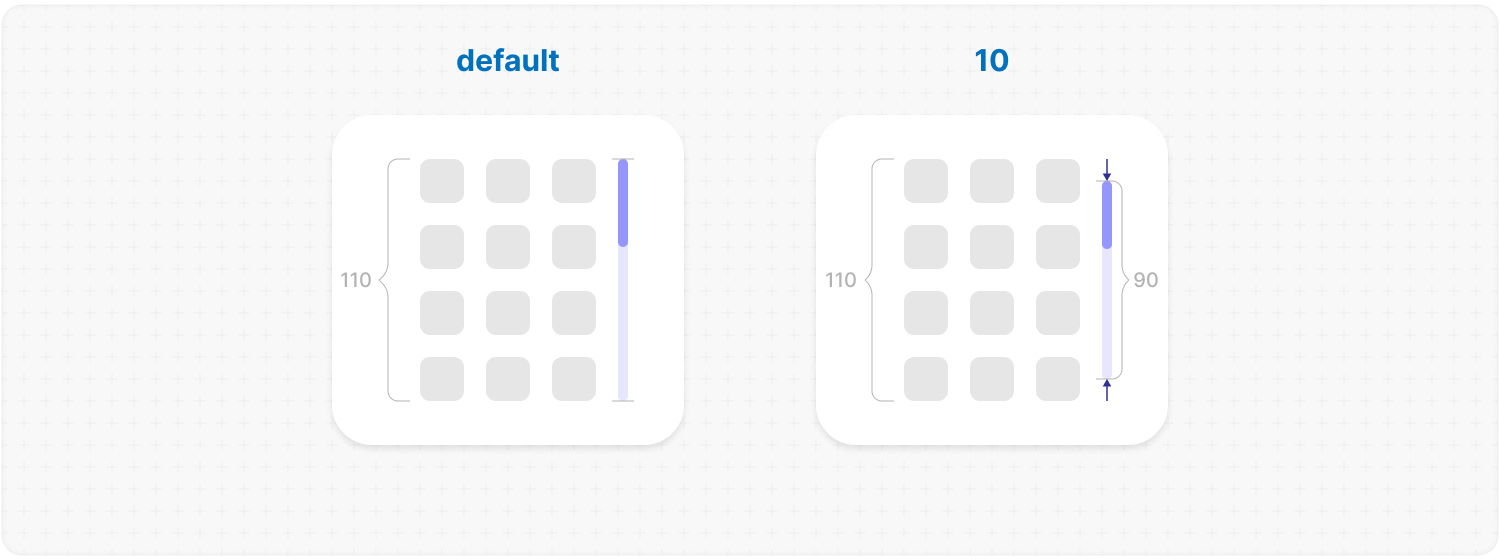
reverse: true;Description: put the bar on the opposite side. Example:
<MorphScroll
  {...props}
  controls={{ bar: { element: <Thumb />, reverse: true } }}
>
  {children}
</MorphScroll>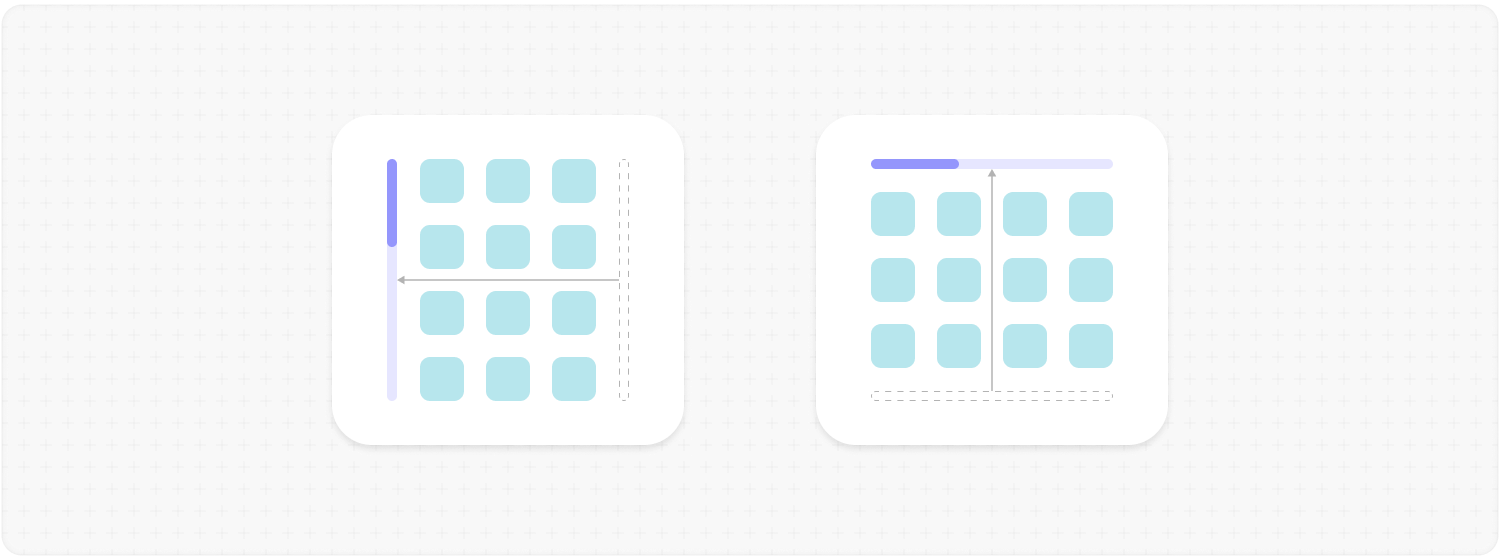
showOnHover: true;Description: report the bar as idle unless it is hovered, touched or the content is moving. Nothing is styled for you — see the note below.
✦ Note: with showOnHover the library sets --ms-bar-visibility (1 active, 0 idle) and adds .ms-hover / .ms-leave, but styles nothing. It lands on whatever the mode renders — .ms-bar or .ms-slider — so style both if you use both. The bar stays visible until you use the variable:
.ms-slider {
  opacity: var(--ms-bar-visibility, 1);
  transition: opacity 0.2s ease-in-out;
}
Example:
<MorphScroll
  {...props}
  controls={{ bar: { element: <Thumb />, showOnHover: true } }}
>
  {children}
</MorphScroll>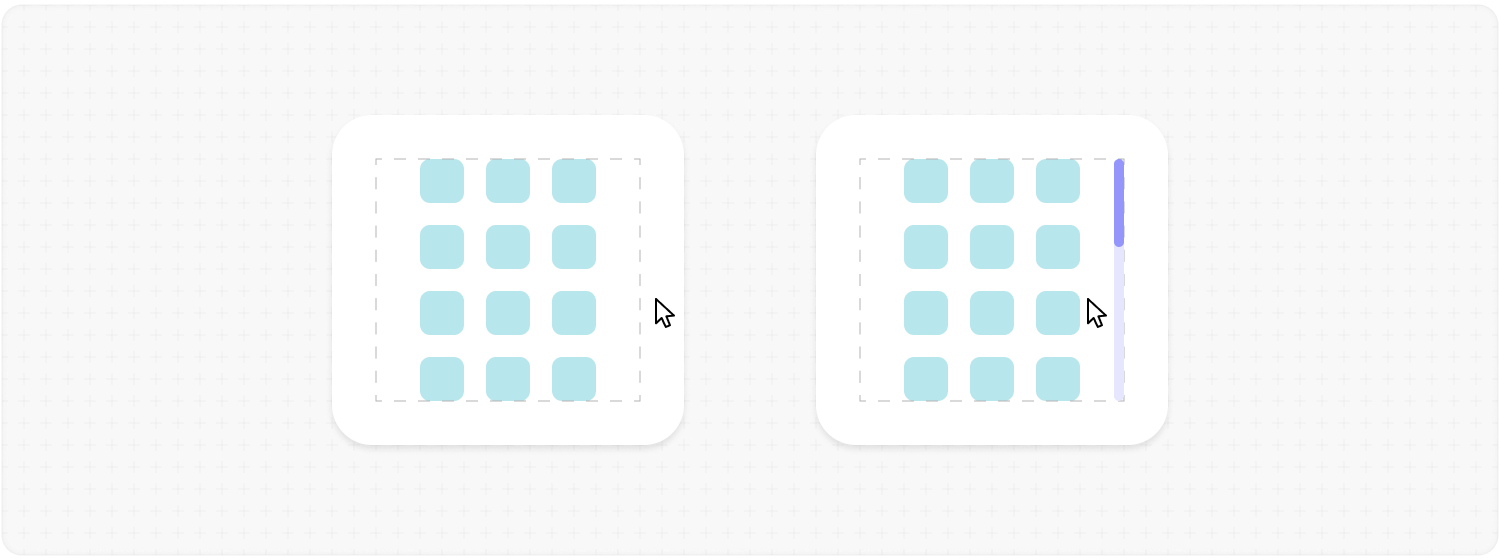
thumbMinSize: 24;Description: the thumb never shrinks below this. Example:
<MorphScroll
  {...props}
  controls={{ bar: { element: <Thumb />, thumbMinSize: 24 } }}
>
  {children}
</MorphScroll>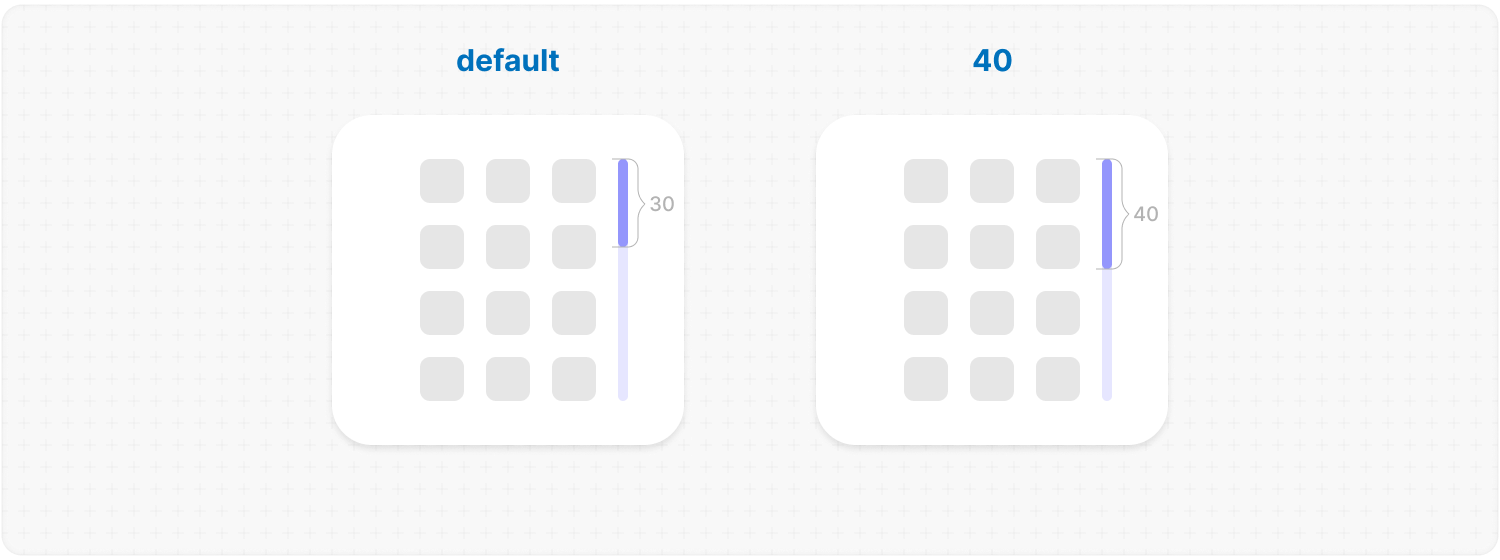
arrows: <ArrowComponent />; // or true | an objectDescription: allows you to add custom arrows to the progress bar. Each arrow is a .ms-arrow-box strip along its own side; the element you pass sits inside .ms-arrow, which only rotates it. An arrow with nowhere left to go gets ms-disabled and no cursor: pointer — under loop there are no dead ends, so the class never appears.
element: <ArrowComponent />;Description: the icon the arrows are made of. Draw it pointing right: that is the one direction you provide, and the library rotates the same element for the other three. Example:
<MorphScroll {...props} controls={{ arrows: { element: <ArrowComponent /> } }}>
  {children}
</MorphScroll>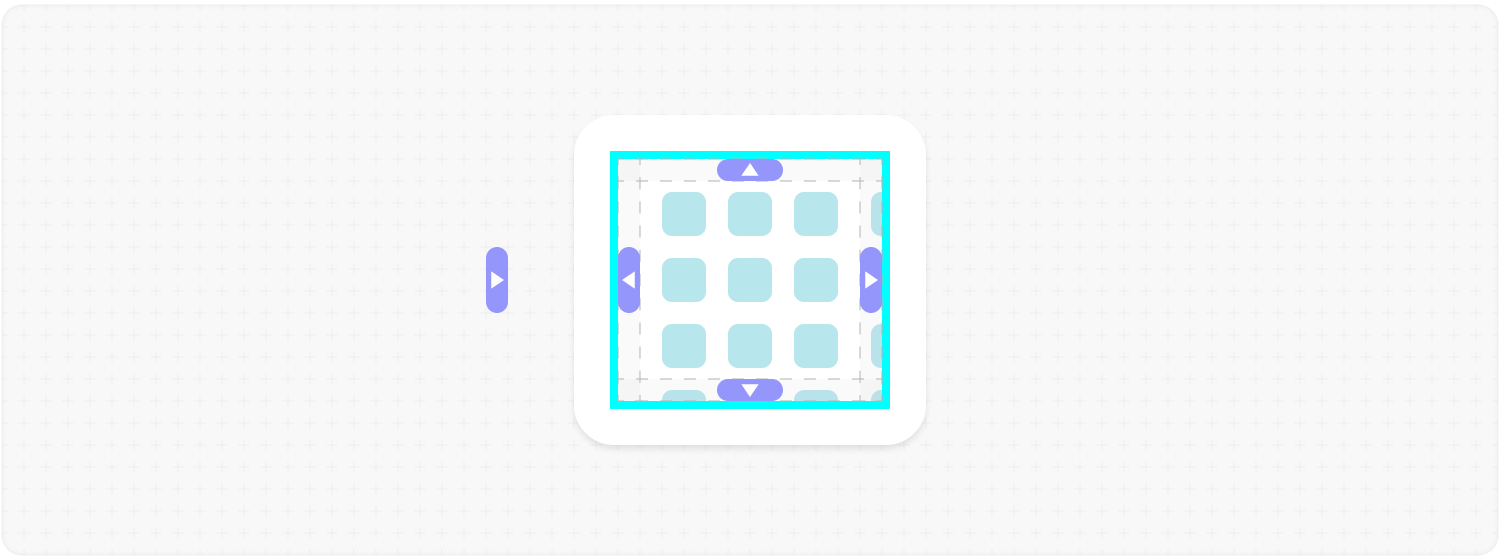
size: 60;Default: 40 Description: thickness of the .ms-arrow-box strip. The icon's own size is up to the element you pass. Example:
<MorphScroll {...props} controls={{ arrows: { element: <Arrow />, size: 60 } }}>
  {children}
</MorphScroll>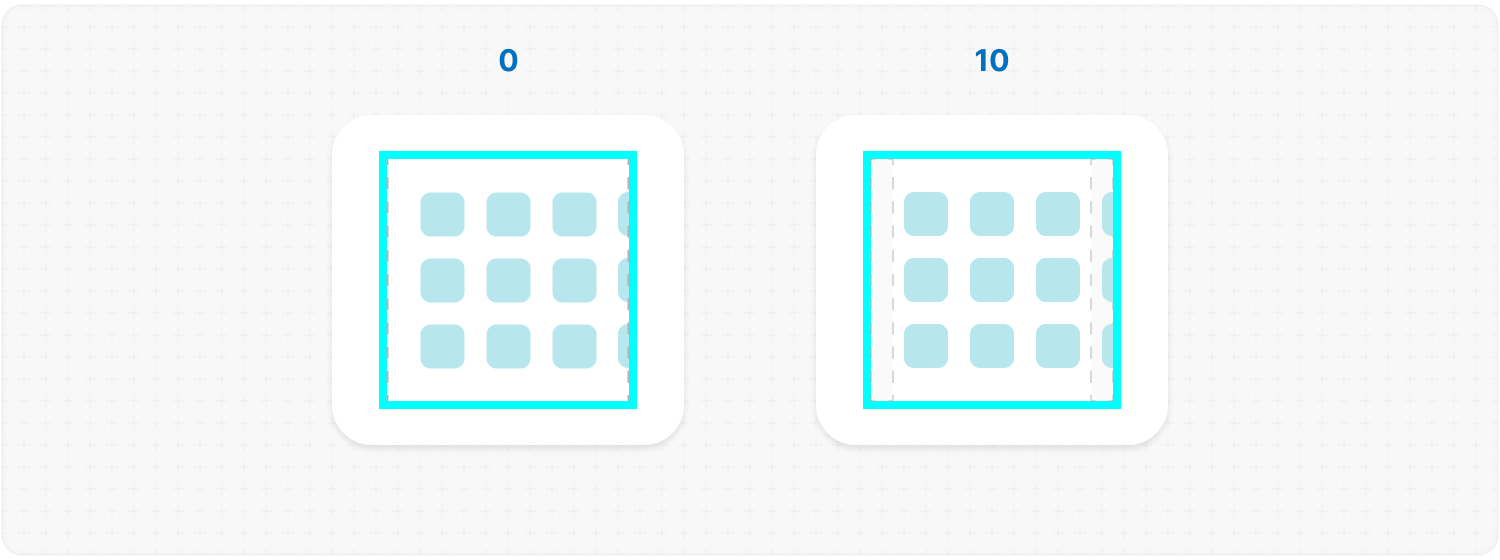
reserveSpace: true;Description: the arrows take their strip out of the content instead of lying over it, so nothing gets covered. Without it they sit on top, which is the default. Example:
<MorphScroll
  {...props}
  controls={{ arrows: { element: <Arrow />, reserveSpace: true } }}
>
  {children}
</MorphScroll>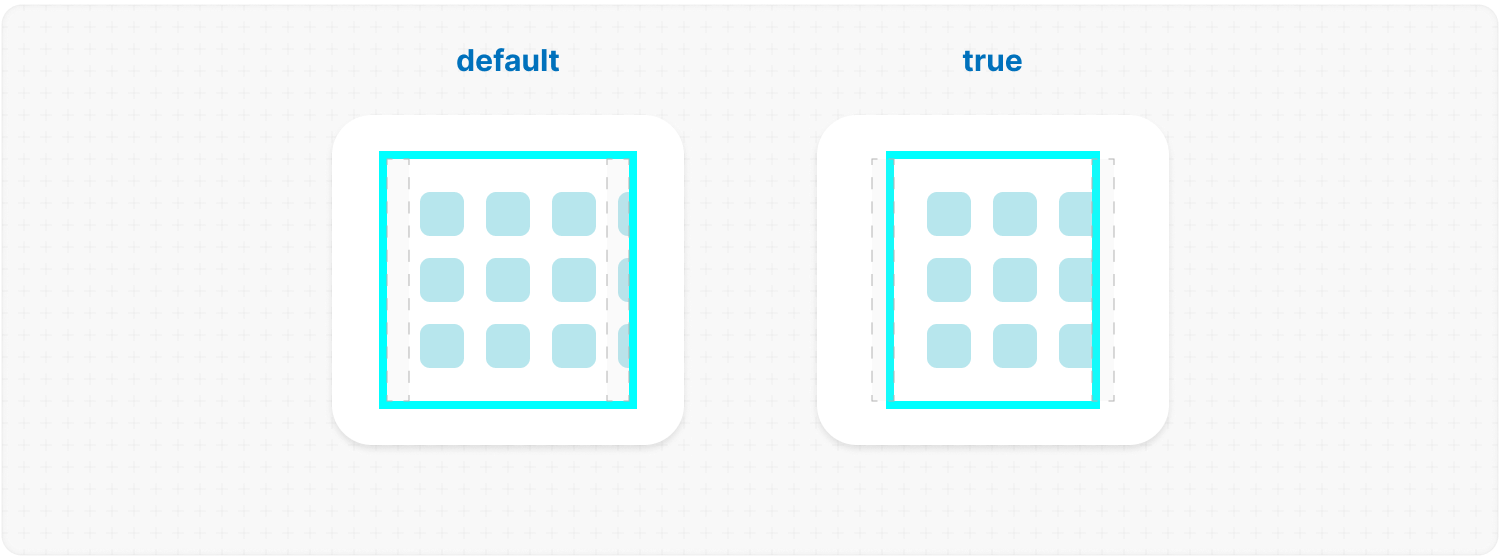
edge: true; // or a node: <MyFade />Description: marks the edges where the content is cut off. The library places the slots and reports their state; what they look like is yours. Two edges are created for a single-axis direction, four for "hybrid". Each carries the class .ms-edge plus its side — .ms-top, .ms-right, .ms-bottom, .ms-left — the --ms-edge-visibility variable (1 when content is cut off on that side, 0 when it is not), and .ms-disabled while it is not. Passing a node instead of true renders it inside every slot, in a .ms-edge-inner wrapper. Author it once, the way it looks along the top, and the library turns it onto the other three sides; the sideways slots get their sides swapped first, so a gradient written across a wide strip lands correctly down a narrow one. The slot itself is never transformed, so your CSS can place it predictably. Passing element.size sets the strip's thickness the way arrows.size does — a height at the top and bottom, a width at the sides. Without it the thickness is yours to write. ✦ Note: an edge has no size and no colour of its own, so nothing shows until you give it some:
.ms-edge {
  opacity: var(--ms-edge-visibility);
  transition: opacity 0.2s ease-in-out;
}
/* one look for all four: the library turns it and names the thickness */
.ms-edge-inner {
  background: linear-gradient(#fff, transparent);
}
Leave size out and the thickness is yours to write — a height on .ms-top and .ms-bottom, a width on .ms-left and .ms-right.
<MorphScroll {...props} edge>
  {children}
</MorphScroll>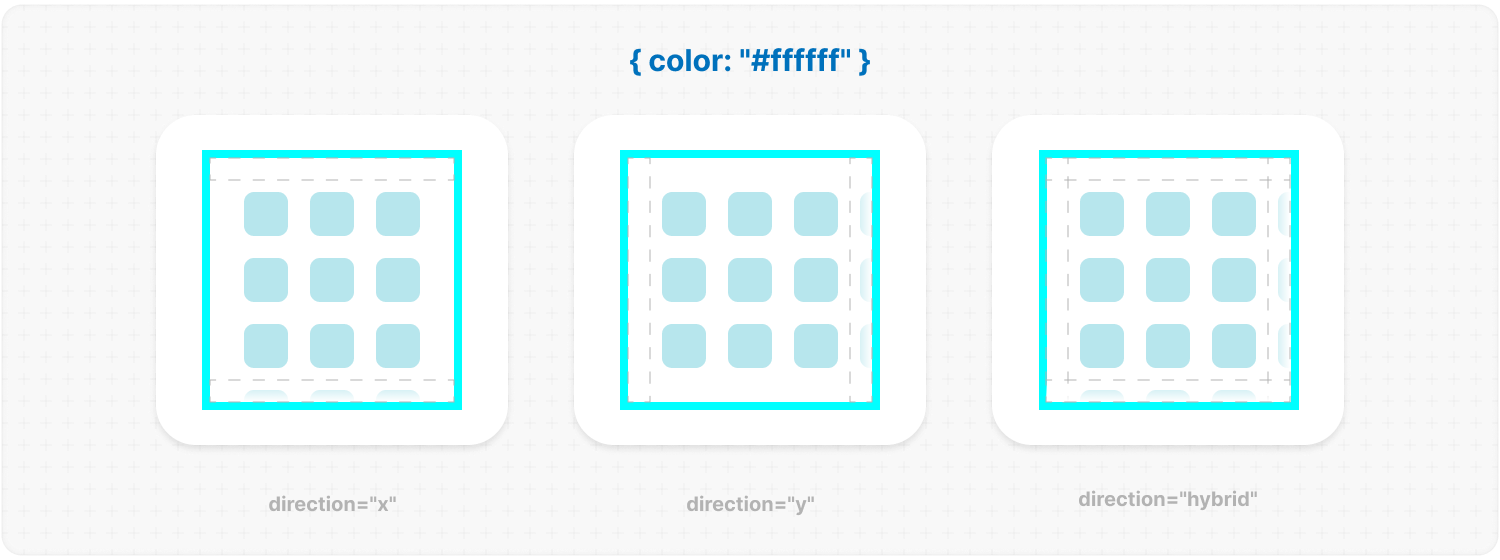
— OPTIMIZATION —
render: "lazy"; // or "virtual"render: {
mode: "lazy", // or "virtual" (required)
rootMargin: 100, // or [x, y] | [t, r, b, l]
deferLoadOnScroll: true
}Description: this parameter adds a gradual rendering of the content as it enters the viewport. When used, a container is created for each scrollable object, and its absolute positioning is calculated based on scroll position and area dimensions.
✦ Note: render places objects by counting, and an unnamed objects.size answers for them — so it works with nothing else named. The one size it cannot count is objects.lines above 1 without a size: that grid's track widths are your CSS's to decide, and it is said once in the console. A window also hides how long the list is, so the markup says it instead: with a mode set, the wrapper is a list and every object an item numbered against the real total. Without a window every object is in the document and a screen reader counts them itself; a slider is never called a list either, since its dots already say where you are.
mode: "lazy"; // or "virtual"Description: "lazy" renders an object once it has been seen and keeps it; "virtual" keeps only what is in view and drops the rest. Example:
<MorphScroll {...props} render={{ mode: "virtual" }}>
  {children}
</MorphScroll>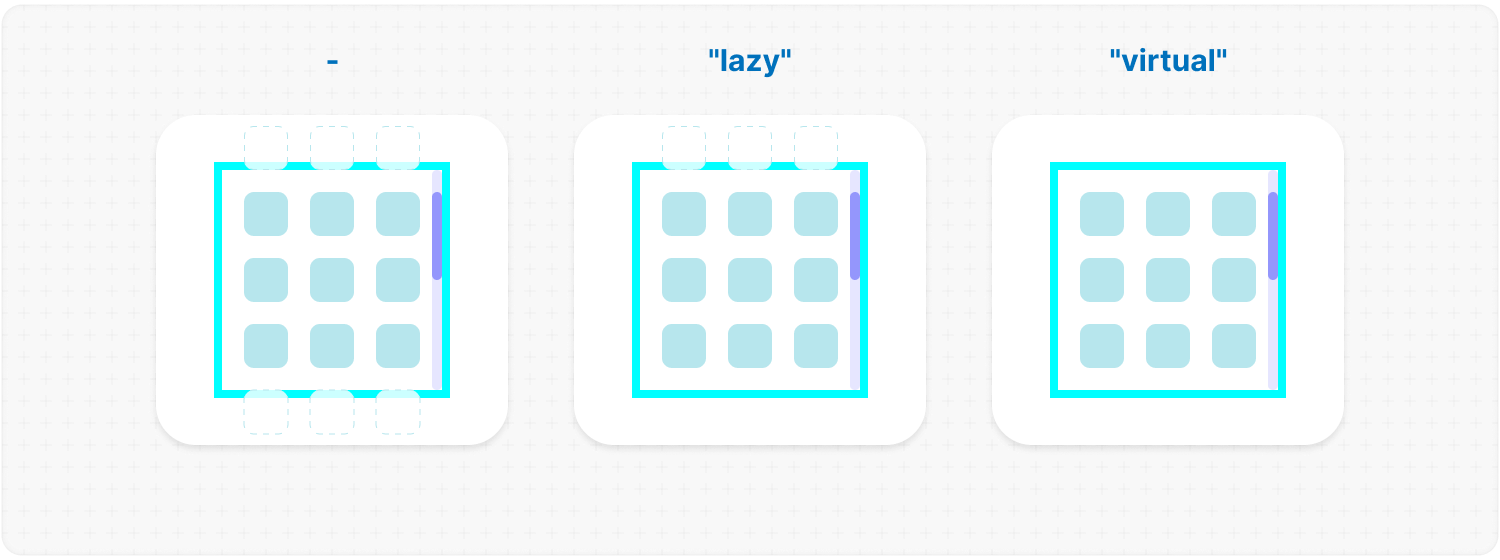
rootMargin: 100; // or [x, y] | [t, r, b, l]Description: how far beyond the viewport an object still counts as visible, in px. Widen it to prepare objects before they are reached. Example:
<MorphScroll {...props} render={{ mode: "virtual", rootMargin: 100 }}>
  {children}
</MorphScroll>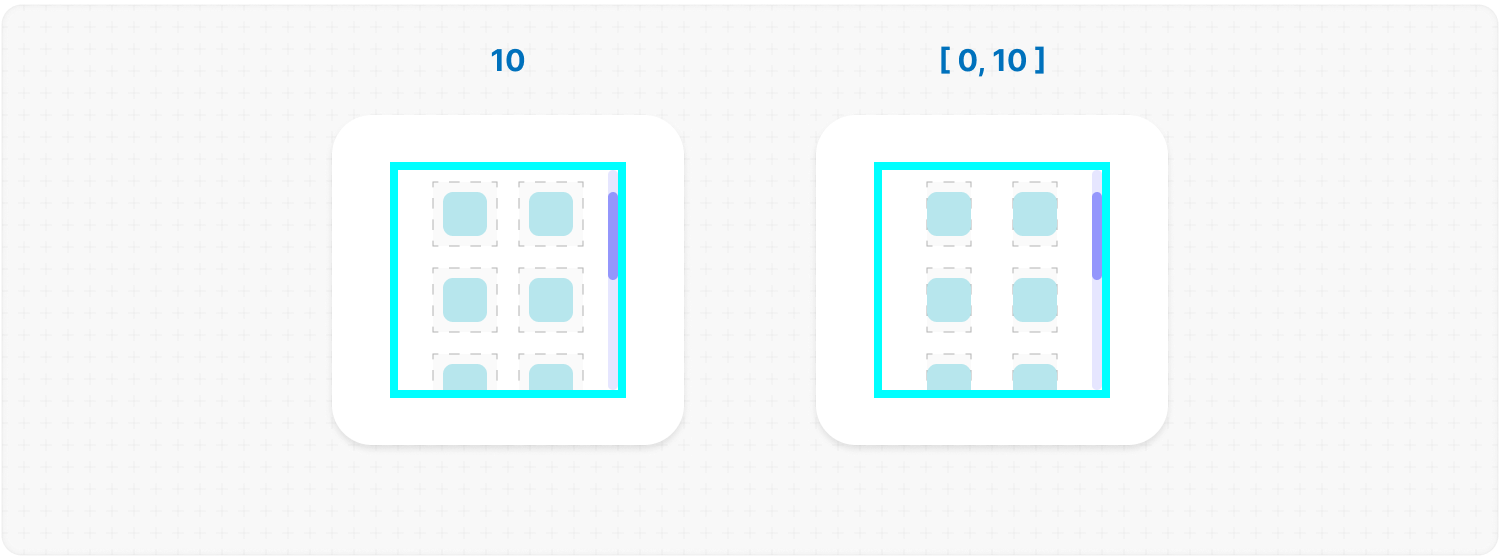
deferLoadOnScroll: true;Description: delays the loading of new objects while scrolling and loads them as soon as scrolling stops. Example:
<MorphScroll {...props} render={{ mode: "lazy", deferLoadOnScroll: true }}>
  {children}
</MorphScroll>
trackVisibility: true;Default: false Description: reports how much of every object shows, through --ms-content-visibility on its .ms-object-box — 0 out of sight, 1 whole, a hundredth of it at a time in between. That is what a fade is styled with: opacity: var(--ms-content-visibility); Which way it leaves comes with it: the box takes the class of the side cutting it — ms-outside-top, ms-outside-right, ms-outside-bottom or ms-outside-left. Only a side that cuts is named, so a rule reaches the objects it is about and nobody else — the ratio says how much, the class says where:
.ms-object-box.ms-outside-top .card { --y: -1; }
.ms-object-box.ms-outside-bottom .card { --y: 1; }

.card {
  opacity: var(--ms-content-visibility, 1);
  translate: 0 calc(var(--y, 0) * (1 - var(--ms-content-visibility, 1)) * 10px);
}
<MorphScroll {...props} trackVisibility>
{children}
</MorphScroll>suspending: true;Default: false Description: wraps every cell in a React Suspense boundary