
mortiphi
v0.4.1
Published
A focused local browser GUI for Muse Code

Maintainers
 aeroknight
Readme
mortiφ

A focused local browser GUI for your existing Muse Code installation.
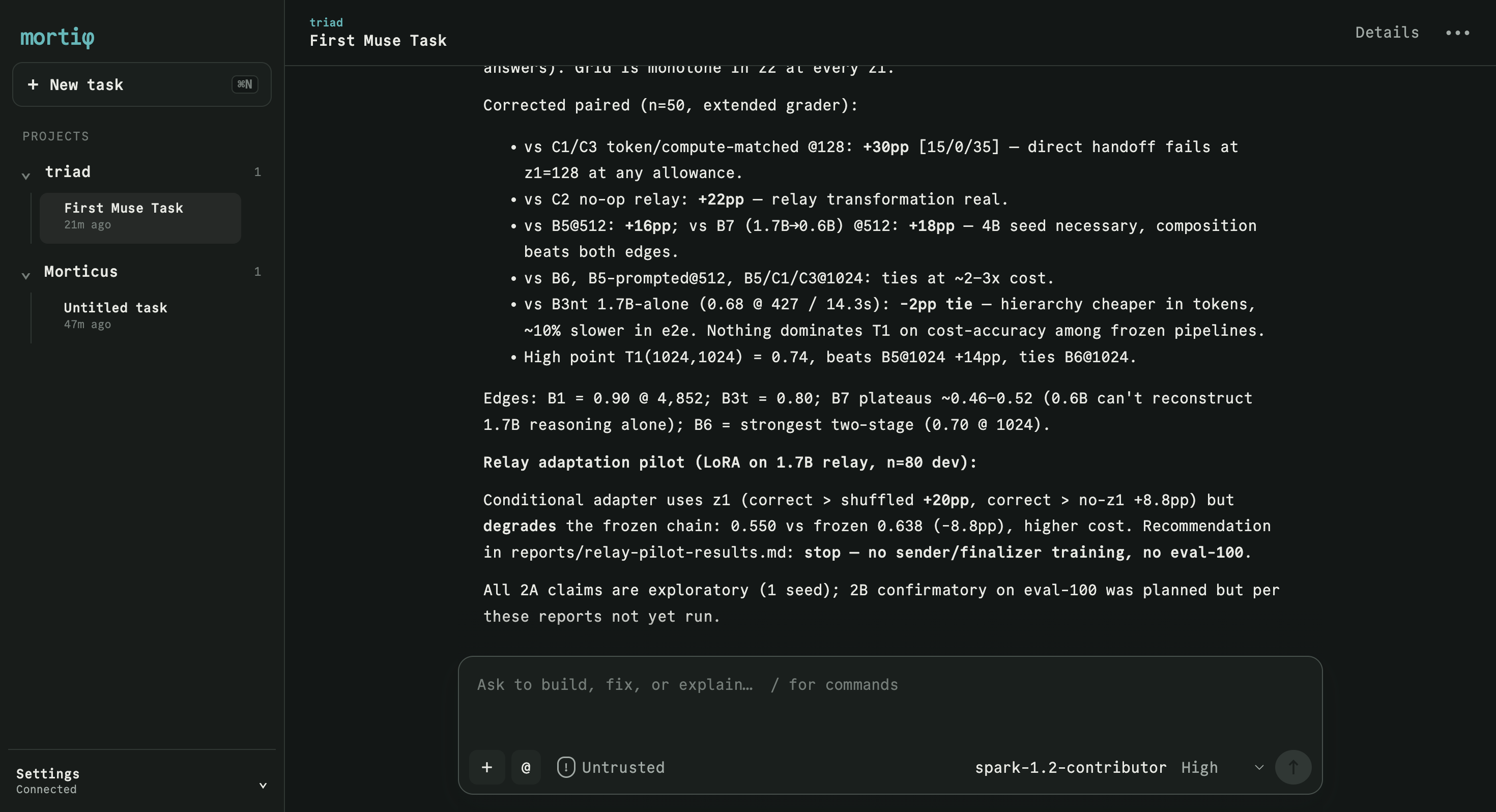
mortiφ gives Muse Code a calm, persistent interface for projects, tasks, conversations, model and permission settings, activity, and working-tree changes. Muse remains the source of truth: mortiφ detects the installation already on your machine and connects to its session protocol.
Install
You need:
- Node.js 20 or newer
- Muse Code installed and authenticated
muse --versionworking in a terminal
Then install and start mortiφ:
npm install --global mortiphi
mortiphi
Or run it without keeping a global installation:
npx mortiphimortiφ finds Muse Code, starts on an available 127.0.0.1 port, and opens the GUI in your default browser. Press Ctrl+C in the launching terminal to stop the local server. Your session data remains owned by Muse.
What you can do
- Continue existing Muse projects and sessions
- Start, stop, queue, steer, and resume coding tasks
- Choose runtime-provided models, reasoning effort, and permissions
- Respond to approvals and structured questions
- Review activity and current working-tree changes
- Attach images and reference workspace files
- Recover live state after reloads and reconnects
Command options
--port <number>     Use a specific loopback port
--muse-bin <path>   Use a specific Muse executable
--no-open           Do not open the browser automatically
-V, --version       Print the mortiφ version
-h, --help          Show help
If automatic detection fails, provide the executable explicitly:
mortiphi --muse-bin /absolute/path/to/museSecurity
The application binds exclusively to 127.0.0.1, rejects foreign Host and Origin headers, uses a per-launch SameSite session cookie and CSRF token, and authorizes workspace access through canonical Muse session roots. See SECURITY.md for private vulnerability reporting.
Development
npm ci
npm test
npm run typecheck
npm run build
Run the development server with:
npm run devThe npm package is assembled from the compiled client, server, CLI, and shared contracts. npm pack runs a clean production build before creating the tarball.
Relationship to Muse Code
mortiφ is an independent graphical client. Muse Code is required and distributed separately; this package does not include the Muse runtime or user credentials.