
moses-cli
v1.3.1
Published
Thou shalt not break production

Maintainers
 stanleygomesdasilva
Readme
moses-cli
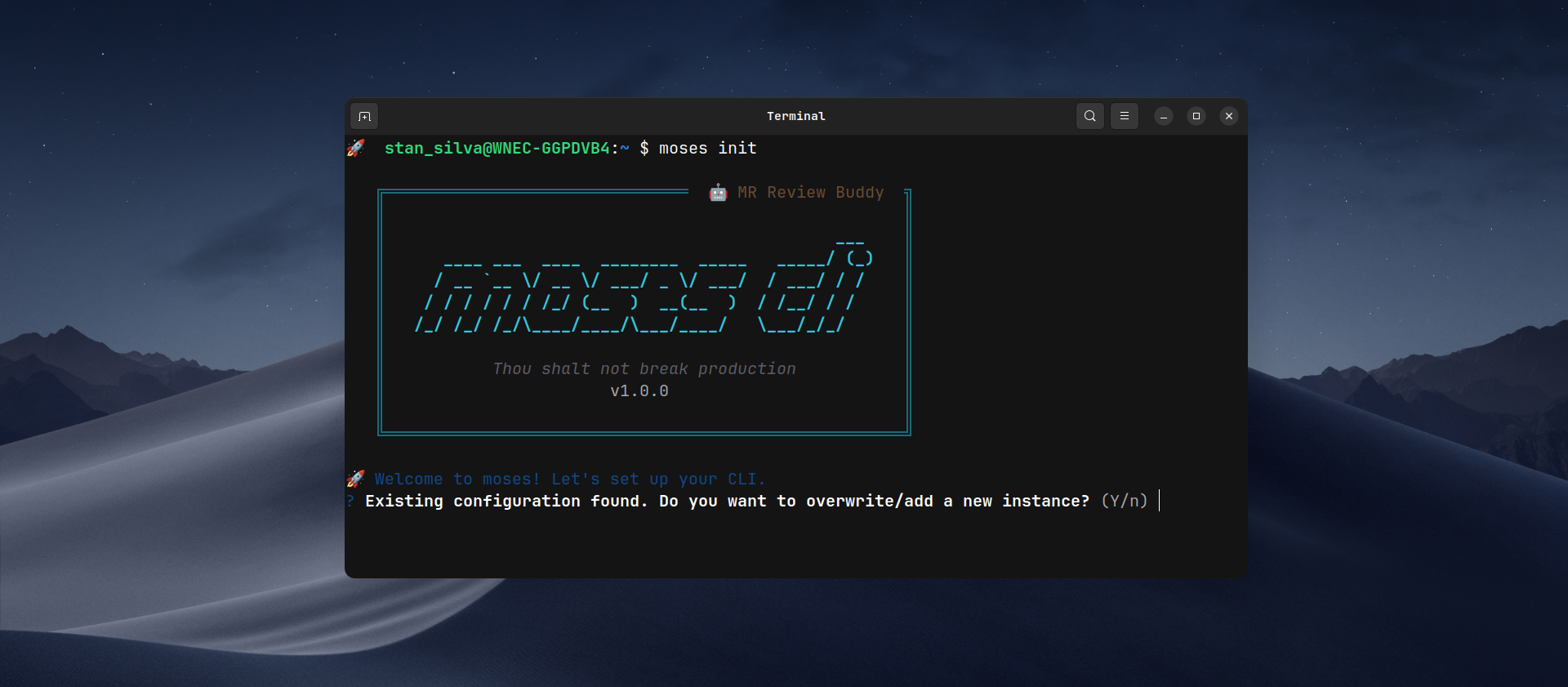
CLI buddy to help you with code review of GitLab Merge Requests, by using AI tools like GitHub Copilot CLI and Gemini CLI.


Installation
Install the npm package
npm install -g moses-cliInitial Setup
moses initThe command:
- Configures GitLab instance (cloud or self-hosted)
- Validates token via
/api/v4/userAPI - Selects AI tool
- Saves config in
~/.moses-cli/config.jsonwith mode600
Usage
The primary way to use Moses is by validating a Merge Request:
moses validate https://gitlab.your-domain.com/group/project/-/merge_requests/123Available Commands
| Command | Description |
| :---------------------------- | :------------------------------------------------------------ |
| moses init | Interactive initial setup (GitLab instances, AI tools, etc.) |
| moses validate <url> | Fetches and analyzes a Merge Request, providing AI feedback |
| moses gitlab list | Lists all your configured GitLab instances |
| moses gitlab default | Switches the active default GitLab instance |
| moses config feedback-style | Updates the AI's feedback tone (friendly, pragmatic, etc.) |
| moses config diff-limit | Changes the maximum allowed line changes in a single diff |
| moses config skills | Opens your global skills folder to manage review instructions |
| moses config reset | Wipes all local configurations and starts fresh |
To see more details and options for any command, run:
moses helpor for a specific command:
moses validate --helpFlow:
- Parses MR URL
- Fetches MR data + diffs + commits from GitLab API
- Smart Repository Lookup: Detects if your current directory matches the project or offers to clone/download the repository for deeper context
- Context Gathering:
- Skill Selection: Allows you to choose a custom instruction file from
~/.moses-cli/skills/to guide the AI analysis - Internal Repository Context: Scans the repository for project-specific instructions (e.g.,
copilot-instructions.md,README.md)
- Skill Selection: Allows you to choose a custom instruction file from
- Concatenates all context + optional prompt + MR diff and sends to configured AI tool
- Displays response in real-time
Why moses?
Like Moses guiding his people to the promised land, moses validates every merge request, ensuring your most precious asset, your code, reaches production safely.
- Fast analysis: Fetches diffs directly from GitLab API
- Multi-AI: Focus on support for GitHub Copilot CLI and Gemini CLI
- Smart Context: Combines global rules with your project's internal documentation
- Comprehensive: Generates structured markdown with stats, commits, and diffs
Features
- Interactive setup with token validation
- Support for multiple GitLab instances (gitlab.com + self-hosted)
- Automatic validation of AI tool installation
- Real-time streaming of AI analysis
- Configurable feedback style (friendly, pragmatic, offensive)
- Configurable diff changes limit with safe interruption
- Internal repository context: Automatically scans for
copilot-instructions.md,.github/copilot-instructions.md,claude.md,.clauderc, andREADME.mdto feed the AI with project-specific rules. - Auto-repository cloning: Detects if you're outside the project and offers to download it to extract internal context.
- Interactive Skills: Prompt-based selection of custom instruction sets.
- Optional extra prompt context and manual instruction-file selection.
- Elegant error handling with contextual messages
For local development
pnpm install
pnpm build
node dist/bin/moses.js
Quality scripts
pnpm run checkSupported AI Tools
| Tool | CLI | Installation |
| ----------------- | --------- | ----------------------------------- |
| GitHub Copilot | copilot | npm install -g @github/copilot |
| Google Gemini CLI | gemini | npm install -g @google/gemini-cli |
These two CLIs are the ones currently tested in this project.
Want to help? Contributions to support Claude Code and Codex CLI are very welcome.
How to Contribute
- Fork the project
- Create a branch for your feature (
git checkout -b feature/AmazingFeature) - Commit your changes (
git commit -m 'Add some AmazingFeature') - Push to the branch (
git push origin feature/AmazingFeature) - Open a Pull Request
License
This project is licensed under the MIT License. See the LICENSE file for details.