
mouse-follow
v1.0.2
Published
A React hook to make elements follow or move away from the mouse cursor.

Maintainers
 ahmed-khdrawy
Readme
🐭 mouse-follow
A React hook that enables elements to follow or move away from the mouse cursor, enhancing user interaction with dynamic cursor effects.


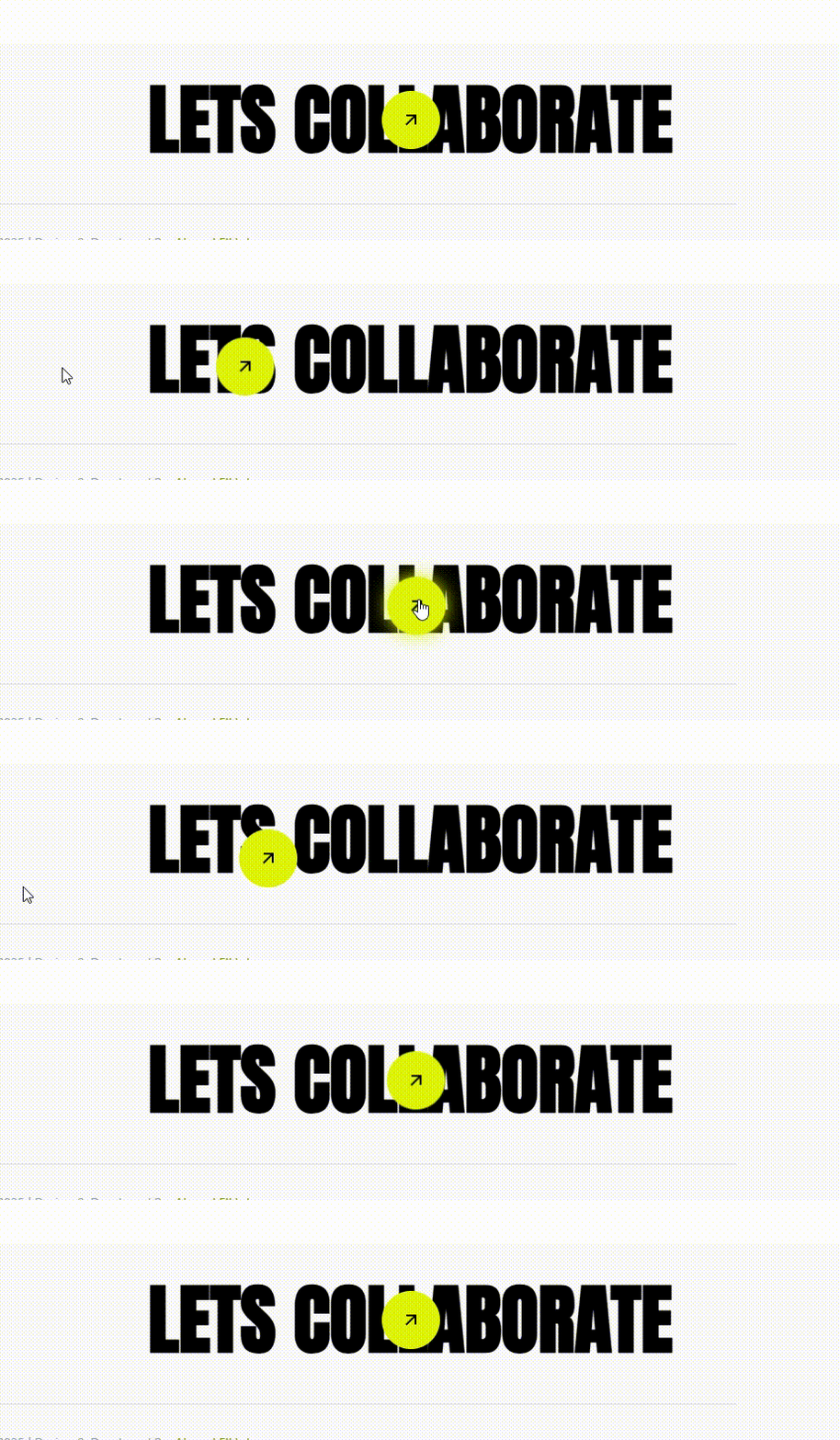
✨ Features
- Dynamic Cursor Interaction: Effortlessly make elements follow or repel the mouse cursor. 🖱️
- Customizable Behavior: Easily adjust settings to fit your application's needs. 🛠️
- Lightweight and Efficient: Designed with performance in mind to ensure smooth user experiences. ⚡
📦 Installation
Install the package using npm:
npm install mouse-followOr with yarn:
yarn add mouse-follow🚀 Usage
First, import the useMouseFollow hook into your React component:
import useMouseFollow from 'mouse-follow';Then, apply the hook to your component:
import React from 'react';
import { useRef } from 'react'
import useMouseFollow from 'mouse-follow';

const FollowExample = () => {
const ref = useRef<HTMLDivElement>(null)
    useMouseFollow(ref, {
    boundaryX?: number, // Boundary width (default: element width) ex. 200
    boundaryY?: number, // Boundary height (default: element height) ex. 300
    duration?: number, // Time (in ms) for the element to return to its original position (default: 1000ms) 1500
    follow?: boolean, // Whether the element follows the mouse or moves away (default: true)

  return (
    <div ref={ref}>
      {/* Your content */}
    </div>
  );
};

export default YourComponent;
⚙️ Configuration Options
The useMouseFollow hook accepts an optional configuration object with the following properties:
| Property | Type | Description | Default |
|----------|---------|-----------------------------------------------------------------------------|---------|
| follow | boolean | If true, the element follows the cursor; if false, the element moves away from the cursor. | true |
| duration | number | Determines the time (in milliseconds) it takes for the element to return to its original position. A lower value results in faster movement. | 1000 |
| boundaryX | number | Boundary width for the element's movement. If not provided, defaults to the element's width. | undefined |
| boundaryY | number | Boundary height for the element's movement. If not provided, defaults to the element's height. | undefined |
🎯 Example
Here's a simple example demonstrating how to use mouse-follow:
import React from 'react';
import { useRef } from 'react'
import useMouseFollow from 'mouse-follow';

const FollowExample = () => {
const divRef = useRef<HTMLDivElement>(null)
    useMouseFollow(divRef, {
    boundaryX: 400,
    boundaryY: 400,
    duration: 2000,
    follow: true,
  })

  return (
    <div
      ref={divRef}
       style={{
        width: '50px',
        height: '50px',
        backgroundColor: 'blue',
        borderRadius: '50%',
        position: 'absolute',
      }}
    />
  );
};

export default FollowExample;
In this example, a blue circle will smoothly follow the mouse cursor around the screen. 🖱️💙
🤝 Contributing
Contributions are welcome! If you have suggestions for improvements or encounter any issues, please open an issue or submit a pull request on the GitHub repository.
Steps to Contribute:
- Fork the repository. 🍴
- Create a new branch for your feature or bugfix. 🌿
- Commit your changes. 💾
- Push your branch and submit a pull request. 🚀
📄 License
This project is licensed under the MIT License. See the LICENSE file for details.
Made with ❤️ by Ahmed Elkhdrawy.