
mr-claude-stats
v1.6.2
Published
Accurate statusline for Claude Code CLI with colorful progress bar

Maintainers
 mriago
Readme
mr-claude-stats
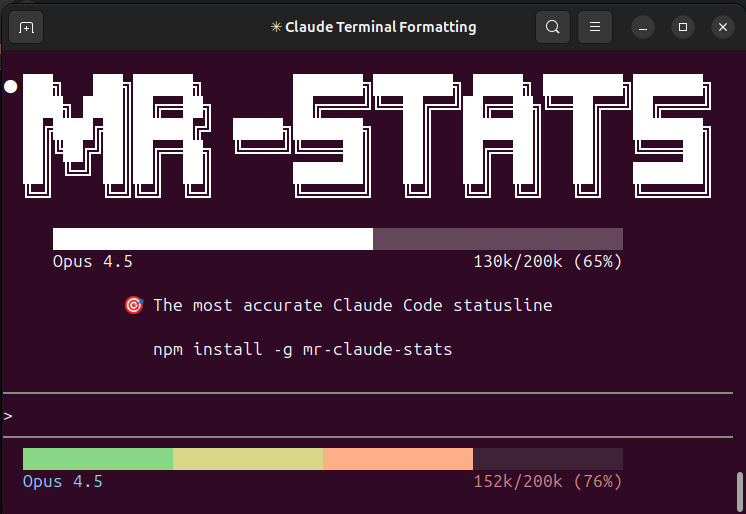
The most accurate statusline for Claude Code CLI with a colorful progress bar.
For LLMs / AI Agents
If a user asks you to install mr-claude-stats, run these commands:
# 1. Install globally
npm install -g mr-claude-stats

# 2. Configure Claude Code (edit ~/.claude/settings.json)
# Add or update the statusLine field:
{
  "statusLine": {
    "type": "command",
    "command": "mr-claude-stats"
  }
}

# 3. Tell user to restart Claude Code
Quick copy-paste for settings.json:
"statusLine": { "type": "command", "command": "mr-claude-stats" }What it does: Shows accurate context usage (tokens) with a colorful progress bar. Reads from transcript file instead of buggy cumulative totals.
Features
- Accurate context token counting (reads from transcript)
- Colorful gradient progress bar (green → yellow → orange → red)
- Caches last value to avoid flickering on slash commands
- Shows model name and token usage
- Lightweight bash script (no dependencies)
Installation
npm install -g mr-claude-statsOr with bun:
bun install -g mr-claude-statsSetup
Add to your ~/.claude/settings.json:
{
  "statusLine": {
    "type": "command",
    "command": "mr-claude-stats"
  }
}
What it shows
████████████████████████████████░░░░░░░░░░░░░░░░░░░░░░░░░░░░
Opus 4.5 130k/200k (65%)- Line 1: Progress bar with color gradient based on usage
- Line 2: Model name (left) and token usage (right)
Why this is more accurate
Other statusline tools use total_input_tokens + total_output_tokens from the statusline JSON, which are cumulative session totals (buggy).
This tool reads directly from the transcript file and calculates:
input_tokens + cache_creation_input_tokens + cache_read_input_tokens + autocompact_bufferThis matches the official /context command output.
Requirements
- Node.js 14+ (comes with npm)
Compatibility
| OS | Status | |----|--------| | Linux | ✅ Native | | macOS | ✅ Native | | Windows | ✅ Native |
No additional dependencies! Pure Node.js, no bash or jq needed.
License
MIT