
msc-built-in-ai-prompt
v1.0.3
Published
<msc-built-in-ai-prompt /> is a web component based on Chrome Built-in AI Prompt API. Web developers could use <msc-built-in-ai-prompt /> to connect with Gemini Nano and provide vivid features.

Maintainers
 meistudioli
Readme
msc-built-in-ai-prompt

<msc-built-in-ai-prompt /> is a web component based on Chrome Built-in AI Prompt API. Web developers could use <msc-built-in-ai-prompt /> to connect with Gemini Nano and provide vivid features. <msc-built-in-ai-prompt /> is a non-UI component. But it will provide current status in data-status. That means web developers have maximum creation to build UI throuth this information.
Basic Usage
<msc-built-in-ai-prompt /> is a web component. All we need to do is put the required script into your HTML document. Then follow <msc-built-in-ai-prompt />'s html structure and everything will be all set.
- Required Script
<script
  type="module"
  src="https://unpkg.com/msc-built-in-ai-prompt/mjs/wc-msc-built-in-ai-prompt.js">
</script>- Structure
Put <msc-built-in-ai-prompt /> into HTML document. It will have different functions and looking with attribute mutation.
<msc-built-in-ai-prompt>
  <!-- style by yourself -->
  <button type="button">
    Try AI features
  </button>
</msc-built-in-ai-prompt>
There will be serverial status to indicate Built-in AI status. Check msc-built-in-ai-prompt[data-status] out.
available:AI ready to use.downloadable:Need to download LLM first (browser supported).downloading:LLM downloading (browser supported).unsupported:current browser doesn't support Built-in AI.unavailable:current browser doesn't support Built-in AI.
Once <msc-built-in-ai-prompt /> in status: downloading, <msc-built-in-ai-prompt /> will show download progress in attribute data-progress.
Such as:
<msc-built-in-ai-prompt
  data-status="downloading"
  data-progress="45"
>
  <button type="button">
    Try AI features
  </button>
</msc-built-in-ai-prompt>
JavaScript Instantiation
<msc-built-in-ai-prompt /> could also use JavaScript to create DOM element. Here comes some examples.
<script type="module">
import { MscBuiltInAiPrompt } from 'https://unpkg.com/msc-built-in-ai-prompt/mjs/wc-msc-built-in-ai-prompt.js';

const buttonTemplate = document.querySelector('.my-button-template');

// use DOM api
const nodeA = document.createElement('msc-built-in-ai-prompt');
document.body.appendChild(nodeA);
nodeA.appendChild(buttonTemplate.content.cloneNode(true));

// new instance with Class
const nodeB = new MscBuiltInAiPrompt();
document.body.appendChild(nodeB);
nodeB.appendChild(buttonTemplate.content.cloneNode(true));
</script>
Use <msc-built-in-ai-prompt />
<msc-built-in-ai-prompt /> provide same method as Chrome Built-in AI Prompt API. That means web developers need to create() session before prompt().
- Non-streamed output
<script type="module">
const ai = document.querySelector('msc-built-in-ai-prompt');

if (['unavailable', 'unsupported'].includes(ai.status)) {
  console.log('Current browser doesn\'t support Built-in AI.');
} else {
  try {
    await ai.create();
    const result = await ai.prompt('Write me a poem!');
  } catch(err) {
    console.log(err);
  }
}
</script>- Streamed output
<script type="module">
const ai = document.querySelector('msc-built-in-ai-prompt');

if (['unavailable', 'unsupported'].includes(ai.status)) {
  console.log('Current browser doesn\'t support Built-in AI.');
} else {
  try {
    await ai.create();
    const stream = await ai.promptStreaming('Write me an extra-long poem!');

    for await (const chunk of stream) {
      console.log(chunk);
    }
  } catch(err) {
    console.log(err);
  }
}
</script>- Multimodal capabilities
<script type="module">
const ai = document.querySelector('msc-built-in-ai-prompt');

if (['unavailable', 'unsupported'].includes(ai.status)) {
  console.log('Current browser doesn\'t support Built-in AI.');
} else {
  try {
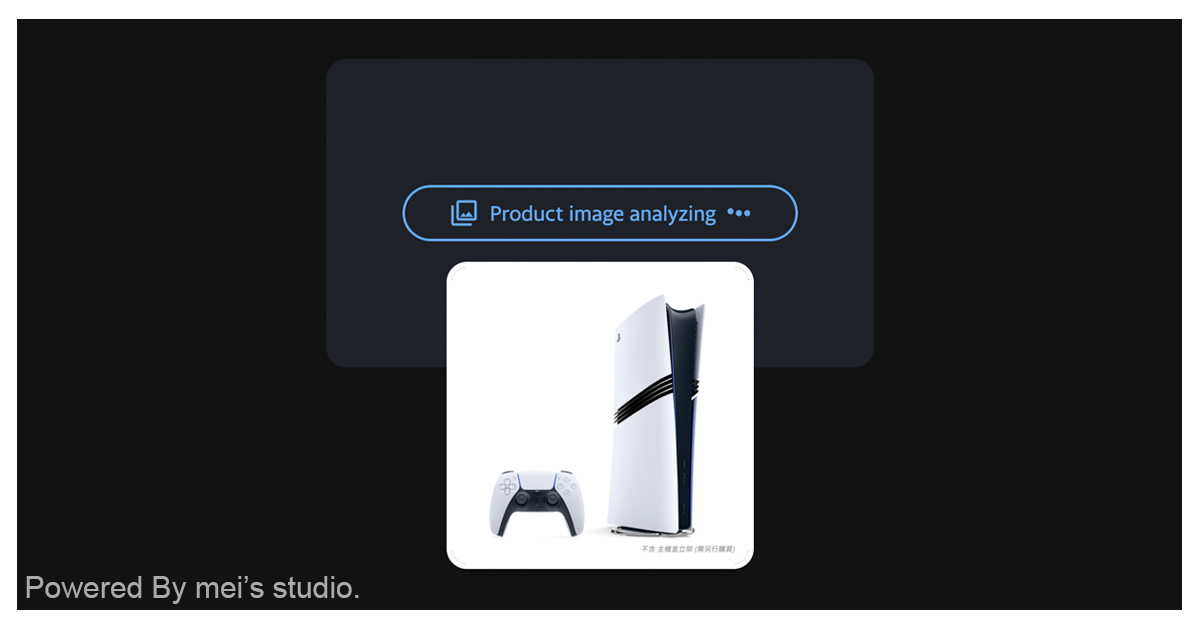
    const content = 'Analyze what product in this image and provide vivid product name';
    const schema = {
      type: 'object',
      properties: {
        product: {
          type: 'string',
          description: 'product'
        },
        name: {
          type: 'string',
          description: 'write vivid product name (at least 10 words)'
        }
      },
      required: ['product', 'name'],
      additionalProperties: false
    };

    await ai.create({
      initialPrompts: [
        {
          role: 'system',
          content: 'You are a skilled analyst who correlates patterns across multiple images.',
        },
      ],
      expectedInputs: [{ type: 'image' }],
      multimodal: [
        {
          role: 'user',
          content: [
            {
              type: 'text',
              value: `Here's one image.`,
            },
            { type: 'image', value: blob },
          ],
        },
      ]
    });

    let result = await ai.prompt(
      content,
      {
        responseConstraint: schema
      }
    );

    console.log(JSON.parse(result));
  } catch(err) {
    console.log(err);
  }
}
</script>
Properties
| Property Name | Type | Description |
| ----------- | ----------- | ----------- |
| status | String | Getter current status. (available、downloadable、downloading、unsupported、unavailable) |
| ~~inputUsage~~ | Number | Getter current session input usage information. (Removed in Chrome 147.0.7699.3 and later.) |
| ~~inputQuota~~ | Number | Getter current session input quota information. (Removed in Chrome 147.0.7699.3 and later.) |
| contextUsage | Number | Getter current session input usage information. |
| contextWindow | Number | Getter current session input quota information. |
Mathods
| Mathod Signature | Description |
| ----------- | ----------- |
| create(options = {}) | Create session. |
| prompt(content = '', options = {}) | Go prompt (non-streamed output). |
| promptStreaming(content = '', options = {}) | Go prompt (streamed output). |
| params() |The params() function informs you of the language model's parameters. |
| ~~measureInputUsage(content)~~ | Measure how many token will be use for the content. (Removed in Chrome 147.0.7699.3 and later.) |
| measureContextUsage(content) | Measure how many token will be use for the content. |
| destroy() | Destroy current session. |
※ The above methods are all async.
Events
| Event Signature | Description |
| ----------- | ----------- |
| msc-built-in-ai-prompt-ready | Fired when LLM download done. |
| msc-built-in-ai-prompt-download-progress | Fired when LLM downloading. Developers could gather result information through event.detail. |
| msc-built-in-ai-prompt-contextoverflow | Fired when LLM > session context overflow. |