
msc-lightbox
v1.0.2
Published
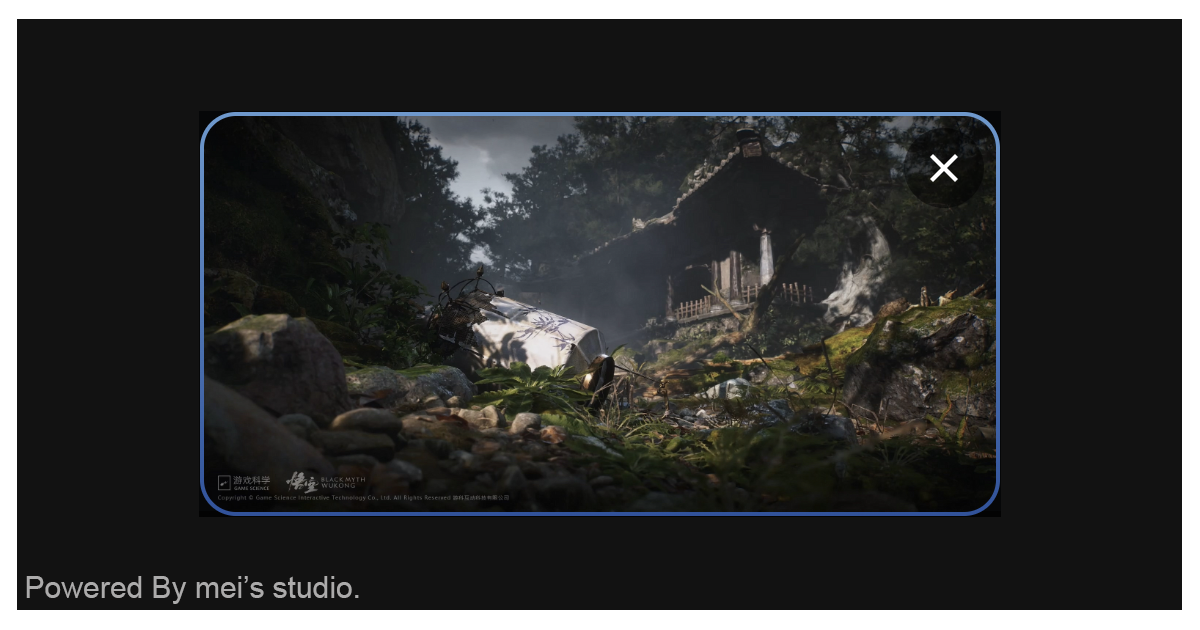
<msc-lightbox /> is a lightbox effect component. Developers could set trigger & content through it. Once user press trigger, content will display as lightbox effect.

Maintainers
 meistudioli
Readme
msc-lightbox


<msc-lightbox /> is a lightbox effect component. Developers could set trigger & content through it. Once user press trigger, content will display as lightbox effect.
Basic Usage
<msc-lightbox /> is a web component. All we need to do is put the required script into your HTML document. Then follow <msc-lightbox />'s html structure and everything will be all set.
- Required Script
<script
  type="module"
  src="https://unpkg.com/msc-lightbox/mjs/wc-msc-lightbox.js">
</script>- Structure
Put <msc-lightbox /> into HTML document.
<msc-lightbox>
  <button
    type="button"
    slot="trigger"
  >
    SHOW IMAGE
  </button>

  <img
    src="your-image-path.png"
    loading="lazy"
    slot="content"
  />
</msc-lightbox>
Remember set [slot=trigger] and [slot=content] inside <msc-lightbox /> as its children. Content element will popup when user press trigger element.
JavaScript Instantiation
<msc-lightbox /> could also use JavaScript to create DOM element. Here comes some examples.
<script type="module">
import { MscLightbox } from 'https://unpkg.com/msc-lightbox/mjs/wc-msc-lightbox.js';

const templateTrigger = document.querySelector('template[data-type=trigger]');
const templateContent = document.querySelector('template[data-type=content]');

//use DOM api
const nodeA = document.createElement('msc-lightbox');
document.body.appendChild(nodeA);
nodeA.appendChild(templateTrigger.content.cloneNode(true));
nodeA.appendChild(templateContent.content.cloneNode(true));

// new instance with Class
const nodeB = new MscLightbox();
document.body.appendChild(nodeB);
nodeB.appendChild(templateTrigger.content.cloneNode(true));
nodeB.appendChild(templateContent.content.cloneNode(true));
</script>
Style Customization
<msc-lightbox /> uses CSS custom properties to hook control panel's theme. That means developer could easy change it into the looks you like.
<style>
msc-lightbox {
  --msc-lightbox-backdrop-background: rgba(0 0 0/.8);
  --msc-lightbox-border-radius: 12px;
  --msc-lightbox-background: rgba(255 255 255);
  --msc-lightbox-margin: 12px;
  --msc-lightbox-padding: 12px;
  --msc-lightbox-box-shadow: 0 0 2px rgba(0 0 0/.05);

  --msc-lightbox-button-size: 40;
  --msc-lightbox-button-inset: 8px 8px auto auto;
  --msc-lightbox-button-icon-color: rgba(255 255 255);
  --msc-lightbox-button-background-normal: rgba(0 0 0/.5);
  --msc-lightbox-button-background-active: rgba(0 0 0/.8);
  --msc-lightbox-button-active-scale: .8;
}
</style>
Attribute
<msc-lightbox /> supports some attributes to let it become more convenience & useful.
type:Same as popover definition. The type attribute can take one of the following values:
auto:<msc-lightbox /> can be "light dismissed" — this means that you can hide the popover by clicking outside it or pressing the Esc key. Showing an auto popover will generally close other auto popovers that are already displayed, unless they are nested.manual:<msc-lightbox /> cannot be "light dismissed" and are not automatically closed. Popovers must explicitly be displayed and closed using declarative show/hide/toggle buttons or JavaScript. Multiple independent manual popovers can be shown simultaneously.hint:<msc-lightbox /> do not close auto popovers when they are displayed, but will close other hint popovers. They can be light dismissed and will respond to close requests.
The default is auto.
<msc-lightbox type="auto">
  ...
</msc-lightbox>
Properties
| Property Name | Type | Description | | ----------- | ----------- | ----------- | | open | Boolean | Getter <msc-lightbox />'s open state. | | type | String | Getter / Setter <msc-lightbox />'s type value. Valid values are auto、manual and hint. The default is auto. |
Events
| Event Signature | Description |
| ----------- | ----------- |
| msc-lightbox-beforetoggle | Fired before <msc-lightbox /> is shown or hidden. Developers could gather state information through event.detail. |
| msc-lightbox-toggle | Fired when <msc-lightbox /> is shown or hidden. Developers could gather state information through event.detail. |
Mathods
| Mathod Signature | Description | | ----------- | ----------- | | showPopover() | Show <msc-lightbox />. | | hidePopover() | Hide <msc-lightbox />. | | togglePopover(force) | Toggle <msc-lightbox /> show or hide. (force is optional, developers could set boolean to force show or hide.) |