
msc-line-clampin
v1.0.1
Published
<msc-line-clampin /> is a common text render effect. Sometimes we like to hide text in a restrick area and provide a more button to expand the whole content. This is exactly what <msc-line-clampin /> do.

Maintainers
 meistudioli
Readme
msc-line-clampin


<msc-line-clampin /> is a common text render effect. Sometimes we like to hide text in a restrick area and provide a more button to expand the whole content. This is exactly what <msc-line-clampin /> do.
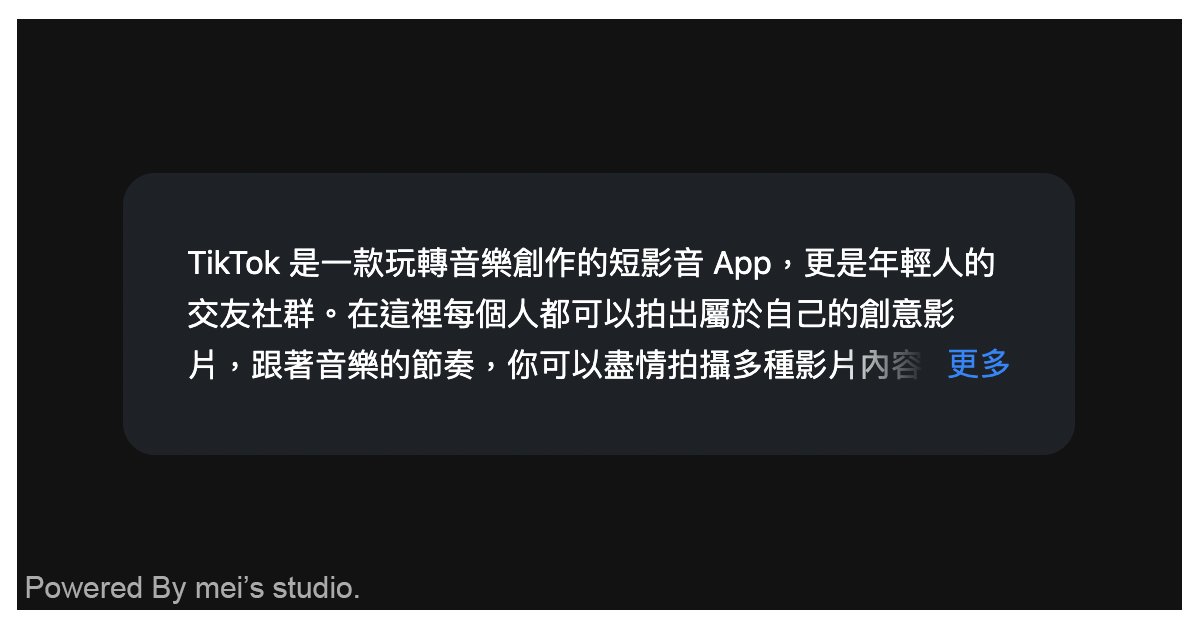
Basic Usage
<msc-line-clampin /> is a web component. All we need to do is put the required script into your HTML document. Then follow <msc-line-clampin />'s html structure and everything will be all set.
- Required Script
<script
  type="module"
  src="https://unpkg.com/msc-line-clampin/mjs/wc-msc-line-clampin.js">
</script>- Structure
Put <msc-line-clampin /> into HTML document.
<msc-line-clampin>
  TikTok 是一款玩轉音樂創作的短影音 App,更是年輕人的交友社群。
  在這裡每個人都可以拍出屬於自己的創意影片,
  跟著音樂的節奏,你可以盡情拍攝多種影片內容,
  個人才藝、生活紀錄、表演、舞蹈、劇情演繹等。
  點子有多狂,TikTok 舞台就有多大。
  趕快上傳影片,讓世界看見你的創意吧!
</msc-line-clampin>
JavaScript Instantiation
<msc-line-clampin /> could also use JavaScript to create DOM element. Here comes some examples.
<script type="module">
import { MscLineClampin } from 'https://unpkg.com/msc-line-clampin/mjs/wc-msc-line-clampin.js';

//use DOM api
const nodeA = document.createElement('msc-line-clampin');
const textA = document.createTextNode('write your text content here.');
document.body.appendChild(nodeA);
nodeA.appendChild(textA);

// new instance with Class
const nodeB = new MscLineClampin();
const textB = document.createTextNode('write your text content here.');
document.body.appendChild(nodeB);
nodeB.appendChild(textB);
</script>
Style Customization
<msc-line-clampin /> uses CSS variables to hook control panel's theme. That means developer could easy change it into the looks you like.
<style>
msc-line-clampin {
  --msc-line-clampin-line-clamp: 2;
  --msc-line-clampin-padding-size: 86px;
  --msc-line-clampin-button-text-color: rgba(52 120 246);
  --msc-line-clampin-button-text: 'more';
}
</style>
Event
| Event Signature | Description | | ----------- | ----------- | | msc-line-clampin-expand | Fired when <msc-line-clampin /> expanded. |