
msc-scroll-fader
v1.0.0
Published
<msc-scroll-fader /> is a high-performance utility web component designed to enhance the visual presentation of scrollable containers. By leveraging modern CSS scroll-driven animations, it automatically applies smooth, dynamic edge fading gradients to ind


Readme
msc-scroll-fader


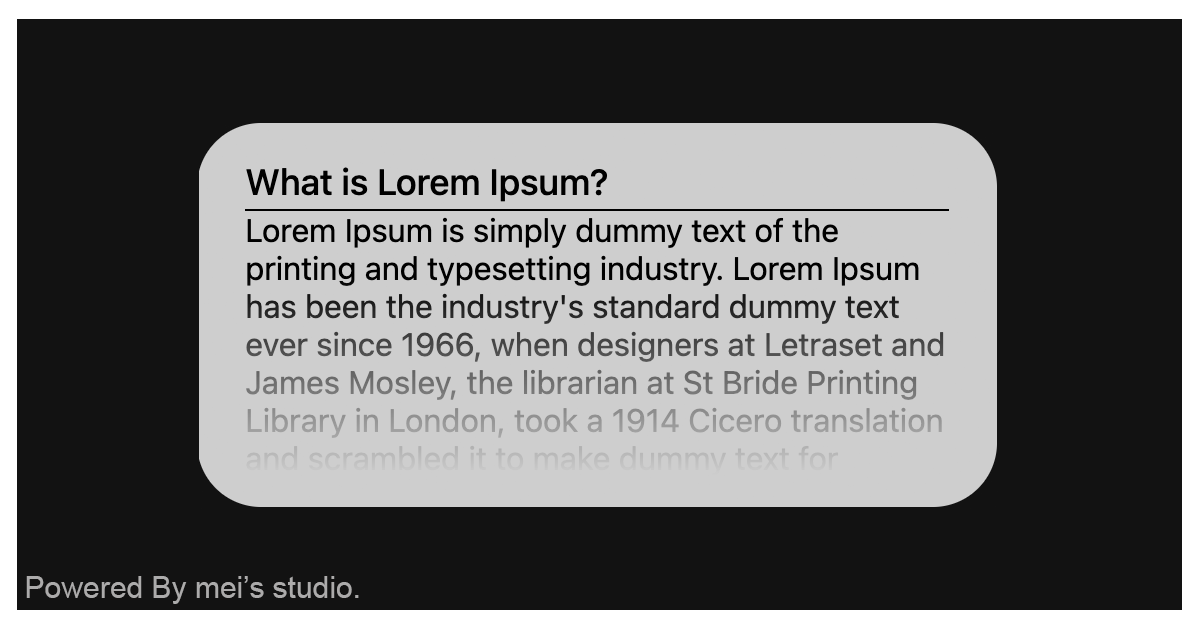
<msc-scroll-fader /> is a high-performance utility web component designed to enhance the visual presentation of scrollable containers. By leveraging modern CSS scroll-driven animations, it automatically applies smooth, dynamic edge fading gradients to indicate overflow content, significantly improving user experience without compromising native scrolling fluidness.
The component adapts seamlessly to different layout structures via the direction attribute. By specifying either vertical or horizontal, developers can instantly reconfigure the internal scrolling axis and masking vectors. As users scroll through the content, the edge indicators dynamically adjust their visibility in real time, providing intuitive visual cues that guide the user's eye and maintain design continuity across diverse viewport sizes.
Basic Usage
<msc-scroll-fader /> is a web component. All we need to do is put the required script into your HTML document. Then follow <msc-scroll-fader />'s html structure and everything will be all set.
Required Script
<script
  type="module"
  src="https://unpkg.com/msc-scroll-fader/mjs/wc-msc-scroll-fader.js">
</script>
Structure
Put <msc-scroll-fader /> into HTML document. It will have different functions and looks with attribute mutation.
<msc-scroll-fader>
  <!-- put conteent here -->
  <h2>xxxx</h2>
  <p>xxxx</p>
</msc-scroll-fader>
JavaScript Instantiation
<msc-scroll-fader /> could also use JavaScript to create DOM element. Here comes some examples.
<script type="module">
import { MscScrollFader } from 'https://unpkg.com/msc-scroll-fader/mjs/wc-msc-scroll-fader.js';

const template = document.querySelector('.my-content-template');

// use DOM api
const nodeA = document.createElement('msc-scroll-fader');
nodeA.appendChild(template.content.cloneNode(true));
document.body.appendChild(nodeA);

// new instance with Class
const nodeB = new MscScrollFader();
nodeB.appendChild(template.content.cloneNode(true));
document.body.appendChild(nodeB);
</script>
Style Customization
Developers could apply styles to decorate <msc-scroll-fader />'s looking.
<style>
msc-scroll-fader {
  --msc-scroll-fader-mask-size-start: 16px;
  --msc-scroll-fader-mask-size-end: 16px;
}
</style>
Attribute
<msc-scroll-fader /> component exposes a curated set of attributes, enabling developers to dynamically adjust the user interface. This provides the flexibility to tailor the component’s appearance to seamlessly adapt to any given context.
- direction
The direction attribute configures the scrolling axis and layout orientation of <msc-scroll-fader />. The component currently supports two standard options: vertical and horizontal, defaulting to vertical.
<msc-scroll-fader
  direction="vertical"
>
  <!-- put conteent here -->
  <h2>xxxx</h2>
  <p>xxxx</p>
</msc-scroll-fader>
Property
| Property Name | Type | Description |
| ----------- | ----------- | ----------- |
| direction | String | Getter / Setter direction. direction configures the scrolling axis and layout orientation of <msc-scroll-fader />. The component currently supports two standard options: vertical and horizontal, defaulting to vertical. |