
mt3d-plugin-gtfs
v1.0.0
Published
GTFS plugin for Mini Tokyo 3D


Readme
GTFS plugin for Mini Tokyo 3D
GTFS plugin displays transit routes and vehicles on the Mini Tokyo 3D map based on GTFS and GTFS Realtime feeds.
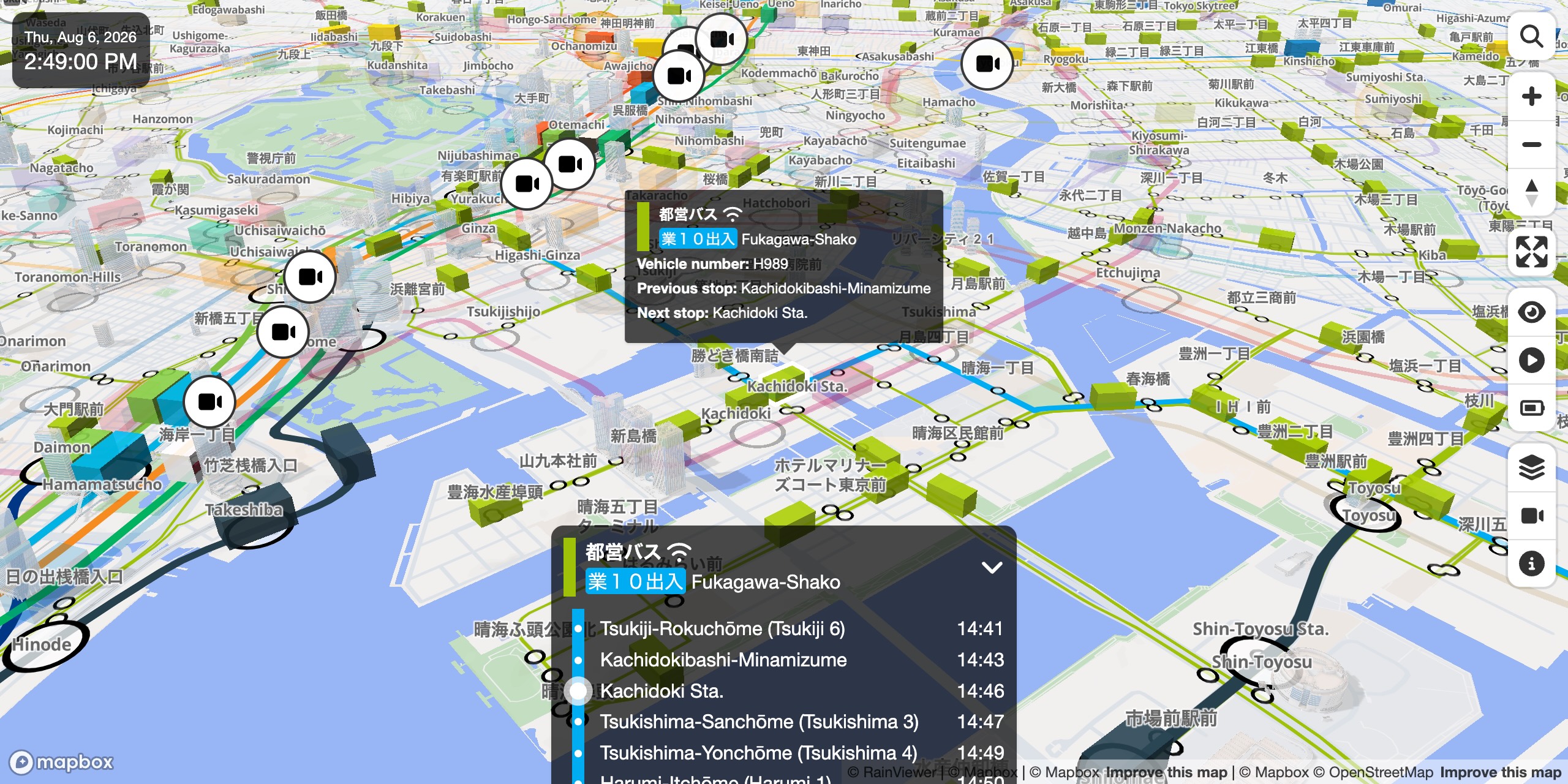
GTFS plugin is used in Mini Tokyo 3D Live Demo. Note that this plugin is disabled by default, so enable it first by selecting GTFS from the Layer panel.
How to Use
First, load the Mini Tokyo 3D and this plugin within the <head> element of the HTML file.
<link rel="stylesheet" href="https://cdn.jsdelivr.net/npm/mini-tokyo-3d@latest/dist/mini-tokyo-3d.min.css" />
<script src="https://cdn.jsdelivr.net/npm/mini-tokyo-3d@latest/dist/mini-tokyo-3d.min.js"></script>
<script src="https://cdn.jsdelivr.net/npm/mt3d-plugin-gtfs@latest/dist/mt3d-plugin-gtfs.min.js"></script>
Then, create a Map instance specifying the plugins property, which is the array containing the plugin instance returned by mt3dGtfs().
<div id="map" style="width: 400px; height: 400px;"></div>
<script>
    const map = new mt3d.Map({
        container: 'map',
        plugins: [mt3dGtfs({enabled: true})]
    });
</script>
Options
The plugin accepts the following options.
| Name | Type | Default | Description
| :-- | :-- | :-- | :--
| options.enabled | boolean | true | If false, the plugin will be initially disabled.
About Data
The source of the public transportation data in this plugin is the Public Transportation Open Data Center. They are based on the data provided by the public transportation operators. The accuracy and integrity of the data are not guaranteed. Please do not contact the public transportation operators directly regarding the content of the app.
- Bureau of Transportation, Tokyo Metropolitan Government / Association for Open Data of Public Transportation, Bus information of Bureau of Transportation, Tokyo Metropolitan Government, Creative Commons License Attribution 4.0 International (CC BY 4.0)
- Keisei Transit Bus Co.,Ltd., KEISEI TRANSIT BUS, Creative Commons License Attribution 4.0 International (CC BY 4.0)
How to Build
The latest version of Node.js is required. Move to the root directory of the plugin, run the following commands, then the plugin scripts will be generated in the dist directory.
npm install
npm run build
For development, the following command watches the source files and outputs an unminified build with source maps to the dev directory. To debug it against Mini Tokyo 3D, set the MT3D_PLUGIN_GTFS environment variable to the built file (dev/mt3d-plugin-gtfs.js) and run Mini Tokyo 3D's npm run dev, which loads and serves the plugin live on its development page.
npm run devLicense
GTFS plugin for Mini Tokyo 3D is available under the MIT license.