
multi-nation-input
v1.1.2
Published
International phone input with country picker and validation. Works on React Native (iOS/Android) and web via react-native-web.

Maintainers
 vikashwebb
Readme
multi-nation-input
International phone number input with country picker, dial codes, flags, and per-country validation.
One component for React Native (iOS & Android) and web — powered by the same API via react-native-web.


Links
| | | |---|---| | Live demo | https://multi-nation-input.netlify.app/ | | GitHub | https://github.com/vikashwebb/multi-nation-input | | npm | https://www.npmjs.com/package/multi-nation-input |
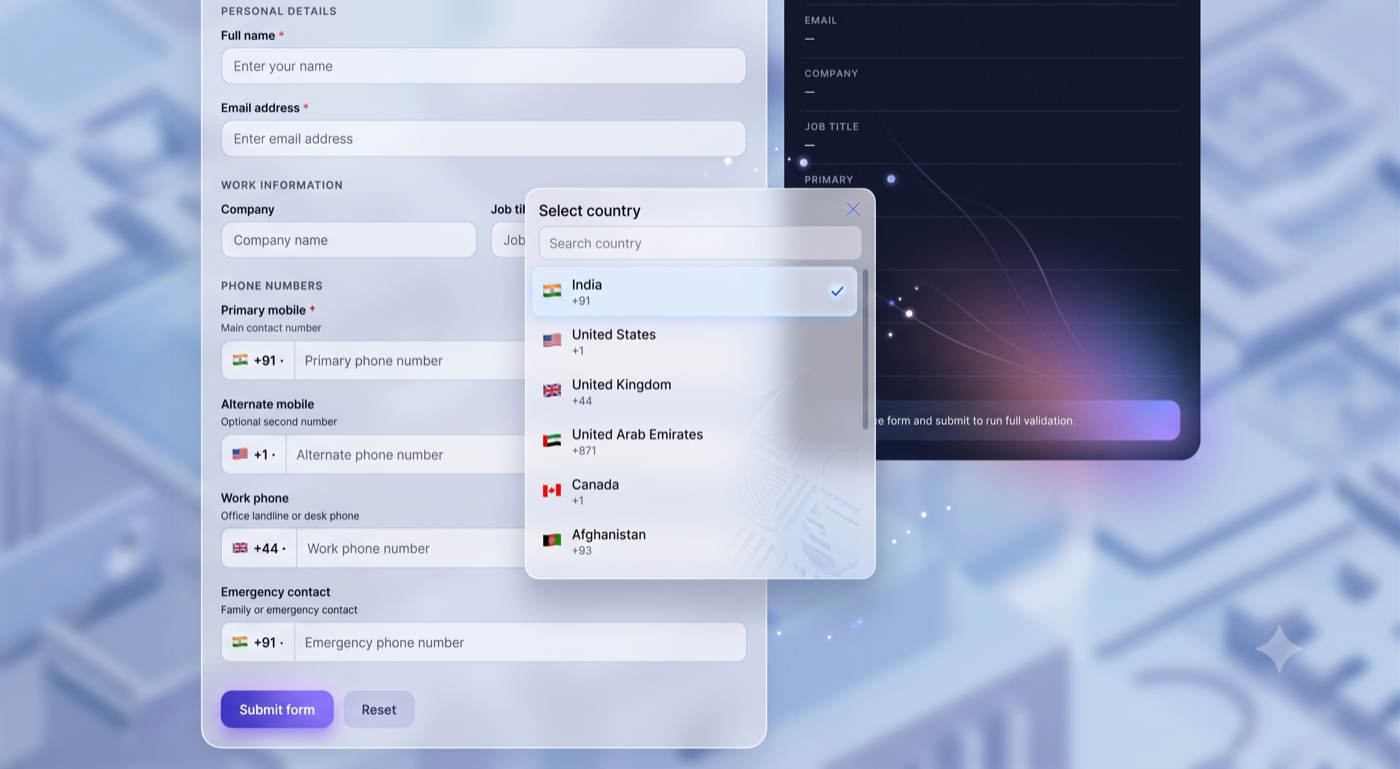
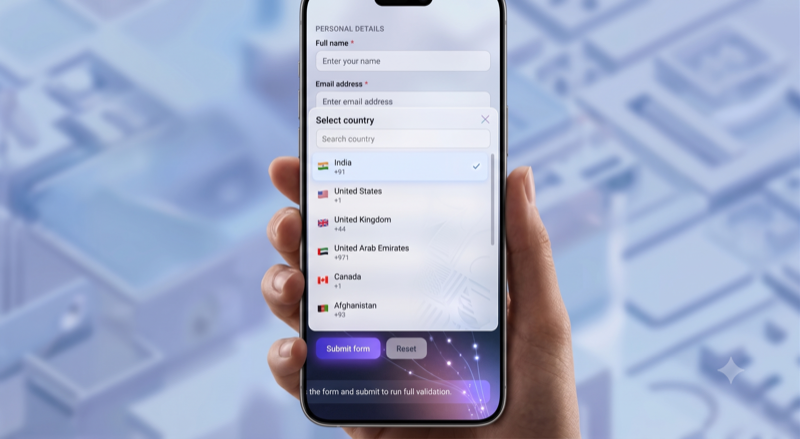
Screenshots
Desktop
Mobile
Why use this package?
- Cross-platform — same component on mobile and web
- Country picker — searchable modal with flags and dial codes
- 126 countries — built-in country data
- Validation — min/max length rules per country
- Formatting — display helpers for US, Canada, and India
- TypeScript — full type definitions included
- Lightweight — no heavy phone-number library dependency
- Customizable — filter countries, custom styles, controlled/uncontrolled modes
Features
- Searchable country picker modal
- Flag emoji + dial code display
- Sanitized digit-only phone output
- International format output (
+91...) onChangeFullNumbercallback with country + validityonlyCountries,excludeCountries,preferredCountries- Custom error messages and validation state
- Accessible labels and test IDs
- Works in Expo, React Native CLI, and web apps
Installation
npm install multi-nation-inputPeer dependencies
# React Native
npm install react react-native

# Web only (additional)
npm install react-dom react-native-web
| Platform | Required |
|----------|----------|
| React Native | react, react-native |
| Web | react, react-dom, react-native-web |
Quick start
import React, { useState } from 'react';
import { View, Text } from 'react-native';
import { MultiNationInput } from 'multi-nation-input';

export default function App() {
  const [phone, setPhone] = useState('');

  return (
    <View style={{ padding: 20 }}>
      <MultiNationInput
        value={phone}
        defaultCountry="IN"
        preferredCountries={['IN', 'US', 'GB', 'AE']}
        onChangeText={setPhone}
        placeholder="Enter mobile number"
      />
    </View>
  );
}
Advanced usage
Get full number with country and validation
import { MultiNationInput } from 'multi-nation-input';

<MultiNationInput
  defaultCountry="IN"
  onChangeFullNumber={({ phoneNumber, formattedNumber, fullNumber, country, isValid }) => {
    console.log(phoneNumber);       // "9876543210"
    console.log(formattedNumber);   // "98765 43210"
    console.log(fullNumber);        // "+919876543210"
    console.log(country.code);      // "IN"
    console.log(isValid);           // true
  }}
/>
Restrict countries
<MultiNationInput
  onlyCountries={['IN', 'US', 'GB']}
  preferredCountries={['IN', 'US']}
  defaultCountry="IN"
/>
Custom styling
<MultiNationInput
  containerStyle={{ marginBottom: 16 }}
  inputContainerStyle={{ borderColor: '#6366f1' }}
  inputStyle={{ fontSize: 16 }}
  countryButtonStyle={{ backgroundColor: '#f8fafc' }}
  error="Please enter a valid phone number"
/>
Uncontrolled mode
<MultiNationInput
  defaultValue="9876543210"
  defaultCountry="IN"
  onChangeText={(digits) => console.log(digits)}
/>
Web setup
This package uses React Native primitives (View, TextInput, Modal, etc.).
Vite example:
// vite.config.js
export default {
  resolve: {
    alias: {
      'react-native': 'react-native-web',
    },
  },
};
Webpack example:
resolve: {
  alias: {
    'react-native$': 'react-native-web',
  },
},
API
MultiNationInput props
| Prop | Type | Default | Description |
|------|------|---------|-------------|
| value | string | — | Controlled national number (digits only) |
| defaultValue | string | '' | Initial value (uncontrolled) |
| defaultCountry | string | 'US' | ISO 3166-1 alpha-2 country code |
| onChangeText | (phone: string) => void | — | Sanitized digits only |
| onChangeFormattedText | (formatted: string) => void | — | Formatted display value |
| onChangeFullNumber | (payload) => void | — | Full object with country & validity |
| onChangeCountry | (country) => void | — | Fired when country changes |
| onValidationChange | (isValid: boolean) => void | — | Validation state updates |
| placeholder | string | 'Phone number' | Input placeholder |
| disabled | boolean | false | Disable input and picker |
| editable | boolean | true | Toggle input editability |
| autoFocus | boolean | false | Auto focus the input |
| onlyCountries | string[] | — | Allow only these ISO codes |
| excludeCountries | string[] | — | Remove countries from list |
| preferredCountries | string[] | — | Show these countries first |
| countries | Country[] | — | Fully custom country list |
| error | string | — | Custom error message |
| showError | boolean | true | Show validation/custom error |
| containerStyle | StyleProp | — | Outer wrapper style |
| inputContainerStyle | StyleProp | — | Input row style |
| inputStyle | StyleProp | — | TextInput style |
| countryButtonStyle | StyleProp | — | Country button style |
| searchPlaceholder | string | 'Search country' | Picker search placeholder |
| modalTitle | string | 'Select country' | Picker modal title |
| testID | string | — | Test identifier |
| accessibilityLabel | string | 'Phone number input' | Accessibility label |
onChangeFullNumber payload
{
  phoneNumber: string;      // "9876543210"
  formattedNumber: string;  // "98765 43210"
  fullNumber: string;       // "+919876543210"
  country: Country;         // { code, name, dialCode, flag, ... }
  isValid: boolean;         // true | false
}
Country type
{
  code: string;       // "IN"
  name: string;       // "India"
  dialCode: string;   // "91"
  flag: string;       // "🇮🇳"
  minLength: number;  // 10
  maxLength: number;  // 10
}
Exported utilities
import {
  MultiNationInput,
  CountryPicker,
  COUNTRIES,
  getCountryByCode,
  getDefaultCountry,
  filterCountries,
  sanitizePhoneNumber,
  validatePhoneNumber,
  formatInternationalNumber,
  formatDisplayNumber,
  searchCountries,
} from 'multi-nation-input';
| Function | Example |
|----------|---------|
| validatePhoneNumber('9876543210', 'IN') | true |
| formatInternationalNumber('9876543210', 'IN') | '+919876543210' |
| getCountryByCode('US') | { code: 'US', name: 'United States', ... } |
| sanitizePhoneNumber('(555) 123-4567') | '5551234567' |
TypeScript
Types are included. No @types package needed.
import { MultiNationInput, FullNumberPayload, Country } from 'multi-nation-input';Platform support
| Platform | Supported | |----------|-----------| | iOS | Yes | | Android | Yes | | Web (react-native-web) | Yes | | Expo | Yes |
Author
Vikash Kumar
- GitHub: @vikashwebb
- npm: multi-nation-input
License
MIT