
multiple-cucumber-html-reporter
v4.4.2
Published
Generate beautiful Cucumber.js reports for multiple instances (browsers / devices)

Maintainers
 wasiqb
Readme
🌟 Why this reporter?
Multiple Cucumber HTML Reporter is a robust reporting module that transforms standard Cucumber JSON output into stunning, feature-rich HTML reports. Unlike generic reporters, it is designed for scale and clarity.
✨ Key Features
- 📊 Interactive Dashboard: Scored overview of all tested features and scenarios.
- 🌓 Dark Mode Support: Built-in support for light and dark themes for better accessibility.
- 📬 Emailable Report: Generate a separate Emailable report which you can send to the stakeholders.
- 🔄 Multiple Runs: Consolidate multiple runs of the same feature (e.g., across different browsers or devices).
- 📱 Rich Metadata: Automatically display browser, device, platform, and app version details.
- 🔍 Advanced Filtering: Easily search, filter, and sort through large test suites.
- 🎨 Fully Customizable: Add custom data blocks, brand colors, logo, footer, and additional CSS styles.
- ⚡ Built for Scale: Streams report generation, so suites with heavy screenshot/video attachments don't run out of memory.
- 🖥️ CLI Tool (new in v4.2.0): Generate reports instantly with the
mchrCLI — no scripting required.
🚀 Quick Start
[!IMPORTANT] v4.2.0 introduces the
mchrCLI tool — the recommended way to generate reports. No scripting needed!
Option A: CLI Tool (Recommended — v4.2.0)
1. Install globally
npm install multiple-cucumber-html-reporter --global
# or
pnpm add multiple-cucumber-html-reporter --global
2. Create a config file
Create a .multiple-cucumber-html-reporter.json file in your project root:
{
  "jsonDir": "./path-to-your-json-output/",
  "reportPath": "./path-where-the-report-needs-to-be/",
  "pageTitle": "My Project Report",
  "reportName": "My Project",
  "displayDuration": true,
  "humanReadableDuration": true,
  "displayReportTime": true
}
[!TIP] Run
mchrfor the first time without a config file to launch an interactive onboarding wizard that creates the config file for you.
3. Generate the report
mchr
# OR, generate report with Emailable report
mchr --email
That's it! No separate script needed. See the CLI documentation for all available config options.
Option B: Programmatic API
If you prefer to generate the report from a Node.js script, install locally and call generate() directly:
pnpm add multiple-cucumber-html-reporter --save-dev// generate-report.ts
import { generate } from 'multiple-cucumber-html-reporter';
generate({
jsonDir: "./path-to-your-json-output/",
reportPath: "./path-where-the-report-needs-to-be/",
emailReport: true,
metadata: {
browser: {
name: "chrome",
version: "latest",
},
device: "Local test machine",
executionPlatform: 'local',
platform: {
name: "osx",
version: "Sonoma",
},
},
customData: {
projectName: 'WebDriverIO sample project',
release: '1.2.0',
testCycle: 'Cycle 1',
buildNumber: 'Build 1',
environment: 'production',
ciPipeline: 'GitHub Actions',
},
});Check out the examples folder for integration with frameworks like Cypress.
📖 In-Depth Documentation
Looking for advanced configurations, framework integrations (WebdriverIO, Cypress, etc.), or FAQs? Visit our comprehensive documentation site:
👉 Read the Full Documentation
🖼️ Feature Showcase
Feature List Page

Feature Details Page

Emailable Report

🤝 Contributing & Community
Contributions are what make the open source community such an amazing place to learn, inspire, and create.
- Contributing: Read our Contributing Guide to get started.
- Security: Please report vulnerabilities via our Security Policy.
- Code of Conduct: We expect all contributors to follow our Code of Conduct.
💬 Support & Talk
- Discord: Join our Discord server for real-time support.
- GitHub Issues: Report bugs or request features.
- GitHub Discussions: Join our GitHub Discussions.
- Project Milestones: View complete Roadmap in Project Milestones.
- Follow project updates: Follow the latest project updates on X (formerly Twitter) and LinkedIn.
❤️ Support the project
If you find this project useful, please consider sponsoring the maintainer. Your support helps keep the project maintained and improved!
🙏🏻 Open Source Supporter
Following are the awesome supporters to the project who has sponsored their applications paid license:
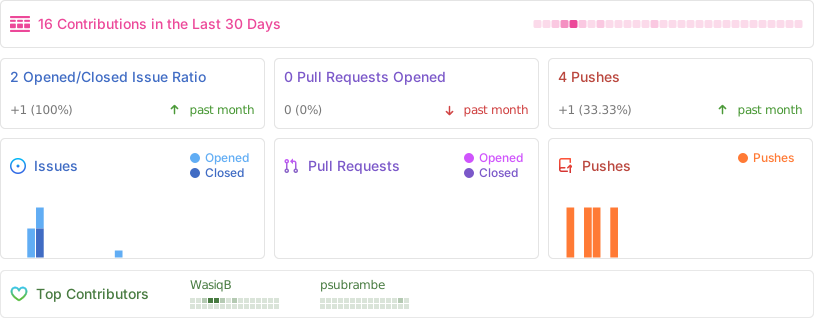
💗 Repo Activity
⚖️ License
Distributed under the MIT License. See LICENSE for more information.