
mustafa-sts
v1.0.57
Published


Readme
🍇 GrapesJS Studio SDK

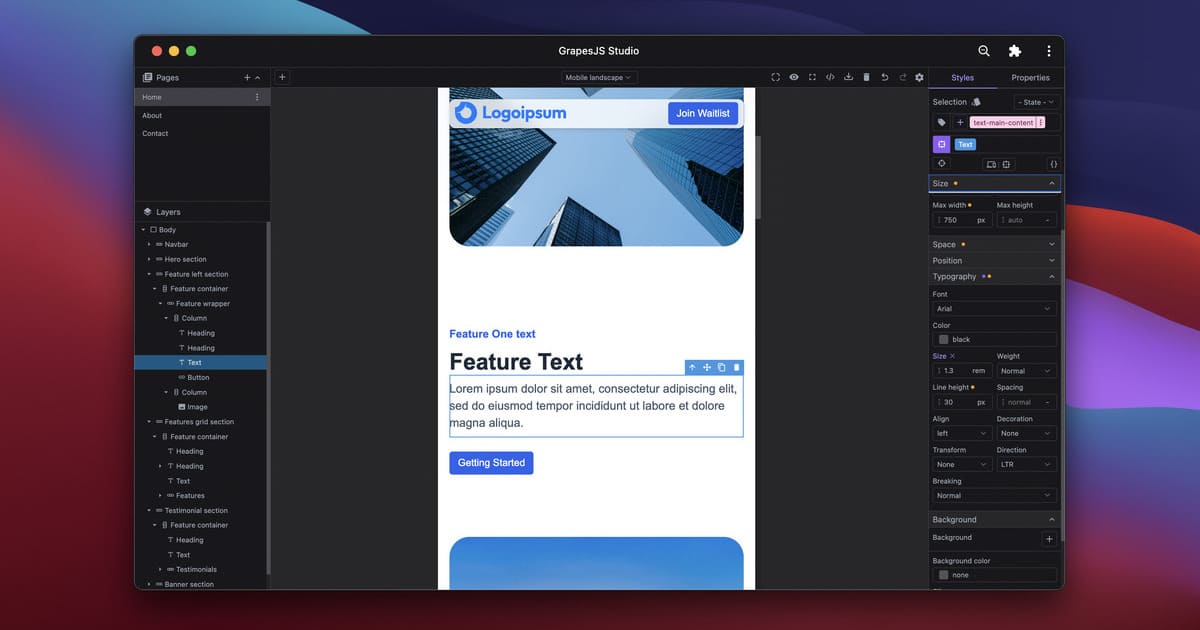
Studio SDK is a developer toolkit that helps you embed production-ready visual builders into your applications faster than ever.
Built on top of the battle-tested GrapesJS, it’s designed for companies that want to focus on their core product value while delivering a world-class no-code editing experience for their users, without the hassle.
With Studio SDK, you can create:
- A Website/Landing page builder
- A Newsletter/Email builder
- A Document editor
- A no-code editor with your own React components (via React Renderer plugin).
🚀 Why Studio SDK?
⚡ Fast to production: Save months of dev time with advanced built-in capabilities.
🧑💻 Works with any frontend stack: React, Vue, Angular, or plain JavaScript, no framework lock-in.
🔓 No vendor lock-in: All data and assets stay in your infrastructure.
🛠 Embedded in your codebase: No iframes or external SaaS platforms, Studio SDK lives inside your app with no third-party dependency risk.
🔌 Leverage the GrapesJS ecosystem: Studio SDK is built on top of GrapesJS, allowing you to use existing GrapesJS plugins and reuse custom components you already built.
🧑💻 Built for developers: A clean API surface that works with any modern JS stack.
✨ Features
🧱 Custom Blocks & Components
Build reusable Blocks or register your own Components for users to drag & drop.
📄 Multi-Page Support
Create multi-page websites with built-in SEO controls for meta, titles, and favicons.
🎨 Themes & Layout API
Match the editor UI to your brand with Themes and Layouts for perfect white-label integration.
🌐 Global Styles
Apply Global Styles as a design system of your templates and manage typography, colors, and spacing at scale.
📂 Enhanced Asset & Fonts Manager
Fully control the Asset Manager and Font Manager, and extend them with custom Asset Providers for any storage or API.
🗂 Template Manager
Let users pick from your pre-defined Templates to get started quickly.
🔌 Data Sources & Template Engines
Connect the editor to your Data Sources, integrate with any Template Engine, and let users build dynamic, data-driven content.
📦 Installation
npm i @grapesjs/studio-sdk🏗 Quick Start
Here’s how easy it is to embed Studio SDK in your React application:
import StudioEditor from '@grapesjs/studio-sdk/react';
import '@grapesjs/studio-sdk/style';

export function YourApp() {
  return (
    <StudioEditor
      options={{
        // ...
        // Any license key is valid from localhost, you can play with locally with no restrictions
        licenseKey: 'DEV_LICENSE_KEY',
        project: {
          type: 'web',
          // The default project to use for new projects
          default: { pages: [{ name: 'Home', component: '<h1>Home page</h1>' }] }
        }
      }}
    />
  );
}
You can use the same initialization pattern in other JavaScript frameworks.
import createStudioEditor from '@grapesjs/studio-sdk';
import '@grapesjs/studio-sdk/style';

// ...
createStudioEditor({
  // ...
  root: '#studio', // indicate where to mount the editor
  licenseKey: 'DEV_LICENSE_KEY',
  project: {
    type: 'web',
    default: { pages: [{ name: 'Home', component: '<h1>Home page</h1>' }] }
  }
});
You now have a fully functional no-code builder.
📖 Documentation
📘 Overview of Studio SDK Configuration: Learn how to customize and configure Studio SDK for your use case.
🧑💻 Examples: Practical examples and recipes for common integrations.
🔌 Official Plugins: Extend functionality with official Studio SDK plugins.
Check out the full docs here 👉 Studio SDK Docs