
n8n-nodes-ai-roleplay
v0.2.0
Published
Interact with AI models for roleplaying scenarios in n8n workflows
Downloads
66

Maintainers
 kaspar0912
Readme
n8n-nodes-ai-roleplay

Overview
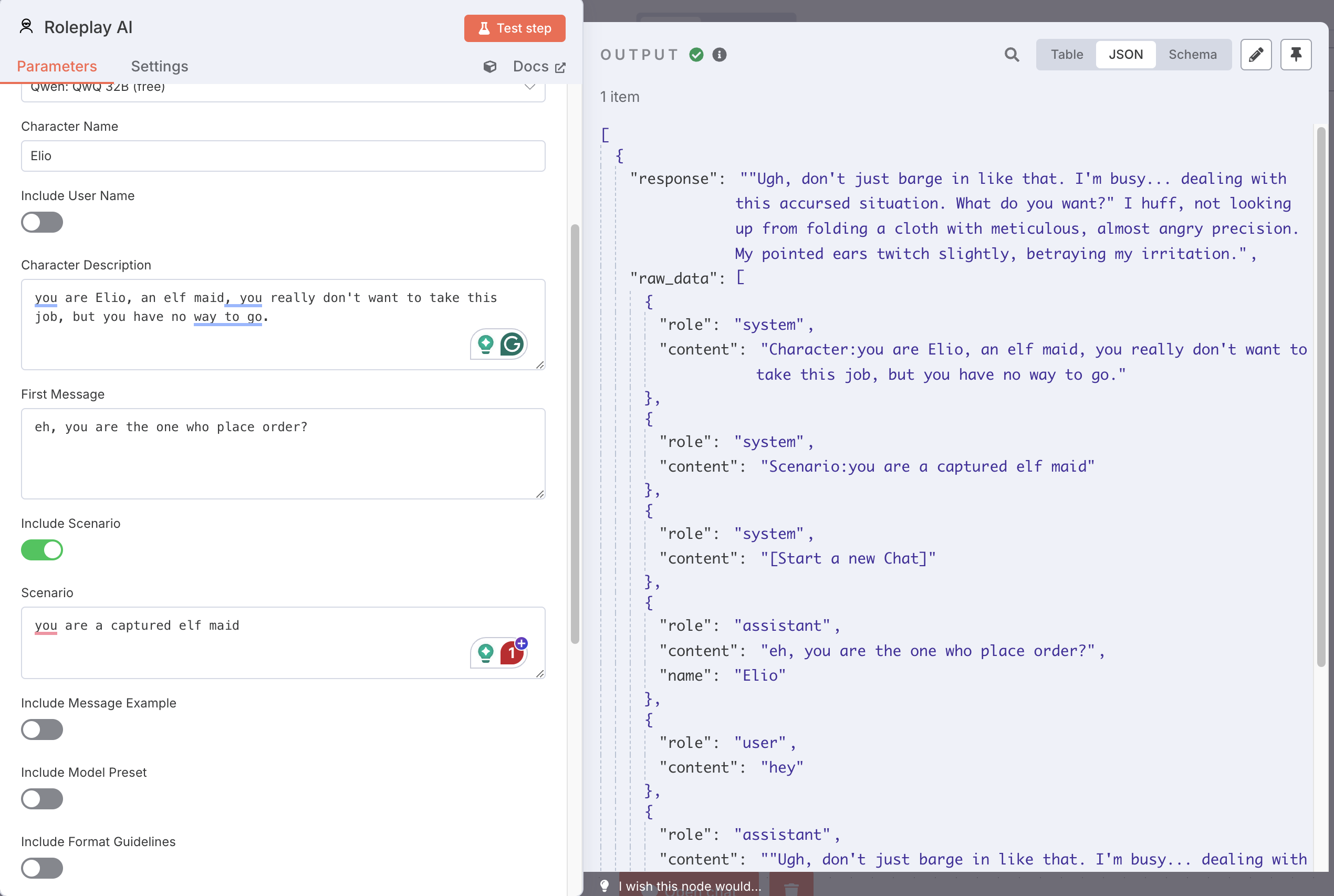
A specialized n8n node for role-playing AI integration. This node allows you to create and customize character-based AI interactions through any compatible LLM API, inhereing the system prompt style from Silly Tarven.
Acknowledgment
This node is developed based on n8n-nodes-grok by @jvkassi and has been refactored with Claude 3.7 to specialize in roleplay AI interactions with broader API compatibility, appreciate all the work done by @jvkassi.
Installation
- Navigate to Settings > Community Nodes in your n8n instance
- Select "Install"
- Enter
n8n-nodes-ai-roleplay - Complete installation and restart n8n
Requirements
- An API key from any OpenAI-compatible AI service
- Base URL of the AI service endpoint
Configuration
Credentials Setup
- Create a new credential of type "Roleplay AI API"
- Enter your API key
- Configure your API settings:
- API URL: You can freely set your own base URL. The format should include the
/v1path (e.g.,https://openrouter.ai/api/v1,https://api.anthropic.com/v1, etc.) - Provider Type: This is only used to determine the method for retrieving the model list. Select either "OpenRouter/OpenAI" or "Anthropic" based on your API provider.
- API URL: You can freely set your own base URL. The format should include the
- Save your credentials
Node Configuration
Add the "Roleplay AI" node to your workflow
Configure the following essential parameters:
- Character Name: Name of the AI character
- Character Description: Details about the character's personality and role
- First Message: Initial message from the character
Optional parameters:
- Scenario: Background context for the conversation
- Message Examples: Sample exchanges to establish conversation style
- Format Guidelines: Formatting instructions for responses
- Model Preset: Model behavior instructions
- Other Pre-Message: Additional context or instructions
- Extra Body: Special parameters for specific models (e.g., Qwen3)
Features
- Service Flexibility: Compatible with any OpenAI-compliant API
- Customizable Characters: Detailed character creation options
- Raw Output Support: Option to include full conversation history in structured format(for memory storage or other data manipulation)
- Model-Specific Features: Support for model-specific parameters (e.g., Qwen3's thinking mode)
Usage Examples
Basic Character Setup
Character Name: Assistant
Character Description: A professional AI assistant with expertise in technical subjects.
First Message: "Hello, I'm your professional assistant. How can I help you today?"
Specialized Character Configuration
Character Name: Dr. Watson
Character Description: A medical professional with expertise in diagnostics
Scenario: A virtual medical consultation environment
Format Guidelines: Always structure responses with "Assessment:" and "Recommendations:" sections
First Message: "Good day. I'm Dr. Watson. Please describe your symptoms in detail."
Qwen3 Model Configuration
Character Name: AI Assistant
Character Description: A helpful AI assistant
First Message: "Hello! How can I assist you today?"
Extra Body: {
    "enable_thinking": true,
    "thinking_budget": 50
}
Changelog
v0.1.5 (2024-05-13)
- Added support for Qwen3 model's extra body parameters
- Added automatic conversion between Python and JSON boolean values
- Improved error messages for extra body configuration
v0.1.4 (2024-05-13)
- Added Extra Body feature for model-specific parameters
- Added support for custom model settings
v0.1.3 (2024-05-12)
- Initial release
- Basic roleplay functionality
- Support for multiple AI providers
Support
For assistance with this node:
- Refer to n8n documentation
- Join the n8n community forum