
n8n-nodes-blockfrost
v1.0.0
Published
Comprehensive n8n node for Blockfrost API - Complete Cardano blockchain integration with 75+ endpoints covering blocks, epochs, governance, pools, transactions, and more

Maintainers
 bevanamit
Readme
Screenshots
Blockfrost Credential Selection

Blockfrost Credential Configuration

Blockfrost Node Selection in Workflow

Blockfrost Node Configuration Details

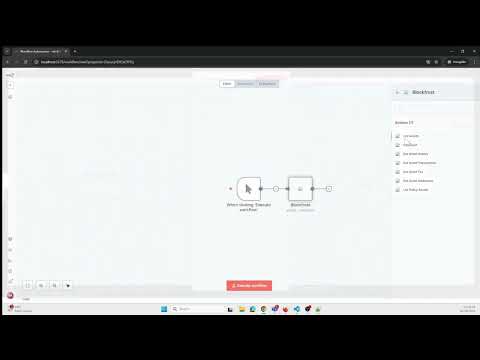
Demo Video
n8n-nodes-blockfrost
This is a custom n8n node for interacting with the Cardano blockchain via the Blockfrost API.
Features
🎯 Comprehensive Cardano Blockchain Integration
- 75+ endpoints covering all major Cardano operations
- Complete API coverage following Blockfrost OpenAPI v0.1.78
📊 Available Categories:
- Health & Metrics - API status and usage monitoring
- Accounts - Stake account information, rewards, history, delegations
- Addresses - Address details, UTXOs, transactions
- Assets - Native tokens, NFTs, asset history and transactions
- Blocks - Block information, transactions, addresses affected
- Epochs - Epoch details, stake distribution, protocol parameters
- Governance - DReps, proposals, votes, governance metadata
- Ledger - Blockchain genesis information
- Mempool - Current pending transactions
- Metadata - Transaction metadata in JSON and CBOR formats
- Network - Network statistics and era information
- Pools - Stake pool data, delegators, performance, votes
- Scripts - Smart contracts, Plutus scripts, redeemers, datums
- Transactions - Full transaction details, UTXOs, certificates, submission
- Utilities - Address derivation, transaction evaluation
🔧 Advanced Features:
- Work with NFTs and native tokens
- Submit transactions to the blockchain
- Query smart contract data and redeemers
- Access governance information (DReps, proposals)
- Monitor stake pool performance and delegations
- Evaluate transaction execution costs
- Support for all Cardano networks (mainnet, preprod, preview)
Installation
Option 1: Community Node (via npm)
- Open your n8n instance
- Go to Settings > Community Nodes
- Click Install
- Enter
n8n-nodes-blockfrostand click Install
Option 2: Manual Installation
- Navigate to your n8n custom directory:
~/.n8n/custom/ - Clone this repository:
git clone https://github.com/bevanamit/n8n-nodes-blockfrost.git - Install dependencies:
cd n8n-nodes-blockfrost && npm install - Build the project:
npm run build - Restart n8n
Option 3: Fail-Safe Installation (if npm install does not work as expected)
If running npm install n8n-nodes-blockfrost in your ~/.n8n/custom/ directory does not install the package correctly, try the following steps:
- Open a terminal and navigate to your n8n custom directory:
cd ~/.n8n/custom - Initialize a package.json if it does not exist:
npm init -y - Install the package:
npm install n8n-nodes-blockfrost - Restart n8n completely (stop and start the process).
This ensures the package and its dependencies are installed correctly and n8n can load the custom node.
Prerequisites
- n8n (version 0.209.0 or newer)
- A Blockfrost account and project API key
Credentials
To use this node, you need to set up Blockfrost API credentials:
- Sign up for a free account on Blockfrost.io
- Create a project and get your API key
- In n8n, create a new credential of type Blockfrost API
- Enter your Project ID (API key)
- Select the appropriate Network (mainnet, preprod, preview)
Usage
- Add the Blockfrost node to your workflow
- Select a Category (e.g., Accounts, Addresses, Assets, etc.)
- Choose an Operation specific to that category
- Fill in the required parameters
- Connect the node to other nodes in your workflow
Example Workflows
1. Monitor Cardano Address Balance
Create a workflow that periodically checks a Cardano address balance and sends notifications when changes occur.
2. Track NFT Ownership
Monitor ownership changes of specific NFTs on the Cardano blockchain.
3. Analyze Transaction History
Pull transaction data for analysis or reporting purposes.
Development
If you want to contribute to this node:
- Clone the repository
- Install dependencies:
npm install - Build the code:
npm run build - Link to your local n8n:
npm link - In your n8n installation directory:
npm link n8n-nodes-blockfrost
Blockfrost Account Setup
To use this node, you'll need a Blockfrost account and Project ID. Follow these steps to set one up:
Create an Account:
- Visit blockfrost.io
- Click the "Sign Up" button
- Complete the registration form
Create a Project:
- After signing in, navigate to the Dashboard
- Click "Create Project"
- Enter a project name (e.g., "n8n Integration")
- Select the network:
- Cardano Mainnet: For production use
- Cardano Preprod: For testing on the preprod testnet
- Cardano Preview: For testing on the preview testnet
Get Your Project ID:
- After creating your project, you'll be shown your Project ID
- This ID will look something like
mainnet1a2b3c4d5e6f7g8h9i0j - Copy this ID to use in your n8n Blockfrost node credentials
Free Tier Information:
- Blockfrost offers a free tier with 50,000 requests per day
- This is sufficient for many use cases and development
- Paid plans are available if you need higher limits
Security Note:
- Treat your Project ID as a secret key
- Don't commit it to public repositories
- Consider using n8n's credential encryption feature
License
This project is licensed under the GNU General Public License v3.0 - see the LICENSE file for details.
This is free software, and you are welcome to redistribute it under certain conditions.
Support & Donations
I am not Catalyst funded. Any support you provide is greatly appreciated!
Cardano (ADA) donation address:
addr1qyxypmc96e3pska6ch2ucq4uv5d7uz6nhpgcne4ea4hgmemv40lpm3wmc3wqk5arjpgzrccm0m9k72puaqzwsgrj47asch66sp