
n8n-nodes-linkedin-profile-enrichment
v0.1.3
Published
Extract LIVE LinkedIn profile data from LinkedIn URLs. This works with people urls and companies urls. Simply upload a list of LinkedIn URLs and Automate your LinkedIn enrichment process with fresh data. No Cookies required. Cheap, high-quality, live lead

Maintainers
 guillim
Readme
n8n-nodes-linkedin-profile-enrichment
This is an n8n community node. It lets you run the Apify Actor “LinkedIn Profile Scraper for cheap lead enrichment ✅” in your n8n workflows.
It enriches LinkedIn person and company URLs into structured JSON (headline, followers, experience, company details, etc.) without needing LinkedIn cookies.
Table of Contents
Installation
Follow the installation guide in the n8n community nodes documentation (there are 3 ways)
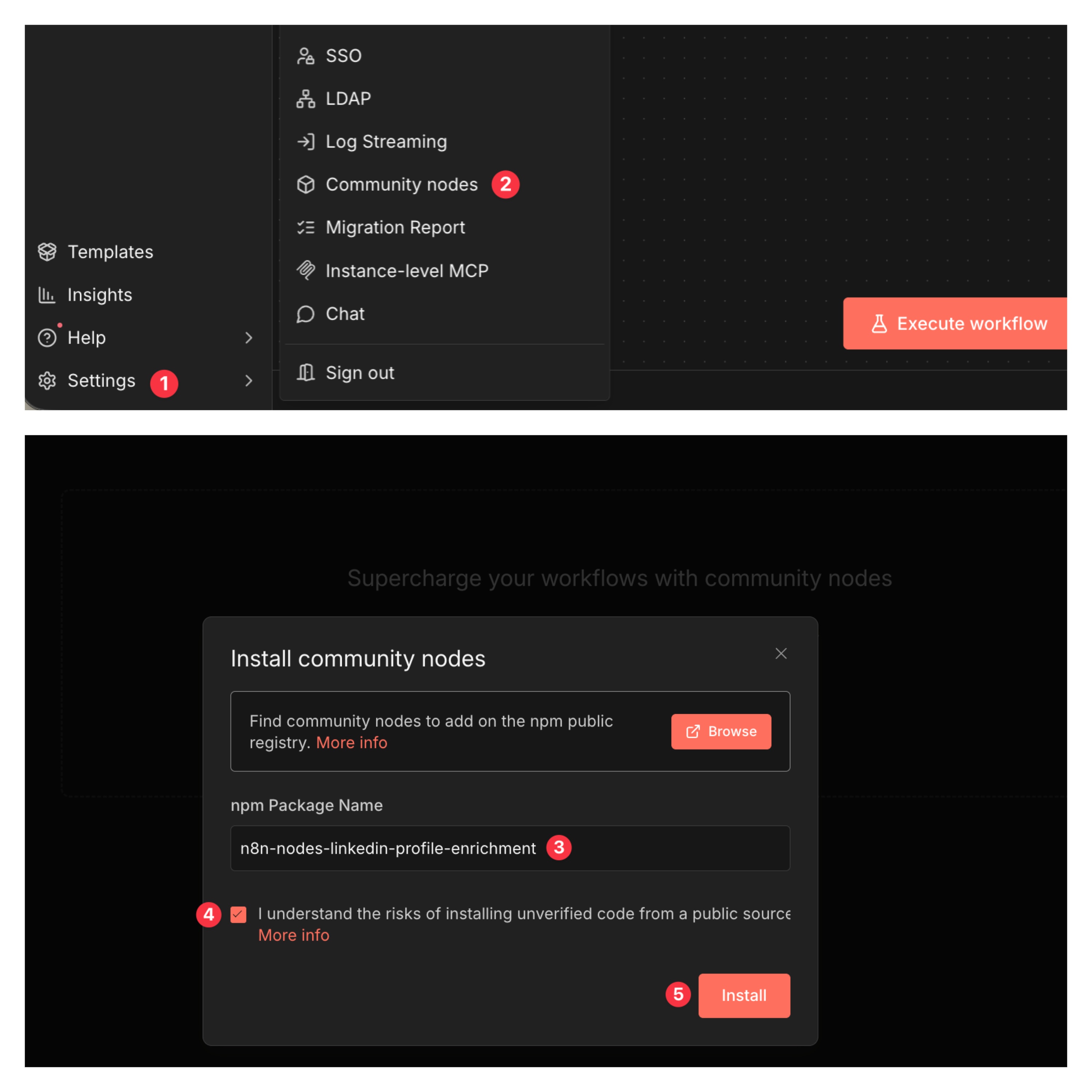
If you choose command line method :
npm install n8n-nodes-linkedin-profile-enrichmentCredentials
- Apify API key : paste your Apify API token from your Apify account settings.
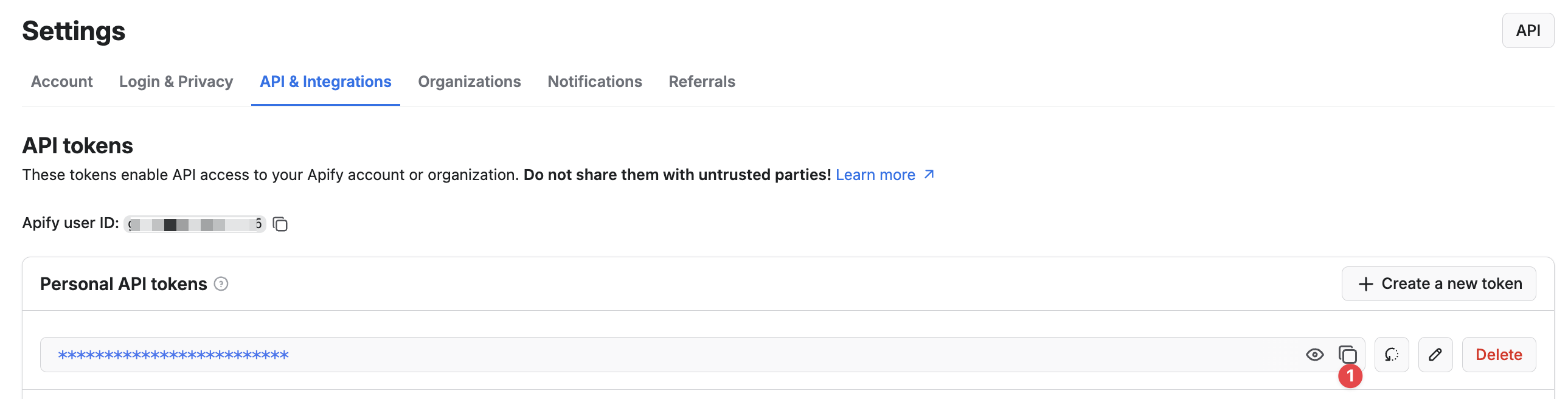

If you don’t have an Apify account yet, create an account first by clicking here, then create a token in your Apify account settings.
Usage
Add the node Apify LinkedIn Profile Enrichment to your workflow, then:
- Set Authentication to Apify API key
- Add at least one LinkedIn URLs
- Execute the node
The node runs the Actor on Apify, then returns the results as n8n output items.
Input format
The node expects a list of URLs like : https://www.linkedin.com/in/williamhgates
It also works with companies : https://www.linkedin.com/company/tesla-motors
Output (what to expect)
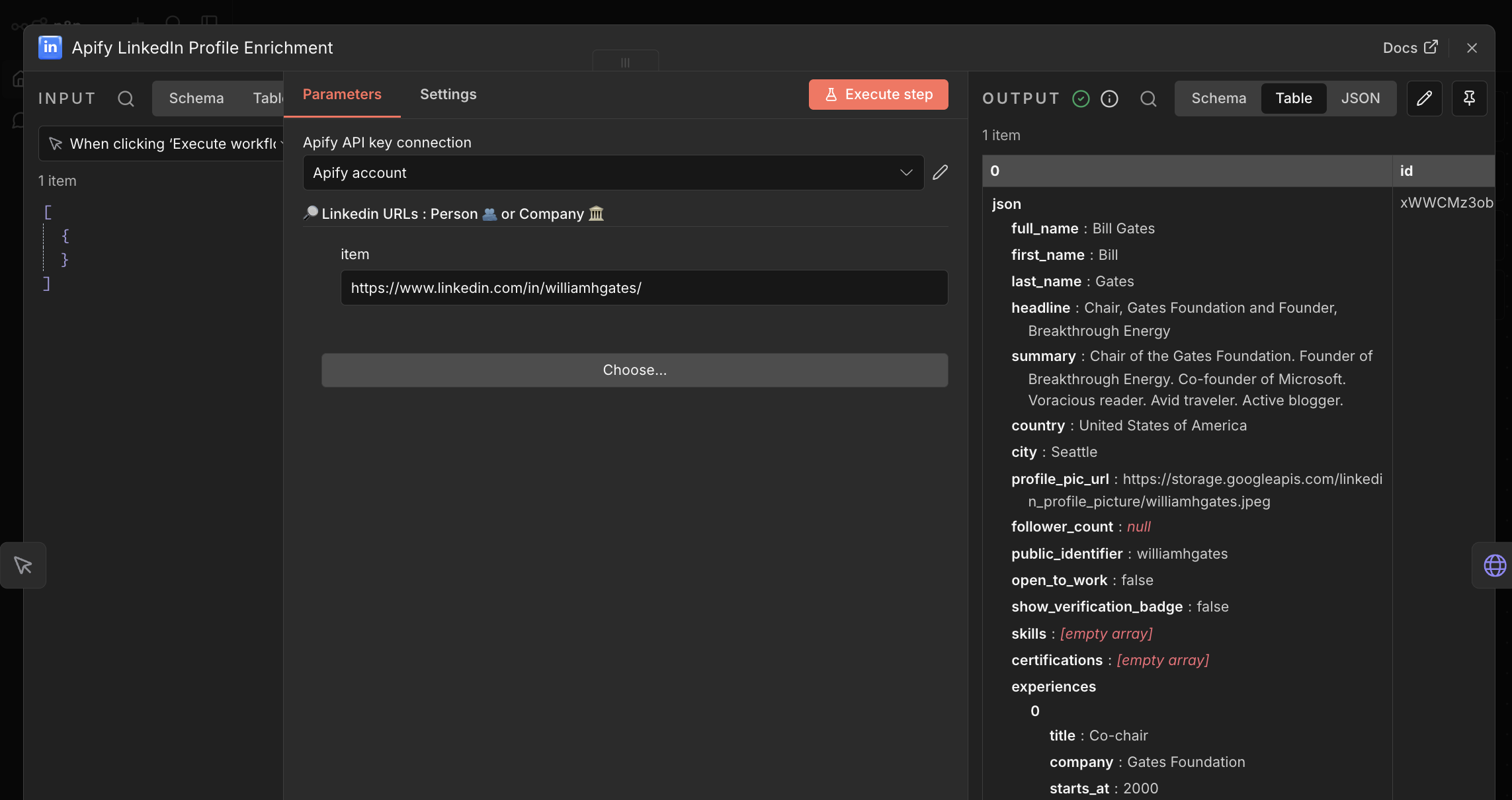
The Actor can return person and company rows. Fields vary by row type, but commonly include:
- Person:
full_name,first_name,last_name,headline,country,city,follower_count,experience,education, … - Company:
name,industry,followers,founded,size, …
More information about the output here.
Example output:
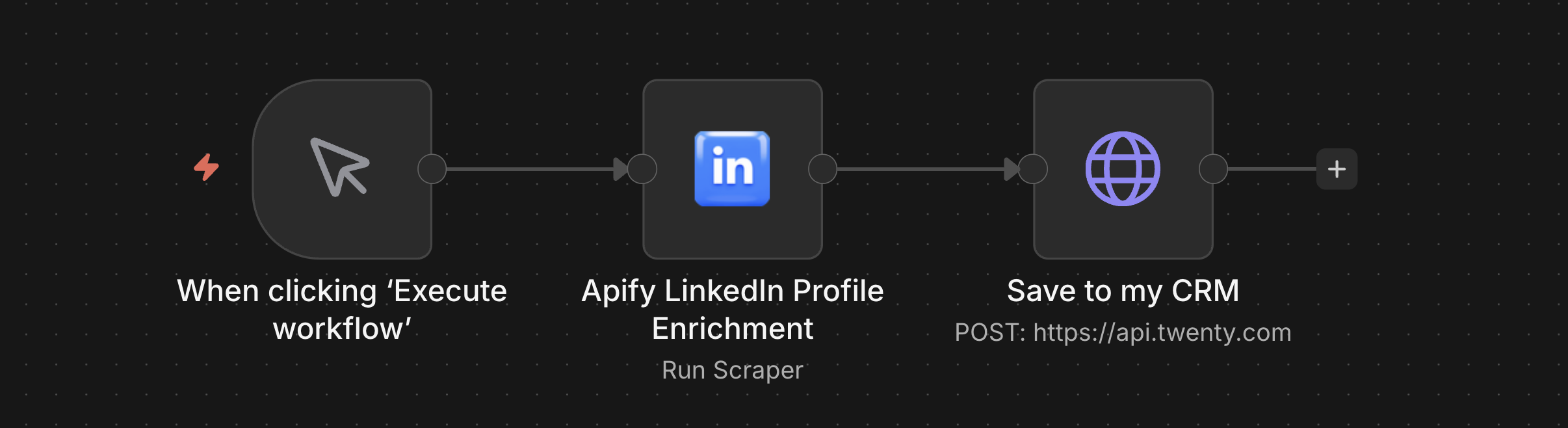
A simple demo workflow (copy/paste into n8n)
{
  "name": "Demo workflow for LinkedIn Profile Enrichment",
  "nodes": [
    {
      "parameters": {},
      "type": "n8n-nodes-base.manualTrigger",
      "typeVersion": 1,
      "position": [
        0,
        0
      ],
      "id": "ba404bef-296c-4bfa-ab48-e65e591b0fe5",
      "name": "When clicking ‘Execute workflow’"
    },
    {
      "parameters": {
        "startUrls": {
          "items": [
            {
              "url": "https://www.linkedin.com/in/williamhgates/"
            }
          ]
        }
      },
      "type": "CUSTOM.apifyLinkedinProfileEnrichment",
      "typeVersion": 1,
      "position": [
        208,
        0
      ],
      "id": "5a30781d-3213-4a3a-80a5-6ed2a3fa4a9d",
      "name": "Apify LinkedIn Profile Enrichment",
      "credentials": {
        "apifyApi": {
          "id": "QEjys0HbkRgQcAYY",
          "name": "Apify account"
        }
      }
    },
    {
      "parameters": {
        "method": "POST",
        "url": "https://api.twenty.com",
        "options": {}
      },
      "type": "n8n-nodes-base.httpRequest",
      "typeVersion": 4.3,
      "position": [
        416,
        0
      ],
      "id": "e73a386f-913b-439b-a7f4-5bc819157e3a",
      "name": "Save to my CRM"
    }
  ],
  "pinData": {},
  "connections": {
    "When clicking ‘Execute workflow’": {
      "main": [
        [
          {
            "node": "Apify LinkedIn Profile Enrichment",
            "type": "main",
            "index": 0
          }
        ]
      ]
    },
    "Apify LinkedIn Profile Enrichment": {
      "main": [
        [
          {
            "node": "Save to my CRM",
            "type": "main",
            "index": 0
          }
        ]
      ]
    }
  },
  "active": false,
  "settings": {
    "executionOrder": "v1",
    "availableInMCP": false
  },
  "versionId": "f0f06bed-eb41-4724-9ef7-17211b4351f2",
  "meta": {
    "templateCredsSetupCompleted": true,
    "instanceId": "89f981c253a7e977b721328c650eb67d6403ef867ee577cd9362b9454ab501f5"
  },
  "id": "FFziht_wZ8dMBuaLbWetI",
  "tags": []
}
Resources
- n8n community nodes installation:
https://docs.n8n.io/integrations/community-nodes/installation/ - LinkedIn Profile Scraper documentation:
https://apify.com/anchor/linkedin-profile-enrichment
Troubleshooting
- Runs are executed on Apify; if a run fails, check the run logs in your Apify console for details.
- “No valid credentials found…”, make sure:
- You created the matching credential in n8n, and
- The node’s Authentication option matches the credential type you configured.
License
MIT