
n8n-nodes-ocrbro
v0.1.5
Published
Native n8n node for OCR using Tesseract.js


Readme
n8n-nodes-ocrbro
Extract text from images and PDFs in your n8n workflows. This community node provides OCR (Optical Character Recognition) for images using Tesseract.js and text extraction from PDF documents.

Features
- OCR from Images - Extract text from PNG, JPG, TIFF, BMP, and other image formats using Tesseract.js
- Extract Text from PDFs - Pull text content from PDF documents
- Multi-language Support - OCR supports 100+ languages via Tesseract language packs
- No External APIs - All processing happens locally, no data leaves your server
Installation
Via n8n Community Nodes (Recommended)
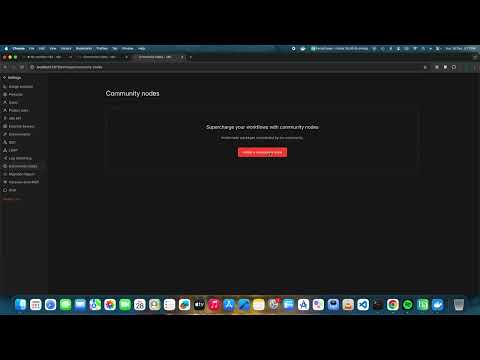
- Open your n8n instance
- Go to Settings → Community Nodes
- Click Install a community node
- Enter:
n8n-nodes-ocrbro - Click Install
- Restart n8n when prompted
Video Tutorials
1. How to install ocrbro n8n node for free?
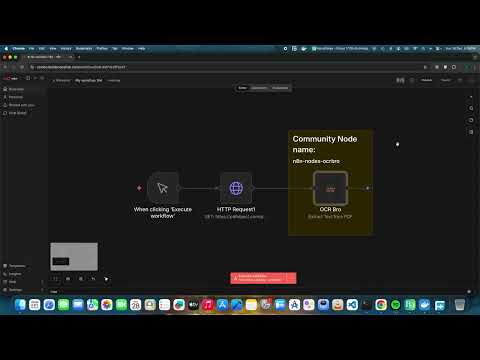
2. Example PDF Text Extraction
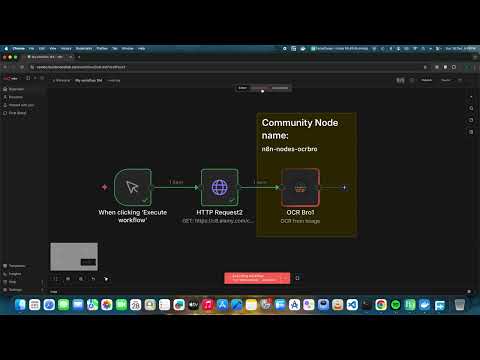
3. Example Image Text extraction OCR
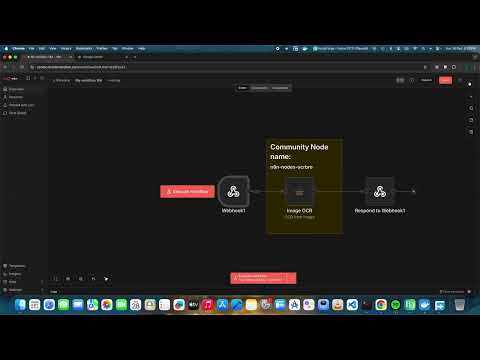
4. How to create Private n8n PDF text extraction API endpoint on n8n
5. How to create Private n8n Image text extraction API endpoint on n8n
Via npm (Self-hosted)
cd ~/.n8n/nodes
npm install n8n-nodes-ocrbro
# Restart n8n
Docker
Mount the node into your n8n container:
docker run -it --rm \
  --name n8n \
  -p 5678:5678 \
  -e N8N_CUSTOM_EXTENSIONS="/home/node/.n8n/custom/n8n-nodes-ocrbro" \
  -v n8n_data:/home/node/.n8n \
  docker.n8n.io/n8nio/n8n
Usage
OCR from Image
Extract text from images using Tesseract OCR.
- Add OCR Bro node to your workflow
- Set Operation to
OCR from Image - Configure:
- Input Binary Field: Name of the binary property containing the image (default:
data) - Language: Tesseract language code (default:
eng)
- Input Binary Field: Name of the binary property containing the image (default:
Example workflow:
[Read Binary File] → [OCR Bro] → [Set Node]Supported image formats: PNG, JPG/JPEG, TIFF, BMP, GIF, WebP
Language codes:
eng- Englishdeu- Germanfra- Frenchspa- Spanishchi_sim- Chinese (Simplified)jpn- Japanese- Multiple languages:
eng+deu+fra
Extract Text from PDF
Extract text content from PDF documents.
- Add OCR Bro node to your workflow
- Set Operation to
Extract Text from PDF - Configure:
- Input Binary Field: Name of the binary property containing the PDF (default:
data)
- Input Binary Field: Name of the binary property containing the PDF (default:
Example workflow:
[HTTP Request (PDF URL)] → [OCR Bro] → [Code Node]Output:
{
  "text": "Extracted text content...",
  "pages": 5
}
Examples
Basic Image OCR
- Use Read Binary File to load an image
- Connect to OCR Bro with operation
OCR from Image - Output contains
text,confidence, andwordscount
Batch Process Images
- Use Read Binary Files to load multiple images
- Connect to OCR Bro
- Each item will be processed and return extracted text
Process PDF and Send via Email
- HTTP Request - Download PDF from URL
- OCR Bro - Extract text (operation:
Extract Text from PDF) - Send Email - Include extracted text in email body
Troubleshooting
Node not appearing after installation
- Restart your n8n instance
- Check the n8n logs for any errors
Low OCR accuracy
- Use higher resolution images (300 DPI recommended)
- Ensure good contrast between text and background
- Specify the correct language code
- Pre-process images to remove noise if needed
PDF extraction returns empty text
- The PDF may contain scanned images instead of text
- For scanned PDFs, convert pages to images first, then use the OCR operation
License
MIT