
n8n-nodes-sonos
v1.1.2
Published
The n8n sonos node allows users to control their sonos system using n8n automation workflows.

Maintainers
 vonrehberg.consulting
Keywords
Readme

n8n-nodes-sonos
This is the repository for the n8n sonos node.
Setup
Prerequisite: You have to have an n8n node running. It can be either a cloud instance or a locally running instance in a docker container, e.g. on a Synology NAS.
Add node to n8n
Add the n8n-nodes-sonos node to your n8n instance.
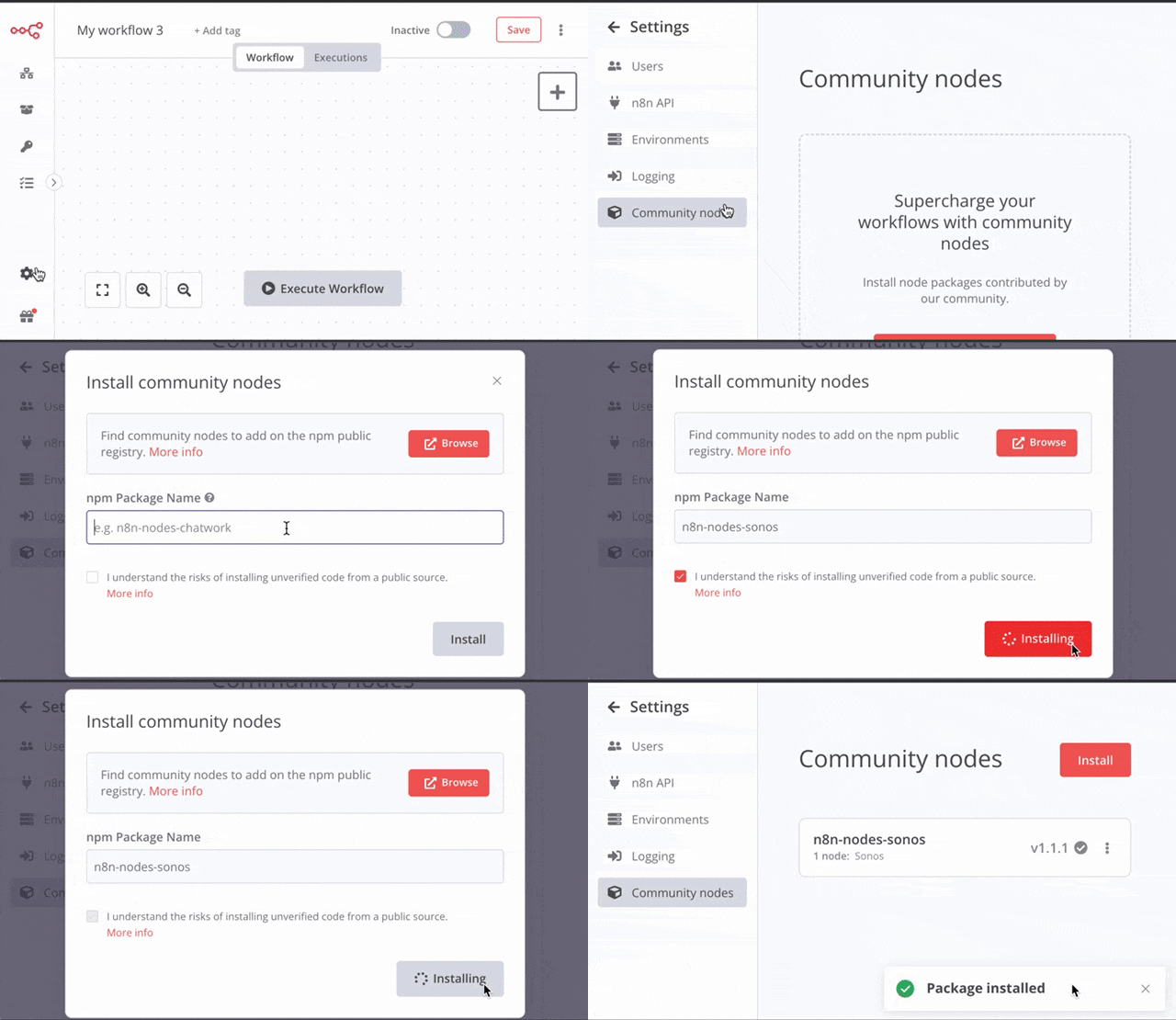
Setup Sonos Developer Account
In order to use the Sonos node, you have to create a Sonos Developer Account and create a new Control Integration. The created credentials will be required for the creation of the n8n credential.

In n8n create a new credential for the Sonos node and copy the redirect URL. Make sure you copy the correct redirect URI into the allowed redirect URIs of your Sonos integration in your developer account.
Afterwards you should be able to create workflows using the Sonos node.
Features and possible use cases
Currently supported features:
- Group all players
- Set Group Volume
- Play
- Pause
- Toggle Play/Pause
- Set Group Volume
- Play Favorite
- Play File from URL
- Skip Song
- Previous Song
- Turn On/Off TV (requires supported device)
- Start Home Theater Playback
- Set Home Theater Options (night mode / dialog enhancement)
Possible use cases
- Every day at 10pm set the home theater to night mode and enhance dialogs, every morning switch back
- Every morning at 9 turn on TV, start TV playback, group the players and set volume to 30
- If a webhook gets called stop/start the music
- If I receive money on my paypal business account, group all players, set the volume to 50 and play a file from a URL
Running locally / Development
First install n8n globally
npm install n8n -gThen build and link this library:
npm run build
npm link
Afterwards find out where n8n was installed
which n8nGo to the folder that is listed and type:
npm link n8n-nodes-sonos
n8n start
Afterwards you can use the node in your locally running instance