
n8n-nodes-text-replace
v0.1.1
Published
n8n node for powerful text find and replace operations with regex support
Downloads
119

Maintainers
 databytoufik
Readme
n8n-nodes-text-replace
A powerful n8n community node for text find and replace operations with support for simple replacements, multiple replacement pairs, and regular expressions.
 Simple Replace: "Hello" → "Hi" transforms the input text
Demo
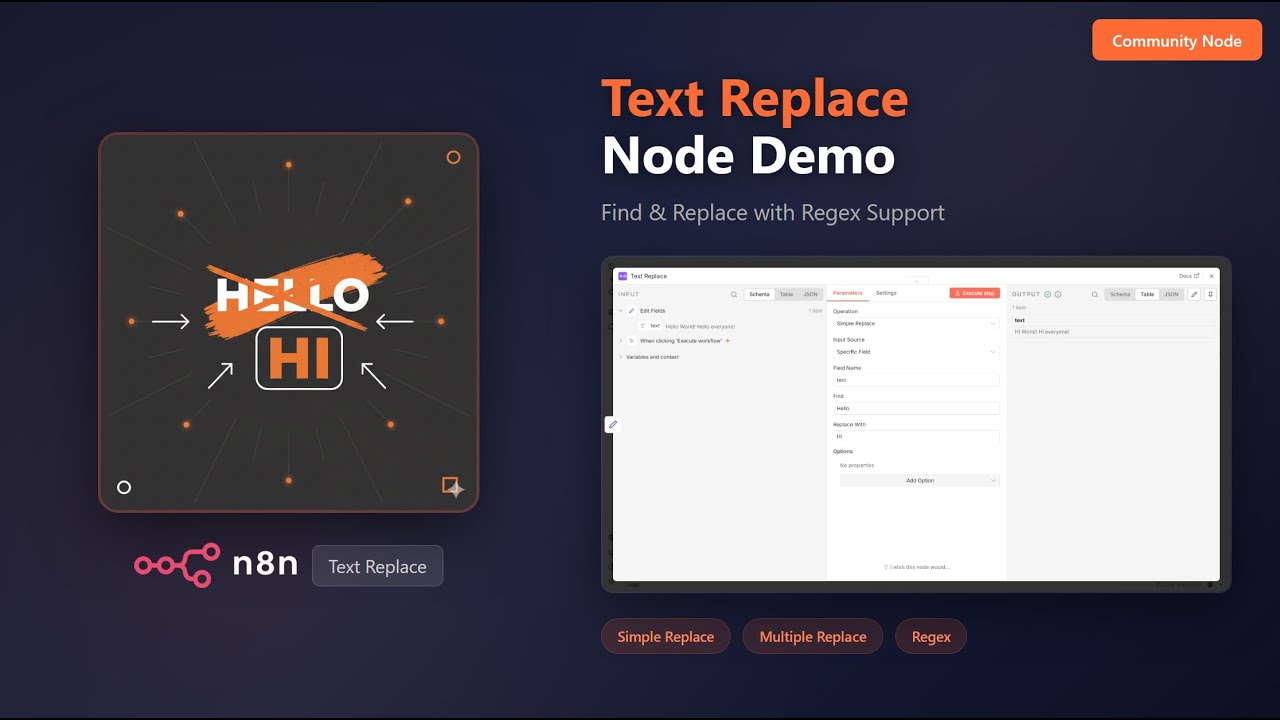
Watch the full demo on YouTube
Features
- Simple Replace: Find and replace a single string
- Multiple Replace: Apply multiple find/replace pairs in sequence
- Regex Replace: Use regular expressions for advanced pattern matching
- Flexible Input Sources: Work with specific fields, all string fields, or custom text
- Options: Case sensitivity control, replace all or first occurrence only
Installation
In n8n Desktop or Self-hosted
- Go to Settings > Community Nodes
- Select Install
- Enter
n8n-nodes-text-replaceand click Install
Using npm
npm install n8n-nodes-text-replaceOperations
Simple Replace
Find and replace a single string in your text.
Replacing "Hello" with "Hi" in the input text
Parameters:
- Field Name: The field containing text to process
- Find: The string to search for
- Replace With: The replacement string
Example:
- Input:
Hello World! Hello everyone! - Find:
Hello - Replace With:
Hi - Output:
Hi World! Hi everyone!
Multiple Replace
Apply multiple find/replace pairs in sequence. Each replacement is applied to the result of the previous one.
 Applying multiple replacements: "Hello" → "Hi" and "World" → "Universe"
Parameters:
- Field Name: The field containing text to process
- Replacement Pairs: A list of find/replace pairs to apply in order
Example:
- Input:
Hello World! Hello everyone! - Pairs:
Hello->Hi,World->Universe - Output:
Hi Universe! Hi everyone!
Regex Replace
Use regular expressions for advanced pattern matching and replacement.
 Using capture groups to swap words: "Hello World!" → "World Hello!"
Parameters:
- Field Name: The field containing text to process
- Regex Pattern: The regular expression pattern to match
- Replace With: The replacement string (supports capture groups like
$1,$2) - Regex Flags: Optional flags (g = global, i = case-insensitive, m = multiline)
Example:
- Input:
Hello World! - Pattern:
(\w+) (\w+)! - Replace With:
$2 $1! - Output:
World Hello!
Input Sources
The node supports three input sources:
| Source | Description | |--------|-------------| | Specific Field | Process a single named field from the input | | All String Fields | Process all string fields in the input item | | Custom Text | Process custom text (can use expressions) |
Options
Case Sensitive
Controls whether matching is case-sensitive (enabled by default). The screenshot below shows Case Sensitive OFF, allowing hello to match Hello:
 Case Sensitive OFF: "hello" matches "Hello" in the input
Replace All Occurrences
Controls whether all matches are replaced (enabled by default). The screenshot below shows Replace All OFF, replacing only the first occurrence:
 Replace All OFF: Only the first "Hello" is replaced
Include Nested Fields
When processing all string fields, this option includes fields in nested objects and arrays.
Output to New Field
Instead of modifying the original field, output the result to a new field with a custom name.
Example Workflow
An example workflow is included in the package. Import example-workflow.json to see the node in action with all three operations demonstrated.
Use Cases
- Data Cleaning: Standardize text formats, remove unwanted characters
- Template Processing: Replace placeholders with actual values
- Content Transformation: Convert formats, update terminology
- Batch Text Processing: Apply consistent changes across multiple items
- Log Processing: Extract or transform patterns in log data
Compatibility
- Requires n8n version 1.0.0 or later
- Node.js 18.0.0 or later
License
Author
Created by Toufik
Support
If you find this node helpful, consider supporting its development:

Contributing
Contributions are welcome! Please feel free to submit issues or pull requests on GitHub.
Changelog
0.1.0
- Initial release
- Simple Replace operation
- Multiple Replace operation
- Regex Replace operation
- Support for multiple input sources
- Configurable options (case sensitivity, replace all, nested fields)