
n9router
v0.4.34
Published
Self-hosted AI routing gateway — local proxy for Claude, Gemini, OpenAI and 40+ providers

Maintainers
 nightwalker89
Readme
n9router
n9router is a fork of 9Router - Free AI Router with added Token Rotate — automatic multi-account rotation for Antigravity at the MITM proxy level.
Never stop coding. Save 20-40% tokens with RTK + auto-fallback to FREE & cheap AI models.
Connect All AI Code Tools (Claude Code, Cursor, Antigravity, Copilot, Codex, Gemini, OpenCode, Cline, OpenClaw...) to 40+ AI Providers & 100+ Models.





🚀 Quick Start • 💡 Features • 📖 Setup • 🌐 Website
🇻🇳 Tiếng Việt • 🇨🇳 中文 • 🇯🇵 日本語
n9router is a self-hosted AI routing gateway and OpenAI-compatible Docker proxy for Claude Code, Cursor, Antigravity, Copilot, Codex, Gemini CLI, OpenCode, Cline, OpenClaw, and 40+ AI providers. Run it locally, on a VPS, or with the public Docker Hub image to get model fallback, quota tracking, token savings, format translation, and multi-account routing.
🤔 Why 9Router?
Stop wasting money, tokens and hitting limits:
- ❌ Subscription quota expires unused every month
- ❌ Rate limits stop you mid-coding
- ❌ Tool outputs (git diff, grep, ls...) burn tokens fast
- ❌ Expensive APIs ($20-50/month per provider)
- ❌ Manual switching between providers
9Router solves this:
- ✅ RTK Token Saver - Auto-compress tool_result content, save 20-40% tokens per request
- ✅ Maximize subscriptions - Track quota, use every bit before reset
- ✅ Auto fallback - Subscription → Cheap → Free, zero downtime
- ✅ Multi-account - Round-robin between accounts per provider
- ✅ Universal - Works with Claude Code, Codex, Cursor, Cline, any CLI tool
🔄 How It Works
┌─────────────┐
│  Your CLI   │  (Claude Code, Codex, OpenClaw, Cursor, Cline...)
│   Tool      │
└──────┬──────┘
       │ http://localhost:20128/v1
       ↓
┌─────────────────────────────────────────────┐
│           9Router (Smart Router)            │
│  • RTK Token Saver (cut tool_result tokens) │
│  • Format translation (OpenAI ↔ Claude)     │
│  • Quota tracking                           │
│  • Auto token refresh                       │
└──────┬──────────────────────────────────────┘
       │
       ├─→ [Tier 1: SUBSCRIPTION] Claude Code, Codex, GitHub Copilot
       │   ↓ quota exhausted
       ├─→ [Tier 2: CHEAP] GLM ($0.6/1M), MiniMax ($0.2/1M)
       │   ↓ budget limit
       └─→ [Tier 3: FREE] Kiro, OpenCode Free, Vertex ($300 credits)

Result: Never stop coding, minimal cost + 20-40% token savings via RTK
⚡ Quick Start
1. Run with npm:
npm install -g n9router
n9router
🎉 Dashboard opens at http://localhost:20128
Or run with Docker:
docker run -d \
  --name n9router \
  -p 20128:20128 \
  -e JWT_SECRET="change-this-secret" \
  -e INITIAL_PASSWORD="change-this-password" \
  -e NEXT_PUBLIC_BASE_URL="http://localhost:20128" \
  -v n9router-data:/app/data \
  nightwalker8x/n9router:latest
Docker image: nightwalker8x/n9router
2. Connect a FREE provider (no signup needed):
Dashboard → Providers → Connect Kiro AI (free Claude unlimited) or OpenCode Free (no auth) → Done!
3. Use in your CLI tool:
Claude Code/Codex/OpenClaw/Cursor/Cline Settings:
  Endpoint: http://localhost:20128/v1
  API Key: [copy from dashboard]
  Model: kr/claude-sonnet-4.5
That's it! Start coding with FREE AI models.
Custom port:
PORT=3000 n9routerAlternative: run from source (this repository):
cp .env.example .env
npm install
PORT=20128 NEXT_PUBLIC_BASE_URL=http://localhost:20128 npm run dev
Production mode:
npm run build
PORT=20128 HOSTNAME=0.0.0.0 NEXT_PUBLIC_BASE_URL=http://localhost:20128 npm run start
Default URLs:
- Dashboard:
http://localhost:20128/dashboard - OpenAI-compatible API:
http://localhost:20128/v1
🎥 Video Tutorial
📺 How to use Antigravity Token Swap
🛠️ Supported CLI Tools
9Router works seamlessly with all major AI coding tools:
🌐 Supported Providers
🔐 OAuth Providers
🆓 Free Providers
Note: iFlow, Qwen and Gemini CLI free tiers were discontinued in 2026. Use Kiro / OpenCode Free / Vertex instead.
🔑 API Key Providers (40+)
🔀 Token Rotate — Bypass Quota Limits Automatically
The headline feature that sets n9router apart.
If you use Antigravity, you know the pain: one account hits quota mid-session and everything stops. Token Rotate solves this at the proxy level — completely transparent to your CLI tool.
Your CLI tool  →  n9router MITM proxy  →  Antigravity Account A
                                       ↓ (429 / quota hit)
                                       →  Antigravity Account B
                                       ↓ (quota hit)
                                       →  Antigravity Account C
                                       ↓ (all rotated, cooldown respected)
                                       → waits + retries automatically
Two rotation strategies:
| Strategy | Behaviour | Best For | |----------|-----------|----------| | Round-Robin | Distribute every request evenly across all accounts | Spreading load, many accounts | | Sticky | Stay on one account until its quota is exhausted, then rotate | Fewer accounts, maximize each one fully |
How it works under the hood:
- When the MITM proxy receives a 429 / quota error, it automatically retries with the next account
- Per-account, per-model cooldown timers are parsed from error responses and respected
- Tokens nearing expiry trigger a background refresh — zero interruptions
- Live pool status dashboard: quota bars, cooldown countdowns, per-account health
🚀 Step-by-Step Setup
Prerequisites: n9router must be running (npm install -g n9router → n9router).
Step 1 — Add Antigravity accounts to the pool
Go to Dashboard → Providers → Antigravity and connect at least one account via OAuth. Repeat for every additional account you want in the rotation pool.
Shortcut: If you already use Antigravity Management Tools, click "Import Accounts" inside the Antigravity provider card to bulk-import all existing accounts in one click — no manual OAuth flow needed.
Step 2 — Start the MITM Server
Go to Dashboard → n9router Tools → MITM Server and click Start.
The MITM proxy intercepts HTTPS traffic between Antigravity IDE and its servers. It needs to be running before rotation can work.
Step 3 — Enable DNS Redirect
Go to Dashboard → n9router Tools → DNS Redirect and click Enable for Antigravity.
This redirects your machine's DNS so that Antigravity IDE's API calls are transparently routed through the local MITM proxy.
Step 4 — Turn on Token Swap Pool
Go to Dashboard → n9router Tools → Token Swap Pool and toggle it ON.
Choose your rotation strategy:
| Strategy | When to use | |----------|-------------| | Round-Robin | You have 3+ accounts and want even load distribution | | Sticky | You have 2 accounts and want to drain one fully before switching |
Step 5 — Restart Antigravity IDE
Fully close Antigravity (quit the app, not just minimize it), then reopen it. This is required because DNS redirect only affects new connections — existing sessions still talk to the real Antigravity servers and bypass the proxy.
On macOS: right-click the Antigravity icon in the Dock → Quit, then relaunch. On Windows: close from the system tray → relaunch.
Step 6 — Code as usual in Antigravity IDE
No settings changes needed inside Antigravity. Just use it normally — n9router silently rotates accounts in the background whenever a quota limit or 429 is hit.
Antigravity IDE  →  n9router MITM proxy  →  Antigravity Account A
                                         ↓ (429 / quota hit)
                                         →  Antigravity Account B  ← auto-rotated
                                         ↓ (quota hit)
                                         →  Antigravity Account C
                                         ↓ (all on cooldown)
                                         → waits cooldown timer, then retries
Managing the pool from the dashboard:
- View each account's remaining quota and reset time
- See which account is "next up" in the rotation queue
- Enable / disable individual accounts without removing them
- Reset the sticky streak for a specific account manually
- Watch live cooldown countdowns after a quota hit
Note: Token Swap Pool (Mode B) and MITM Model Routing (Mode A) are mutually exclusive. When Token Swap Pool is enabled, the MITM alias pass-through is bypassed and shown as "Bypassed" in the UI. Disable Token Swap Pool to use Model Routing instead.
💡 Key Features
| Feature | What It Does | Why It Matters | |---------|--------------|----------------| | 🔀 Token Rotate | MITM-level Antigravity account rotation (round-robin or sticky) | Bypass quota limits across accounts transparently | | 🚀 RTK Token Saver | Auto-compress tool_result content (git-diff, grep, find, ls, tree...) before sending to LLM | Save 20-40% tokens per request, keep more context window | | 🎯 Smart 3-Tier Fallback | Auto-route: Subscription → Cheap → Free | Never stop coding, zero downtime | | 📊 Real-Time Quota Tracking | Live token count + reset countdown | Maximize subscription value | | 🔄 Format Translation | OpenAI ↔ Claude ↔ Gemini ↔ Cursor ↔ Kiro ↔ Vertex | Works with any CLI tool | | 👥 Multi-Account Support | Multiple accounts per provider | Load balancing + redundancy | | 🔄 Auto Token Refresh | OAuth tokens refresh automatically | No manual re-login needed | | 🎨 Custom Combos | Create unlimited model combinations | Tailor fallback to your needs | | 📝 Request Logging | Debug mode with full request/response logs | Troubleshoot issues easily | | 💾 Cloud Sync | Sync config across devices | Same setup everywhere | | 📊 Usage Analytics | Track tokens, cost, trends over time | Optimize spending | | 🌐 Deploy Anywhere | Localhost, VPS, Docker, Cloudflare Workers | Flexible deployment options |
🚀 RTK Token Saver
Tool outputs (git diff, grep, find, ls, tree, log dumps...) often eat 30-50% of your prompt budget. RTK detects them and applies smart, lossless compression before the request hits the LLM:
- Filters:
git-diff,git-status,grep,find,ls,tree,dedup-log,smart-truncate,read-numbered,search-list - Auto-detect: No config needed — RTK peeks the first 1KB of each
tool_resultand picks the right filter. - Safe by design: If a filter fails, throws, or makes output bigger, RTK silently keeps the original text. Errors never break your request.
- Universal: Works across all formats (OpenAI, Claude, Gemini, Cursor, Kiro, OpenAI Responses) because it runs before any format translation.
- Default ON: Toggle anytime in Dashboard → Endpoint settings.
Without RTK: 47K tokens sent to LLM
With RTK:    28K tokens sent to LLM   (40% saved · same context · same answer)
🎯 Smart 3-Tier Fallback
Create combos with automatic fallback:
Combo: "my-coding-stack"
  1. cc/claude-opus-4-6        (your subscription)
  2. glm/glm-4.7               (cheap backup, $0.6/1M)
  3. if/kimi-k2-thinking       (free fallback)

→ Auto switches when quota runs out or errors occur
📊 Real-Time Quota Tracking
- Token consumption per provider
- Reset countdown (5-hour, daily, weekly)
- Cost estimation for paid tiers
- Monthly spending reports
🔄 Format Translation
Seamless translation between formats:
- OpenAI ↔ Claude ↔ Gemini ↔ Cursor ↔ Kiro ↔ Vertex ↔ Antigravity ↔ Ollama ↔ OpenAI Responses
- Your CLI tool sends OpenAI format → 9Router translates → Provider receives native format
- Works with any tool that supports custom OpenAI endpoints
👥 Multi-Account Support
- Add multiple accounts per provider
- Auto round-robin or priority-based routing
- Fallback to next account when one hits quota
🔄 Auto Token Refresh
- OAuth tokens automatically refresh before expiration
- No manual re-authentication needed
- Seamless experience across all providers
🔀 Token Swap Pool (Antigravity MITM)
Transparently rotate between multiple Antigravity accounts at the MITM proxy level — no changes needed in your CLI tool.
Two rotation strategies:
| Strategy | Behaviour | |----------|-----------| | Round-Robin | Distribute requests evenly across all accounts | | Sticky | Stay on one account until its model quota is exhausted, then rotate |
How it works:
- When the MITM proxy receives a 429 / quota error from Antigravity, it automatically retries with the next available account
- Per-account and per-model cooldowns are parsed from the error response and respected
- Tokens near expiry trigger a fire-and-forget refresh in the background
- Pool status, live quota bars, and a strategy selector are visible on the dashboard Token Swap Pool card
Enable it:
Dashboard → CLI Tools → Token Swap Pool → Toggle ON
Prerequisites: MITM Server running + DNS redirected
Mode A vs Mode B: Model Routing (MITM alias) and Token Rotation are mutually exclusive. When Token Swap Pool is enabled (Mode B), the MITM alias pass-through is bypassed and shown as "Bypassed" in the UI.
🎨 Custom Combos
- Create unlimited model combinations
- Mix subscription, cheap, and free tiers
- Name your combos for easy access
- Share combos across devices with Cloud Sync
📝 Request Logging
- Enable debug mode for full request/response logs
- Track API calls, headers, and payloads
- Troubleshoot integration issues
- Export logs for analysis
💾 Cloud Sync
- Sync providers, combos, and settings across devices
- Automatic background sync
- Secure encrypted storage
- Access your setup from anywhere
Cloud Runtime Notes
- Prefer server-side cloud variables in production:
BASE_URL(internal callback URL used by sync scheduler)CLOUD_URL(cloud sync endpoint base)
NEXT_PUBLIC_BASE_URLandNEXT_PUBLIC_CLOUD_URLare still supported for compatibility/UI, but server runtime now prioritizesBASE_URL/CLOUD_URL.- Cloud sync requests now use timeout + fail-fast behavior to avoid UI hanging when cloud DNS/network is unavailable.
📊 Usage Analytics
- Track token usage per provider and model
- Cost estimation and spending trends
- Monthly reports and insights
- Optimize your AI spending
💡 IMPORTANT - Understanding Dashboard Costs:
The "cost" displayed in Usage Analytics is for tracking and comparison purposes only. 9Router itself never charges you anything. You only pay providers directly (if using paid services).
Example: If your dashboard shows "$290 total cost" while using iFlow models, this represents what you would have paid using paid APIs directly. Your actual cost = $0 (iFlow is free unlimited).
Think of it as a "savings tracker" showing how much you're saving by using free models or routing through 9Router!
🌐 Deploy Anywhere
- 💻 Localhost - Default, works offline
- ☁️ VPS/Cloud - Share across devices
- 🐳 Docker - One-command deployment
- 🚀 Cloudflare Workers - Global edge network
💰 Pricing at a Glance
| Tier | Provider | Cost | Quota Reset | Best For | |------|----------|------|-------------|----------| | 🚀 TOKEN SAVER | RTK (built-in) | FREE | Always on | Save 20-40% tokens on EVERY request | | 💳 SUBSCRIPTION | Claude Code (Pro/Max) | $20-200/mo | 5h + weekly | Already subscribed | | | Codex (Plus/Pro) | $20-200/mo | 5h + weekly | OpenAI users | | | GitHub Copilot | $10-19/mo | Monthly | GitHub users | | | Cursor IDE | $20/mo | Monthly | Cursor users | | 💰 CHEAP | GLM-5.1 / GLM-4.7 | $0.6/1M | Daily 10AM | Budget backup | | | MiniMax M2.7 | $0.2/1M | 5-hour rolling | Cheapest option | | | Kimi K2.5 | $9/mo flat | 10M tokens/mo | Predictable cost | | 🆓 FREE | Kiro AI | $0 | Unlimited | Claude 4.5 + GLM-5 + MiniMax free | | | OpenCode Free | $0 | Unlimited | No auth, auto-fetch models | | | Vertex AI | $300 credits | New GCP accounts | Gemini 3 Pro + DeepSeek + GLM-5 |
💡 Pro Tip: RTK + Kiro AI + OpenCode Free combo = $0 cost + 20-40% token savings!
📊 Understanding 9Router Costs & Billing
9Router Billing Reality:
✅ 9Router software = FREE forever (open source, never charges)
✅ Dashboard "costs" = Display/tracking only (not actual bills)
✅ You pay providers directly (subscriptions or API fees)
✅ FREE providers stay FREE (iFlow, Kiro, Qwen = $0 unlimited)
❌ 9Router never sends invoices or charges your card
How Cost Display Works:
The dashboard shows estimated costs as if you were using paid APIs directly. This is not billing - it's a comparison tool to show your savings.
Example Scenario:
Dashboard Display:
• Total Requests: 1,662
• Total Tokens: 47M
• Display Cost: $290

Reality Check:
• Provider: iFlow (FREE unlimited)
• Actual Payment: $0.00
• What $290 Means: Amount you SAVED by using free models!
Payment Rules:
- Subscription providers (Claude Code, Codex): Pay them directly via their websites
- Cheap providers (GLM, MiniMax): Pay them directly, 9Router just routes
- FREE providers (iFlow, Kiro, Qwen): Genuinely free forever, no hidden charges
- 9Router: Never charges anything, ever
🎯 Use Cases
Case 1: "I have Claude Pro subscription"
Problem: Quota expires unused, rate limits during heavy coding
Solution:
Combo: "maximize-claude"
  1. cc/claude-opus-4-7        (use subscription fully)
  2. glm/glm-5.1               (cheap backup when quota out)
  3. kr/claude-sonnet-4.5      (free emergency fallback)

Monthly cost: $20 (subscription) + ~$5 (backup) = $25 total
vs. $20 + hitting limits = frustration
Case 2: "I want zero cost"
Problem: Can't afford subscriptions, need reliable AI coding
Solution:
Combo: "free-forever"
  1. kr/claude-sonnet-4.5      (Claude 4.5 free unlimited)
  2. kr/glm-5                  (GLM-5 free via Kiro)
  3. oc/<auto>                 (OpenCode Free, no auth)

Monthly cost: $0
Quality: Production-ready models + RTK saves 20-40% tokens
Case 3: "I need 24/7 coding, no interruptions"
Problem: Deadlines, can't afford downtime
Solution:
Combo: "always-on"
  1. cc/claude-opus-4-7        (best quality)
  2. cx/gpt-5.5                (second subscription)
  3. glm/glm-5.1               (cheap, resets daily)
  4. minimax/MiniMax-M2.7      (cheapest, 5h reset)
  5. kr/claude-sonnet-4.5      (free unlimited)

Result: 5 layers of fallback = zero downtime
Monthly cost: $20-200 (subscriptions) + $10-20 (backup)
Case 4: "I want FREE AI in OpenClaw"
Problem: Need AI assistant in messaging apps (WhatsApp, Telegram, Slack...), completely free
Solution:
Combo: "openclaw-free"
  1. kr/claude-sonnet-4.5      (Claude 4.5 free)
  2. kr/glm-5                  (GLM-5 free)
  3. kr/MiniMax-M2.5           (MiniMax free)

Monthly cost: $0
Access via: WhatsApp, Telegram, Slack, Discord, iMessage, Signal...
❓ Frequently Asked Questions
The dashboard tracks your token usage and displays estimated costs as if you were using paid APIs directly. This is not actual billing - it's a reference to show how much you're saving by using free models or existing subscriptions through 9Router.
Example:
- Dashboard shows: "$290 total cost"
- Reality: You're using iFlow (FREE unlimited)
- Your actual cost: $0.00
- What $290 means: Amount you saved by using free models instead of paid APIs!
The cost display is a "savings tracker" to help you understand your usage patterns and optimization opportunities.
No. 9Router is free, open-source software that runs on your own computer. It never charges you anything.
You only pay:
- ✅ Subscription providers (Claude Code $20/mo, Codex $20-200/mo) → Pay them directly on their websites
- ✅ Cheap providers (GLM, MiniMax) → Pay them directly, 9Router just routes your requests
- ❌ 9Router itself → Never charges anything, ever
9Router is a local proxy/router. It doesn't have your credit card, can't send invoices, and has no billing system. It's completely free software.
Yes! The current FREE providers (Kiro, OpenCode Free, Vertex) are genuinely free with no hidden charges.
These are free services offered by those respective companies:
- Kiro AI: Free unlimited Claude 4.5 + GLM-5 + MiniMax via AWS Builder ID / Google / GitHub OAuth
- OpenCode Free: No-auth passthrough proxy, models auto-fetched from
opencode.ai/zen/v1/models - Vertex AI: $300 free credits for new Google Cloud accounts (90 days)
9Router just routes your requests to them - there's no "catch" or future billing. They're truly free services, and 9Router makes them easy to use with fallback support.
Discontinued free tiers (no longer recommended):
- ❌ iFlow: Was free unlimited, now changed to paid (2026)
- ❌ Qwen Code: Free OAuth tier discontinued by Alibaba on 2026-04-15
- ❌ Gemini CLI: Still works, but using it with non-CLI tools (Claude, Codex, Cursor...) may result in account bans — only use if you stick to Gemini CLI itself
Free-First Strategy:
Start with 100% free combo:
1. gc/gemini-3-flash (180K/month free from Google)
2. if/kimi-k2-thinking (unlimited free from iFlow)
3. qw/qwen3-coder-plus (unlimited free from Qwen)
Cost: $0/month
Add cheap backup only if you need it:
4. glm/glm-4.7 ($0.6/1M tokens)Additional cost: Only pay for what you actually use
Use subscription providers last:
- Only if you already have them
- 9Router helps maximize their value through quota tracking
Result: Most users can operate at $0/month using only free tiers!
9Router's smart fallback prevents surprise charges:
Scenario: You're on a coding sprint and blow through your quotas
Without 9Router:
- ❌ Hit rate limit → Work stops → Frustration
- ❌ Or: Accidentally rack up huge API bills
With 9Router:
- ✅ Subscription hits limit → Auto-fallback to cheap tier
- ✅ Cheap tier gets expensive → Auto-fallback to free tier
- ✅ Never stop coding → Predictable costs
You're in control: Set spending limits per provider in dashboard, and 9Router respects them.
📖 Setup Guide
Claude Code (Pro/Max)
Dashboard → Providers → Connect Claude Code
→ OAuth login → Auto token refresh
→ 5-hour + weekly quota tracking

Models:
  cc/claude-opus-4-7
  cc/claude-opus-4-6
  cc/claude-sonnet-4-6
  cc/claude-haiku-4-5-20251001
Pro Tip: Use Opus for complex tasks, Sonnet for speed. 9Router tracks quota per model!
OpenAI Codex (Plus/Pro)
Dashboard → Providers → Connect Codex
→ OAuth login (port 1455)
→ 5-hour + weekly reset

Models:
  cx/gpt-5.5
  cx/gpt-5.4
  cx/gpt-5.3-codex
  cx/gpt-5.2-codex
GitHub Copilot
Dashboard → Providers → Connect GitHub
→ OAuth via GitHub
→ Monthly reset (1st of month)

Models:
  gh/gpt-5.4
  gh/claude-opus-4.7
  gh/claude-sonnet-4.6
  gh/gemini-3.1-pro-preview
  gh/grok-code-fast-1
Cursor IDE
Dashboard → Providers → Connect Cursor
→ OAuth login
→ Monthly subscription

Models:
  cu/claude-4.6-opus-max
  cu/claude-4.5-sonnet-thinking
  cu/gpt-5.3-codex
GLM-5.1 / GLM-4.7 (Daily reset, $0.6/1M)
- Sign up: Zhipu AI
- Get API key from Coding Plan
- Dashboard → Add API Key:
- Provider:
glm - API Key:
your-key
- Provider:
Use: glm/glm-5.1, glm/glm-5, glm/glm-4.7
Pro Tip: Coding Plan offers 3× quota at 1/7 cost! Reset daily 10:00 AM.
MiniMax M2.7 (5h reset, $0.20/1M)
- Sign up: MiniMax
- Get API key
- Dashboard → Add API Key
Use: minimax/MiniMax-M2.7, minimax/MiniMax-M2.5
Pro Tip: Cheapest option for long context (1M tokens)!
Kimi K2.5 ($9/month flat)
- Subscribe: Moonshot AI
- Get API key
- Dashboard → Add API Key
Use: kimi/kimi-k2.5, kimi/kimi-k2.5-thinking
Pro Tip: Fixed $9/month for 10M tokens = $0.90/1M effective cost!
Kiro AI (Claude 4.5 + GLM-5 + MiniMax FREE)
Dashboard → Connect Kiro
→ AWS Builder ID, AWS IAM Identity Center, Google, or GitHub
→ Unlimited usage

Models:
  kr/claude-sonnet-4.5
  kr/claude-haiku-4.5
  kr/glm-5
  kr/MiniMax-M2.5
  kr/qwen3-coder-next
  kr/deepseek-3.2
Pro Tip: Best free option for Claude. No API key, no payment, fully unlimited.
OpenCode Free (No auth, auto-fetch models)
Dashboard → Connect OpenCode Free
→ No login required (passthrough proxy)
→ Models auto-fetched from opencode.ai/zen/v1/models
Pro Tip: Fastest setup. Just connect and start coding.
Vertex AI ($300 free credits for new GCP accounts)
Dashboard → Connect Vertex AI
→ Upload Google Cloud Service Account JSON
→ Enable Vertex AI API in your GCP project

Models:
  vertex/gemini-3.1-pro-preview
  vertex/gemini-3-flash-preview
  vertex/gemini-2.5-flash

Vertex Partner (Anthropic / DeepSeek / GLM / Qwen via Vertex):
  vertex-partner/glm-5-maas
  vertex-partner/deepseek-v3.2-maas
  vertex-partner/qwen3-next-80b-a3b-thinking-maas
Pro Tip: New Google Cloud accounts get $300 credits free for 90 days. Plenty for daily coding.
Example 1: Maximize Subscription → Cheap Backup
Dashboard → Combos → Create New

Name: premium-coding
Models:
  1. cc/claude-opus-4-7 (Subscription primary)
  2. glm/glm-5.1 (Cheap backup, $0.6/1M)
  3. minimax/MiniMax-M2.7 (Cheapest fallback, $0.20/1M)

Use in CLI: premium-coding

Monthly cost example (100M tokens):
  80M via Claude (subscription): $0 extra
  15M via GLM: $9
  5M via MiniMax: $1
  Total: $10 + your subscription
Example 2: Free-Only (Zero Cost)
Name: free-combo
Models:
  1. kr/claude-sonnet-4.5 (Claude 4.5 free unlimited)
  2. kr/glm-5 (GLM-5 free via Kiro)
  3. vertex/gemini-3.1-pro-preview ($300 free credits)

Cost: $0 forever (+ 20-40% token savings via RTK)!
Cursor IDE
Settings → Models → Advanced:
  OpenAI API Base URL: http://localhost:20128/v1
  OpenAI API Key: [from 9router dashboard]
  Model: cc/claude-opus-4-7
Or use combo: premium-coding
Claude Code
Edit ~/.claude/config.json:
{
  "anthropic_api_base": "http://localhost:20128/v1",
  "anthropic_api_key": "your-9router-api-key"
}
Codex CLI
export OPENAI_BASE_URL="http://localhost:20128"
export OPENAI_API_KEY="your-9router-api-key"

codex "your prompt"
OpenClaw
Option 1 — Dashboard (recommended):
Dashboard → CLI Tools → OpenClaw → Select Model → ApplyOption 2 — Manual: Edit ~/.openclaw/openclaw.json:
{
  "agents": {
    "defaults": {
      "model": {
        "primary": "9router/kr/claude-sonnet-4.5"
      }
    }
  },
  "models": {
    "providers": {
      "9router": {
        "baseUrl": "http://127.0.0.1:20128/v1",
        "apiKey": "sk_9router",
        "api": "openai-completions",
        "models": [
          {
            "id": "kr/claude-sonnet-4.5",
            "name": "Claude Sonnet 4.5 (Kiro Free)"
          }
        ]
      }
    }
  }
}
Note: OpenClaw only works with local 9Router. Use
127.0.0.1instead oflocalhostto avoid IPv6 resolution issues.
Cline / Continue / RooCode
Provider: OpenAI Compatible
Base URL: http://localhost:20128/v1
API Key: [from dashboard]
Model: cc/claude-opus-4-7
VPS Deployment
# Clone and install
git clone https://github.com/decolua/9router.git
cd 9router
npm install
npm run build

# Configure
export JWT_SECRET="your-secure-secret-change-this"
export INITIAL_PASSWORD="your-password"
export DATA_DIR="/var/lib/n9router"
export PORT="20128"
export HOSTNAME="0.0.0.0"
export NODE_ENV="production"
export NEXT_PUBLIC_BASE_URL="http://localhost:20128"
export NEXT_PUBLIC_CLOUD_URL="https://9router.com"
export API_KEY_SECRET="endpoint-proxy-api-key-secret"
export MACHINE_ID_SALT="endpoint-proxy-salt"

# Start
npm run start

# Or use PM2
npm install -g pm2
pm2 start npm --name 9router -- start
pm2 save
pm2 startup
Docker
Public Docker Hub image:
The public image is published as a multi-arch Linux image:
linux/amd64— typical Ubuntu/Debian VPS, Intel/AMD servers, x86_64 desktopslinux/arm64— Apple Silicon Docker Desktop, ARM Linux servers, Raspberry Pi-class hosts
Windows users should run the normal Linux container through Docker Desktop or WSL2. A native Windows container image is not currently published.
docker pull nightwalker8x/n9router:latestRun with a Docker volume:
docker run -d \
  --name n9router \
  -p 20128:20128 \
  -e JWT_SECRET="change-this-secret" \
  -e INITIAL_PASSWORD="change-this-password" \
  -e NEXT_PUBLIC_BASE_URL="http://localhost:20128" \
  -v n9router-data:/app/data \
  nightwalker8x/n9router:latest
Run with a local data directory:
mkdir -p ./data/n9router

docker run -d \
  --name n9router \
  -p 20128:20128 \
  -e JWT_SECRET="change-this-secret" \
  -e INITIAL_PASSWORD="change-this-password" \
  -e NEXT_PUBLIC_BASE_URL="http://localhost:20128" \
  -v "$PWD/data/n9router:/app/data" \
  nightwalker8x/n9router:v0.4.26
Run with an env file:
docker run -d \
  --name n9router \
  -p 20128:20128 \
  --env-file ./.env \
  -v n9router-data:/app/data \
  nightwalker8x/n9router:latest
Build locally from source for the current machine:
docker build -t n9router .Platform-specific local builds:
# macOS with Apple Silicon Docker Desktop, or ARM Linux hosts
docker buildx build --platform linux/arm64 --load -t n9router:local .

# Linux VPS / Intel or AMD hosts
docker buildx build --platform linux/amd64 --load -t n9router:local .
Docker Desktop on macOS runs Linux containers. There is no separate native
darwin/*Docker image; uselinux/arm64on Apple Silicon andlinux/amd64on Intel Macs or Linux x86_64 hosts.
Build and push the current package version plus latest:
# One-time: create/select a buildx builder if Docker Desktop did not create one.
docker buildx create --name n9router-builder --use || docker buildx use n9router-builder

# Builds linux/amd64 + linux/arm64, checks whether the version tag exists remotely,
# then pushes nightwalker8x/n9router:<package.json version> and :latest.
npm run publish:docker

# Rebuild and overwrite the remote version tag when needed.
npm run publish:docker:force
Manual equivalent:
VERSION=$(node -p "require('./package.json').version")

docker buildx build \
  --platform linux/amd64,linux/arm64 \
  -t "nightwalker8x/n9router:${VERSION}" \
  -t nightwalker8x/n9router:latest \
  --push \
  --provenance=false \
  --sbom=false \
  .

# Verify the pushed manifest
docker buildx imagetools inspect "nightwalker8x/n9router:${VERSION}"
Build a local image for the current machine only:
docker buildx build --load -t n9router:local .Container defaults:
PORT=20128HOSTNAME=0.0.0.0DATA_DIR=/app/data
Useful commands:
docker logs -f n9router
docker restart n9router
docker stop n9router && docker rm n9router
Environment Variables
| Variable | Default | Description |
|----------|---------|-------------|
| JWT_SECRET | 9router-default-secret-change-me | JWT signing secret for dashboard auth cookie (change in production) |
| INITIAL_PASSWORD | 123456 | First login password when no saved hash exists |
| DATA_DIR | ~/.n9router | Main app database location (db.json) |
| PORT | framework default | Service port (20128 in examples) |
| HOSTNAME | framework default | Bind host (Docker defaults to 0.0.0.0) |
| NODE_ENV | runtime default | Set production for deploy |
| BASE_URL | http://localhost:20128 | Server-side internal base URL used by cloud sync jobs |
| CLOUD_URL | https://9router.com | Server-side cloud sync endpoint base URL |
| NEXT_PUBLIC_BASE_URL | http://localhost:3000 | Backward-compatible/public base URL (prefer BASE_URL for server runtime) |
| NEXT_PUBLIC_CLOUD_URL | https://9router.com | Backward-compatible/public cloud URL (prefer CLOUD_URL for server runtime) |
| API_KEY_SECRET | endpoint-proxy-api-key-secret | HMAC secret for generated API keys |
| MACHINE_ID_SALT | endpoint-proxy-salt | Salt for stable machine ID hashing |
| ENABLE_REQUEST_LOGS | false | Enables request/response logs under logs/ |
| AUTH_COOKIE_SECURE | false | Force Secure auth cookie (set true behind HTTPS reverse proxy) |
| REQUIRE_API_KEY | false | Enforce Bearer API key on /v1/* routes (recommended for internet-exposed deploys) |
| HTTP_PROXY, HTTPS_PROXY, ALL_PROXY, NO_PROXY | empty | Optional outbound proxy for upstream provider calls |
Notes:
- Lowercase proxy variables are also supported:
http_proxy,https_proxy,all_proxy,no_proxy. .envis not baked into Docker image (.dockerignore); inject runtime config with--env-fileor-e.- On Windows,
APPDATAcan be used for local storage path resolution. INSTANCE_NAMEappears in older docs/env templates, but is currently not used at runtime.
Runtime Files and Storage
- Main app state:
${DATA_DIR}/db.json(providers, combos, aliases, keys, settings), managed bysrc/lib/localDb.js. - Usage history and logs:
${DATA_DIR}/usage.jsonand${DATA_DIR}/log.txt, managed bysrc/lib/usageDb.js. - Optional request/translator logs:
<repo>/logs/...whenENABLE_REQUEST_LOGS=true. - Docker persists runtime data under
/app/data; mount this path with a named volume or host directory.
📊 Available Models
Claude Code (cc/) - Pro/Max:
cc/claude-opus-4-7cc/claude-opus-4-6cc/claude-sonnet-4-6cc/claude-sonnet-4-5-20250929cc/claude-haiku-4-5-20251001
Codex (cx/) - Plus/Pro:
cx/gpt-5.5cx/gpt-5.4cx/gpt-5.3-codexcx/gpt-5.2-codexcx/gpt-5.1-codex-max
GitHub Copilot (gh/):
gh/gpt-5.4gh/claude-opus-4.7gh/claude-sonnet-4.6gh/gemini-3.1-pro-previewgh/grok-code-fast-1
Cursor (cu/) - Subscription:
cu/claude-4.6-opus-maxcu/claude-4.5-sonnet-thinkingcu/gpt-5.3-codexcu/kimi-k2.5
GLM (glm/) - $0.6/1M:
glm/glm-5.1glm/glm-5glm/glm-4.7
MiniMax (minimax/) - $0.2/1M:
minimax/MiniMax-M2.7minimax/MiniMax-M2.5
Kimi (kimi/) - $9/mo flat:
kimi/kimi-k2.5kimi/kimi-k2.5-thinking
Kiro (kr/) - FREE unlimited:
kr/claude-sonnet-4.5kr/claude-haiku-4.5kr/glm-5kr/MiniMax-M2.5kr/qwen3-coder-nextkr/deepseek-3.2
OpenCode Free (oc/) - FREE no-auth:
- Auto-fetched from
opencode.ai/zen/v1/models
Vertex AI (vertex/) - $300 free credits:
vertex/gemini-3.1-pro-previewvertex/gemini-3-flash-previewvertex/gemini-2.5-flashvertex-partner/glm-5-maasvertex-partner/deepseek-v3.2-maas
🐛 Troubleshooting
"Language model did not provide messages"
- Provider quota exhausted → Check dashboard quota tracker
- Solution: Use combo fallback or switch to cheaper tier
Rate limiting
- Subscription quota out → Fallback to GLM/MiniMax
- Add combo:
cc/claude-opus-4-7 → glm/glm-5.1 → kr/claude-sonnet-4.5
OAuth token expired
- Auto-refreshed by 9Router
- If issues persist: Dashboard → Provider → Reconnect
High costs
- Enable RTK in Dashboard → Endpoint settings (default ON, saves 20-40% tokens)
- Check usage stats in Dashboard
- Switch primary model to GLM/MiniMax
- Use free tier (Kiro, OpenCode Free, Vertex) for non-critical tasks
Dashboard opens on wrong port
- Set
PORT=20128andNEXT_PUBLIC_BASE_URL=http://localhost:20128
First login not working
- Check
INITIAL_PASSWORDin.env - If unset, fallback password is
123456
No request logs under logs/
- Set
ENABLE_REQUEST_LOGS=true
Antigravity quota exhausted / Token Swap Pool not rotating
- Ensure MITM Server and DNS redirect are active (both prerequisites shown in the Token Swap Pool card)
- Add multiple Antigravity accounts: Dashboard → Providers → Connect Antigravity (repeat for each account)
- Toggle Token Swap Pool ON in Dashboard → CLI Tools → Token Swap Pool
- Check the pool card for accounts marked ⛔ bad account (auth expired) and reconnect them
- If using sticky strategy and all accounts are on cooldown for the same model, switch to round-robin temporarily
🛠️ Tech Stack
- Runtime: Node.js 20+
- Framework: Next.js 16
- UI: React 19 + Tailwind CSS 4
- Database: LowDB (JSON file-based)
- Streaming: Server-Sent Events (SSE)
- Auth: OAuth 2.0 (PKCE) + JWT + API Keys
📝 API Reference
Chat Completions
POST http://localhost:20128/v1/chat/completions
Authorization: Bearer your-api-key
Content-Type: application/json

{
  "model": "cc/claude-opus-4-6",
  "messages": [
    {"role": "user", "content": "Write a function to..."}
  ],
  "stream": true
}
List Models
GET http://localhost:20128/v1/models
Authorization: Bearer your-api-key

→ Returns all models + combos in OpenAI format
📧 Support
- npm: npmjs.com/package/n9router
- Website: 9router.com
- GitHub: github.com/nightwalker89/n9router
- Issues: github.com/nightwalker89/n9router/issues
👥 Contributors
Thanks to all contributors who helped make 9Router better!
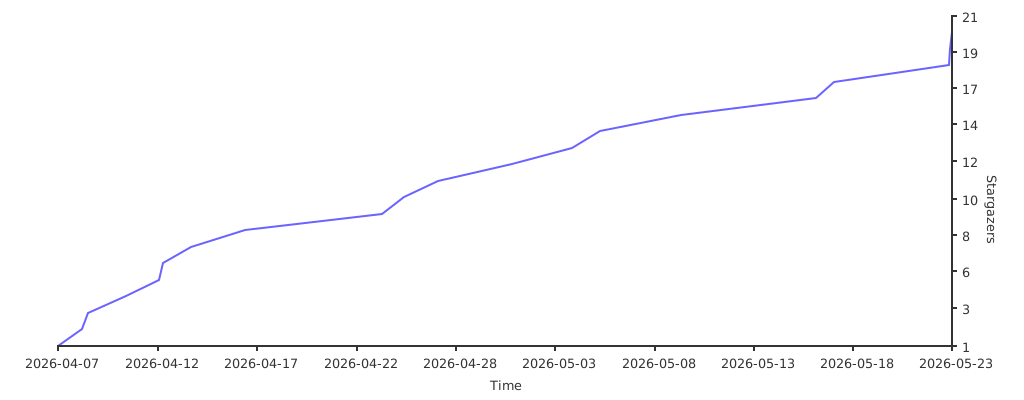
📊 Star Chart
🔀 Forks
OmniRoute — A full-featured TypeScript fork of 9Router. Adds 36+ providers, 4-tier auto-fallback, multi-modal APIs (images, embeddings, audio, TTS), circuit breaker, semantic cache, LLM evaluations, and a polished dashboard. 368+ unit tests. Available via npm and Docker.
🙏 Acknowledgments
n9router is a fork of 9Router by @decolua. All original features, architecture, and providers are their work. This fork adds Token Rotate on top.
Special thanks to CLIProxyAPI - the original Go implementation that inspired the original JavaScript port.
📄 License
MIT License - see LICENSE for details.