
nbp-skillforge
v0.9.0
Published
Compose portable agent skills (SKILL.md / commands) from reusable bricks, with a drift-gate.

Maintainers
 nbpadilha
Readme
nbp-skillforge 🧱



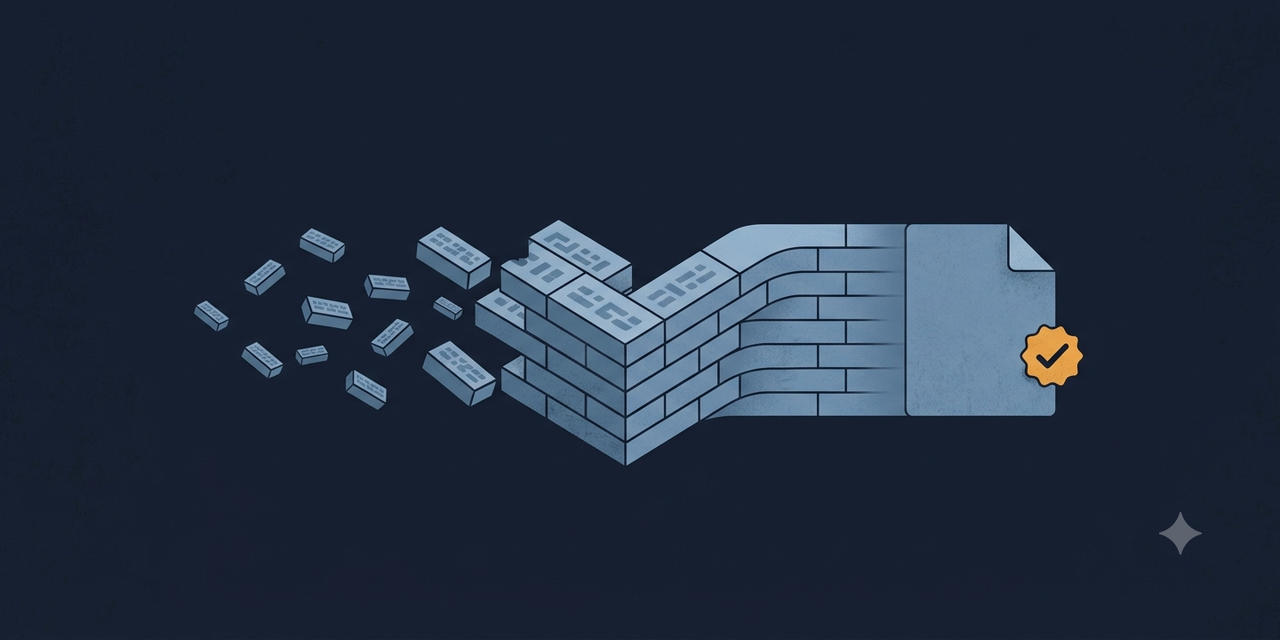
Your agent's skills are prompts copy-pasted across a dozen files, quietly rotting out of sync. Forge them from shared bricks instead: write a step once, reuse it everywhere, and a gate guarantees nothing ever drifts.
Once you run more than a couple of agent skills, keeping them consistent by hand stops being possible. The same "set up a run folder", the same closing checklist, the same result contract — pasted everywhere, edited in one place, forgotten in six. nbp-skillforge makes a library of agent skills as maintainable as real code: one source of truth, a deterministic build, and a drift-gate that makes consistency a guarantee instead of a hope.
Battle-tested in a real codebase where a single brick is reused by 7 skills — one edit instead of seven, ~85% fewer copies. The bigger your skill library gets, the less you can live without this.
Why you'll want it
- One edit, every skill current. Change the brick; every skill that uses it is up to date on the next build. No hunting copies.
- It never ships a drifted skill.
forge checkfails the moment a generated skill diverges from its source — in CI, in your pre-commit hook. "Which copy is right?" stops being a question. - Portable, zero lock-in. Output is a standard, self-contained
SKILL.md/command file — works with Claude Code, Codex, Cursor, and anything that reads the format. No proprietary syntax leaks into it. One recipe set can even build to several destinations at once ("out": [".claude/commands", ".codex/prompts"]) — same skills, N agent platforms, one source of truth. - Shares even fenced content. A plain
<!-- include: … -->inside a code fence stays verbatim (so you can document the syntax), but the bang form<!-- include!: … -->expands everywhere — the escape hatch for factoring duplicated content that lives inside ``` blocks, like subagent prompts. Opt-in per directive, at the point of use. - Pin what you mean to keep.
keep: truein a brick's frontmatter exempts it from every auto-archival sweep (gcandremove, even--hard) — for intentionally-orphan staging bricks. Always reported, never silent; the field is dropped on build and never reaches the output. - Zero runtime dependencies. One small CLI, Node ≥ 18. Nothing to audit, nothing to break.
Adopt in minutes, leave in seconds
The reason it's safe to try: you're never locked in, in either direction.
- Migrating in is incremental and non-destructive. Onboard one skill you already have, build it, done — skills you haven't touched are left exactly as they are. No big-bang rewrite, no flag day. You move at your own pace and stop whenever you like.
- Rolling back is easier still — you do nothing. Every skill the forge builds is a complete, standalone file sitting in your normal
.claude/commands/path. Delete the forge folder (plus its small config file at the repo root) and uninstall the package, and every skill keeps working, untouched and ready — there's no runtime, no format to unwind, nothing to migrate back. The only trace left behind is one harmless comment line at the top of each file.
Install is easy. Uninstall is easier — your skills were never hostages.
Migrating a whole library? One command.
forge onboardreads your existing skills in one pass and shows exactly what it would do — nothing is written until you say--apply. Then it snapshots every original (byte-faithful backup + rollback instructions), migrates them, and a fidelity gate proves each migrated skill rebuilds identical to its original. Add--factorand the sections and blocks that are byte-identical across skills become shared bricks automatically — even blocks inside code fences (swapped via theinclude!:bang form) — still gate-verified, still reverting to verbatim if fidelity would break. Blocks that are almost identical (same first line, diverging body) are surfaced in a near-duplicate report with a mechanical{{param}}suggestion — report-only, nothing written, ready for the assisted step. And because almost-identical isn't identical, near-dups would otherwise stall the mining: add--variantsand each group is materialized as a named variant family (onboarded/<slug>_01,_02, …) — every version kept verbatim as its own gate-verified brick, staged and named for the human round that unifies each family into one{{param}}brick. Skills it can't migrate safely are skipped and reported, never touched. When 100% of your library is governed, strict mode turns on by itself.And for the parts that are similar-but-divergent across skills, there's the assisted step:
forge onboard --install-skilldrops aforge-onboardagent skill into your commands — run it in your agent and it proposes a unified version per group, you approve group by group, and the engine verifies every applied group by execution. The skill is package tooling (marked, ignored by scans, removed automatically when strict mode turns on) — its harness-neutral protocol ships in the package asONBOARD-SPEC.md, so any capable agent can run it.
The idea in one picture
A skill stops being a wall of copied text and becomes a recipe that points to shared bricks. A deterministic build assembles the final file your agent actually reads.
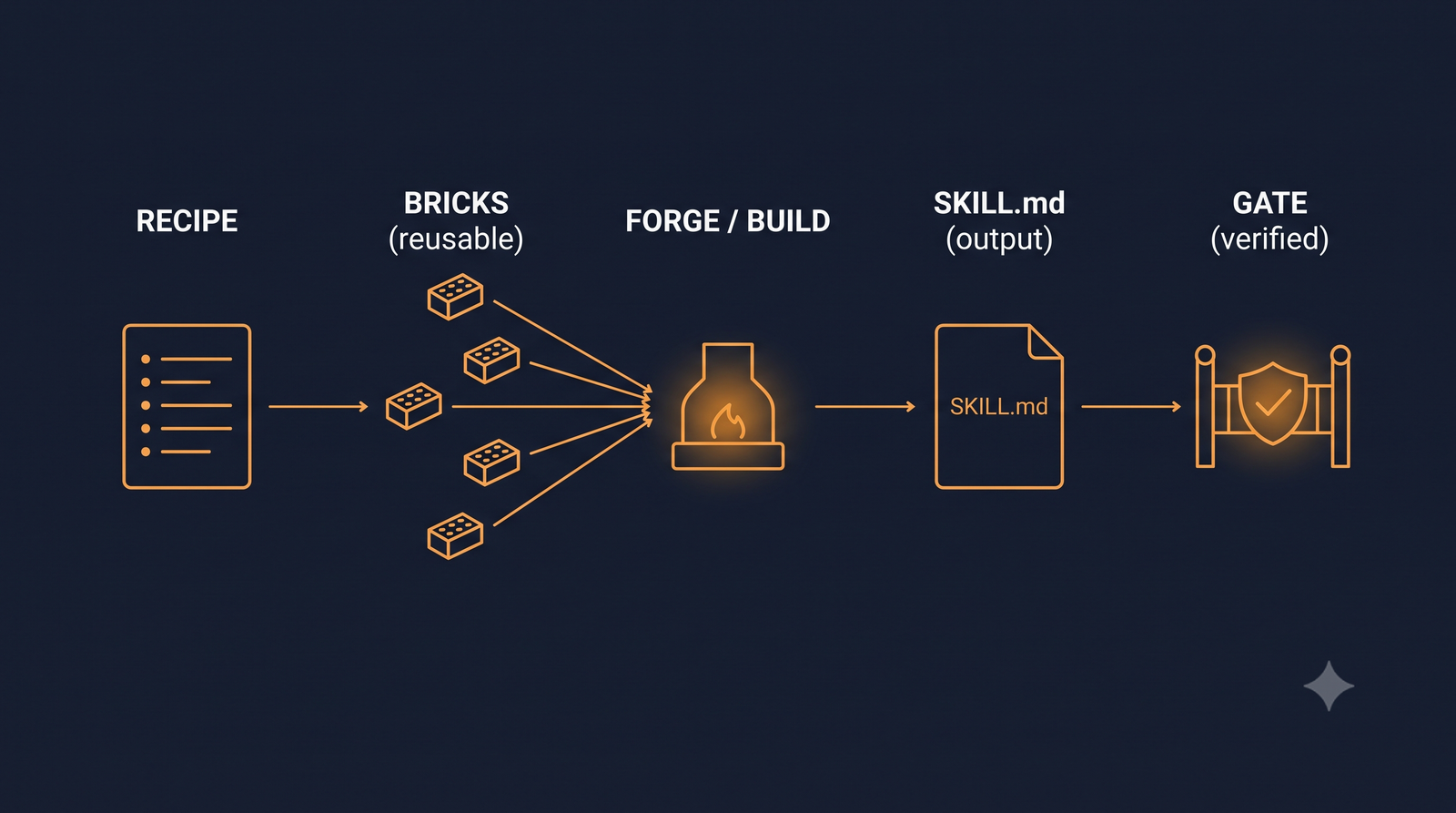
forge/
├─ bricks/     reusable pieces, shared across skills
└─ recipes/    one per skill: its own content + <!-- include: <brick> -->
        ↓  forge build
<out>/<skill>.md   ← generated, self-contained; this is what the agent reads
The golden rule — variation between skills is a parameter the recipe passes, never a forked copy of the brick:
<!-- include: run-dir | skill=fix; flags=--prefix fix --> → {{skill}} / {{flags}} in the brickTwo skills, the same brick, different parameters. One source of truth.
See it in 60 seconds
One "set up a run folder" step, shared by two skills — written once, built into both, and the drift-gate catching a hand-edit before it reaches anyone.
# one brick (bricks/run-dir.md), included by two recipes with different params:
#   recipes/fix.md      →  <!-- include: run-dir | skill=fix -->
#   recipes/feature.md  →  <!-- include: run-dir | skill=feature -->

$ npx nbp-skillforge build
✔ build: 2 written, 0 unchanged.     # both skills now carry the same step, parameterized

$ echo "rogue tweak" >> .claude/commands/fix.md   # someone hand-edits a generated file…
$ npx nbp-skillforge check
✗ check failed (1 drift, 0 orphans).
  • drift: .claude/commands/fix.md is out of sync with its recipe (first difference at line 9: expected "", found "rogue tweak")   # ← your CI fails right here
Fix it the right way — edit the brick, run build, and both skills update at once.
Try the runnable version:
npx nbp-skillforge build --root examplesthennpx nbp-skillforge check --root examples.
Quick start
npx nbp-skillforge init          # scaffold config + dirs + a sample skill, install the pre-commit hook
npx nbp-skillforge build         # generate skills from recipes + bricks
npx nbp-skillforge check         # drift-gate: exit 1 if any output diverged (for CI / pre-commit)
npx nbp-skillforge onboard       # migrate an existing skill library: dry-run report; --apply executes
npx nbp-skillforge import <file> # onboard a single existing SKILL.md/command as a recipe, then `build`
npx nbp-skillforge expand <name> # preview (write nothing): a recipe's full output, or a brick + --params
npx nbp-skillforge promote <r> --to <brick> --heading "### X"  # extract a section into a reusable brick + include (byte-identical or it reverts)
npx nbp-skillforge help          # every command; `help <command>` for one
# prefer a global install? npm i -g nbp-skillforge  →  then just `nbp-skillforge build`
A complete runnable project lives in examples/. Setting it up with an AI agent? Hand it AGENTS-SETUP.md — an idempotent, verify-as-you-go runbook that runs the whole adoption autonomously.
🇧🇷 Fala português? Guia passo a passo simples (instalar, migrar, manter, remover):
docs/GUIA-PT.md.
CLI-only. It's a command-line tool, not a library — no public API, no shipped types. Drive it with the commands above (or your
package.jsonscripts / CI).
Safe by default
- Generated files are never hand-edited — you manage skills through the forge, and the drift-gate enforces it.
- Removing a skill never deletes a shared brick. Ownership is by reference count; a brick used by several skills belongs to none and is never touched.
- Soft-delete by default.
remove/gcarchive to_archive/(recoverable viaforge restoreor plain git); opt into hard deletes only if you want them. - Pinned bricks are never auto-archived. A brick with
keep: truein its frontmatter survivesgc's orphan sweep andremove's exclusive-brick sweep — even with--hard— and the keep is always reported (pinnedalso appears in the--jsonresults). - A stale binary can't write a broken skill. If a directive an older install doesn't understand would otherwise be emitted verbatim,
buildfails instead — andforge.config.json's optionalminVersionrefuses an under-version binary up front. See F-40 inSPEC.md. - Promoting a section can't corrupt a skill.
forge promoteextracts a recipe section into a brick under an all-or-nothing byte-identity gate: if the round-trip wouldn't be identical, everything reverts — recipe restored verbatim, the new brick deleted. It never overwrites an existing brick (no--force). - A pre-commit hook (installed by
init, best-effort, never clobbers an existing hook) runs the drift-gate and a basic secret scan before every commit — see Pre-commit hook below.
The full command lifecycle, forge.config.json options, conformance rules, --json output shapes, and the safety/boundary model are documented in SPEC.md. Common adoption pitfall and the shared-brick blast radius: SETUP.md · SECURITY.md. Visual overview: docs/architecture.html.
Pre-commit hook
init (or forge install-hooks) installs a shim in .git/hooks/pre-commit that delegates to the
versioned scripts/hooks/pre-commit shipped with the package: secret scan + drift-gate, checked
against the staged index, resolved local-only. It never clobbers a hook it didn't install.
Maintaining your own pre-commit hook instead? Resolve the forge binary locally — never via
npx. npx --no-install is silently ignored on npm ≥ 9, so npx nbp-skillforge check in a
hook can hit the npm registry on every commit — hanging when you're offline, or fetching an
arbitrary version and running it at commit time. This is the canonical LOCAL-ONLY resolution
(mirroring the shipped hook):
#!/bin/sh
# LOCAL-ONLY resolution — prefer the project-local bin, fall back to PATH, else skip.
if [ -x "node_modules/.bin/nbp-skillforge" ]; then
  forge_bin="node_modules/.bin/nbp-skillforge"
elif command -v nbp-skillforge >/dev/null 2>&1; then
  forge_bin="nbp-skillforge"          # global / PATH install
else
  echo "· drift-gate skipped: nbp-skillforge CLI not found locally (npm i -D nbp-skillforge to enable it)"
  exit 0                              # the hook must never block commits when the tool isn't installed
fi
"$forge_bin" check || exit 1
install-hooks also nudges you here: when it refuses to replace a foreign hook (no --force)
and that hook calls the forge via npx (old nbp-forge name included), it appends this pointer
to the refusal message — non-fatal, your hook is left untouched.
Why this exists
The open agentskills standard defines the portable SKILL.md format — but has no composition/includes, and linters validate the spec, not content drift between a fragment and the skill. Prompt-templating tools (Jinja, LangChain) compose prompts, not skills. nbp-skillforge fills the gap: deterministic composition + a drift-gate, on top of the standard.
License
MIT © Nikolas Padilha