
neural-amp-modeler-wasm
v2.0.1
Published
Neural Amp Modeler WebAssembly React Component

Maintainers
 tone3000
Readme
Neural Amp Modeler WebAssembly React Component
This is a TONE3000 fork of Steve Atkinson's Neural Amp Modeler Core DSP library, adapted to run Neural Amp Modeler inference in web browsers using WebAssembly. This enables real-time audio amp modeling directly in the browser without native plugins.
Version 2 uses a lightweight single-threaded wasm engine instantiated inside an AudioWorklet — an architecture inspired by openDAW's NAM integration. There is no SharedArrayBuffer, no COOP/COEP header requirement, and no separate wasm files to host: everything ships inside this package. See the CHANGELOG for the v1 → v2 migration notes.
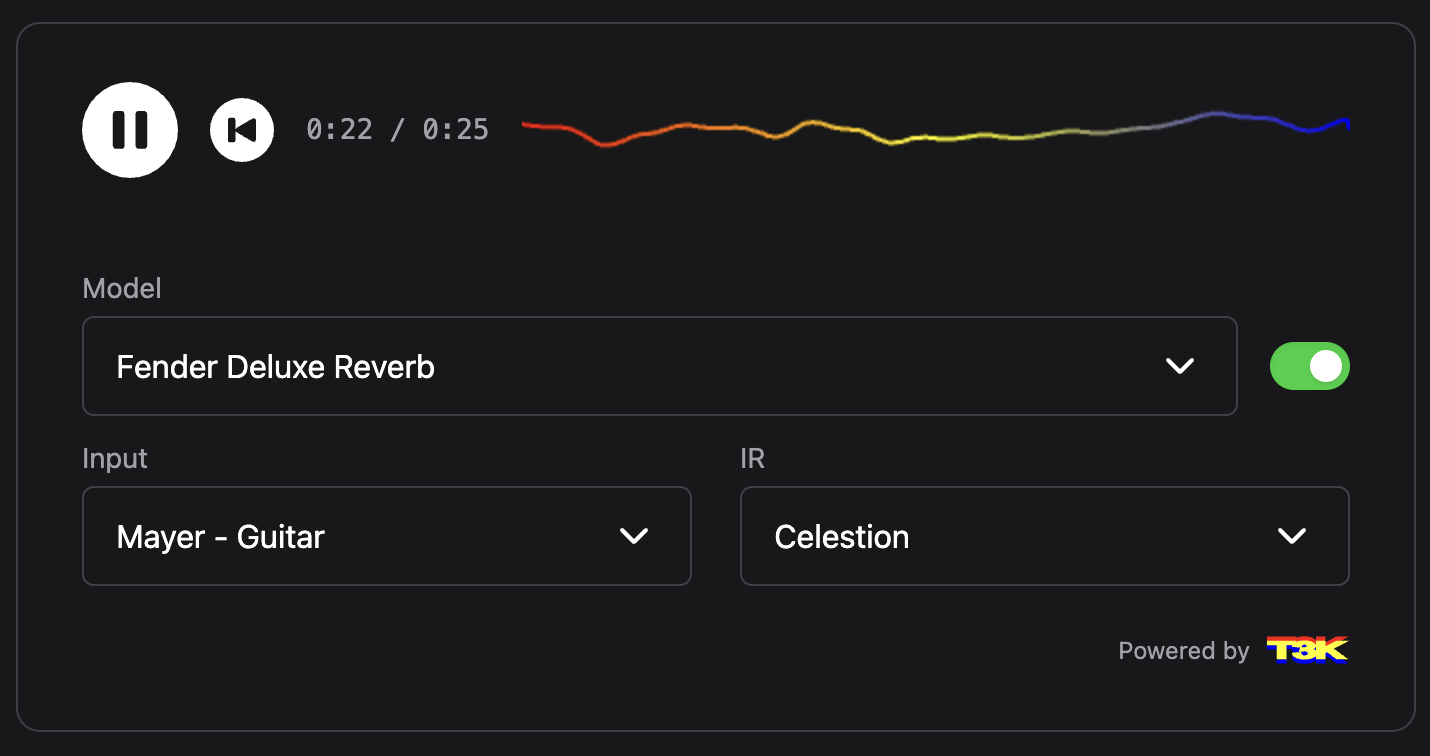
Installation
npm install neural-amp-modeler-wasmNo additional file hosting or server headers are required. The engine assets (nam-worklet.js, nam-engine.wasm) are part of the package and are located automatically via import.meta.url, which every major bundler (Vite, webpack 5, Next.js, Rollup) resolves to hashed static assets.
Usage
import {
  T3kPlayer,
  T3kPlayerProvider,
  PREVIEW_MODE,
} from 'neural-amp-modeler-wasm';
import 'neural-amp-modeler-wasm/dist/styles.css';

function App() {
  return (
    <T3kPlayerProvider>
      <T3kPlayer
        models={[
          {
            name: 'Vox AC10',
            url: 'https://raw.githubusercontent.com/tone-3000/neural-amp-modeler-wasm/refs/heads/main/ui/public/models/ac10.nam',
            default: true,
          },
          {
            name: 'Fender Deluxe Reverb',
            url: 'https://raw.githubusercontent.com/tone-3000/neural-amp-modeler-wasm/refs/heads/main/ui/public/models/deluxe.nam',
          },
        ]}
        irs={[
          {
            name: 'None',
            url: '',
          },
          {
            name: 'Celestion',
            url: 'https://raw.githubusercontent.com/tone-3000/neural-amp-modeler-wasm/refs/heads/main/ui/public/irs/celestion.wav',
            default: true,
          },
          {
            name: 'EMT 140 Plate Reverb',
            url: 'https://raw.githubusercontent.com/tone-3000/neural-amp-modeler-wasm/refs/heads/main/ui/public/irs/plate.wav',
            mix: 0.5, // Optional: wet/dry mix (0-1)
            gain: 1.0, // Optional: gain adjustment
          },
        ]}
        inputs={[
          {
            name: 'Mayer - Guitar',
            url: 'https://raw.githubusercontent.com/tone-3000/neural-amp-modeler-wasm/refs/heads/main/ui/public/inputs/Mayer%20-%20Guitar.wav',
            default: true,
          },
          {
            name: 'Downtown - Bass',
            url: 'https://raw.githubusercontent.com/tone-3000/neural-amp-modeler-wasm/refs/heads/main/ui/public/inputs/Downtown%20-%20Bass.wav',
          },
        ]}
        previewMode={PREVIEW_MODE.MODEL}
        isLoading={false}
        onPlayDemo={({ model, ir, input }) => {
          console.log('Playing with:', { model, ir, input });
        }}
        onPlayLive={({ model, ir, device }) => {
          console.log('Playing live with:', { model, ir, device });
        }}
        onModelChange={model => {
          console.log('Model changed to:', model);
        }}
        onInputChange={input => {
          console.log('Input changed to:', input);
        }}
        onIrChange={ir => {
          console.log('IR changed to:', ir);
        }}
      />
    </T3kPlayerProvider>
  );
}
T3kPlayerProvider owns the AudioContext, the wasm engine, and the settings dialog (microphone/device selection), shared by all players on the page.
If your bundler cannot resolve new URL(..., import.meta.url) assets, copy dist/engine/nam-worklet.js and dist/engine/nam-engine.wasm to your static directory and point the provider at them:
<T3kPlayerProvider engineAssets={{ assetBaseUrl: '/engine/' }}>Component Props
The T3kPlayer component accepts the following props:
models
Array of model objects, each containing:
name: Display name for the modelurl: URL to the NAM model filedefault: Optional boolean to mark as default selection
irs
Array of IR (Impulse Response) objects, each containing:
name: Display name for the IRurl: URL to the IR file (use empty string for "None")mix: Optional wet/dry mix ratio (0-1)gain: Optional gain adjustmentdefault: Optional boolean to mark as default selection
inputs
Array of input audio objects, each containing:
name: Display name for the inputurl: URL to the audio filedefault: Optional boolean to mark as default selection
previewMode
Optional enum value to control the preview mode:
PREVIEW_MODE.MODEL: Show model selection interface (default)PREVIEW_MODE.IR: Show IR selection interface
isLoading
Optional boolean to show loading state
slimSize
Optional number in [0.0, 1.0] applied to slimmable (A2) models. NAM core
selects the first submodel whose size breakpoint exceeds this value — e.g.
with breakpoints [0.5, 1.0], slimSize={0.5} runs the mid-size submodel and
values above 0.5 run the full model. Omit to always run models at full size.
Non-slimmable (A1) models ignore the prop.
<T3kPlayer slimSize={0.5} models={...} />Event Callbacks
onPlayDemo
Callback function triggered when demo audio playback starts (playing from a pre-recorded input file):
onPlayDemo?: ({ model, ir, input }: {
  model: Model,
  ir: IR,
  input: Input
}) => void;
onPlayLive
Callback function triggered when live mode playback starts (playing from microphone/live input):
onPlayLive?: ({ model, ir, device }: {
  model: Model,
  ir: IR,
  device: string | null  // configured microphone/interface name
}) => void;
onModelChange
Callback function triggered when model selection changes:
onModelChange?: (model: Model) => void;onInputChange
Callback function triggered when input selection changes:
onInputChange?: (input: Input) => void;onIrChange
Callback function triggered when IR selection changes:
onIrChange?: (ir: IR) => void;Engine API (no React)
The underlying engine is exported for applications that build their own audio graphs:
import { NamEngine } from 'neural-amp-modeler-wasm/engine';

const ctx = new AudioContext();
const engine = await NamEngine.attach(ctx); // registers worklet, fetches wasm

const node = await engine.createNode(); // an AudioWorkletNode subclass
source.connect(node).connect(ctx.destination);

const info = await node.loadModel(namFileJsonString, { slimSize: 0.5 });
console.log(info); // { hasLoudness, loudness, expectedSampleRate, slimmable, ... }

node.dispose(); // frees the wasm instance
NamEngine.attach(ctx, assets?)— one engine per AudioContext; the wasm module is instantiated once inside the worklet scope.engine.createNode()— each node is an independent NAM instance (own model, own state) processed inside the shared module.node.setSlimSize(size)— re-slim a loaded slimmable model without reloading it (no-op for non-slimmable models).node.unloadModel()— drop the model; the node passes audio through unchanged until the next load.NamNodePool— LRU pool for UIs that render many players but play one at a time:pool.acquire(key)reuses a node already holding that player's model and evicts the least recently used node abovemaxNodes.
Requirements
- A browser with AudioWorklet and wasm exception support (all evergreen browsers, Safari ≥ 15.2).
- No special server headers. (v1 required COOP/COEP for SharedArrayBuffer; v2 does not use SharedArrayBuffer.)
Development
This package is part of the neural-amp-modeler-wasm project, which includes the wasm engine sources and build. See the main repository for the project structure and development setup.
Credits
- Steve Atkinson's NeuralAmpModelerCore — the DSP library this fork builds on.
- openDAW by André Michelle — the single-module AudioWorklet architecture that v2's engine is based on.
- Kutalia's NeuralAmpModelerCore_WASM — prior art for JSON-string model loading in wasm builds.
License
MIT