
nfa-scaffold-generate
v1.0.1
Published
Build an entire React application in one command.


Readme
react-scaffold-generate
Build an entire React application in one command.
NPM: https://www.npmjs.com/package/react-scaffold-generate
Live DEMO: LIVE DEMO: http://rsg.drewweth.com
About
This project is a port of rails scaffold generate for React. You can learn more about Rail's scaffold generator here. I mainly used it for its MVC (model, view, controller) generator. It abstracted CRUD operations, form generation, form validation, list-detail presentation pages, database migrations, SQL queries through ActiveRecord, and styling all with one command.
This project leverages file templating, dynamic form generation, routing and CRUD state management to apply those concepts to React and supercharge any project by skipping lots of boilerplate setup. Create an entire app in one command.
Here is a deployed demo of what react-scaffold-generate can do after one command: http://rsg.drewweth.com
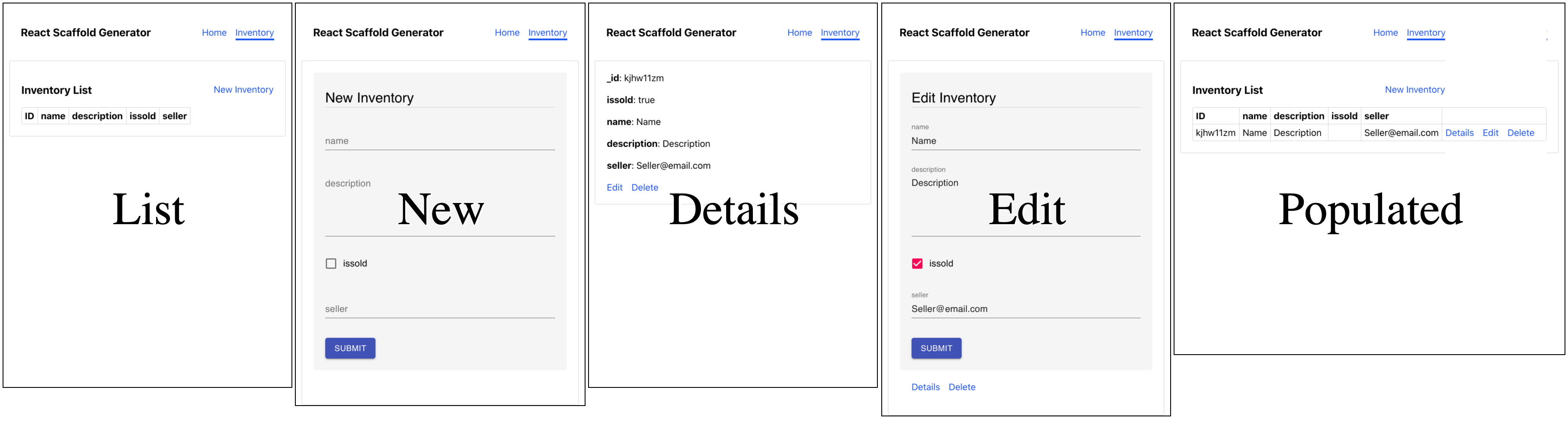
Here we're creating all the files required to manage an "Inventory" object.
Below is a picture of 5 different pages created by the generator to manage state of a model.
Example usage:
Npm package: https://www.npmjs.com/package/react-scaffold-generate
Install templating
npm install -g react-scaffold-generateCreate new React app
# Create new app called example-app
npx create-react-app example-app
# Change working directory to example-app
cd example-app
# Create component Template for Inventory with 4 attributes
react-scaffold-generate generate Inventory \
name:string \
description:string:textarea \
isSold:boolean \
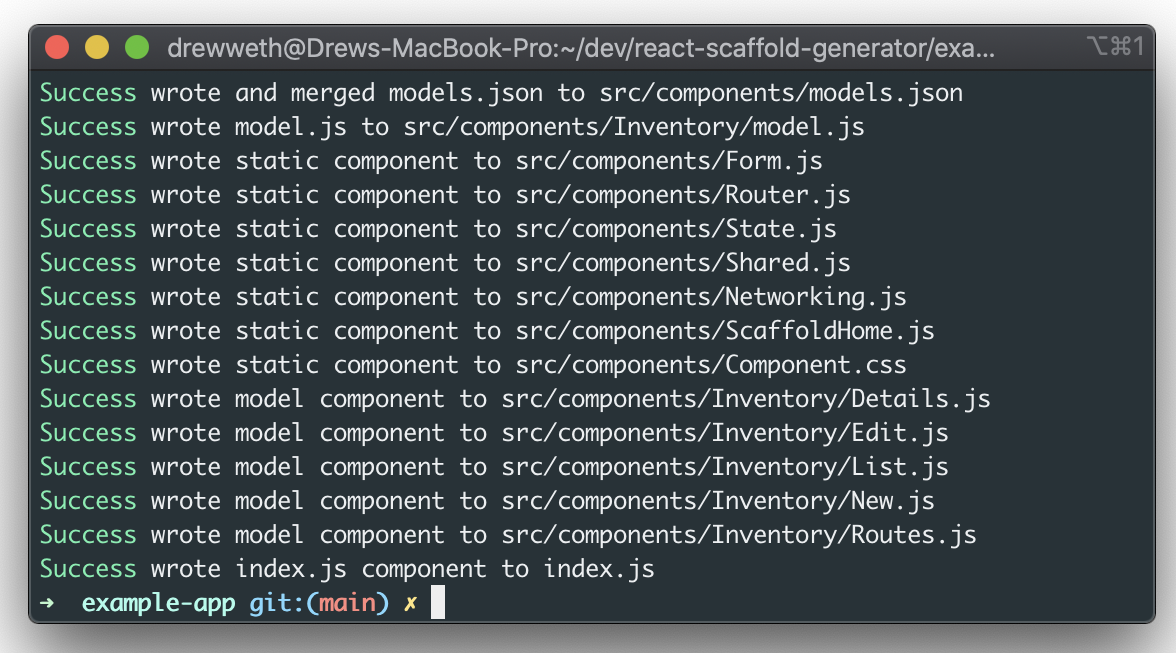
seller:string:emailThe output will be:
Success wrote and merged models.json to src/components/models.json
Success wrote model.js to src/components/Inventory/model.js
Success wrote static component to src/components/Form.js
Success wrote static component to src/components/Router.js
Success wrote static component to src/components/State.js
Success wrote static component to src/components/Shared.js
Success wrote static component to src/components/Networking.js
Success wrote static component to src/components/ScaffoldHome.js
Success wrote static component to src/components/Component.css
Success wrote model component to src/components/Inventory/Details.js
Success wrote model component to src/components/Inventory/Edit.js
Success wrote model component to src/components/Inventory/List.js
Success wrote model component to src/components/Inventory/New.js
Success wrote model component to src/components/Inventory/Routes.js
Success wrote index.js component to index.js
Install dependencies used by react-scaffold-generate
# Used for browser routing, very common React dependency
npm install --save react-router-dom
# Used for form generation form UI and css
npm install --save @rjsf/material-ui
# Dependency for notifications
npm install --save react-notifications
Part of the templating overwrites index.js which replaces <App> with <Router> from src/components/Router.js.
Last step, start example app
npm startCommand Arguments
react-scaffold-generate generate [ModelName] [list of attributeName:attributeType:atributeFormat
The list of attributes for a model can be the following:
Type | Format | Description
--- | --- | ---
boolean | | for button true/false
boolean | select | for separate true and false
string | | for string
string | email | for @ and . domain
string | uri | protocol://domain
string | data-uri | file as UTC8
string | date | local date
string | date-time | local date and yyyy/mm/dd
string | password | dont display input
string | color | color picker serialized to hex code
string | textarea | paragraphs amount of text
number | | double
number | updown | increment & decrement
number | range | between min/max
integer | | integer value
more details on react-jsonschema-form types
After generating the model, you can go to src/components/MODEL_NAME/model.js to inspect and change the model definition which includes fields, types, display format, and whether the field is required or not (default not required, i.e. false)
Internal Structure (What's going on)
- There are a set of common files and model specific files. The common files will be generated to
src/componentsand contain logic for state management, app router, dynamic form component, and more. - The model specific files are generated at
src/components/MODEL_NAMEand contain components for state actions (list, detail, edit, new), a route components which contains the routing details for the model, and amodel.jswhich holds the schema of the model in JSON form. - There is
models.jsonfile that contains a list of keys with the name of models created with scaffold. This file is used to created the Navbar, dynamically import routes, and is merged whenreact-scaffold-generateis run. - Currently' all common files (including
Components.css) and the model specific directory contents (includingmodel.js) are overwritten when the generator runs (I have not added a flag to prevent this). Please use git so you can revert your custom logic and styling, just in case.
Local Development
Clone this repo then run:
# Install dependencies
npm i
# Creates example-app, runs react-scaffold-generate, installs extra dependencies
npm run setup
# Runs templater and example-app
npm run watch
setup makes an example-app and installs dependencies in that directory. watch reloads the templates and example-app when templates or cli.js are updated.
Contributing
Fork the repository and open a pull request
https://github.com/firstcontributions/first-contributions
For feature discussions or questions, open an issue on Github and label it discussion.