
ng-data-picker
v0.1.5
Published
A data picker that like iOS native datetime picker based on Angular 4+


Readme
ng-data-picker 
🏄🏾 A Data Picker for Angular 4+






Let's more easily select some data on the touch screen device, such as time / city / gender / seat number / product / ...
Examples
See branch gh-pages for all code of extant examples and environment.
| Demo | Level | Code | | :-------- | :--------- | :-------- | | gender | ★ | gender.component.ts | | product | ★★ | product.component.ts | | date-time | ★★★ | date-time.component.ts |
Take a look
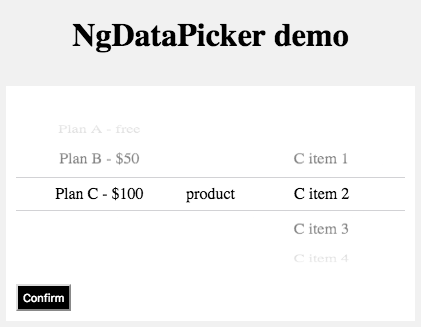
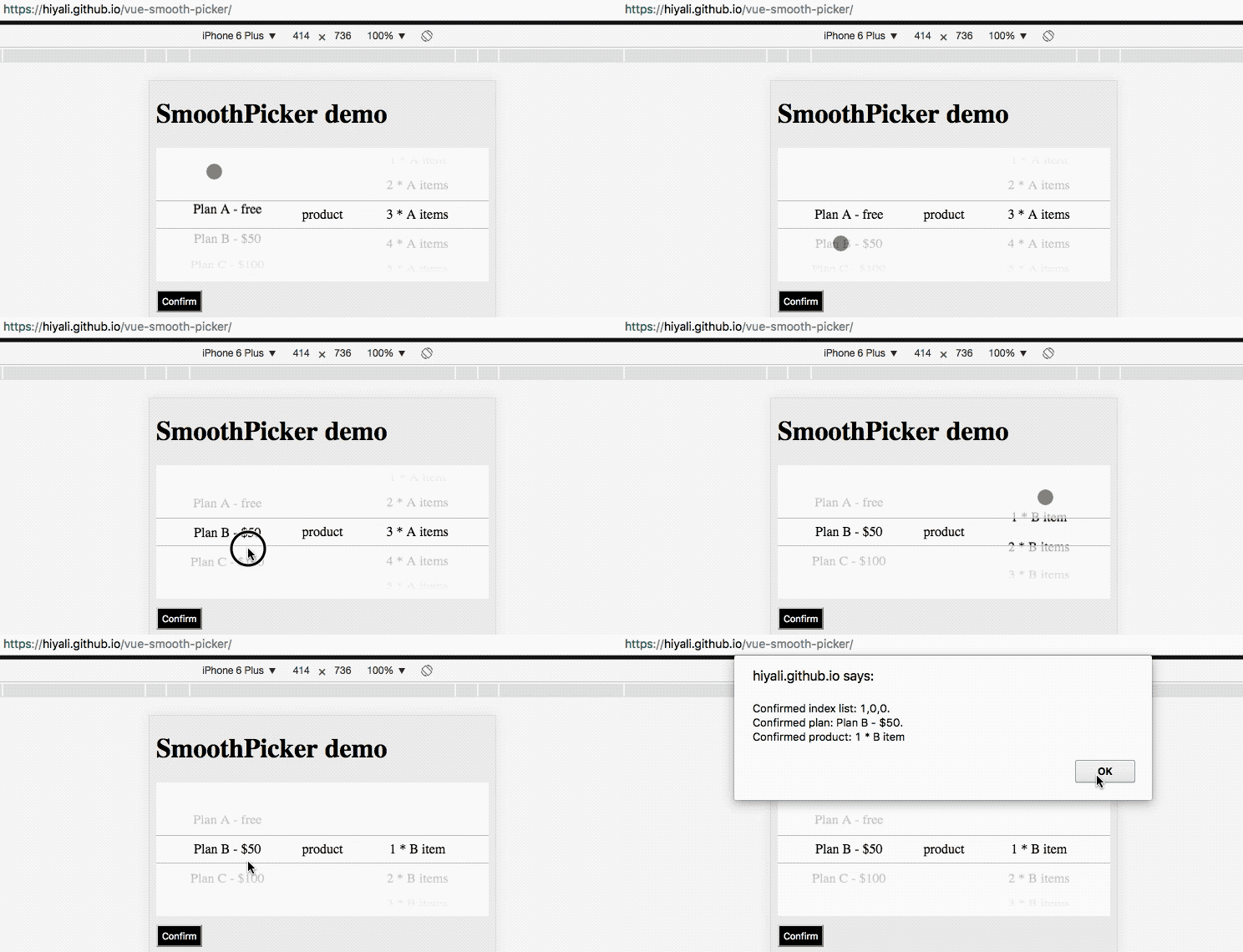
⚠️ Below gif is a temporary used from vue version of this picker. will be updated soon.
Install
yarn add ng-data-pickeror
npm i -S ng-data-pickerUsage
Quick look
app.module.ts
import { NgModule, NO_ERRORS_SCHEMA } from '@angular/core'
import { DataPickerComponent } from 'ng-data-picker'

@NgModule({
  ...
  declarations: [
    DataPickerComponent
  ],
  schemas: [
    NO_ERRORS_SCHEMA // for third party component
  ],
  ...
})
app.component.ts
export class AppComponent {
  data = [
    {
      list: ['sun', 'earth', 'moon']
    }
  ]

  change ({ gIndex, iIndex }) {
    console.log(gIndex, iIndex)
  }
}
app.component.html
<ng-data-picker [data]="data" (change)="change($event)"></ng-data-picker>⚙️ Props
| name | type | default | explain |
| :------------------------- | :--------- | :------------ | :------------------------------- |
| change | Function | ({gIndex,iIndex})=>{} | Callback after which group's current index changed, pass two arguments, group index gIndex and item index iIndex |
| data | Array | [] | Picker initial data |
| data[i].currentIndex | Number | 0 | Current index of this group's list |
| data[i].weight | Number | 1 | Group weights in parent width 1..12 |
| data[i].list | Array | - | List of the group |
| data[i].list[j] | String or Object | - | Item in the list of group, use value key when it is a object item |
| data[i].onClick | Function | - | Click event on the middle layer of this group, pass two arguments that group index gIndex and selected index iIndex of this group |
| data[i].textAlign | String | - | start center end justify left right nowrap wrap |
| data[i].className | String | - | Your custom class name for this group |
| data[i].divider | Boolean | false | If it is true, then onClick list currentIndex will not be used |
| data[i].text | String | - | Just use this text when divider is true |
🔨 Instance methods
| name | type | explain |
| :------------------------- | :--------- | :------------------------------- |
| setGroupData | Function (gIndex,gData)=>void | Dynamically set a group data with two arguments (gIndex, gData), group index and group data (see props data[i]) |
| getCurrentIndexList | Function ()=>[] | Return a Array of the groups current index list (has divider current index, and it is default to 0) |
| getGroupsRectList | Function ()=>void | Get some info for gesture, you can call this function when the component displayed if the component is hidden when it's initialization |
Development
npm start # development
npm run build:prod # build for production
npm run prepare # build for third party
Any problem?
Please let me know.
Is it useful?
🌚 Donate A github star ⍟
License
MIT