
ng-graphic-editor
v0.1.1
Published
angular 11 实现的一个可外部注入组件和组件设置的页面编辑器


Readme
ng-graphic-editor
基于angular11实现一个拖拽组件实现界面的工具库,可外部注入组件和设置,并提供绑定数据源功能
Demo
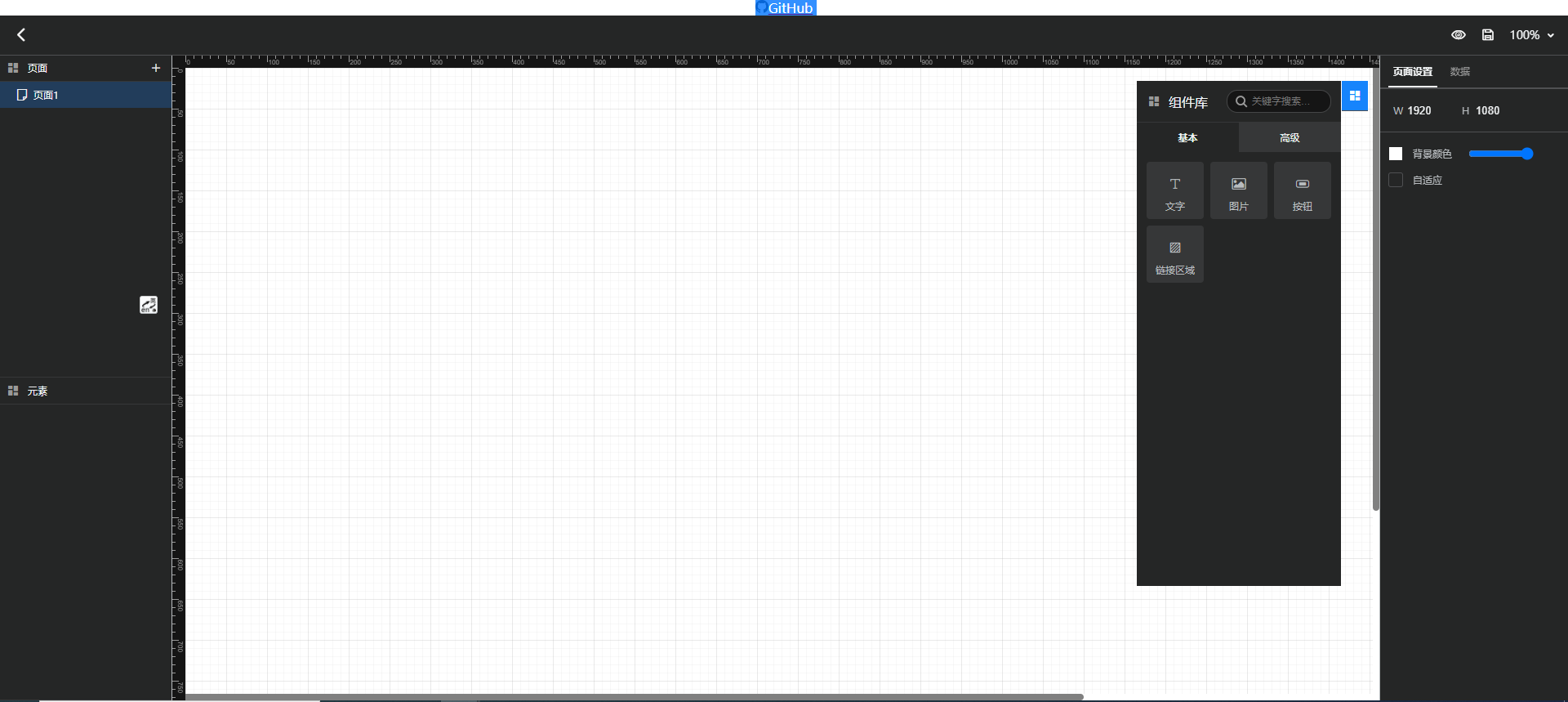
install
npm i ng-graphic-editorimport
    import: [
        ...,
        GraphicEditorModule.forRoot()
    ],
    providers: [
        // 注入组件Widget[]
        { provide: WIDGET_LIST, useValue: widgets },
        // 注入组件配置WidgetSetting[]
        { provide: WIDGET_SETTING_LIST, useValue: widgetSettings }
        // 注入保存获取页面服务,实现IGraphicEditorService,不提供使用默认存储indexdb
        { provide: EDITOR_SERVICE, useFactory: () => new AppService() },
    ]
@import '~ng-graphic-editor/src/iconfont/iconfont.scss'; html use
    // 编辑器
    <div>
        <ng-graphic-editor></ng-graphic-editor>
    </div>
// 直接显示页面 Page
<div>
<ng-graphic-view [page]="page"></ng-graphic-view>
</div>how to create widget and use data
    export class ChartComponent
    extends BaseWidgetContent
    implements OnInit, AfterViewInit
    {
        ...
        // 组件默认显示配置
        widgetData: ChartWidgetData = {
            setting: {
            background: { fill: true, color: '#efefef' },
            radius: 4,
            border: {
                fill: true,
                color: '#efefef',
                style: 'solid',
                width: 1,
            },
            },
        };
        ...

        constructor(
            private widgetSrv: WidgetService
        ) {
            super();
        }

        ngOnInit(): void {}
        ngAfterViewInit(): void {
            this.widgetSrv.onDataChange().subscribe(() => {
                // can use this.data here
                const data = this.data;
                ...
            });
        }
        ...
how to create widget setting
    export class ChartSettingComponent implements OnInit {
        // ref为组件实例,具体可取属性看WidgetComponent
        constructor(public ref: ComponentRef<WidgetComponent>) {}
        ...
        // 标记页面改变,每个属性修改变化时调用一下,否则可能导致页面获取不到变化无法保存修改的属性
        emitChange(): void {
            this.ref.instance.page._modified = true;
        }
    }
some type
    export interface IGraphicEditorService {
        addPage(): Observable<Page>;
        updatePage(pages: Page[]): Observable<any>;
        deletePage(page: Page): Observable<any>;
        getPageById(id: number): Observable<Page>;
        getAllPages(): Observable<Page[]>;
    }
export type Page = {
id: number;
name?: string;
style: PageStyle;
widgets?: { type: string; style: WidgetStyle; widgetData?: WidgetData }[];
dataSetting?: DataSetting[];
};
export type PageStyle = {
width: number;
height: number;
backgroundColor: string;
adaptive?: boolean;
}; export type Widget = {
/** 组件类别 */
category: WidgetCategory | string;
/** 显示名称 */
name: string;
/** 部件类型 */
type: string;
/** 部件初始宽度 */
width?: number;
/** 部件初始高度 */
height?: number;
/** 工具栏显示图标 */
icon?: string;
/** 部件类 */
component: any;
/** 设置 */
settings?: WidgetSetting[];
};
// @example
// {
// category: WidgetCategory.Advanced, // Basic,Advanced or custom string
// name: '图表',
// icon: 'icon-chart',
// type: 'chart',
// width: 100,
// height: 100,
// component: ChartComponent,
// settings: [ // 设置集合,可多个设置组合
// {
// type: 'chart',
// name: '图表',
// component: ChartSettingComponent
// },
// 'appearance', // apperance-外观设置,text-文本, image-图片
// ],
// }, export type WidgetSetting =
{
type: string;
name?: string;
component: any;
}
| string;
// @example
// {
// type: 'image',
// name: '图片',
// component: ImgSettingComponent,
// }, export type WidgetData<T = any> = {
id?: number;
// 后续用作组件命名,暂未使用
name?: string;
// 常规设置
setting: T;
// 事件设置
events?: EventListener[];
// 数据源设置
dataSetting?: DataSetting[];
};