
ngp-talkify
v2.4.0
Published
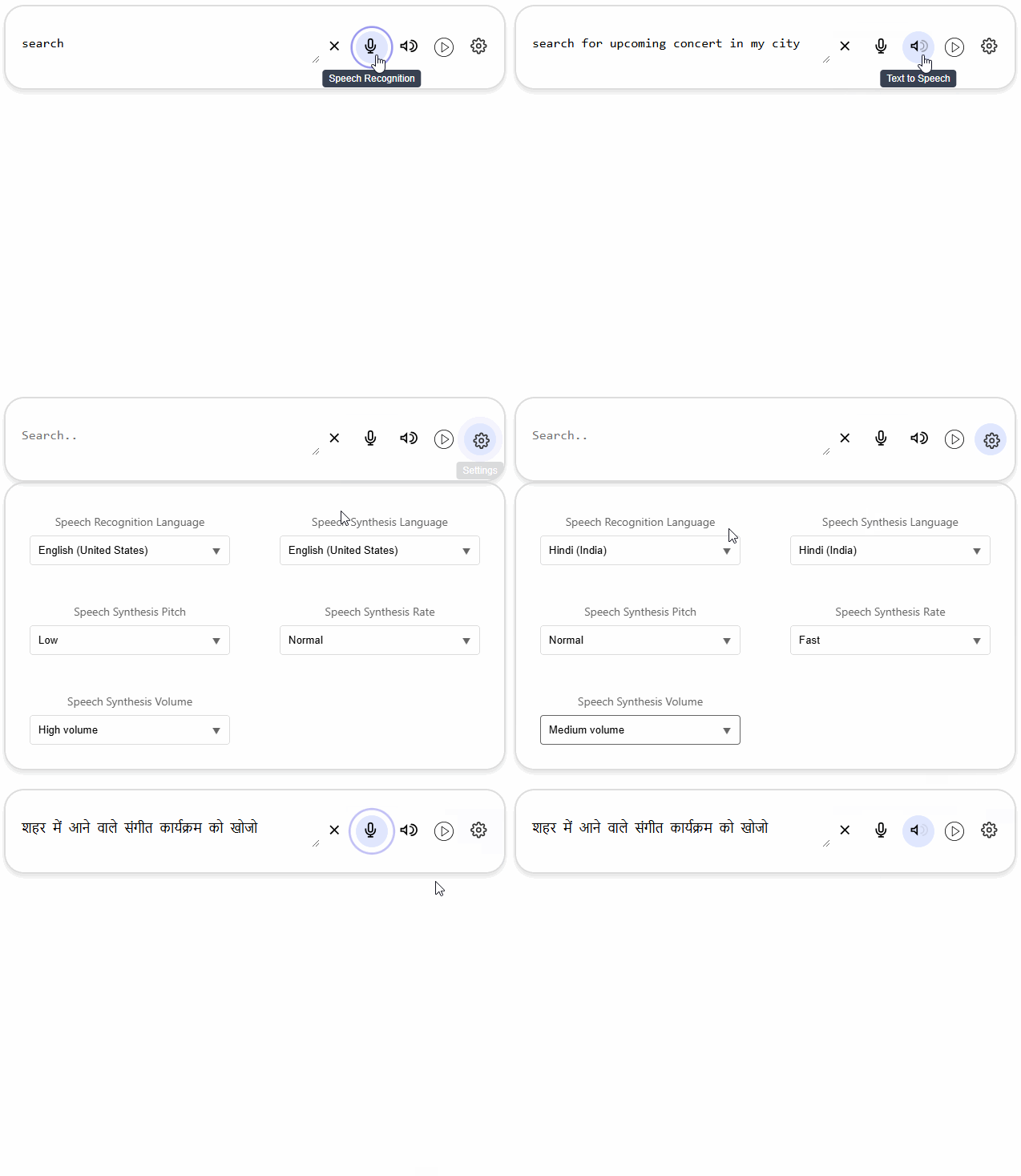
`NgpTalkify` is an Angular library that provides speech recognition, text-to-speech functionality, and persistent settings management. It offers an intuitive UI component and service utilities for seamless integration with your Angular applications.


Readme
NgpTalkify Library
NgpTalkify is an Angular library that provides speech recognition, text-to-speech functionality, and persistent settings management. It offers an intuitive UI component and service utilities for seamless integration with your Angular applications.
Features
- Speech Recognition: Convert spoken words to text using the browser's microphone.
- Text-to-Speech: Synthesize speech from text with configurable pitch, rate, and volume.
- Persistent Settings: Store and retrieve user configurations using Local Storage, Session Storage, or Cookies.
- Multilingual Support: Support for various languages in both recognition and synthesis.
Installation
To install the library, use npm:
npm install ngp-talkifyUsage
1. Import the Module
In your Angular application, import the NgpTalkifyModule in the desired module:
import { NgpTalkifyModule } from 'ngp-talkify';

@NgModule({
  declarations: [...],
  imports: [
    NgpTalkifyModule,
    ...
  ],
})
export class AppModule {}
2. Add the Component in HTML
Include the NgpTalkifyComponent in your template:
<lib-ngp-talkify (textProcessed)="onTextProcessed($event)"></lib-ngp-talkify>Handle the textProcessed event in your component:
onTextProcessed(text: string | null): void {
  console.log('Processed Text:', text);
}
3. Service Usage
Inject NgpTalkifyService to utilize its functionalities:
import { NgpTalkifyService } from 'ngp-talkify';

constructor(private ngpTalkifyService: NgpTalkifyService) {}

ngOnInit() {
  this.ngpTalkifyService.getLanguages().subscribe(languages => {
    console.log('Available Languages:', languages);
  });
}
API Documentation
NgpTalkifyComponent
Inputs: None.
Outputs:
textProcessed: Emits processed text when recognition is complete.
Methods:
toggleRecognition(): Starts or stops speech recognition.speakText(): Converts input text to speech.togglePopup(): Shows or hides additional settings.processText(): Processes the current input text.
NgpTalkifyService
- Methods:
startRecognition(callback: (text: string) => void): Start speech recognition.stopRecognition(): Stop speech recognition.getLanguages(): Fetch supported languages for speech recognition.getSpeechSettings(type: string): Fetch pitch, rate, and volume settings.speakText(text: string): Speak the provided text.loadSettings(): Load user settings from storage.
NgpWebStorageService
- Methods:
setLocalStorage(key: string, value: ISettings | null): Save settings to Local Storage.getLocalStorage(key: string): Retrieve settings from Local Storage.setCookie(key: string, value: ISettings | null, expirationDays: number): Save settings in Cookies.getCookie(key: string): Retrieve settings from Cookies.
Interfaces
ISettings
speechRecognitionLanguage: string: Selected recognition language.speechSynthesisLanguage: string: Selected synthesis language.speechSynthesisPitch: number: Pitch for speech synthesis.speechSynthesisRate: number: Rate for speech synthesis.speechSynthesisVolume: number: Volume for speech synthesis.
ISettingOption
key: string: Setting key.value: number: Setting value.
Example
Here's a basic usage example:
import { Component } from '@angular/core';

@Component({
  selector: 'app-root',
  template: `
    <lib-ngp-talkify (textProcessed)="onTextProcessed($event)"></lib-ngp-talkify>
  `,
})
export class AppComponent {
  onTextProcessed(text: string | null): void {
    console.log('User Input:', text);
  }
}
License
This library is licensed under the MIT License.