
ngx-json-render
v0.7.1
Published
Angular renderer for json-render — stream AI-generated JSON specs into real Angular components with signals.

Maintainers
 shteynu
Readme
ngx-json-render



Angular renderer for json-render — give an LLM a catalog of your components, stream back a JSON spec, and render it as real Angular components. No innerHTML, no eval, no framework lock-in on the wire format.
Built on @json-render/core (the same spec format, expressions, state store, actions, and streaming compiler used by the React, Vue, Solid, and Svelte renderers) and idiomatic modern Angular: standalone components, signals, OnPush everywhere, and zoneless — no NgZone, no Zone.js.
This is an Angular adapter over the official core, not a second implementation of it — @json-render/core is a peer dependency, and the spec your model emits is the same one the React, Vue, Solid and Svelte renderers consume. A catalog and a spec written here move to another framework unchanged.
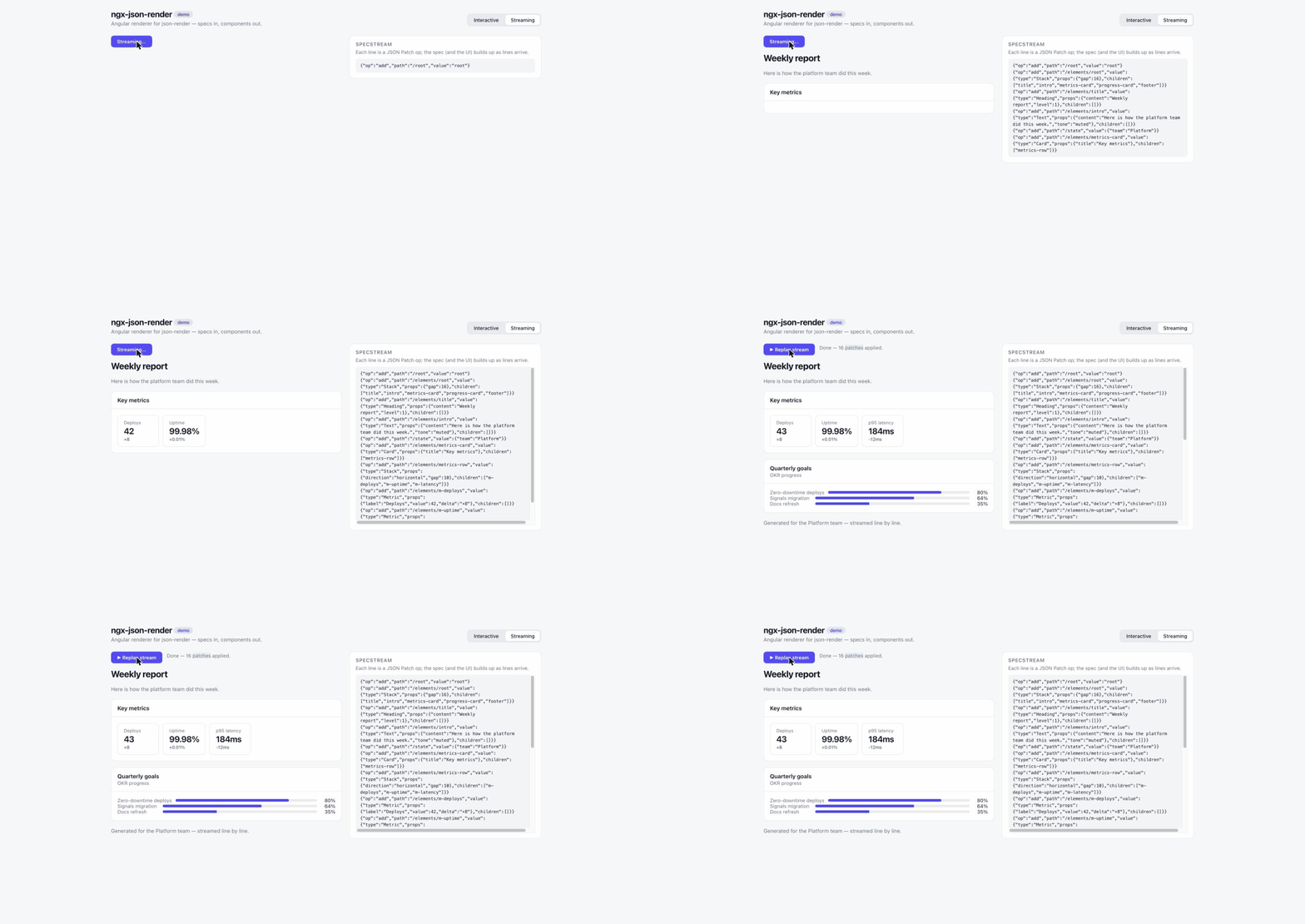
Live demo — interactive spec (bindings, repeat, confirm, watch), a SpecStream rendering progressively that you can stop mid-generation, and a chat where prose and UI patches arrive in one reply; both streaming tabs replay a recording, or call a real model on your own key (source) — or 
Install
npm install ngx-json-render @json-render/core zodRequires Angular ≥ 20. CI proves both ends of that range on every push: the library builds and its suite passes on Angular 20 (the floor) and on Angular 22 (the current release), as well as on the 21 the workspace itself pins.
Zoneless, and checked as such. Zone.js appears in no manifest here, NgZone
in no source file, and neither in the published bundles; every suite runs under
provideZonelessChangeDetection(). CI asserts all four on each commit
(npm run check:zoneless), so this is a tested property rather than a
statement of intent — which matters because zoneless is the default for new
applications from Angular 21 on.
The shortest path: a ready-made catalog
Writing a catalog is the honest first step, but you do not have to take it to
see a spec render. ngx-json-render-material
ships 28 Angular Material components already registered, so a generated spec
renders with nothing else wired up:
npm install ngx-json-render-material @angular/materialThose are real Material components, so the app needs a Material theme and the icon font as usual.
import { Component, signal } from '@angular/core';
import { JsonRenderer, type Spec } from 'ngx-json-render';
import { materialRegistry } from 'ngx-json-render-material';

@Component({
  selector: 'app-root',
  imports: [JsonRenderer],
  template: `<json-render [spec]="spec()" [registry]="registry" />`,
})
export class App {
  readonly registry = materialRegistry;
  readonly spec = signal<Spec>({
    root: 'card',
    state: { name: '' },
    elements: {
      card: { type: 'Card', props: { title: 'Profile' }, children: ['name', 'hi'] },
      name: { type: 'Input', props: { label: 'Name', value: { $bindState: '/name' } } },
      hi: {
        type: 'Text',
        props: { content: { $template: 'Hello, ${/name}!' } },
        visible: { $state: '/name', neq: '' },
      },
    },
  });
}
materialCatalog.prompt() is the system prompt that teaches a model that
vocabulary. Everything below is the other path — your own components, which is
what the catalog API is for.
Quick start
1. Define a catalog — the vocabulary the model (or your server) is allowed to use:
// catalog.ts
import { schema } from 'ngx-json-render';
import { z } from 'zod';

export const catalog = schema.createCatalog({
  components: {
    Card: {
      props: z.object({ title: z.string().optional() }),
      slots: ['default'],
      description: 'A card container',
    },
    Button: {
      props: z.object({ label: z.string() }),
      slots: [],
      description: "A button that emits a 'press' event",
    },
  },
  actions: {
    refresh: { params: z.object({}), description: 'Reload the data' },
  },
});
2. Implement catalog components — plain Angular components that read the render context:
import { Component } from '@angular/core';
import { JrChildren, injectRenderContext } from 'ngx-json-render';

@Component({
  selector: 'app-card',
  imports: [JrChildren],
  template: `
    <section class="card">
      @if (ctx.props().title) { <h3>{{ ctx.props().title }}</h3> }
      <jr-children />
    </section>
  `,
})
export class CardComponent {
  readonly ctx = injectRenderContext<{ title?: string }>();
}

@Component({
  selector: 'app-button',
  template: `<button (click)="ctx.emit('press')">{{ ctx.props().label }}</button>`,
})
export class ButtonComponent {
  readonly ctx = injectRenderContext<{ label: string }>();
}
<jr-children /> renders the element's children where you place it — like a router-outlet for the spec tree. Use <jr-children slot="header" /> for named slots.
3. Build the registry and render:
import { Component, signal } from '@angular/core';
import {
  type ActionHandler,
  JsonRenderer,
  type Spec,
  type StateChange,
  defineRegistry,
} from 'ngx-json-render';
import { catalog } from './catalog';

const { registry } = defineRegistry(catalog, {
  components: { Card: CardComponent, Button: ButtonComponent },
  actions: { refresh: async () => {} },
});

@Component({
  selector: 'app-page',
  imports: [JsonRenderer],
  template: `
    <json-render
      [spec]="spec()"
      [registry]="registry"
      [handlers]="handlers"
      (stateChange)="onStateChange($event)"
    />
  `,
})
export class Page {
  readonly registry = registry;
  readonly spec = signal<Spec>({
    root: 'root',
    state: { count: 0 },
    elements: {
      root: { type: 'Card', props: { title: 'Hello' }, children: ['btn'] },
      btn: {
        type: 'Button',
        props: { label: 'Tap me' },
        on: {
          press: { action: 'setState', params: { statePath: '/count', value: 1 } },
        },
      },
    },
  });
  readonly handlers: Record<string, ActionHandler> = {
    refresh: async () => { /* ... */ },
  };
  onStateChange(changes: StateChange[]) { console.log(changes); }
}
Streaming a UI from an LLM
Specs stream as JSONL patch lines (RFC 6902). Render partial specs as they arrive — the renderer tolerates missing elements while loading is true:
import { injectUIStream } from 'ngx-json-render';

@Component({
  template: `
    <json-render [spec]="ui.spec()" [registry]="registry" [loading]="ui.isStreaming()" />
    <button (click)="ui.send('A dashboard for weekly sales')">Generate</button>
    @if (ui.isStreaming()) {
      <button (click)="ui.stop()">Stop</button>
    }
  `,
  imports: [JsonRenderer],
})
export class GeneratePage {
  readonly ui = injectUIStream({ api: '/api/generate' });
  readonly registry = registry;
}
The server side
injectUIStream POSTs { prompt, context, currentSpec } to your endpoint and expects the response body to be SpecStream JSONL — one RFC 6902 patch per line. Any server that can stream text works; with the AI SDK it's a few lines — catalog.prompt() teaches the model your component vocabulary and the patch protocol:
// server.ts — Express shown (plain Node needs one extra import, see below)
import express from 'express';
import { streamText } from 'ai';
import { anthropic } from '@ai-sdk/anthropic';
import { catalog } from './catalog';

const app = express();
app.use(express.json());

app.post('/api/generate', async (req, res) => {
  const { prompt } = req.body; // injectUIStream sends { prompt, context, currentSpec }

  const result = streamText({
    model: anthropic('claude-sonnet-5'),
    system: catalog.prompt(),
    prompt,
  });

  res.setHeader('Content-Type', 'text/plain; charset=utf-8');
  for await (const chunk of result.textStream) res.write(chunk);
  res.end();
});
catalog.ts imports schema from ngx-json-render, and that entry point also loads Angular and the renderer's components, which are published partially compiled. In an Angular SSR app (ng new --ssr) the Angular CLI finishes compiling them when it builds the server, so the route above goes into its server.ts unchanged and works both under ng serve and from the built server. On Angular 20 and 21, add "prebundle": { "exclude": ["zod"] } to the serve options in angular.json first: their Vite 7 dev server can't transform zod for the server (Cannot split a chunk that has already been edited) and answers every page and API route with a 500. A Node server the Angular CLI doesn't build, run with node or tsx, fails on that import with '@angular/compiler' is not available — make import '@angular/compiler'; its first import.
The patches apply to the spec signal as each line arrives, so the UI assembles on screen while the model is still generating — exactly what the demo's Streaming tab replays. Prefer structured output? catalog.jsonSchema() exports a JSON Schema for streamObject/tool calls, and checkSpec(spec, 'strict', { catalog }) checks a finished spec against the catalog, props included — see Checking what the model produced for why that and not catalog.validate(spec) alone.
Chat + GenUI
When the model answers in prose and renders a UI in the same turn, reach for
injectChatUI instead. Its endpoint takes { messages } and streams prose
mixed with ```spec fenced JSONL. Each assistant message carries text
and/or its own spec, so earlier turns keep the UI they generated:
import { Component } from '@angular/core';
import { JsonRenderer, injectChatUI } from 'ngx-json-render';

@Component({
  imports: [JsonRenderer],
  template: `
    @for (m of chat.messages(); track m.id) {
      <p>{{ m.text }}</p>
      @if (m.spec) {
        <json-render [spec]="m.spec" [registry]="registry" />
      }
    }
    <button (click)="chat.send('show me revenue for the quarter')">Ask</button>
  `,
})
export class ChatPage {
  readonly chat = injectChatUI({ api: '/api/chat' });
  readonly registry = registry;
}
Reading an AI SDK message
If the UI arrives as AI SDK data parts rather than through these hooks,
buildSpecFromParts / getTextFromParts / jsonRenderMessage read a
UIMessage.parts array directly — pass it as it is, no cast:
readonly msg = jsonRenderMessage(() => this.message().parts);
// template: {{ msg.text() }} @if (msg.hasSpec()) { <json-render [spec]="msg.spec()" ... /> }
Two things about the parts themselves, both the SDK's semantics rather than this package's, and both silent when you get them wrong:
- Do not give patch parts an
id. A data part written with one is replaced by the next part carrying the same id, so a spec streamed as patches under one id arrives as its last patch alone. An id is for a part that is a snapshot of itself — aflatornestedwhole-spec part. - A transient part never reaches
message.parts. It goes toonDataand nowhere else, so a spec written transiently cannot be rebuilt from the message.
projects/ngx-json-render/src/lib/ai-sdk-parts.spec.ts runs the real SDK —
writes the chunks a server route would, reads the message a client would —
and asserts both of these, so this section cannot quietly go stale.
Supplying the transport
By default the request goes through the global fetch. Pass your own to add
auth headers, route through your app's HTTP layer, or replay a recorded
generation in a test — it is called with the endpoint and a request carrying
the JSON body and the abort signal, and must resolve to a Response whose
body streams the JSONL:
readonly ui = injectUIStream({
  api: '/api/generate',
  fetch: (url, init) =>
    fetch(url, { ...init, headers: { ...init?.headers, Authorization: token } }),
});
injectChatUI takes the same option.
Stopping, clearing and refining
stop() ends the generation in flight and keeps what has already rendered —
the user changed their mind, so it is not an error and error stays null.
clear() stops it too and then resets spec, error, usage and rawLines;
without the stop the request still running would put its spec back on its very
next patch. Both are no-ops when nothing is streaming, and injectChatUI has
the same pair.
To refine a generated UI instead of starting over, hand send the spec to
build on. It is sent to the endpoint as currentSpec and the streamed patches
apply on top of it:
ui.send('make the chart a bar chart', { previousSpec: ui.spec()! });The second argument also carries context, forwarded to the endpoint as-is:
ui.send(prompt, { context: { locale }, previousSpec }).
Also available:
applyPatch(spec, patch)— immutably apply one RFC 6902 patch to a spec, sharing every subtree the patch did not touch. Both hooks andbuildSpecFromPartsapply through it, so the same stream produces the same spec whichever one you reach for. One deliberate deviation from the RFC: a failingtestop is a no-op rather than an abort, because these patches come off a model's output and dropping a bad line beats killing the generation.buildSpecFromParts/getTextFromParts/jsonRenderMessage— derive specs from AI SDKmessage.parts.catalog.prompt()/buildUserPrompt(from@json-render/core) — generate the system/user prompts for your catalog.
Checking what the model produced
A generation can end malformed — a child that never arrived, a visible the
model wrote inside props where nothing reads it. Opt into a structural check
with validate, on the renderer or on either hook:
<json-render [spec]="ui.spec()" [registry]="registry" [loading]="ui.isStreaming()" validate="warn" />readonly ui = injectUIStream({ api: '/api/generate', validate: 'strict' });
// ui.issues() — what was wrong with the finished spec'off'(the default) — render whatever arrives, as before.'warn'— report what is wrong and render anyway.'strict'— a spec with errors does not render, and a generation that ends with one fails instead of completing, so it never reaches theonCompletewhere apps persist it.
Both modes first apply the lossless fixes autoFixSpec provides: visible,
on and repeat misplaced inside props move back onto the element, where
they take effect instead of being ignored. Content is never pruned — the lossy
fixes are left out on purpose, because re-prompting beats a renderer that
silently deletes elements.
The check waits for the spec to settle. While loading is true a missing child
is a patch that has not arrived yet, not a defect, so nothing is reported and
strict keeps rendering; the hooks check once, when the generation completes.
Pass the catalog too, and the same check covers what structure alone cannot
see — every type is one the catalog defines, and each element's props match
its component's schema:
<json-render [spec]="spec()" [registry]="registry" [catalog]="catalog" validate="strict" />A prop written as an expression — {"$state": …}, {"$bindState": …},
{"$template": …}, a directive — is not checked: it has no value until render
time. The catalog's spec schema also holds every element to the grammar, which
wants a children array even on a leaf.
The props check is this package's own. Core's catalog.validate(spec) gives an
element's props its component's schema only when the catalog has exactly one
component; with more, it checks element shapes and type names but not a
single prop.
Capping what a spec may cost
validate describes a spec. renderLimits constrains it:
<json-render
  [spec]="spec()"
  [registry]="registry"
  [renderLimits]="{ maxElements: 500, maxDepth: 16, maxRepeatItems: 200 }"
/>
readonly ui = injectUIStream({
api: '/api/generate',
renderLimits: { maxElements: 500, maxDepth: 16 },
});| Limit | What it caps | When it is passed |
| ---------------- | ------------------------------- | --------------------------------------------------------------- |
| maxElements | Elements in the spec | Nothing renders — there is no useful part of an oversized graph |
| maxDepth | Nesting, counting the root as 1 | Elements below the cap do not render; what fits still does |
| maxRepeatItems | Items one repeat expands | The surplus items do not render |
Every limit is opt-in and unset means unlimited; there are no defaults, so upgrading changes nothing about what your app renders today.
An element a cap refuses does not act either. watch is the one thing an
element does without being on screen, and it stays unwired while the element is
capped — otherwise a spec could keep dispatching actions from behind a limit
that was supposed to have stopped it. The same holds for the element that
closes a cycle.
Two things follow from limits being a control rather than a report. They are
enforced in every mode, validate="off" included — the app already made
the decision by setting a number. And they apply while loading: a partial
spec is a subset of the finished one, so a cap can only ever fire early, never
falsely. Under strict, a spec over maxDepth is refused outright rather than
truncated, which is how an app says it would rather draw nothing than draw the
first sixteen levels of something hostile.
In the hooks, a limit fails the generation instead of calling onComplete, in
any mode — the same reasoning as strict: onComplete is where apps persist a
spec, and this is one the app has already refused.
One order is deliberate rather than incidental. The cheap caps run before the
structural check, because core's validateSpec walks the tree by recursion:
the specs that most need a limit are exactly the ones that would overflow the
stack proving they exceed it. If you accept specs you did not generate, set
maxDepth — with no cap there is nothing to stop the check from recursing as
deep as the spec asks.
Testing
ngx-json-render/testing is a separate entry point, so nothing in it can reach
an application bundle by accident.
Rendering a spec
renderSpec mounts a spec against a registry and hands back the few things a
test does to one — no host component, no TestBed module, no settling by hand:
import { renderSpec } from 'ngx-json-render/testing';

it('dispatches the action its spec asked for', async () => {
  const ui = await renderSpec(
    {
      root: 'save',
      elements: {
        save: {
          type: 'Button',
          props: { label: 'Save' },
          on: { press: { action: 'save' } },
        },
      },
    },
    { registry: { Button: MyButton } },
  );

  expect(ui.text('button')).toBe('Save');
  await ui.click('button');
  expect(ui.dispatched).toEqual([{ name: 'save', params: {} }]);
});
dispatched records every action the spec fired, handled or not. The rest of
the harness: text / texts / find / findAll for the DOM, click /
fill for input, read / write / state / changes for state, setSpec /
setLoading / settle for later frames, and fixture / element /
renderer / store / validation for everything the harness does not cover.
Options mirror the renderer's inputs, plus providers for anything the
components under test inject.
Mounting one component
renderComponent mounts a catalog component with no renderer and no spec. You
give it props and read back what it emitted and what it wrote to bound props.
It tests the component as a presentational one — what it draws, and what it
says when used — and leaves what the spec does with that to renderSpec:
import { renderComponent } from 'ngx-json-render/testing';

it('emits press, and stays quiet once disabled', async () => {
  const button = await renderComponent(MyButton, { props: { label: 'Save' } });

  expect(button.text('button')).toBe('Save');
  await button.click('button');
  expect(button.emitted).toEqual(['press']);

  await button.patchProps({ disabled: true });
  expect(button.find<HTMLButtonElement>('button').disabled).toBe(true);
});
bindings says which props are two-way bound ({ checked: '/dark' }): a
setBound on one of them is recorded in writes and lands back in the props,
and on any other prop it is the same no-op it is under the renderer. on lists
the events the spec would bind, for components that read ctx.on(event).bound;
key, type and loading fill in the rest of the context, and setProps /
patchProps / setLoading change it between frames. The DOM helpers are the
same as renderSpec's.
A component that renders <jr-children>, registers field validation or
dispatches actions itself needs the renderer's own services, and there is no
honest fake for a subtree — it fails with a message pointing at renderSpec.
Replaying a generation
recordedTransport is a fetch that answers from a recording, so a test runs
the real client — request body, streamed lines, usage metadata, abort on
supersede — with no server and no API key:
import { recordedTransport, specStream, usageLine } from 'ngx-json-render/testing';

const ui = injectUIStream({
  api: '/api/generate',
  fetch: recordedTransport([...specStream(expectedSpec), usageLine({ totalTokens: 15 })]),
});
specStream(spec) writes the JSONL patch lines a model would emit to build
that spec, so a test says what it renders rather than how the wire spells it.
Pass a Record<prompt, lines> to answer each prompt differently (anything
else gets a 404 the hook surfaces as an error), or a function for more. The
options are delayMs for a visible pace, fail for an error response — as a
function, so it can be switched on and off between sends — and promptOf for
a request body neither hook sends. The default reads injectUIStream's
prompt and injectChatUI's last message.
Spec features supported
Full parity with the baseline json-render contract:
| Feature | Example |
| --------------------- | ------------------------------------------------------------------------------------------------------------- |
| Dynamic props | { "$state": "/user/name" } |
| Two-way binding | { "$bindState": "/form/email" }, { "$bindItem": "done" } |
| Conditionals | { "$cond": {...}, "$then": ..., "$else": ... } |
| Templates | { "$template": "Hello, ${/user/name}" } |
| Computed / directives | { "$computed": "fmtDate", "args": {...} }, custom $-directives |
| Visibility | "visible": { "$state": "/count", "gte": 5 } (incl. $and/$or, $item, $index) |
| Events → actions | "on": { "press": { "action": "...", "params": {...}, "confirm": {...}, "onSuccess": ..., "onError": ... } } |
| Built-in actions | setState, pushState (with $id), removeState, push/pop, validateForm, submitForm |
| Repeat | "repeat": { "statePath": "/todos", "key": "id" }, nested via { "$item": "..." } |
| Watch | "watch": { "/country": { "action": "loadCities" } } |
| Slots | "slots": { "header": ["title-el"] } + <jr-children slot="header" /> |
| Validation | field checks via ValidationConfig, validateForm / submitForm, injectFieldValidation |
| Confirm dialogs | built-in <jr-confirm-dialog> (auto-rendered) |
| Devtools hooks | action observer + data-jr-key picker attributes |
Ready-made directives
@json-render/directives is written against the core, not against any one
renderer, so its $format, $math, $concat, $count, $truncate,
$pluralize, $join and $t work here as they are:
import { createI18nDirective, standardDirectives } from '@json-render/directives';

readonly directives = [
  ...standardDirectives,
  createI18nDirective({ locale, messages }),
];
<json-render [spec]="spec()" [registry]="registry" [directives]="directives" />{ "content": { "$format": "currency", "value": { "$state": "/price" }, "currency": "USD" } }A directive reads state through the same resolution as any other prop, so a
value it derives updates when that state does.
projects/ngx-json-render/src/lib/directives.spec.ts renders every one of
them through the renderer, which is what keeps this paragraph honest.
State
Each <json-render> owns a state store (JSON Pointer addressed). Seeding order: store input (controlled) → state input → spec.state.
Inside catalog components:
const store = injectStateStore();     // get/set/update/state()
const name = injectStateValue<string>('/user/name');
const bound = injectBoundProp<string>(() => ctx.props().value, () => ctx.bindings()?.['value']);
Share one store across renderers (or drive it from your own state management) by passing a core StateStore — createStateStore(), or createStoreAdapter() over Redux/NgRx/etc. — via the store input. createStoreSetState(store) adapts a whole-state updater to fine-grained path writes.
What a state write re-renders
A write reaches only the components whose resolved props actually changed. Writing /user/name re-runs the template of the text that shows it, not the rest of the tree. So ctx.props() and ctx.element() are the signals to read: a template that reads anything else, such as a mutable object or Date.now(), is no longer refreshed by unrelated writes.
"Changed" is decided per prop value:
- Primitives compare by value.
- Objects and arrays compare by reference with the built-in store, which copies every path it writes.
- With an external
store, objects and arrays always count as changed, because such a store may write into its snapshot in place.
Elements with a $bindState or $bindItem prop still re-run on every write. Their DOM can hold the user's input before state does, and the note below depends on them getting the chance to put it right.
Before any of that, a write only makes the elements that can read its path resolve their props at all. The renderer works the paths out from each element's spec — $state, $item, $template placeholders, both branches of a $cond, $computed arguments and visible conditions — so a write to /user/name leaves the todo list alone, and its $computed functions don't run. A $computed function should therefore depend only on its arguments: one that also reads the clock or a variable outside the spec is no longer called again by unrelated writes.
Some elements keep resolving on every write, because their reads can't be known from the spec: those using a directive (its resolve gets the whole state), those with a two-way binding, and any prop with a $-key the renderer doesn't recognise.
In dev mode each element that skipped a write resolves anyway, against the whole state, and the console warns once if that gives anything other than what it shows. The warning means a $computed function reads more than its arguments, or the renderer missed a read, which is a bug worth reporting. The element itself is left as production would leave it. The check calls the element's $computed functions again, so in dev mode they still run on every write.
A note on inputs
If a catalog component renders <input [value]="ctx.props().value">, remember that one-way bindings do not re-assert the DOM when the bound value returns to its previously applied value while the user typed in between (e.g. pushState + clearStatePath). Sync imperatively instead — see InputComponent in the demo app for the pattern.
Confirmation dialogs
An action binding with a confirm field routes through a dialog before its
handler runs. The packaged one is a real modal — role="dialog" with
aria-modal, labelled by its title and described by its message, focus moved
onto Cancel on open and returned to the trigger on close, Tab kept inside and
Escape cancelling.
Three levels of control, in the order you are likely to need them:
// 1. Its two words, when the spec does not supply confirmLabel / cancelLabel.
{ provide: JR_CONFIRM_LABELS, useValue: { confirm: 'Подтвердить', cancel: 'Отмена' } }
/* 2. Its colours. Light and dark defaults ship; these override both. */
json-render { --jr-confirm-surface: #101418; --jr-confirm-accent: #4f9cf9; }Also --jr-confirm-ink, --jr-confirm-muted, --jr-confirm-border,
--jr-confirm-scrim, --jr-confirm-danger, --jr-confirm-on-accent and
--jr-confirm-radius.
// 3. The whole dialog. Your component injects the context instead of taking
//    inputs, the same way catalog components do.
@Component({
  template: `<my-modal [title]="ctx.config.title" (ok)="ctx.confirm()" (dismiss)="ctx.cancel()" />`,
})
export class AppConfirm {
  readonly ctx = injectConfirmContext();
}
// providers: [{ provide: JR_CONFIRM_DIALOG, useValue: AppConfirm }]
Submitting a form
validateForm validates every bound field at once and writes
{ valid, errors } to /formValidation (or the statePath you pass). What it
cannot do is act on the answer: a model writing a submit button had to emit one
binding for the validation and hope the app's own handler re-checked the form.
submitForm is both halves in one binding — validate everything, and dispatch
the submit only if it all passes:
{
  "type": "Button",
  "props": { "label": "Save" },
  "on": {
    "press": {
      "action": "submitForm",
      "params": {
        "action": "saveUser",
        "params": { "email": { "$state": "/email" } }
      },
      "onSuccess": { "navigate": "/thanks" }
    }
  },
  "children": []
}
An invalid form stops there, with the errors written to state and every field
marked validated so its message is on screen. A valid one dispatches
saveUser as an ordinary action: the same handler lookup, the same confirm
(asked after validation — there is no point asking about a form that cannot be
submitted), the same onSuccess / onError, the same loading state. params
resolves { "$state": "/path" } one level down, the way pushState's value
does.
Security
Specs are attacker-shaped input: whatever produced one — a model, a prompt, a user's text inside that prompt — is not something you control. The renderer is built so that a hostile spec cannot execute code, but it can still act within the authority you hand it. What follows is what the renderer guarantees and what stays your responsibility.
A spec cannot execute code. There is no eval, no Function constructor,
and no innerHTML/bypassSecurityTrust anywhere in this package or in
@json-render/core. Expressions ($state, $item, $index, $bindState)
are interpreted against the state model, not evaluated as JavaScript, and all
text reaches the DOM through Angular interpolation. Script injection through a
spec is not a thing you have to defend against.
A spec can only name actions you registered. Built-ins (setState,
pushState, removeState, push, pop, validateForm, submitForm) are
handled inside the renderer; every other action name is looked up in the
handlers you pass. An unrecognised name logs a warning and does nothing.
submitForm is no exception to this: the action it is told to submit goes
through the same lookup, so it gates a handler you registered rather than
reaching one you did not.
The exception is onAction, which is a deliberate catch-all: when you pass it,
every action name in the spec reaches it, including ones you never put in
your catalog. If you use it, switch on the names you expect and ignore the
rest.
A spec chooses its own state paths. setState, pushState, removeState
and onSuccess.set all take a statePath straight from the spec, so a
generated UI can write anywhere in the state model it is rendered against —
and push/pop write /currentScreen and /navStack. In controlled mode
this is your store. Give the renderer a store scoped to the generated view
rather than the one holding session, entitlement or billing state.
A spec chooses the navigation target. onSuccess: { navigate } passes its
string to the navigate callback you provide, verbatim. Treat it as untrusted:
match it against known routes, and never hand it to window.location or
router.navigateByUrl unchecked.
A spec cannot render forever. Two elements naming each other as children,
or one naming itself, would recurse until the tab died. The renderer refuses to
draw an element that is rendering itself again without reading any deeper into
state, so the cycle is broken where it closes and everything above it still
renders. This holds in every mode, including validate="off" and mid-stream:
it is a crash guard, not an opinion about spec quality. Core's validateSpec
does not report cycles, so nothing else in the stack catches this for you.
Recursion that goes somewhere is untouched. A tree — a comment thread, a file
browser, a nested menu — is an element repeating over a path relative to the
item it is already inside ({"$item": "children"}) and rendering itself for
each one, so every pass reads one level further in and the drawing ends where
the data does. What the guard stops is the pass that reads the same array
again: repeat over a fixed /items inside itself never runs out, however
much data there is.
A spec sizes its own render tree, up to the caps you set. repeat iterates
a state array the spec may itself have supplied, and nesting costs a component
per level, so specs are a denial-of-service surface against the browser tab.
renderLimits is the cap: maxElements, maxDepth and maxRepeatItems,
enforced in every mode. They are unset by default — a renderer cannot guess
what your catalog considers a reasonable page — so an app taking specs it did
not generate should set all three. See
Capping what a spec may cost.
A spec can name components you never built. validate with a catalog
reports every type the catalog does not define and every prop its component's
schema rejects; strict refuses such a spec outright. A prop bound to an
expression ($state, $bindState, $template, …) is not among them — its value
only exists at render time — so a component should not count on such a prop
having the type its schema declares. Without a catalog the renderer only warns
and draws nothing in that element's place, which degrades well but tells you
nothing until you read the console.
confirm is a UX affordance, not a security control. It routes an action
through the confirmation dialog before the handler runs, but it is set on the
action binding inside the spec (on.press.confirm) — so the same party that
chose the action also chose whether to ask. Real authorization belongs in the
handler, on the server.
API surface
Components: JsonRenderer (<json-render>), JrChildren, JrConfirmDialog, JrElement, JrRepeatScope.
Injectables/helpers: injectRenderContext, injectElementKey, injectRepeatScope, injectStateStore, injectStateValue, injectStateBinding, injectBoundProp, injectActions, injectAction, injectValidation, injectFieldValidation, injectUIStream, injectChatUI, injectDevtoolsActive, injectConfirmContext, jsonRenderMessage, isActionCancelled, checkSpec.
Tokens: JR_CONFIRM_DIALOG (replace the confirmation dialog), JR_CONFIRM_LABELS (its two words), CONFIRM_CONTEXT, RENDER_CONTEXT, REPEAT_SCOPE.
Spec checking: checkSpec, formatSpecCheckIssues, and the types
RenderLimits, SpecCheck, SpecCheckIssue, SpecCheckIssueCode,
SpecCheckOptions, SpecCatalog, SpecValidationMode.
injectActions().execute() rejects when the user dismisses a confirm
dialog, which is a normal gesture rather than a failure — isActionCancelled(error)
is how you tell the two apart.
Registry & schema: defineRegistry, createStoreSetState, schema.
Testing (ngx-json-render/testing): renderSpec, renderComponent, recordedTransport, specStream, usageLine.
Everything from @json-render/core (types, createStateStore, nestedToFlat, prompt builders, spec validators, SpecStream compiler) composes with this package; the most common symbols are re-exported.
Renderer inputs
| Input | Type | Purpose |
| --------------------- | ------------------------------------ | ------------------------------------------------------- |
| spec | Spec \| null | The UI spec (may be partial while streaming) |
| registry | ComponentRegistry | Catalog type → Angular component |
| loading | boolean | Suppress missing-element warnings while streaming |
| fallback | Type<unknown> | Component for unknown types |
| validate | 'off' \| 'warn' \| 'strict' | Check the settled spec's structure (default 'off') |
| renderLimits | RenderLimits | Cap elements, depth and repeat expansion (default none) |
| catalog | Catalog | Also check types and props against the catalog |
| state | StateModel | Initial state (uncontrolled; defaults to spec.state) |
| store | StateStore | External store (controlled mode) |
| handlers | Record<string, ActionHandler> | Action handlers |
| onAction | (name, params) => unknown | Catch-all action handler |
| navigate | (path) => void | Used by onSuccess: { navigate } |
| validationFunctions | Record<string, ValidationFunction> | Custom validation |
| functions | Record<string, ComputedFunction> | $computed functions |
| directives | DirectiveDefinition[] | Custom $-prefixed expressions |
Output: (stateChange) — batched { path, value }[] in uncontrolled mode.
License
Apache-2.0