
ngx-mc-animator
v0.0.27
Published
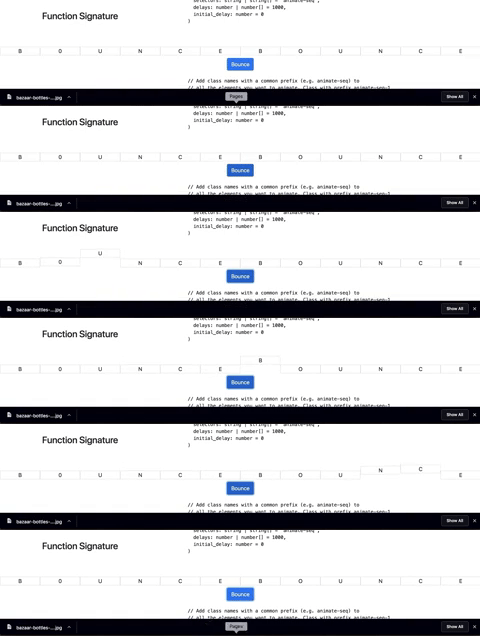
Animate.CSS + Angular Mc animator can be used for doing a series of animations on a list of elements. You can use these animations to achieve a smooth transitioning effect from one page to another, See examples below


Readme
MC ANIMATOR
Animate.CSS + Angular Mc animator can be used for doing a series of animations on a list of elements. You can use these animations to achieve a smooth transitioning effect from one page to another, See examples below
Install
npm install ngx-mc-animate;Also make sure that you have animate.css installed
npm install animate.css
// include this in your angular.json file
"./node_modules/animate.css/animate.min.css"
Setup
// We need to use ElementRef and Renderer2 also to modify the DOM
constructor(public animatorService: NgxMcAnimatorService,
    public elRef: ElementRef,
    public renderer: Renderer2)
Usage
Function Signature
animate(effects: string | string[] = 'fadeOutUp',
    selectors: string | string[] = 'animate-seq',
    delays: number | number[] = 1000,
    initial_delay: number = 0,
    reset = false // reset animation classes once complete?
)
Using class prefixes
This is useful when you want a set of classes to behave the same way
// Add class names with a common prefix (e.g. animate-seq) to
// all the elements you want to animate. Class with prefix animate-seq-1
// would be animated before animate-seq-2. If class name is same, then the
// animate order would be random
this.animatorService.animator(this.elRef, this.renderer).animate('bounce',
    'animate-seq-', 500, 0, true
).subscribe(() => {})
Using CSS Selectors
This is useful when you want to take different actions on different classes.
// Provide css selectors and effect names
this.animatorService.animator(this.elRef, this.renderer)
    .animate(['fadeOutDown', 'fadeOutUp'], ['.class1', '.class2'])
    .subscribe(() => {});
Issues / Suggestions: https://github.com/mc-lovin/Mc-animator or [email protected]