
ngx-otp-pin-input
v1.0.2
Published
An Angular library for OTP input fields, providing a customizable and user-friendly way to handle one-time passwords.
Downloads
30

Maintainers
 vipinkc4
Readme
ngx-otp-input
ngx-otp-input is an Angular component for capturing one-time password (OTP) inputs. Perfect for authentication flows, verification forms, or secure user inputs.
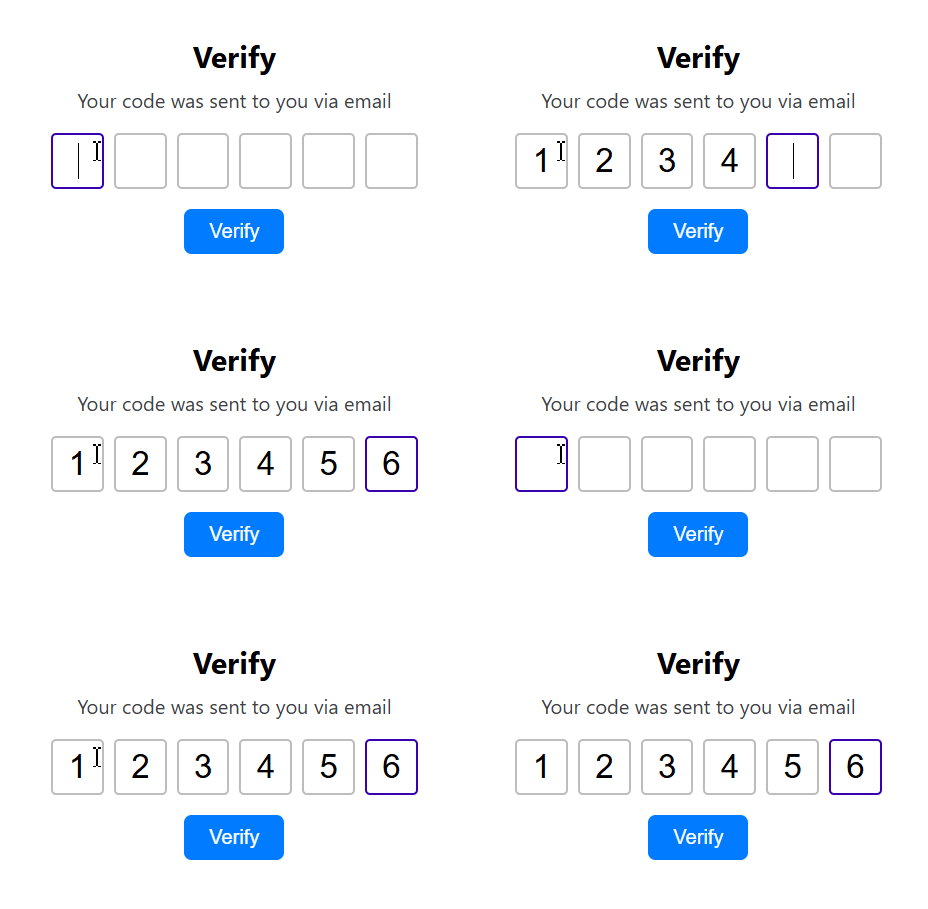
Features
- Configurable OTP length (default: 4 digits)
- Customizable input styles: size, font, border, spacing
- Supports keyboard navigation (arrow keys, backspace)
- Paste support for OTPs
- Supports Angular Reactive form binding
- Can be disabled to prevent user input
Installation
npm install ngx-otp-inputUsage
1. Import the Module
Add NgxOtpInput to your application's module imports:
import { NgxOtpInput } from "ngx-otp-input";

@NgModule({
  declarations: [AppComponent],
  imports: [NgxOtpInput], // Add the module here
  bootstrap: [AppComponent],
})
export class AppModule {}
2. Use in Templates
Add the OTP input component to your template:
import { Component } from '@angular/core';

@Component({
  selector: 'app-root',
  templateUrl: './app.component.html',
  styleUrls: ['./app.component.scss']
})
export class AppComponent {
  config:OtpInputConfig = {
        length: 6,
        className: 'otp-input',
        style: {
            width: 50,
            height: 50,
            fontSize: 28,
            spacing: 10,
            borderWidth: 2,
            borderRadius: 5,
            borderColor: '#ccc',
            borderFocusColor: '#6200ea'
        }
    }
}
<ngx-otp-input (onOtpChange)="onOtpChange($event)" [config]="config"></ngx-otp-input>3. Bind with Angular Forms
Works seamlessly with reactive forms or ngModel.
Using formControl:
<form [formGroup]="otpForm">
  <ngx-otp-input formControlName="otp"></ngx-otp-input>
</form>
In your component class:
this.otpForm = this.fb.group({
  otp: [""],
});
Using ngModel:
<ngx-otp-input [(ngModel)]="otpValue" name="otp"></ngx-otp-input>4. Listen for OTP Changes
Subscribe to onOtpChange to get OTP input updates:
<ngx-otp-input (onOtpChange)="ratingChange($event)"></ngx-otp-input>onOtpChange(otp: string) {
console.log('OTP:', otp);
}5. Disable the Component
Disable input by setting [disabled] to true:
<ngx-otp-input [disabled]="true"></ngx-otp-input>Input Properties (OtpInputConfig)
| Property | Type | Default | Description | | ---------------------- | ------- | --------- | ------------------------------- | | length | number | 4 | Number of OTP digits | | className | string | | CSS class applied to each input | | style.width | number | 40 | Width of each input box (px) | | style.height | number | 40 | Height of each input box (px) | | style.fontSize | number | 26 | Font size of input text (px) | | style.spacing | number | 12 | Gap between inputs (px) | | style.borderWidth | number | 2 | Border width of inputs (px) | | style.borderRadius | number | 4 | Border radius of inputs (px) | | style.borderColor | string | '#BDBDBD' | Default border color | | style.borderFocusColor | string | '#3700B3' | Border color when focused | | disabled | boolean | false | Disables input interaction |
Output Events
| Event | Type | Description | | ----------- | -------------------- | --------------------------------- | | onOtpChange | EventEmitter | Emits the current OTP input value |
License
This project is licensed under the MIT License. (©) Vipin.
Happy coding! 🚀