
ngx-webrtc-lib
v21.0.0
Published
Angular microapp/library for video conference using agora-rtc-sdk-ng.

Maintainers
 taras_moskovych_org
Readme
ngx-webrtc-lib




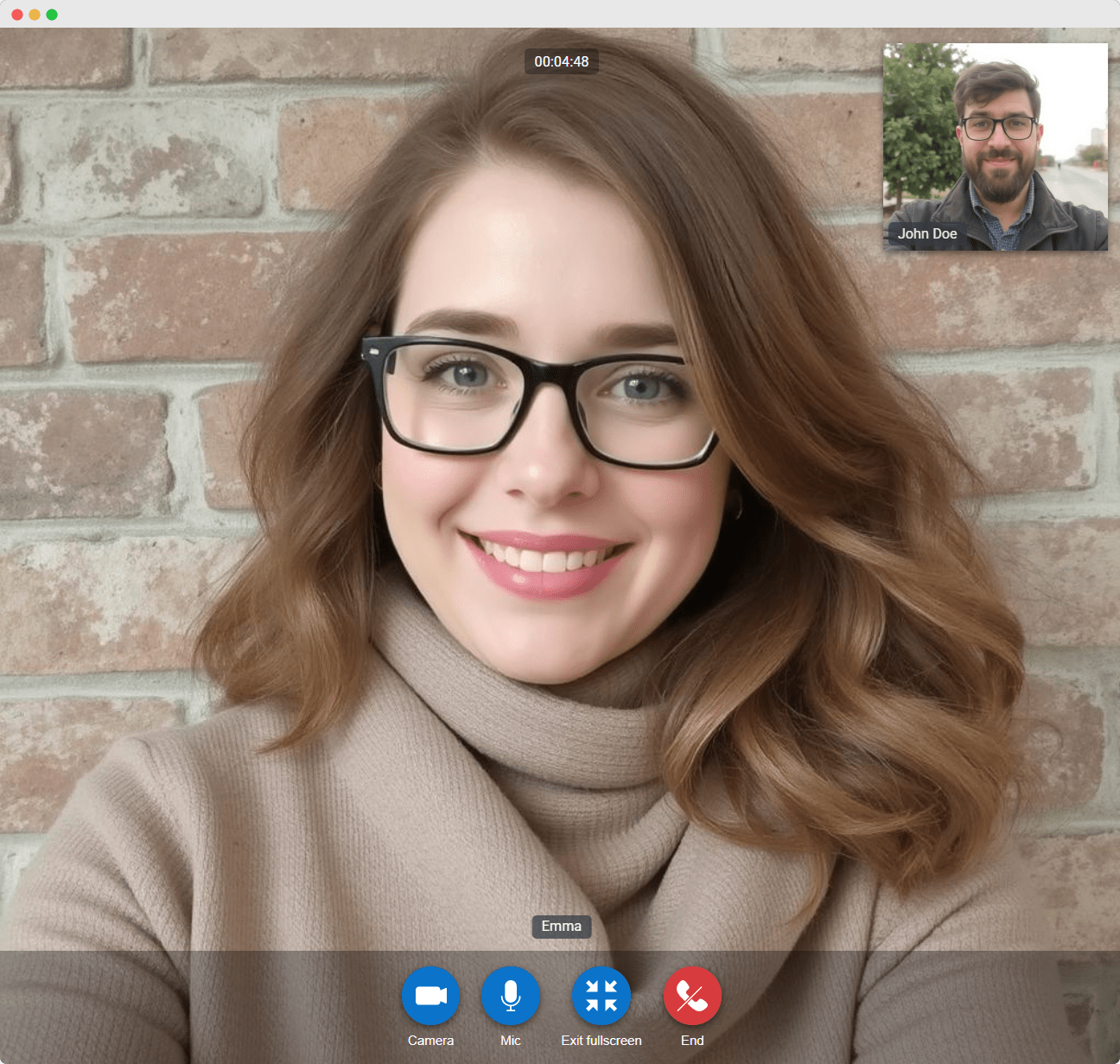
This library provides an easy-to-integrate UI for video communication between two users in an Angular application. Built using the Agora WebRTC SDK, it offers full control over the video communication experience, enabling you to customize it based on your needs.
With ngx-webrtc-lib, you can easily integrate real-time, peer-to-peer video communication features into your web app. This is ideal for building applications that require direct video interaction, such as customer support, remote consultations, or any use case involving live, two-way video communication.
Prerequisites
To get started with Agora, follow this guide to retrieve the AppID.
Installation
Install ngx-webrtc-lib from npm:
npm install ngx-webrtc-libStandalone Component support
To use the library in standalone mode, follow these steps:
Provide WebRtc configuration in app.configs.ts file
import { provideWebRtc } from 'ngx-webrtc-lib';

export const appConfig: ApplicationConfig = {
  providers: [
    provideWebRtc({
      AppID: 'Agora AppID',
    }),
    // Other providers
  ],
};
Include WebRtcComponent in the imports of your standalone host component:
import { WebRtcComponent } from 'ngx-webrtc-lib';

@Component({
  standalone: true,
  template: `<ngx-webrtc .../>`,
  imports: [
    WebRtcComponent,
  ],
  ...
})
export class HostComponent {
  // Host component logic
}
NgModule support
To use the library with NgModules, import WebRtcModule into your module's imports:
import { WebRtcModule } from 'ngx-webrtc-lib';

@NgModule({
  ...
  imports: [
    WebRtcModule.forRoot({
      AppID: 'Agora AppID',
    }),
  ]
  ...
})
Basic usage
Add WebRtcComponent to your component template:
<ngx-webrtc
  [channel]="channel"
  [displaySmallScreen]="true"
  [uid]="uid"
  [token]="token"
  (callEnd)="onCallEnd()"
></ngx-webrtc>
Advanced usage
The library allows you to display a video call confirmation dialog. To use the dialog service:
- Inject
VideoCallDialogServiceinto your component or service. - Call the
openmethod with the required data.
This returns VideoCallDialog object with an API that allows you to:
- Programmatically close the dialog
- Accept the call, which will open WebRtcComponent
- Subscribe to the dialog state
import { VideoCallDialogService, VideoCallDialogData } from 'ngx-webrtc-lib';

constructor(private dialogService: VideoCallDialogService) { }

onDialogOpen(): void {
  const dialog = this.dialogService.open({
    uid: this.uid,
    token: this.token,
    channel: this.channelId,
    outcome: this.outcome,
    remoteUser: this.remoteUser,
    localUser: this.localUser,
  });

  setTimeout(() => dialog.close(), 7000);
  dialog.afterConfirmation().subscribe((data: VideoCallDialogData) => console.log(data));
}
Import assets in your angular.json file
"assets": [
  {
    "glob": "**/*",
    "input": "./node_modules/ngx-webrtc-lib/src/assets/",
    "output": "./assets/"
  }
],
For real-life video call confirmation behavior with multiple clients, where one client declines the call, and the result immediately reflects on the other clients, you need to implement your own custom solution. This is an example of the implementation using web-sockets.
How to build lib for development
git clone https://github.com/TarasMoskovych/ngx-webrtc.git
cd ngx-webrtc
npm ci
npm start
Version Compatibility
The supported versions start from 3.x, which is compatible with Angular 12. The next major version after 3.x is 13.x, which corresponds to Angular 13. From there, each library version aligns with its respective Angular major version (e.g., 14.x for Angular 14, 15.x for Angular 15, etc.). For NodeJS compatibility, refer to the Angular Version Reference.
API reference
AgoraConfig
| Name | Description |
| -------------------- | ------------------------------------------------------------------------------------------------------- |
| AppID | The App ID provided by Agora to initialize the Agora SDK. |
| debug | Enable debugging for Agora SDK. Default value false |
| useVirtualBackground | Enable Agora Virtual Background feature (only the "blur" is currently supported). Default value false |
WebRtcComponent
| Name | Description |
| ------------------------------------- | ----------------------------------------------------------------------------------------------------------------------------------------- |
| @Input() uid: string | User identifier. |
| @Input() token: string | Agora token for Secure Authentication. Default value null |
| @Input() channel: string | Channel identifier. |
| @Input() displaySmallScreen: boolean | Display small screen toggle. Default value false |
| @Input() remoteUser: User | Represents the remote user in the call. Optional, used for reference or display purposes. |
| @Input() localUser: User | Represents the current user in the call. Optional, used for reference or display purposes. |
| @Output() callEnd: EventEmitter | Event that is emitted when the call is ended. |
VideoCallDialogService
| Name | Description |
| -------------------------------------------------- | -------------------------------------------- |
| open: (VideoCallDialogData) => VideoCallDialog | Renders VideoCallComponent in the dialog. |
VideoCallDialogData
| Name | Description |
| ---------------------| ----------------------------------------------------------------------------------------------------------------------------------------- |
| uid: string | User identifier. |
| channel: string | Channel identifier. |
| token: string | Agora token for Secure Authentication. Default value null |
| outcome: boolean | Defines the UI for incoming or outgoing call modes. |
| remoteUser: User | Represents the remote user in the call. It replaces the user field and should be used instead. |
| localUser: User | Represents the current user in the call. Optional, used for reference or display purposes. |
VideoCallDialog
| Name | Description |
| ----------------------------------------------------------------- | -------------------------------------------------------------------------------------- |
| acceptCall: () => void | Closes the confirmation dialog and opens WebRtcComponent with passed data before. |
| close: () => void | Closes the dialog with video-call confirmation component. |
| afterConfirmation: () => Observable<VideoCallDialogData | null>; | Returns Observable with the data depends on accepting or declining the call. |
| afterCallEnd: () => Observable; | Returns Observable with the value when the call is ended. |
User
| Name | Description | | ---------------------| ------------------------------------ | | name: string | The name of the user. | | photoURL: string | The URL of the user's profile photo. |
Changelog
For a complete list of changes and release notes, see the GitHub Releases.