
nimble-elements
v0.1.53
Published
Lightweight Web Application Framework - 2015.11.02

Maintainers
 q9adam
Readme
An easy to use web application compiler
* easy <custom-tags></custom-tags>

* standard npm packages

* newer javascript features (ES6)

* a single index.html distributable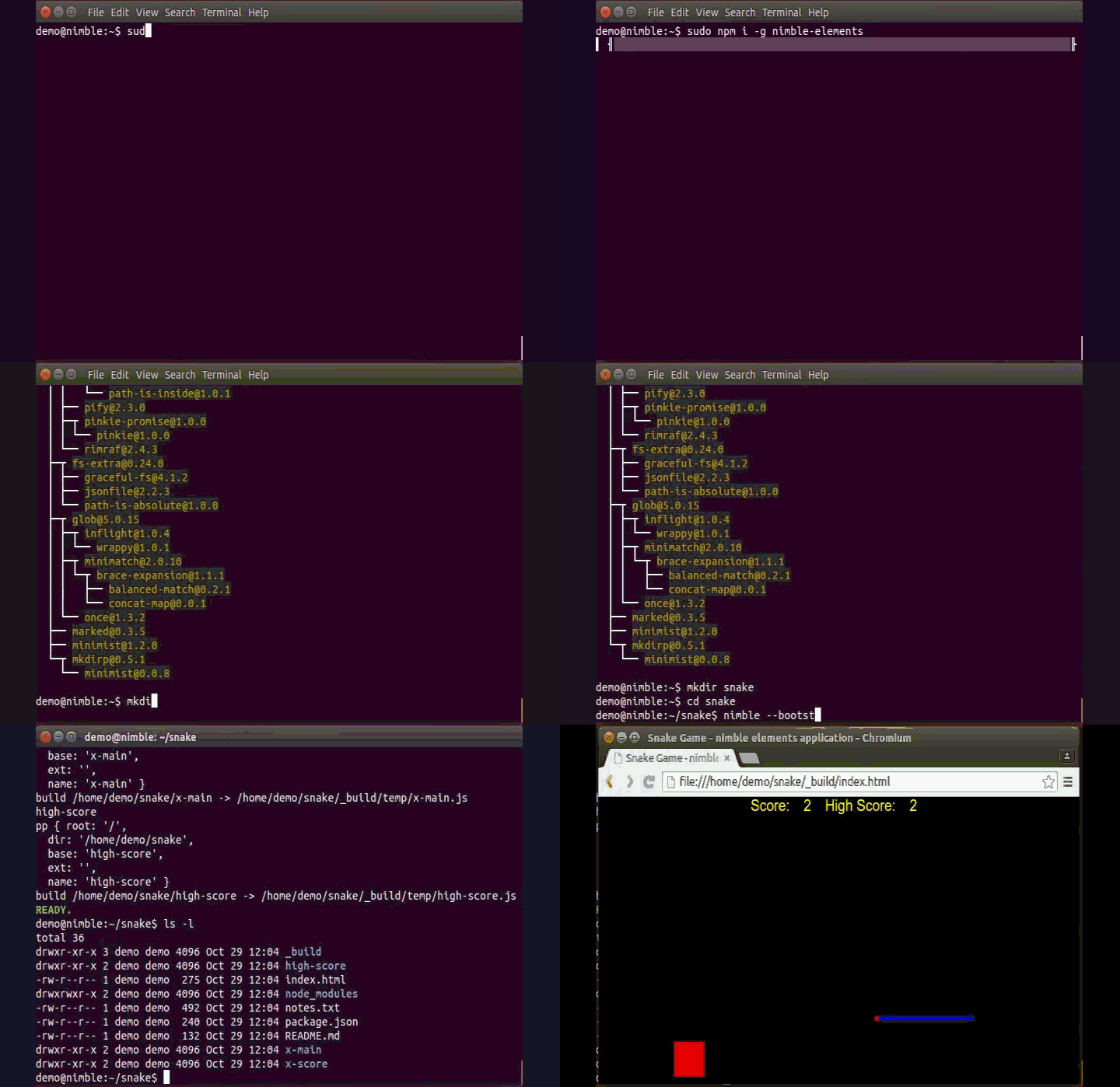
install
sudo npm i -g nimble-elementssetup
> mkdir myproject
> cd myproject

> nimble --bootstrap
compile/run
> nimble

view your application by browsing to _build/index.html
tip:
npm i -g live-server
live-server --wait=350 _build
About Nimble Elements
Nimble Elements is fortified with
- babelify
- browserify
- directory based custom elements
Bringing to your browser based application
- new javascript features
- npm packages
- <custom-tags></custom-tags>
Bundled into a single index.html file
From a collection of element files and objects (files and folders)
+ [myproject]


	+ [display-box]         ( <display-box></display-box> )
		| body.html
		| created.js
		| left.html
		| right.html


	+ [hello-widget]        ( <hello-widget></hello-widget> )
		| body.html
		| created.js


	+ [x-main]              ( <x-main></x-main> )
		| body.html
		| created.js


	- index.html
Each sub-directory automatically generates a shadom dom based custom html element which can be used anywhere in your project
for example the hello-widget directory generates a <hello-widget></hello-widget> elementelement sub-directory contents
	- created.js -- called each time an instance of it's element is created.
	- *.html file content is provided to created.js as a this[*] / this.* property.  (e.g. body.html > this['body'])
created.js sample code
// created.js code is called each time an instance of it's element is created.

// "this" is the instance of the created element.
// var dom = the element's shadow dom object.  (defaults to body.html)

var $ = require('jquery')       // include npm packages
var _ = require('underscore')

// *.html file content maps to this.* / this['*']
var l = this.left    // left.html contents
var b = this.body    // body.html contents
var r = this.right   // right.html contents

dom.innerHTML = l+b+r  // provide content

// when an instance is attached or detatched from the dom
this.attached = function(){ console.log('hi!') }
this.detached = function(){ console.log('bye!') }

this.onclick = e=>{ console.log('poke.') }

var x = this.getAttribute('x')

$('h1',dom).textContent(x)
body.html sample code
<style>
	:host {display: block}
</style>

Hello World!
index.html - Your app begins with a single index.html file in your project root.
<!doctype html>
<html>
	<head>
		<title>My Project</title>
	</head>
	<body>
		<x-main></x-main>
	</body>
</html>
npm packages
Many standard npm packages can be added to your application
npm i --save package-nameAnd included using require
var p = require('package-name')application requirements
Applications use relatively new html features
That run natively in supporting browsers (as of Oct 2015)
- Chrome
- Opera
- (Firefox - with a flag setting)
try it out! - sample code (run from an empty directory)
nimble --bootstrap myprojectlearn more
nimble --helpfinal words, notes & suggestions
Nimble elements goes well with electron
Currently under early development... questions, comments, requests welcome.
Thanks for using nimble-elements!