
ningzhi-agent-cli
v0.2.8
Published
A personal AI Agent like OpenClaw, including tools, skills, memory, hook, sub-agent, MCP sever, etc. Run in the terminal.


Readme
柠智
Ningzhi
柠智 NingzhiAgentCli 🤖 是一个 AI Agent 个人助手,像 OpenClaw 小龙虾一样。 包含 tools、skills、memory、hook、subagent、MCP-server 等 Agent 功能。你可以和它聊天,给它分配任务,让它操作文件 等等
安装
本地安装 Node.js,版本要求 >= 22,执行如下命令安装 Ningzhi:
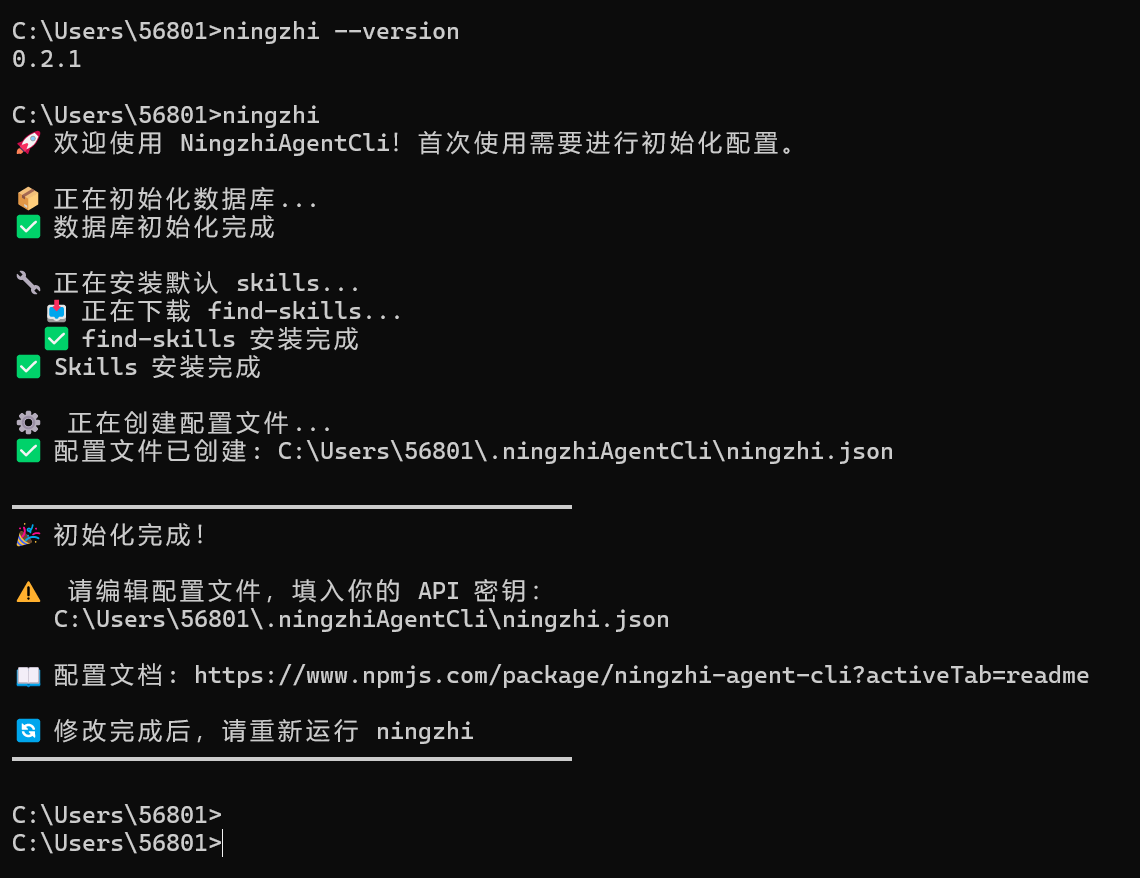
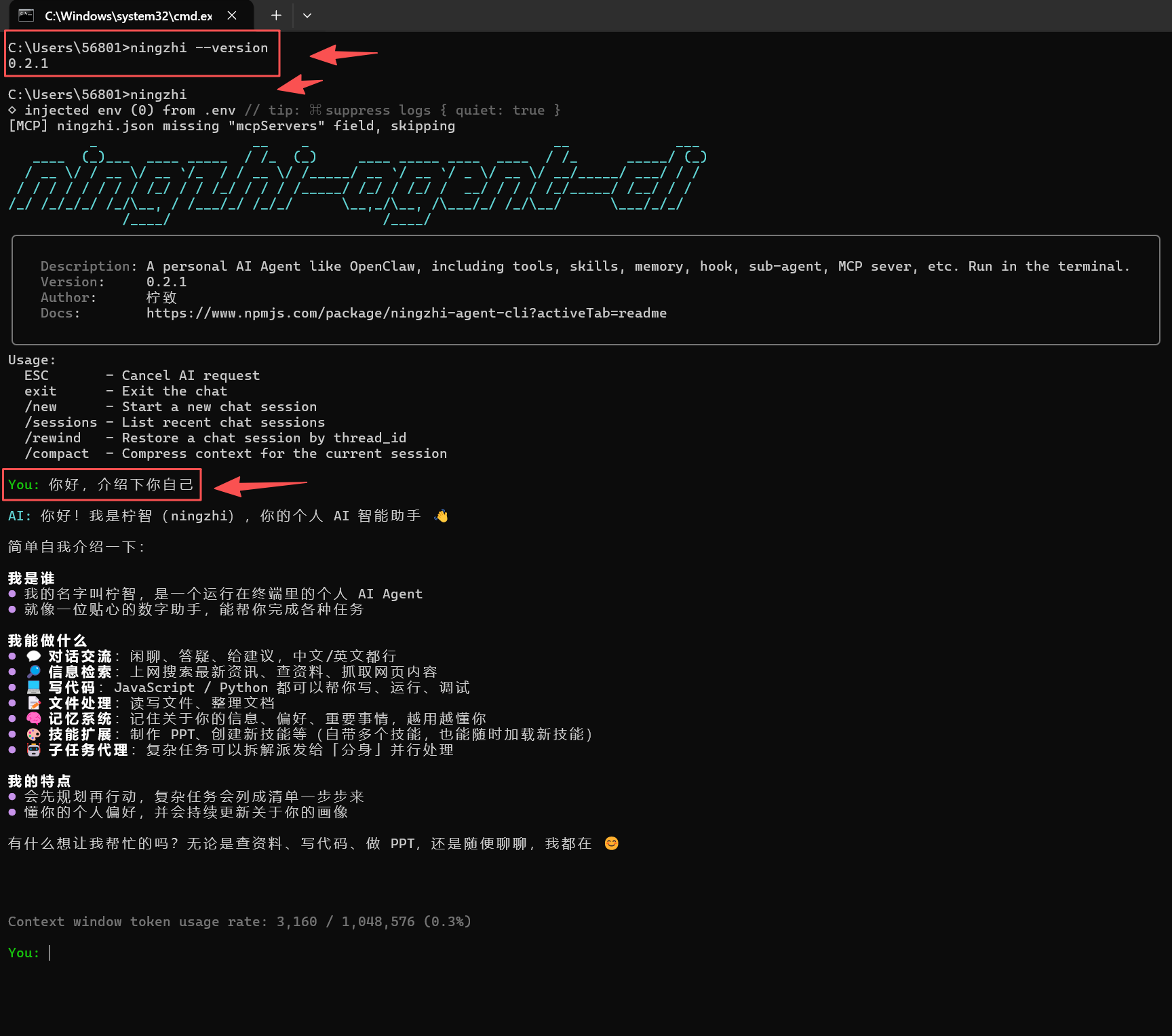
npm install ningzhi-agent-cli -g能查看到 Ningzhi 的版本号,说明安装成功:
ningzhi --version运行 ningzhi 命令启动:
ningzhi升级到最新版:
npm update ningzhi-agent-cli -gConfig
柠智 Ningzhi 初次运行时,会自动创建配置文件 ~/.ningzhiAgentCli/ningzhi.json,你至少需要配置 2 项:
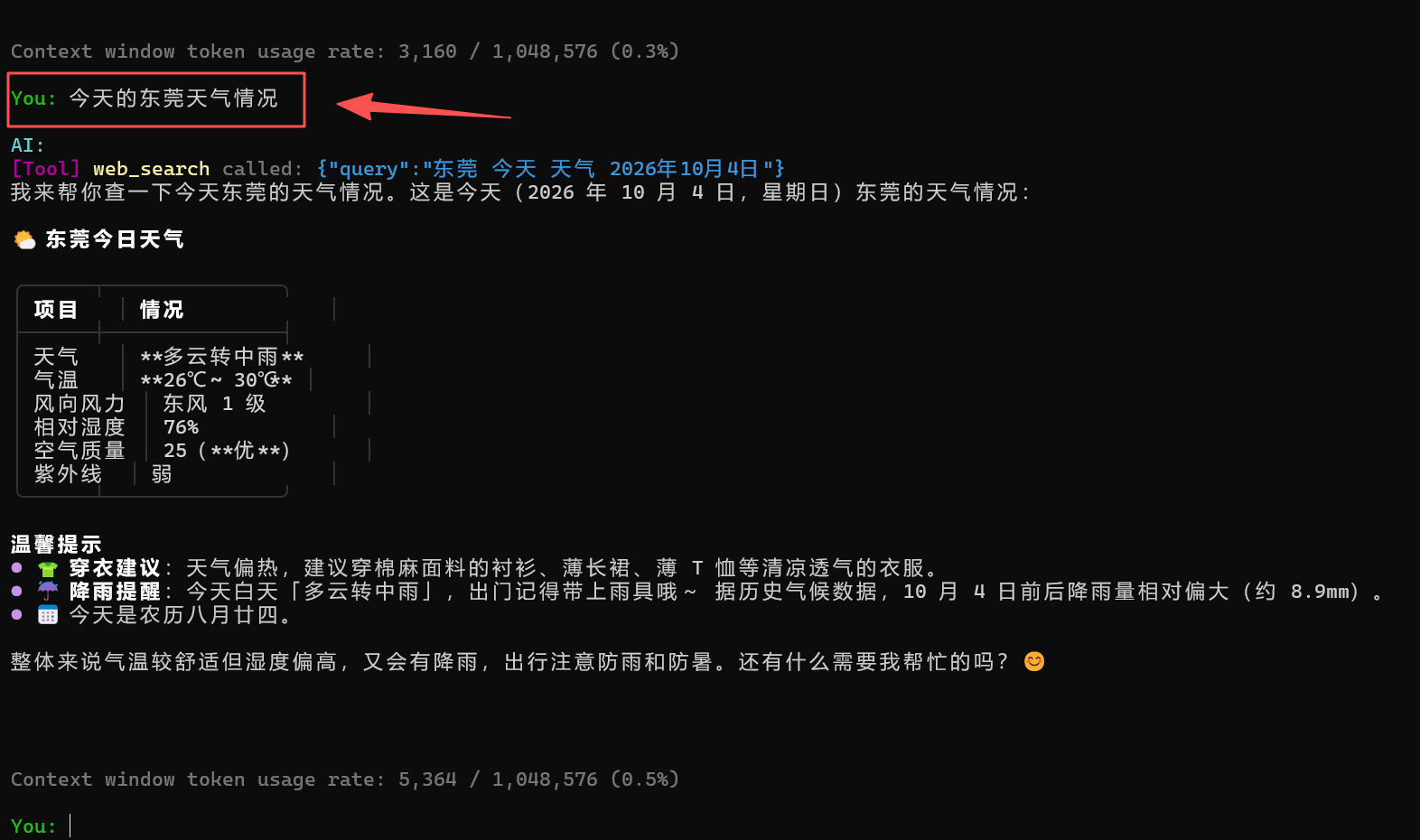
model:大模型的名称、API key 和 baseURL,下面是 kimi 的示例,其他模型见下文。TAVILY_API_KEY:Tavily Search API 的 API key,用于 Agent 做网络搜索。
{
  "model": {
    "model": "kimi-k3",
    "apiKey": "sk-xxx",
    "baseURL": "https://api.moonshot.cn/v1"
  },
  "env": {
    "TAVILY_API_KEY": "tvly-dev-xxx"
  }
}
配置完成后重新运行 ningzhi 即可。
Models
【注意】一些免费大模型(如 GLM-4-Flash)可能会存在兼容性问题。
- Kimi:https://platform.kimi.com/docs/guide/start-using-kimi-api
{
  "model": {
    "model": "kimi-k3",
    "apiKey": "sk-xxx",
    "baseURL": "https://api.moonshot.cn/v1"
  }
}- DeepSeek:https://api-docs.deepseek.com/zh-cn/
{
  "model": {
    "model": "deepseek-v4-pro",
    "apiKey": "sk-xxx",
    "baseURL": "https://api.deepseek.com"
  }
}- MiniMax:https://platform.minimaxi.com/docs/guides/quickstart-preparation
{
  "model": {
    "model": "MiniMax-M3",
    "apiKey": "sk-api-xxx",
    "baseURL": "https://api.minimaxi.com/v1"
  }
}- GLM 智谱:https://docs.bigmodel.cn/cn/guide/develop/langchain/introduction
{
  "model": {
    "model": "GLM-5.1",
    "apiKey": "xxx",
    "baseURL": "https://open.bigmodel.cn/api/paas/v4/"
  }
}- 通义千问 QWEN:https://bailian.console.aliyun.com/cn-beijing#/home
{
  "model": {
    "model": "qwen-plus",
    "apiKey": "sk-ws-xxx",
    "baseURL": "https://dashscope.aliyuncs.com/compatible-mode/v1"
  }
}- 小米 MiMo:https://mimo.mi.com/docs/zh-CN/quick-start/summary/first-api-call
{
  "model": {
    "model": "mimo-v2.5-pro",
    "apiKey": "xxx",
    "baseURL": "https://api.xiaomimimo.com/v1"
  }
}
其他模型,只要符合 OpenAI 接口格式,都能支持。
Skills
- 手动安装第三方 skill:Anthropic 提供了很多常用 skills 可以选择安装,例如:
npx skills add https://github.com/anthropics/skills/tree/main/skills/pdf- 在 Agent 中聊天对话,让它来安装一个第三方 skill:
帮我查找关于 pdf 的 skill 并安装最流行的那个- 在 Agent 中聊天对话,让它来创建一个新 skill:
帮我创建一个 skill 专门用来提出反对意见,防止我只看到正面价值,看不到负面影响MCP Server
打开配置文件 ~/.ningzhiAgentCli/ningzhi.json,可以配置 MCP Server,格式如下:
{
  "mcpServers": {
    "playwright": {
      "command": "npx",
      "args": ["-y", "@playwright/mcp@latest"]
    },
    "github": {
      "url": "https://api.githubcopilot.com/mcp/",
      "headers": {
        "Authorization": "Bearer github_pat_xxx"
      }
    }
  }
}
Hooks
打开配置文件 ~/.ningzhiAgentCli/ningzhi.json,可以配置 hooks,格式如下:
{
  "hooks": {
    "PreToolUse": [
      { "matcher": "exec", "command": "echo 'Checking command...'" },
      {
        "matcher": "read_file",
        "command": "~/.ningzhiAgentCli/hooks/protect_env.sh"
      }
    ],
    "PostToolUse": [
      { "matcher": "*", "command": "~/.ningzhiAgentCli/hooks/record_tool.sh" }
    ]
  }
}
使用示例
初始化
查看版本和启动
技术栈
- runtime:Node.js(>= 22)
- language:TypeScript
- package tool:pnpm
- agent framework:LangGraph
- LLM API:Moonshot Kimi(兼容任意 OpenAI 格式接口)
- CLI tool:commander.js
Development
克隆仓库后,在项目根目录执行:
pnpm dev      # 本地开发运行(ts-node)
pnpm test     # 运行测试
pnpm build    # 编译 TypeScript 到 dist/