
node-brother-label-printer
v1.1.5
Published
This Node.js package offers a straightforward interface for Brother label printers, utilizing the raster command system for binary bitmap data handling.


Keywords
Readme
node-brother-label-printer


If you enjoy my work and would like to support me, you can buy me a coffee via Zelle using the email [email protected] (Name: Yiqun Xu), or visit my Buy Me a Coffee page.(https://buymeacoffee.com/yeequn12) Should you encounter any issues with this library, please feel free to submit an issue on the repository and also email me directly at [email protected].
⚠️ Note: Our team’s current priority is on other projects.
If you need an urgent solution, you can buy us a $100 coffee ☕,
and we’ll fast-track your request to deliver a fix or workaround within 1–2 days.
A node.js library built to print png images with Brother Label Printers (QL-710W, QL-720NW, QL-810W, QL-820NWB, QL-1110NWB, QL-1115NWB) connected via USB.
Installation
$ npm install node-brother-label-printerIf you use usb as an adapter :
- On Linux, you'll need
libudevto build libusb. - On Ubuntu/Debian:
sudo apt-get install build-essential libudev-dev. - On Windows, Use Zadig to install the WinUSB driver for your USB device.
Otherwise you will get LIBUSB_ERROR_NOT_SUPPORTED when attempting to open devices.
How to print a PNG file
First, you will need the VendorID (VID) and ProductID (PID) of your printer. You can download and use the Zadig tool to identify the PID and VID of your connected usb brother label printer if you don't know it. Next you will need a PNG file to print. Currently PNG is the only file format this library supports.
You can download a sample PNG file here.
Note: pngs should have a width of 720 pixels for optimal results
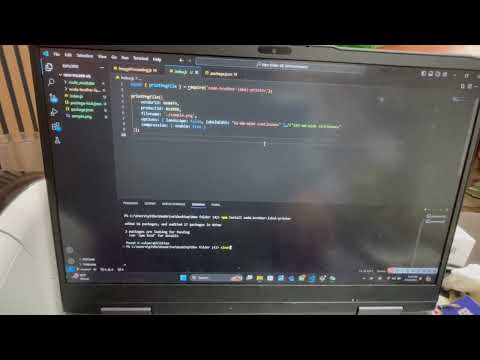
const { printPngFile } = require("node-brother-label-printer");

printPngFile({
  vendorId: 0x04f9,
  productId: 0x209d,
  filename: "./sample.png",
  options: { landscape: false, labelWidth: "62-mm-wide continuous" }, //"102-mm-wide continuous"
  compression: { enable: true },
});
Example
Contributing
- Fork this repo
- Clone your repo
- Install dependencies
- Checkout a feature branch
- Feel free to add your features
- Make sure your features are fully tested
- Open a pull request, and enjoy <3
Contributors
Thanks to our contributors! 🎉👏