node-mongoose-cli
v2.0.27
Published
Generator for creating models, seed, and migrations using mongoose.

Maintainers
 medve_dev
Readme
mongoose-cli

A handy CLI for speeding up mongoose-related workflow. Generate model and migration files automatically, and seed data.
NPM use
npm install -g node-mongoose-cliThis will give you the mongoose command. Type that to get the help page.
1. Make your first model with:
mongoose-cli generate model [model name]2. Set the Mongo URI (configurate)
mongoose-cli setUri 'mongodb://user:pass@localhost:27017/cli'Now you can save to your DB, seed it, drop it, and probe it with one of the shells.
3. Use these commands
help: Provides details for a command
seed: Runs or Revert the seed
drop: Drops some or all of the collections
generate: Creates a model or migration or seed file
4. Easily connect to MongoDB and require models!
You can require the models individually, or just require them all like so:
const db = require('./db');
// db.ModelName.find().then(res=>{}); //example
Docs
Getting help
mongoose-cli help [command name]Get details for a command.
Initializing project
mongoose-cli initGenerates files and directory structure (triggered automatically when a model is generated).
Setting MongoDB URI
mongoose-cli setUri <uri>Tells mongoose where the MongoDB is. Give it a mongo connection string, e.g. mongodb://user:pass@localhost:27017/db. If you need to dynamically determine the URI (e.g. have it depend on an enviroment variable), then you should directly edit the db/connection-config.js file instead.
Creating models
mongoose-cli generate model <model name>Example
# JavaScript data types
mongoose-cli generate model user
generates this model file called User.js:
    ...

module.exports = mongoose.model('User', UserSchema);
Seeders
Create seed
mongoose-cli generate seed <model name>Start seed for model
mongoose-cli seed run <name-model>or all seeders
mongoose-cli seed run allRevert seed for model
mongoose-cli seed undo <name-model>or all seeders
mongoose-cli seed undo allMigrations
mongoose-cli generate migration <model name>MongoDB doesn't technically need migrations since the schema is in the application layer. However, if similar operations need to be done on many documents in a collection, a migration file is a convenient place to do that. These files are just scripts with the model required in them.
const mongoose = require('mongoose');
let User = require('../models/User.js');


// manipulate your data here
User.find({})
    .then(results => {
        // you migration actions

        console.log(results);
        mongoose.connection.close();
    });
Once generated and editted, they need to be run manually, e.g. node db/migrations/User-1447177237834.js.
Drop collections
mongoose-cli drop [model names]Use this command to empty a collection or several. Drop all collections with no arguments.
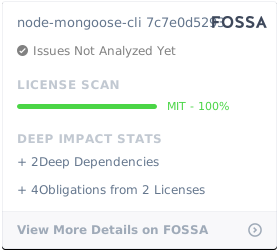
License