
node-red-contrib-line-messaging-api
v0.4.13
Published
Node-RED nodes for LINE Messaging API integration. Build LINE Bots easily with visual programming.


Readme
node-red-contrib-line-messaging-api
Node-RED nodes for LINE Messaging API integration.
Build LINE Bots easily with Node-RED's visual programming interface.
About this project
This package provides Node-RED nodes for integrating with LINE Messaging API, allowing you to create LINE Bots using Node-RED's visual flow editor. Create webhooks, send messages, and handle LINE Bot events with simple drag-and-drop nodes.
Install
Run the following command in the root directory of your Node-RED install:
npm install node-red-contrib-line-messaging-apiOr using Node-RED's Palette Manager:
- Go to the Node-RED menu
- Select "Manage palette"
- Click the "Install" tab
- Search for "line-messaging-api"
- Click install
Configuration
LINE Bot Config Node
The configuration node stores your LINE Bot credentials (Channel Secret and Channel Access Token). This background node isn't displayed in the editor but is accessible through the settings UI of Reply and Push nodes.
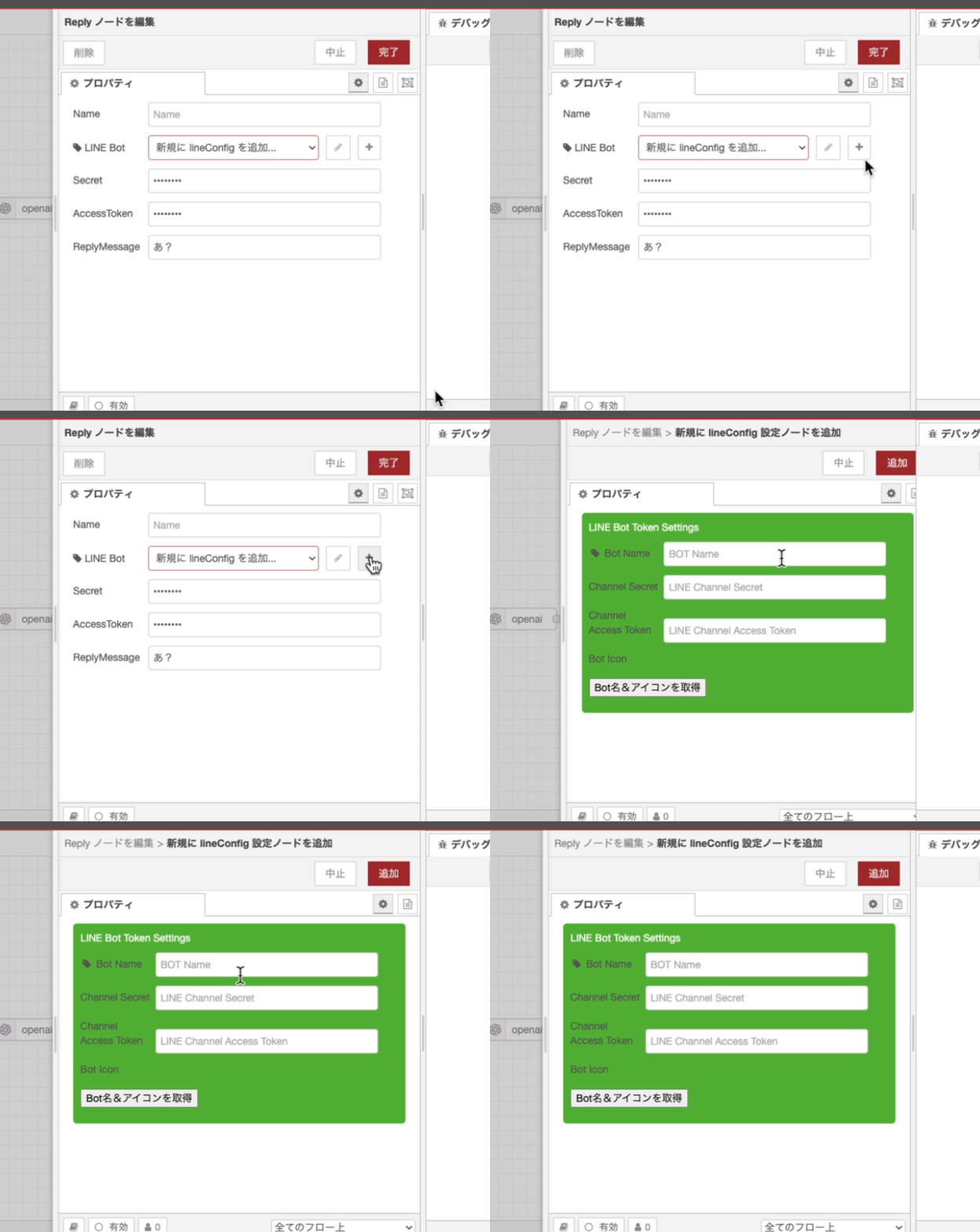
Created LINE Bot configurations can be shared across multiple Reply and Push nodes.
Available APIs and Usage
Webhook & Reply Message
- Place a Webhook node and double-click to configure it. Set the
/pathand register the Webhook URL (your hostname + path) in the LINE Developers console for your Messaging API. - Place a ReplyMessage node and configure the channel secret and access token.
- Connect the Webhook node to the ReplyMessage node to create an echo bot that responds to LINE messages.
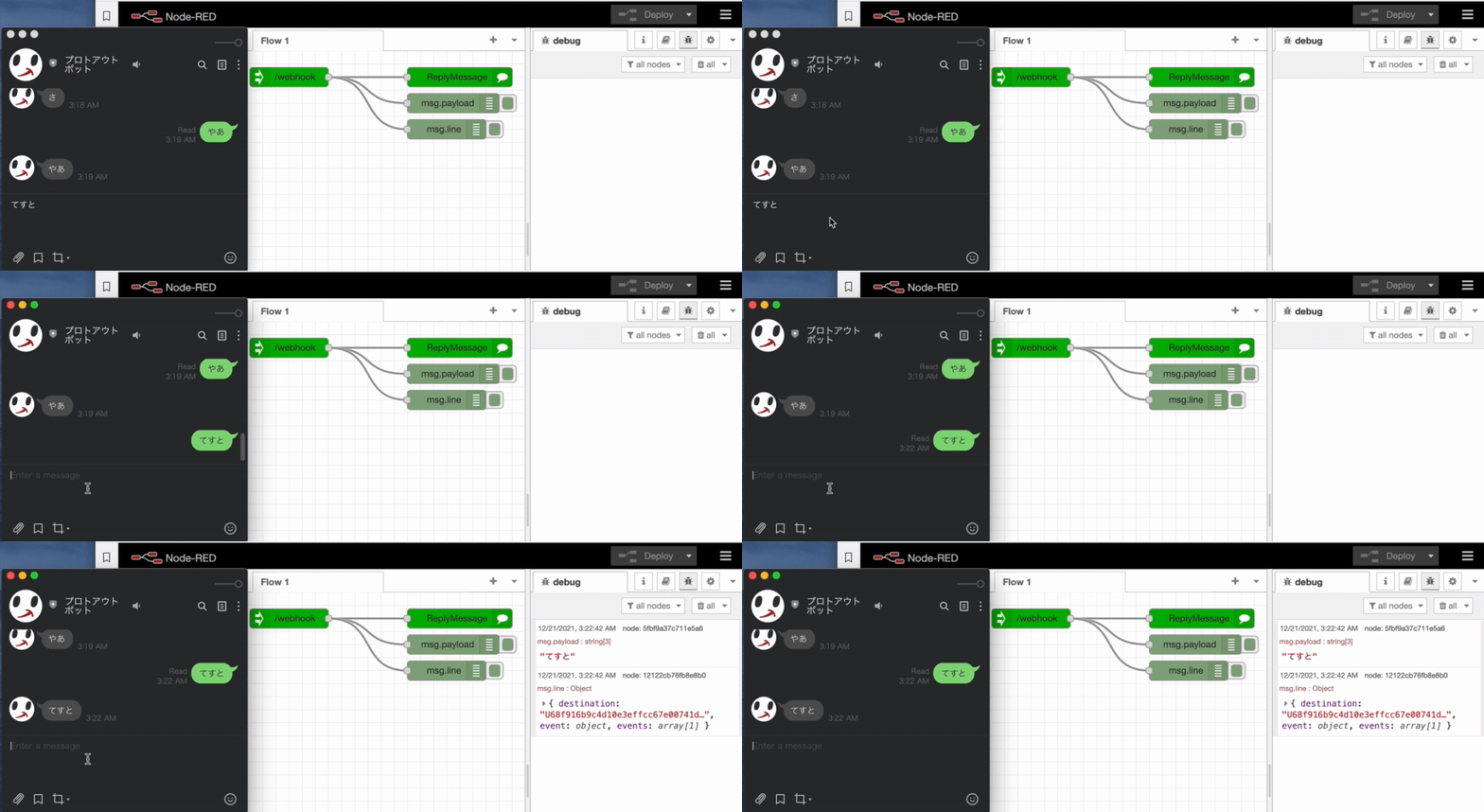
- Process
msg.payloadbetween the Webhook and ReplyMessage nodes to send various message types. Use plain text strings for text messages, or LINE-defined message objects for rich messages.
Push Message
Send push messages by setting text in msg.payload to send text messages.
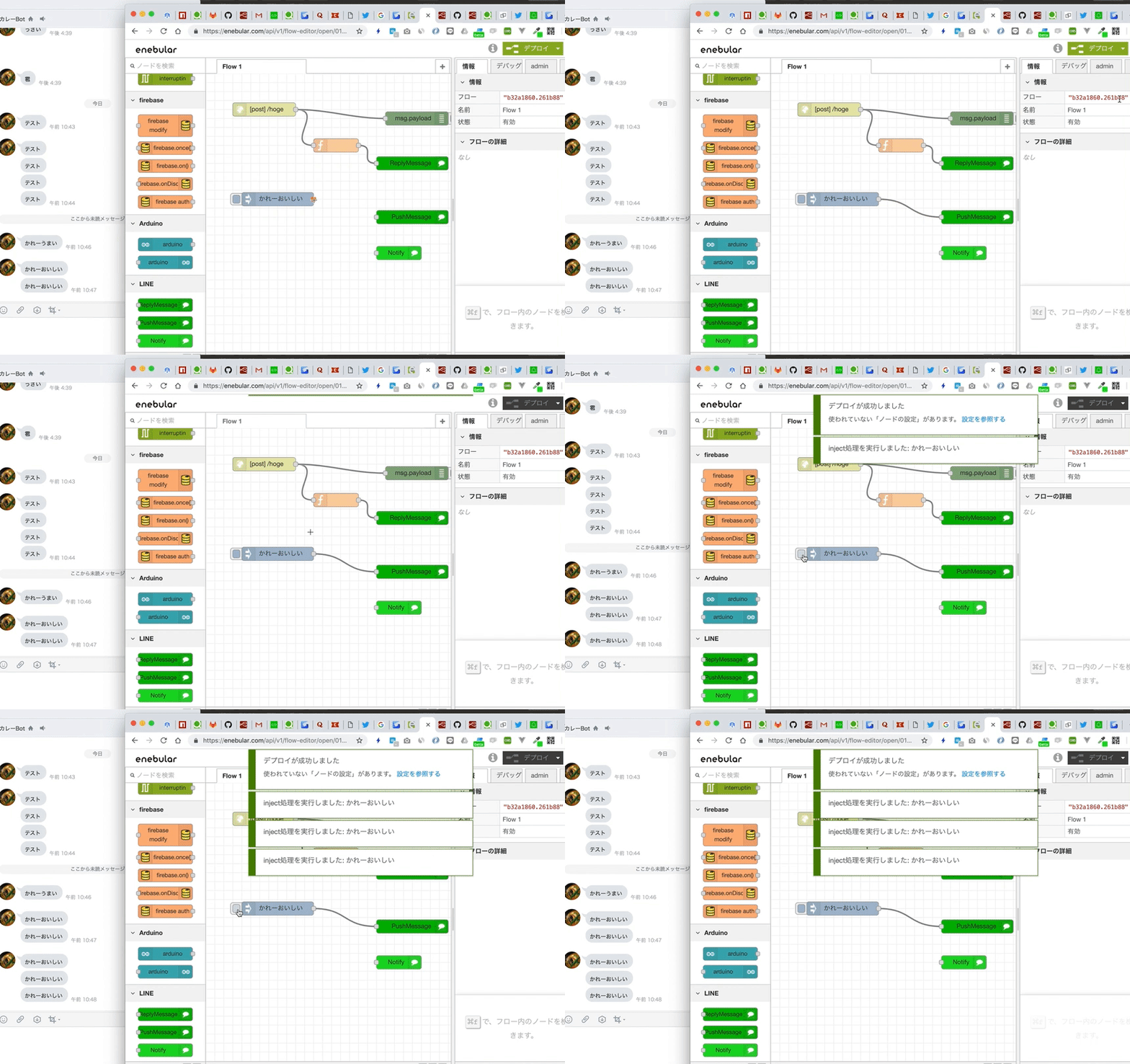
Text Message v2 with User Mentions
Send push messages with user mentions using Text Message v2 by setting msg.payload with {placeholder} text and configuring msg.substitution.
- msg.payload:
Welcome, {user1}! {laugh}\n{everyone} There is a newcomer! - msg.substitution:
{"user1": {"type": "mention", "mentionee": {"type": "user", "userId": "Uxxxxxxxxxxxx"}},"laugh": {"type": "emoji","productId": "670e0cce840a8236ddd4ee4c","emojiId": "002"},"everyone": {"type": "mention","mentionee": {"type": "all"}}}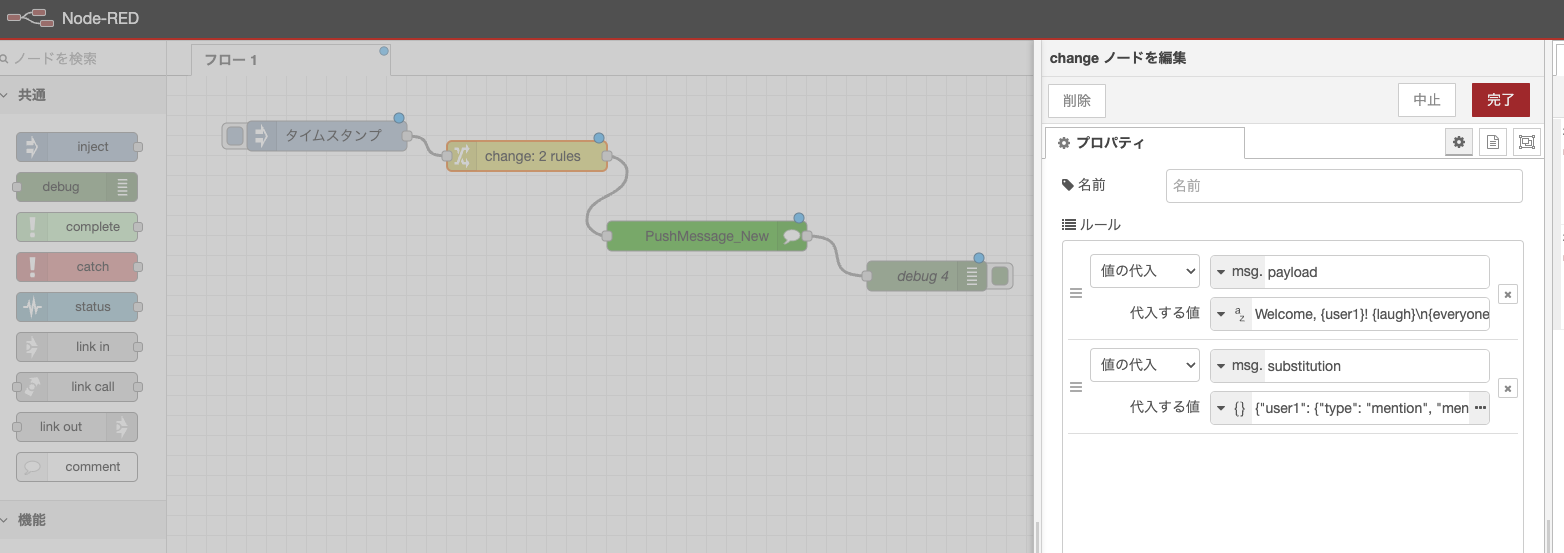
Custom Messages
Send custom messages by setting arrays or message objects in msg.payload.
msg.payload = [
    {
        type: "text",
        text: "hogehoge",
    },
    {
        type: "image",
        originalContentUrl: 'https://i.gyazo.com/e772c3b48a07716226f7184d7f417cda.png',
        previewImageUrl: 'https://i.gyazo.com/e772c3b48a07716226f7184d7f417cda.png'
    }
]

return msg;
Broadcast Message
Send messages to all bot friends.
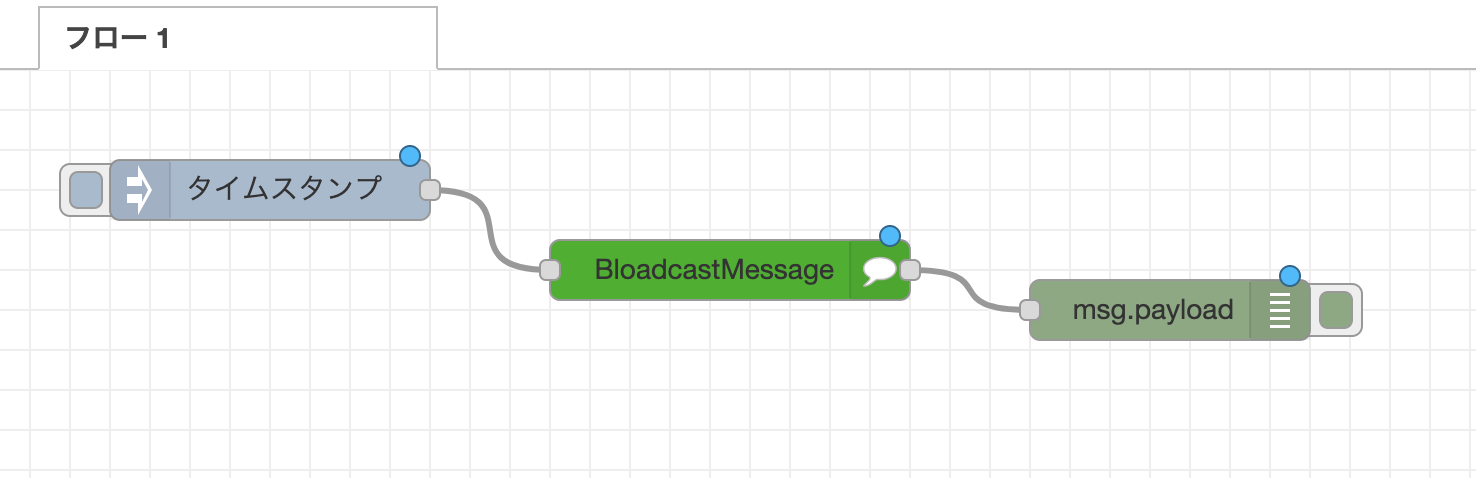
Loading
Display loading indicators to users.
https://developers.line.biz/en/reference/messaging-api/#display-a-loading-indicator
Get Profile
Retrieve user profile information. https://developers.line.biz/en/reference/messaging-api/#get-profile
Get Bot Info
Retrieve bot information. https://developers.line.biz/en/reference/messaging-api/#get-bot-info
Node Types
| Node Type | Description | |-----------|-------------| | Webhook | Receives webhooks from LINE platform | | Reply Message | Sends reply messages using reply tokens | | Push Message | Sends push messages to specific users | | Broadcast Message | Sends messages to all bot friends | | Loading | Displays loading indicators | | Get Profile | Retrieves user profile information | | Get Bot Info | Retrieves bot information | | Limit | Checks message quota limits | | LINE Bot Config | Stores bot credentials (background node) |
Browser Compatibility and Requirements
- HTTPS Required: For production webhook endpoints
- LINE Developers Account: Required for creating LINE Bots
- Node-RED: Compatible with Node-RED v1.0+
- Dependencies: @line/bot-sdk, express, body-parser, cors
Links
Dependency versions
This node restricts some dependencies to a specific major version because newer major versions may introduce breaking changes.
Release Notes
- 2024/12/27: v0.4.3 - Added internationalization (i18n) support, removed LINE Notify nodes (API discontinued), updated documentation with English/Japanese versions
- 2024/12/27: Added Loading, getProfile, and config nodes
- 2023/12/11: Added Notify_new with sticker and image support
- 2021/8/1: Reply Message now supports images (thanks @ukkz)
- 2020/12/17: Added Broadcast Message support, Reply Message supports Flex Messages (thanks @gaomar)
- 2019/2/13: Added PUSH Message and LINE Notify support
- 2018/10/11: Initial release with basic reply functionality
Contributing & License
Pull requests and bug reports are welcome.
This project is licensed under the Apache 2.0 license.
Created and maintained by n0bisuke.