
node-red-contrib-ot-to-status
v0.0.5
Published
To display set key from msg in status of node
Downloads
21

Maintainers
 yoyoek1
Readme
More is comming ...
Set key name in properties of node to what you want to display in status of the node from
- msg[ string ] to node status
this is a in progress ...
install it
For now installation is by entering node-red home directory then installing locally to Node-RED. So user starting node-red home director ./.node-red
npm i node-red-contrib-ot-to-statusthen restart Node-RED and start your oiyshTerminal thing
example flow set
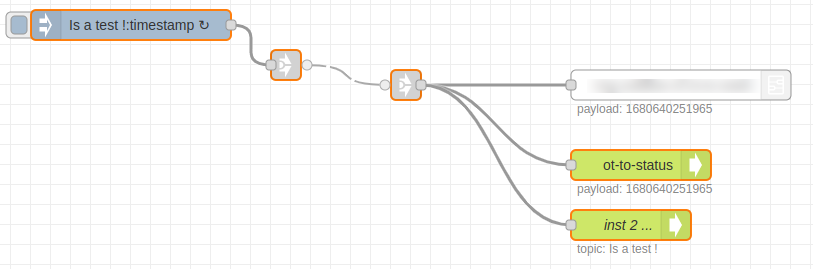
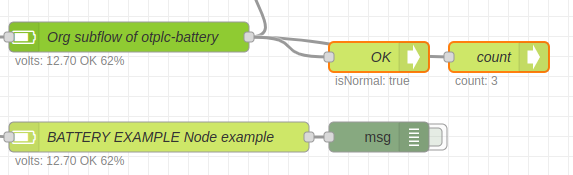
.json example to import
It's as a example node set or use link to ... ./examples/exampleNodeSet.json*
[ { "id": "c1561e195e281007", "type": "inject", "z": "6e119010f87bea35", "name": "", "props": [ { "p": "payload" }, { "p": "topic", "vt": "str" } ], "repeat": "1", "crontab": "", "once": false, "onceDelay": 0.1, "topic": "Is a test !", "payloadType": "date", "x": 1440, "y": 1440, "wires": [ [ "4bfc7380648f6708" ] ] }, { "id": "4bfc7380648f6708", "type": "link out", "z": "6e119010f87bea35", "name": "", "mode": "link", "links": [ "353db5c6bafa5de4" ], "x": 1595, "y": 1480, "wires": [] }, { "id": "353db5c6bafa5de4", "type": "link in", "z": "6e119010f87bea35", "name": "", "links": [ "4bfc7380648f6708" ], "x": 1715, "y": 1500, "wires": [ [ "a4855d84e35f2139", "312b575a095adf53", "a5d36c69da489dde" ] ] }, { "id": "312b575a095adf53", "type": "ot-to-status", "z": "6e119010f87bea35", "name": "", "vKey": "payload", "x": 1950, "y": 1580, "wires": [] }, { "id": "a5d36c69da489dde", "type": "ot-to-status", "z": "6e119010f87bea35", "name": "inst 2 ... ", "vKey": "topic", "x": 1940, "y": 1640, "wires": [] }]If you see that this makes sense send me a ☕ | Master repository | About SvOiysh