
node-red-contrib-powermateble
v0.1.1
Published
A Node-RED node for interacting with a PowerMate Bluetooth device
Downloads
10

Maintainers
 circuitbeard
Readme
node-red-contrib-powermateble
A Node-RED node for interacting with a PowerMate Bluetooth device.
Under the hood, this node makes use of and thus has a dependency on the noble Node.js library.
Prerequisites
Linux
- Node.js v0.12.x or greater
- Bluetooth
Install the prerequisite bluetooth libraries by running the following command.
sudo apt-get install bluetooth bluez libbluetooth-dev libudev-dev Optional: The noble library requires Node.js to run as sudo or root. Run the following command to grant the node binary cap_net_raw privileges so that this is no longer a requirement.
sudo apt-get install libcap2-bin
sudo setcap cap_net_raw+eip $(eval readlink -f '/path/to/node/binary')
Install
Run the following command in the root directory of your Node-RED install
npm install node-red-contrib-powermatebleUsage
powermate-in
A node that listens to a PowerMate Bluetooth device for device events.
Select or connect to a new PowerMate device via the Device field by entering it's MAC address. The msg.payload property contains the parsed event value. Additionally, msg.topic contains the name of the captured event.
Possible events/value combinations are:
Screenshots
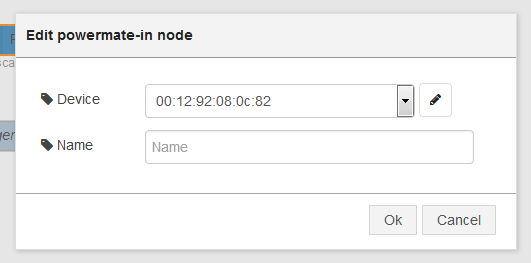
Caption: powermate-in config dalog
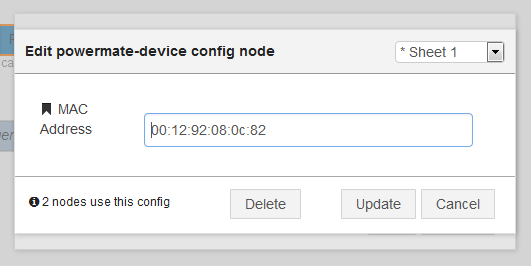
Caption: powermate-in device dialog

Caption: powermate-in node wired to debug
powermate-led
A node that sets the brightness of a PowerMate Bluetooth device LED.
Select or connect to a new PowerMate device via the Device field by entering it's MAC address. Enter the percentage brightness into the Brightness field to set the devices LED brightness. If left blank the passed in msg.payload will be used.
Setting a value of -1 will pulse the LED.
Screenshots
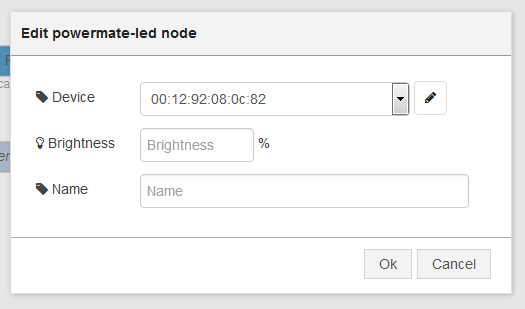
Caption: powermate-led config dialog

Caption: powermate-LED node wired to random percentage generator