
nodebot-server
v0.1.1
Published
Simple socket.io server for controlling a nodebot.

Maintainers
 doowb
doowbReadme
nodebot-server 


Simple socket.io server for controlling a nodebot.
Install
Install with npm:
$ npm install --save nodebot-serverUsage
var server = require('nodebot-server');API
.server
Start a web server hosting the index page and a websocket server to listen for commands to send to listening nodebots.
Params
options{Object}: Options to control how the server is configured.options.cwd{String}: Directory where any static files to be served are found. Defaults toprocess.cwd().options.index{String}: Relative path fromoptions.cwdto the html file to serve when the root route is accessed. Defaults toindex.html.options.port{Number}: Port for the web server to listen on. Defaults to 3000.cb{Function}: Callback function that is passed anerrif an Error occurs, or anappwhen successful. See app.
Example
var options = { cwd: __dirname, index: 'index.html' };
server(options, function(err, app) {
  if (err) {
    console.error(err);
    process.exit(1);
    return;
  }
  console.log('Nodebot server started.');

   // listen for commands
   app.on('cmd', function(cmd) {
     console.log(`Received command: ${cmd}`);
   });
});
app
Application instance that is used to listen for events to know when to send commands to your nodebots.
Example
app.on('cmd', function(cmd) {
  console.log(cmd);
  //=> 'forward'
});
Nodebot remote control
Use nodebot remote control to quickly get started with a UI for sending commands to the nodebot server.
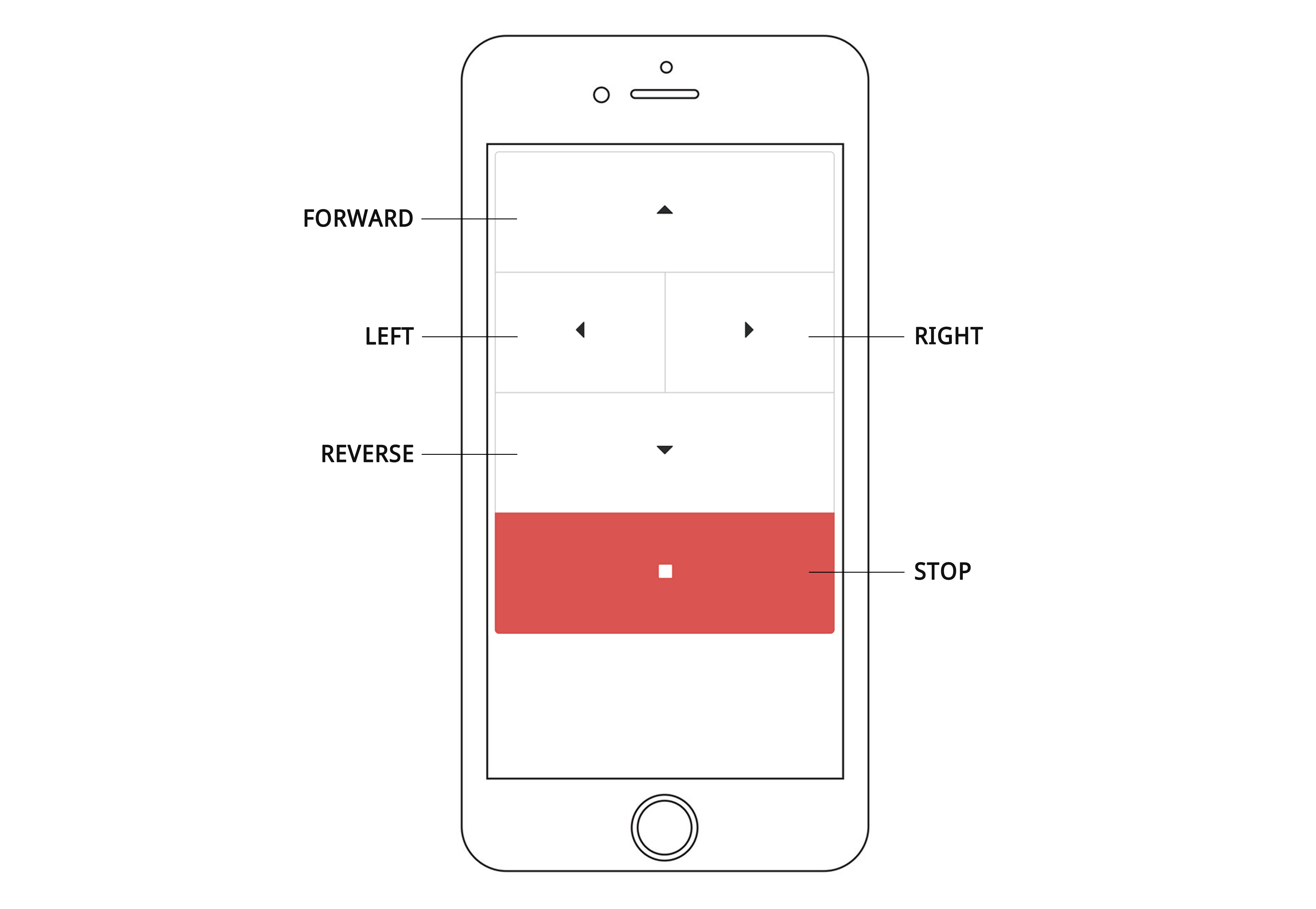
Use the following steps to setup the nodebot remote control:
- Clone nodebot-remote-control into a vendor folder in your nodebot project:
$ git clone https://github.com/jonschlinkert/nodebot-remote-control.git vendor/nodebot-remote-control- Copy the files from
distinto a folder in your nodebot project (we'll usepublic)
$ cp -R ./vendor/nodebot-remote-control/dist/ ./public- Configure and start the nodebot-server after connecting to your nodebot:
var path = require('path');
var server = require('nodebot-server');
var options = {
  cwd: path.join(process.cwd(), 'public')
};

server(options, function(err, app) {
  if (err) {
    console.error(err);
    process.exit(1);
    return;
  }
  app.on('cmd', function(cmd) {
    // call function coorisponding to the command received
    nodebot[cmd]();
  });
});
About
Contributing
Pull requests and stars are always welcome. For bugs and feature requests, please create an issue.
Please read the contributing guide for avice on opening issues, pull requests, and coding standards.
Building docs
(This document was generated by verb-generate-readme (a verb generator), please don't edit the readme directly. Any changes to the readme must be made in .verb.md.)
To generate the readme and API documentation with verb:
$ npm install -g verb verb-generate-readme && verbRunning tests
Install dev dependencies:
$ npm install -d && npm testAuthor
Brian Woodward
License
Copyright © 2017, Brian Woodward. Released under the MIT license.
This file was generated by verb-generate-readme, v0.2.3, on January 11, 2017.