
nodezilla
v1.0.3
Published
Quickly create node projects to speedup your workflow!😁


Readme
Nodezilla
Quickly create node projects to speedup your workflow!😁


Documentation
Step-1: Install the CLI
npm i nodezilla -gStep-2: Create an empty directory
mkdir myAwesomeProject && cd myAwesomeProjectStep-3: Run The CLI
nodezillaStep-4: Select Template
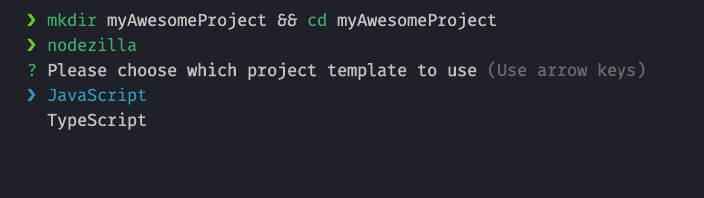
Step-5: Choose If You want to initialize a git repository or not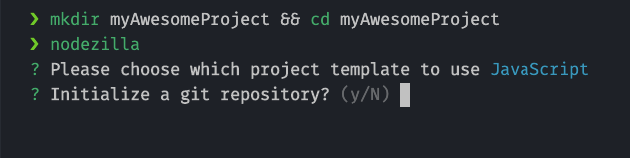
Step-6: Start Developing
Run npm start to start developing
note: For Typescript Do the following:
- Open a terminal window and run
npm run ts - Open another terminal window adn run
npm start